
1. Киришүү
This manual provides detailed instructions for the MCHOSE A5 Ultra V2 Wireless Gaming Mouse. Designed for high-performance gaming, this mouse combines a lightweight, symmetrical design with advanced connectivity and sensor technology. Please read this manual thoroughly to ensure proper setup and optimal use of your device.
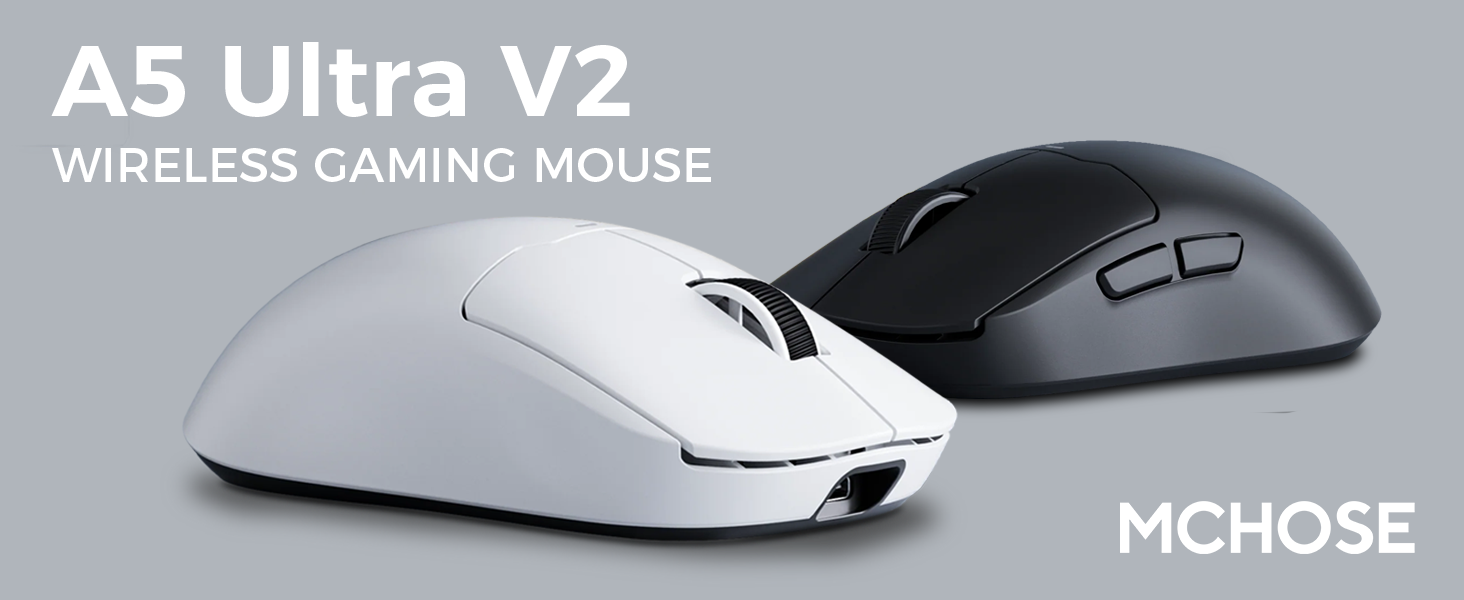
Figure 1: MCHOSE A5 Ultra V2 Wireless Gaming Mouse Overview
2. Негизги өзгөчөлүктөрү
- Жеңил дизайн: Weighing only 54g, the mouse offers optimal control and comfort for extended gaming sessions.

Figure 2: Lightweight design for enhanced comfort.
- High Precision PAW3395 Optical Sensor: Achieve maximum accuracy with up to 26,000 DPI for precise tracking.

Figure 3: PAW3395 optical sensor for high precision.
- Wired 8K/Wireless 4K Polling Rate: Experience ultra-low-latency and lightning-fast response times with up to 8000Hz wired and 4000Hz wireless polling rates.

Figure 4: Illustrating the 4K wireless polling rate capability.
- Үч режимдик туташуу: Connect via ultra-low-latency 2.4GHz wireless, Bluetooth, or wired USB for versatile use across various devices.

5-сүрөт: Үч режимдеги туташуу параметрлери.
- Custom Software: Utilize the dedicated software to store custom settings for buttons, DPI adjustments, polling rates, and gaming modes directly on the mouse's onboard memory.

Figure 6: Custom software for personalized settings.
- Узак мөөнөттүү батарея: Enjoy up to 130 hours of battery life on a single charge, minimizing interruptions during gameplay.
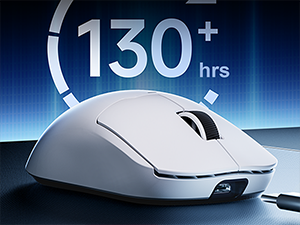
Figure 7: Extended battery life for prolonged use.
3. Орнотуу нускамалары
The MCHOSE A5 Ultra V2 offers three connection modes: 2.4GHz wireless, Bluetooth, and wired USB.
3.1. 2.4 ГГц зымсыз туташуу
- Locate the 2.4GHz USB receiver (dongle) inside the mouse's bottom compartment.
- USB ресиверди компьютериңиздеги жеткиликтүү USB портуна сайыңыз.
- Turn on the mouse using the switch located on the bottom. Ensure it is set to the 2.4GHz wireless mode (usually indicated by a specific position or LED color).
- Your computer should automatically detect the mouse. If not, try restarting your computer or replugging the receiver.

Figure 8: USB receiver stored in the mouse compartment.
3.2. Bluetooth туташуусу
- Чычканды күйгүзүп, ылдый жагындагы которгучту Bluetooth режимине коюңуз.
- Компьютериңизде же түзмөгүңүздө Bluetooth жөндөөлөрүнө өтүңүз.
- Initiate the pairing process on your device. The mouse should appear as "MCHOSE A5 Ultra V2" or similar.
- Жупташтыруу үчүн чычканды тандаңыз. Экрандагы көрсөтмөлөрдү аткарыңыз.
3.3. Зымдуу USB туташуусу
- Берилген USB-C кабелин чычкандын алдыңкы портуна туташтырыңыз.
- Кабелдин экинчи учун компьютериңиздеги жеткиликтүү USB портуна туташтырыңыз.
- Чычкан автоматтык түрдө зымдуу режимге өтүп, заряддоону баштайт.
4. Иштөө нускамалары
4.1. Негизги функциялар
- Сол чыкылдатуу: Негизги аракет.
- Оң чыкылдатуу: Кошумча аракет/контексттик меню.
- Жылдыруу дөңгөлөгү: Өйдө/төмөн сыдырыңыз, ортоңку чыкылдатыңыз.
- Каптал баскычтары: Typically configured for forward/backward navigation in web браузерлер. Программалык камсыздоо аркылуу ыңгайлаштырылуучу.
4.2. DPI тууралоо
The mouse features a dedicated DPI button (often located on the bottom or top, near the scroll wheel) to cycle through preset DPI levels. For fine-tuning and custom DPI settings, use the MCHOSE custom software.
4.3. Custom Software Usage
Download the MCHOSE custom software from the official MCHOSE webсайт. Бул программа сизге мүмкүнчүлүк берет:
- Баскычтарды кайра картага түшүрүү.
- Adjust DPI levels and create custom profiles.
- Сурамжылоо көрсөткүчтөрүн өзгөртүү.
- Configure macros.
- Manage gaming modes.
Settings are stored on the mouse's onboard memory, allowing you to use your custom configurations on any computer without the software installed.
5. Техникалык тейлөө
- Тазалоо: Чычкандын бетин тазалоо үчүн жумшак, кургак чүпүрөктү колдонуңуз. өжөр кир үчүн, бир аз гamp cloth can be used, ensuring no moisture enters the device. Avoid harsh chemicals or abrasive materials.
- Сенсор тазалоо: Periodically clean the optical sensor on the bottom of the mouse with a cotton swab to ensure optimal tracking performance.
- Батареяга кам көрүү: To prolong battery life, avoid fully discharging the mouse frequently. Charge the mouse when the battery indicator is low.
- Сактагыч: Узак мөөнөткө колдонулбаганда чычканды салкын, кургак жерде сактаңыз.
6. Кыйынчылыктарды
| Көйгөй | Мүмкүн себеп | Чечим |
|---|---|---|
| Чычкан жооп бербей жатат (Зымсыз) | Low battery; USB receiver disconnected; Incorrect mode selected. | Charge the mouse; Re-plug the USB receiver; Ensure the mouse is in 2.4GHz or Bluetooth mode. |
| Чычкан жооп бербей жатат (Bluetooth) | Жупташтырылган эмес; Түзмөктө Bluetooth өчүк; Батареянын кубаты аз. | Re-pair the mouse; Enable Bluetooth on your device; Charge the mouse. |
| Туура эмес көзөмөлдөө | Dirty sensor; Unsuitable surface; Incorrect DPI setting. | Clean the optical sensor; Use a mouse pad or suitable surface; Adjust DPI settings. |
| Баскычтар иштебей жатат | Программалык камсыздоонун кагылышуусу; Физикалык зыян. | Restart computer; Check custom software settings; Contact support if physical damage is suspected. |
| Батареянын иштөө мөөнөтү кыска | Frequent high polling rate use; Battery degradation. | Reduce polling rate if not critical; Ensure full charges; Contact support if battery life significantly degrades. |
7. Продукттун спецификациялары
| Өзгөчөлүк | Деталь |
|---|---|
| Модел | A5 Ultra V2 |
| Бренд | CHSE |
| Байланыш технологиясы | 2.4GHz Wireless, Bluetooth, USB Wired |
| Кыймылды аныктоо технологиясы | Optical (PAW3395) |
| Макс DPI | 26,000 DPI |
| Добуш берүү көрсөткүчү | Wired 8000Hz, Wireless 4000Hz |
| Элемент Салмагы | 54 грамм (2.12 унция) |
| Батареянын иштөө мөөнөтү | 130 саатка чейин |
| Батареялар | 1 литий-иондук батарейка (кошулган) |
| Түс | Black (as per current variant) |
| Пакеттин өлчөмдөрү | 7.36 x 4.53 x 3.31 дюйм |
| Операциялык системанын шайкештиги | Linux, Windows |
8. Кепилдик жана колдоо
This MCHOSE product is covered by a standard manufacturer's warranty. For specific warranty details, please refer to the warranty card included in your product packaging or visit the official MCHOSE webсайт.
For technical support, troubleshooting assistance, or warranty claims, please contact MCHOSE customer service through their official webсайт же продукт документациясында көрсөтүлгөн байланыш маалыматы.
Note: Protection plans may be available for purchase separately through retailers. These plans are not directly provided by MCHOSE.