
Күчтүү SRT427
STRONG 4K UHD Box SRT 427 User Manual
Introduction
This manual provides comprehensive instructions for the installation, operation, and maintenance of your STRONG 4K UHD Box SRT 427. Please read this manual carefully before using the device to ensure proper functionality and to prevent damage. Keep this manual for future reference.
Пакеттин мазмуну
Орнотууну улантуудан мурун, пакетте бардык элементтер бар экенин текшериңиз:
- STRONG 4K UHD Box SRT 427
- Алыстан башкаруу (батареялар камтылган эмес)
- Кубаттуу адаптер
- HDMI кабели
- Ыкчам орнотуу колдонмосу
Жайгашуу
Follow these steps to set up your STRONG 4K UHD Box SRT 427:
- Сыналгыга туташуу: Connect one end of the HDMI cable to the HDMI OUT port on the SRT 427 and the other end to an available HDMI IN port on your television.
- Кубатка туташуу: Plug the power adapter into the DC IN port on the SRT 427, then plug the adapter into a wall outlet.
- Интернетке туташуу (милдеттүү эмес): For internet-based features, connect an Ethernet cable to the LAN port on the SRT 427, or configure Wi-Fi settings after initial boot-up.
- Батареяларды пультка салыңыз: Open the battery compartment on the remote control and insert 2x AAA batteries (not included), ensuring correct polarity.
- Күйгүзүү: Turn on your TV and select the correct HDMI input source. The SRT 427 should power on automatically. If not, press the power button on the remote control.
- Баштапкы орнотуу устасы: Follow the on-screen instructions to complete the initial setup, including language selection, network configuration, and channel scanning.
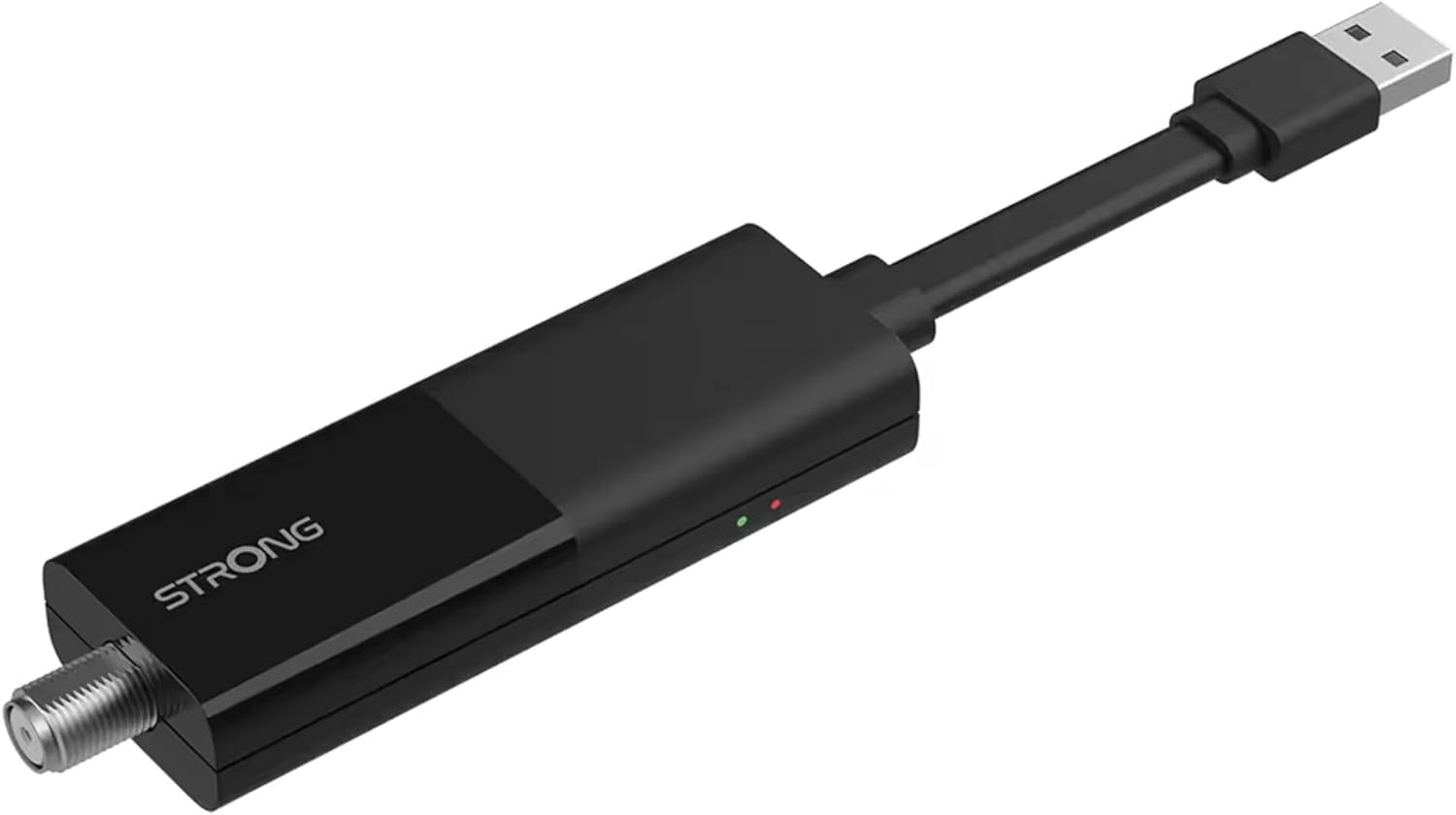
Image: The STRONG 4K UHD Box SRT 427, a compact black USB dongle-style device with a USB connector on one end and an F-type coaxial antenna input on the other, featuring the 'STRONG' logo and small indicator lights.
Иштөө нускамалары
Once the initial setup is complete, you can begin using your SRT 427. Use the remote control to navigate the user interface.
- Башкы экран: басыңыз ҮЙ button to access the main menu, where you can find applications, settings, and media options.
- Навигация: жебе баскычтарын колдонуңуз (Өйдө, ылдый, сол, оң) to move through menus and options. Press OK тандоону ырастоо үчүн.
- Үндү көзөмөлдөө: колдонуу VOL+ жана VOL- аудио үнүн жөндөө үчүн баскычтар.
- Канал тандоо: If connected to an antenna, use the CH+ жана CH- buttons to change channels, or enter channel numbers directly using the numeric keypad.
- Орнотуулар: Access the settings menu to customize display, audio, network, and system preferences.
- Медиа ойнотуу: Медиа файлдарды ойнотуу үчүн USB сактагыч түзмөгүн USB портуна туташтырыңыз files (photos, videos, music) through the built-in media player.
Техникалык тейлөө
Proper maintenance ensures the longevity and optimal performance of your SRT 427.
- Тазалоо: Disconnect the device from power before cleaning. Use a soft, dry cloth to wipe the exterior. Do not use liquid cleaners or abrasive materials.
- Вентиляция: Ensure the device is placed in a well-ventilated area. Do not block ventilation openings.
- Температура: Аппаратты экстремалдык температурага, тике күн нуруна же жогорку нымдуулукка дуушар кылуудан алыс болуңуз.
- Программалык камсыздоонун жаңыртуулары: Periodically check for firmware updates through the system settings to ensure you have the latest features and bug fixes.
Проблемаларды чечүү
If you encounter issues with your SRT 427, refer to the following common problems and solutions:
| Көйгөй | Чечим |
|---|---|
| Күч жок | Check if the power adapter is securely connected to the device and the wall outlet. Ensure the outlet is functional. |
| Телевизордо сүрөт жок | Verify the HDMI cable is correctly connected to both the SRT 427 and the TV. Ensure the TV is set to the correct HDMI input source. |
| Үн жок | Check the volume level on both the SRT 427 and your TV. Ensure audio settings in the SRT 427 menu are correct. |
| Пульт иштебей жатат | Check and replace the batteries. Ensure there are no obstructions between the remote and the device's IR sensor. |
| Wi-Fi'га туташпай жатат | Ensure your Wi-Fi router is on and within range. Re-enter the Wi-Fi password in the network settings. Try restarting both the SRT 427 and your router. |
Техникалык шарттар
Technical specifications for the STRONG 4K UHD Box SRT 427:
- Модель номери: SRT427
- Продукциянын өлчөмдөрү: 5.91 x 7.87 x 5.91 дюйм
- Элемент Салмагы: 1.76 фунт
- Батареялар: 1 AAAA batteries required (for remote control, typically)
- Өндүрүүчү: Күчтүү
- Language (Default): Italian (may vary by region, user configurable)
- ASIN: B0FDPX7PRQ
- Биринчи жеткиликтүү болгон күнү: 21-август, 2025-жыл
Кепилдик жана колдоо
For warranty information and technical support, please refer to the warranty card included in your product packaging or visit the official Strong webсайт. Аппаратты өзүңүз оңдоого аракет кылбаңыз, анткени бул сиздин кепилдикиңизди жокко чыгарышы мүмкүн.
Официалдуу Webсайт: www.strong.tv
Ask a question about this manual
Ask about setup, troubleshooting, compatibility, parts, safety, or missing instructions. Manuals+ will review the question and use this page’s manual context to help answer it.