
1. Киришүү
Thank you for choosing the Xiaomi Smart Temperature and Humidity Monitor 3 Mini. This device is designed to provide accurate, real-time measurements of indoor temperature and humidity, helping you maintain a comfortable and healthy environment. Its compact design and smart features make it a valuable addition to any home.
2. Продукт бүтүп калдыview жана өзгөчөлүктөрү
The Xiaomi Smart Temperature and Humidity Monitor 3 Mini combines precision with convenience. Key features include:
- Компакт дизайн: Small footprint for versatile placement.
- Жогорку тактык сенсор: Accurate detection of temperature and humidity changes.
- Таза LCD дисплей: Shows temperature and humidity simultaneously.
- Ideal Range Indicator: Visual cues for optimal environmental conditions.
- Өтө аз энергия керектөө: Extended battery life.
- Ийкемдүү жайгаштыруу: Suitable for tabletop or wall mounting.
- Smart Home шайкештиги: Bluetooth connectivity for integration with smart home systems.

The monitor features a compact design with a 42.8 x 35.1 mm LCD screen, making it easy to read and place. Device dimensions are approximately 62.6 x 53.2 mm.
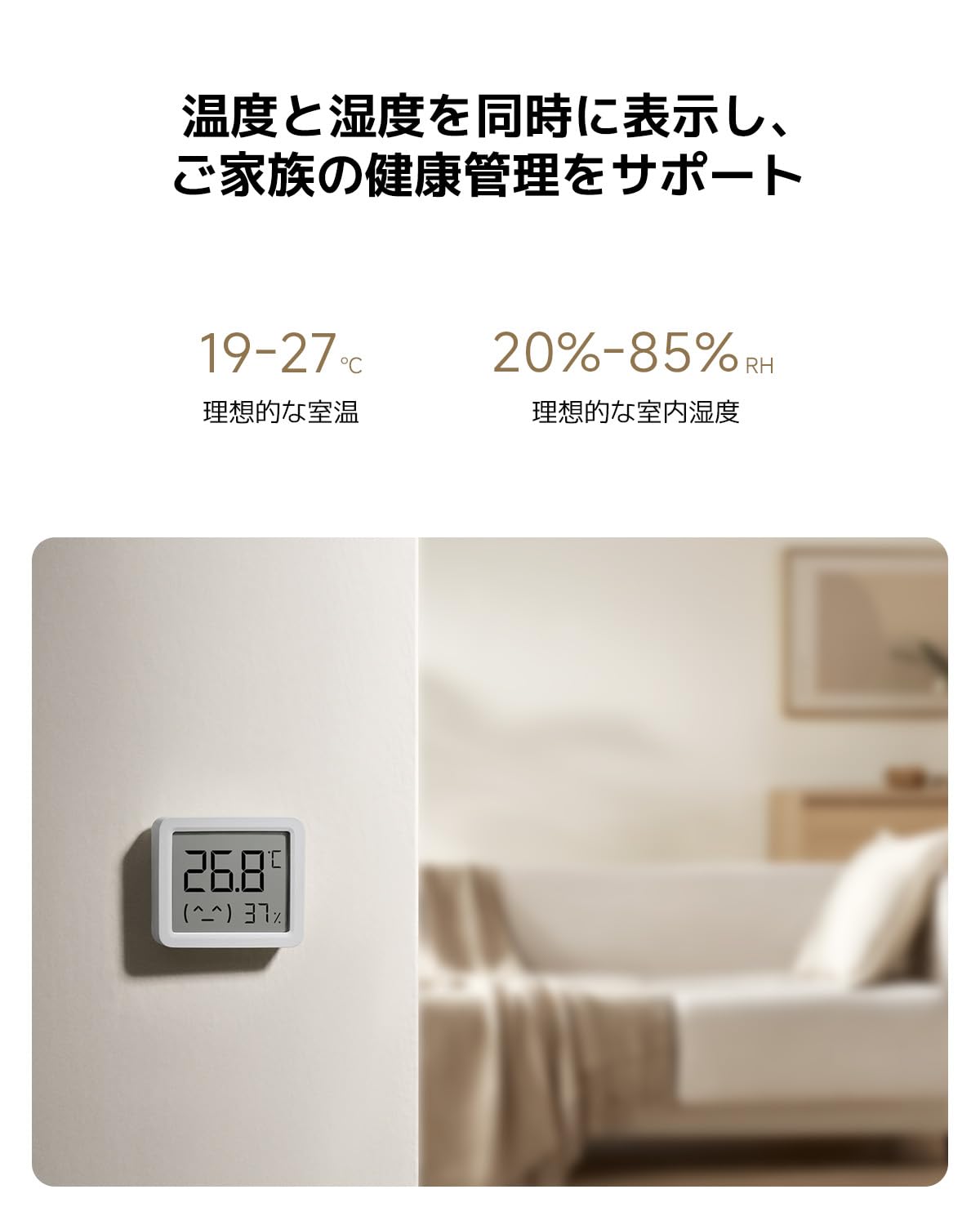
Equipped with a high-precision sensor, the monitor accurately detects changes in temperature (0.1°C resolution) and humidity (1% RH resolution).

The display simultaneously shows current temperature and humidity. Ideal indoor conditions are indicated as 19-27°C for temperature and 20-85% RH for humidity.
3. Орнотуу
3.1 Кутудан чыгаруу жана алгачкы текшерүү
Carefully remove the monitor from its packaging. Inspect the device for any signs of damage. The package should include the Xiaomi Smart Temperature and Humidity Monitor 3 Mini and this user manual.
3.2 Батареяны орнотуу
- Аппараттын артындагы батарея бөлүкчөсүнүн капкагын табыңыз.
- Gently open the cover.
- Insert one CR2450 button cell battery, ensuring the positive (+) side faces upwards as indicated inside the compartment.
- Close the battery compartment cover securely. The display should activate automatically.

The monitor uses a CR2450 button cell battery, offering ultra-low power consumption for up to 2 years in standard mode and 3 years in battery-saving mode.
3.3 Орнотуу
The monitor can be placed on a flat surface using its integrated stand or mounted on a wall. For accurate readings, place the device away from direct sunlight, heat sources, and strong drafts.

Its versatile design allows for flexible placement, either on a tabletop using its integrated stand or mounted on a wall.
3.4 Smart Home Pairing (Optional)
To connect the monitor to your smart home system via Bluetooth, follow these general steps:
- Download the official Xiaomi Home app (or compatible smart home app) on your smartphone.
- Смартфонуңузда Bluetooth иштетилгенин текшериңиз.
- Open the app and follow the on-screen instructions to add a new device. The monitor should appear as an available device for pairing.
- Колдонмонун ичинде жупташтырууну ырастаңыз.
4. Иштөө нускамалары
4.1 Дисплейди окуу
The LCD screen continuously displays the current temperature in Celsius (°C) and relative humidity (RH%). The display is designed for clear visibility from a distance.
4.2 Understanding Ideal Ranges
The monitor may provide visual indicators or a simple emoji to represent comfort levels. Generally, ideal indoor conditions are:
- Температура: 19°Cден 27°Cге чейин
- Нымдуулук: 20% RH 85% RH
Adjust your environment (e.g., heating, cooling, humidifiers, dehumidifiers) as needed to stay within these ranges for optimal comfort and health.
5. Техникалык тейлөө
5.1 Тазалоо
Wipe the device gently with a soft, dry cloth. Do not use liquid cleaners, abrasive materials, or immerse the device in water.
5.2 Батареяны алмаштыруу
When the battery is low, a low battery indicator may appear on the display. Replace the CR2450 battery by following the installation steps in Section 3.2. Dispose of used batteries responsibly according to local regulations.
5.3 Сактоо
If storing the device for an extended period, remove the battery to prevent leakage. Store in a cool, dry place.
6. Кыйынчылыктарды
- Дисплей жок: Батарея туура орнотулганын жана заряды жетиштүү экендигин текшериңиз. Зарыл болсо, батареяны алмаштырыңыз.
- Туура эмес окуулар: Ensure the device is placed in an appropriate location, away from direct heat, cold, or drafts. Allow some time for the sensor to stabilize after placement or battery change.
- Bluetooth туташуу маселелери: Ensure Bluetooth is enabled on your smartphone and the device is within range. Try restarting both the monitor (by reinserting the battery) and your smartphone.
- Дисплей өзгөрбөйт: If readings appear stuck, try replacing the battery. If the issue persists, contact customer support.
7. Техникалык шарттар
| Модель номери | QBH4312GL |
| Өлчөмдөрү (түзмөк) | Болжол менен. 62.6 x 53.2 x 12.7 мм |
| Салмагы | 50 г |
| Температураны өлчөө диапазону | 0°Cден 50°Cге чейин (32°F—122°F) |
| Температуранын тактыгы | ±0.5°C |
| Нымдуулукту өлчөө диапазону | 0% RH 99% RH |
| Нымдуулуктун тактыгы | ±1% RH |
| Батарея түрү | CR2450 баскыч клеткасы |
| Батареянын иштөө мөөнөтү | Up to 2-3 years (depending on usage mode) |
| Байланыш | Bluetooth |
| Монтаждоо параметрлери | Tabletop, Wall-mounted |
8. Кепилдик жана колдоо
8.1 Кепилдик маалыматы
The Xiaomi Smart Temperature and Humidity Monitor 3 Mini comes with a standard manufacturer's warranty. Please refer to your purchase documentation or the official Xiaomi webСиздин аймакка тиешелүү деталдуу кепилдик шарттары жана шарттары үчүн сайт.
8.2 Кардарларды колдоо
Техникалык колдоо, көйгөйлөрдү аныктоо боюнча жардам же кепилдик дооматтары үчүн Xiaomi расмий колдоо бөлүмүнө баш багыңыз website or contact their customer service department. Contact details can typically be found on the Xiaomi official webсайтында же продуктунун таңгагында.
Онлайн колдоо: www.mi.com/global/support