
1. Киришүү
This manual provides detailed instructions for the installation, operation, and maintenance of your Girafit GRF-T350SW 3K 5MP Indoor/Outdoor Pan/Tilt/Zoom Wi-Fi Security Camera. Please read this manual thoroughly before using the product to ensure proper functionality and safety. Keep this manual for future reference.
2. Продукт бүтүп калдыview
Негизги өзгөчөлүктөрү
- 3K 5MP Resolution with 4X Digital Zoom: Так жана деталдуу видео foo камсыз кылатtage.
- 360° Pan and 180° Tilt: Offers comprehensive coverage of your monitoring area.
- AI Person/Pet/Vehicle Detection: Advanced artificial intelligence for accurate identification of subjects, reducing false alerts.
- Кыймылды автоматтык түрдө көзөмөлдөө: Automatically follows detected subjects within the camera's field of view.
- Starlight Color Night Vision: Enhanced low-light performance for vivid color images at night.
- Эки тараптуу аудио: Реалдуу убакыт режиминде байланышуу үчүн орнотулган микрофон жана динамик.
- Auto Alert Siren: Deters intruders with an audible alarm.
- IP65 аба ырайынын рейтинги: Ар кандай аба ырайынын шарттарында сыртта колдонууга ылайыктуу.
- Ийкемдүү сактоо параметрлери: Supports encrypted US cloud storage and local Micro SD card storage (up to 256GB).
- 2.4GHz/5GHz Wi-Fi Connectivity: Dual-band Wi-Fi support for stable connection.
Кутуда эмне бар
- Girafit GRF-T350SW Camera Body
- Кубаттуу адаптер
- Монтаждоо бурамалар жана анкерлер
- Монтаж шаблону
- User Manual

Figure 2.1: Girafit GRF-T350SW camera showing its pan and tilt capabilities.

Figure 2.2: The Girafit GRF-T350SW camera operating reliably in both rainy and sunny conditions, highlighting its IP65 weatherproof design.
3. Орнотуу
3.1 Физикалык орнотуу
- Жайгашкан жерди тандаңыз: Select a suitable outdoor or indoor location that provides the desired viewing angle and is within range of your Wi-Fi network. Ensure the power outlet is accessible.
- Камераны орнотуу: Use the provided mounting template to mark drill holes. Secure the mounting bracket to the wall or ceiling using the screws and anchors. Attach the camera to the bracket.
- Туташуу кубаты: Plug the power adapter into the camera and then into a power outlet. The camera will power on and initiate its startup sequence.
3.2 Колдонмону орнотуу жана аккаунт түзүү
- Download the Girafit App: Издөө 'Girafit' in your smartphone's app store (iOS or Android) and download the official application.
- Каттоо эсебин түзүү: Open the app and follow the on-screen instructions to register a new account.
3.3 Тармактык туташуу
- Түзмөк кошуу: In the Girafit app, tap the '+' icon to add a new device. Select your camera model.
- Колдонмодогу нускамаларды аткарыңыз: The app will guide you through connecting the camera to your 2.4GHz or 5GHz Wi-Fi network. This typically involves scanning a QR code displayed on your phone with the camera lens.
- Аяктоо: Once connected, the camera's status indicator will change, and you will see the live feed in the app.
4. Иштөө
4.1 Pan, Tilt, and Zoom Control
Түз эфирден view in the Girafit app, use the on-screen controls to remotely adjust the camera's viewing angle. The camera supports 360° horizontal pan and 180° vertical tilt. You can also digitally zoom in up to 4X to view майда-чүйдөсүнө чейин.

Figure 4.1: Visual comparison demonstrating the clarity of 3K 5MP resolution with 4X zoom compared to standard 3MP resolution.
4.2 Кыймылды аныктоо жана автоматтык түрдө көзөмөлдөө
The camera features advanced AI detection capabilities to identify humans, pets, and vehicles. When motion is detected, the camera can automatically track the subject, zoom in, record the event, and send push notifications to your smartphone.
- Аныктоого уруксат берүү: Navigate to the camera settings in the app to enable AI Person/Pet/Vehicle Detection.
- Аныктоо зоналарын орнотуу: Камеранын ичинде белгилүү бир аймактарды аныктаңыз view кыймылды аныктоонун активдүү болушун каалаган жериңиз.
- Activate Auto Tracking: Enable auto tracking in the settings to allow the camera to follow detected subjects.
- Auto Alert Siren: Configure the camera to trigger an audible siren upon detection to deter unwanted visitors.

Figure 4.2: Illustration of the camera's automatic tracking feature, showing a person being followed with a 4X zoom.

Figure 4.3: The camera's AI accurately detecting a human, a pet, and a vehicle in a home environment.

Figure 4.4: The camera detecting activity in a defined hexagonal area and issuing an auto voice alert.
4.3 Түнкү көрүнүш
The GRF-T350SW offers multiple night vision modes for clear surveillance in low-light conditions.
- Starlight Color Night Vision: Utilizes a Starlight Sensor and f/1.6 aperture to capture more light, providing full-color video even in very dim environments.
- Infrared режими: Инфракызыл светодиоддорду колдонгон стандарттуу ак-кара түнкү көрүү.
- Spotlight режими: Activates built-in spotlights to illuminate the area and capture color video when motion is detected at night.
You can switch between these modes or set them to automatic in the app settings.

Figure 4.5: Visual representation of the camera's Starlight Color Night Vision, Infrared Mode, and Spotlight Mode capabilities.
4.4 Эки тараптуу аудио
The integrated microphone and speaker allow for two-way communication. You can speak through the camera to visitors or deter intruders directly from your smartphone via the Girafit app.
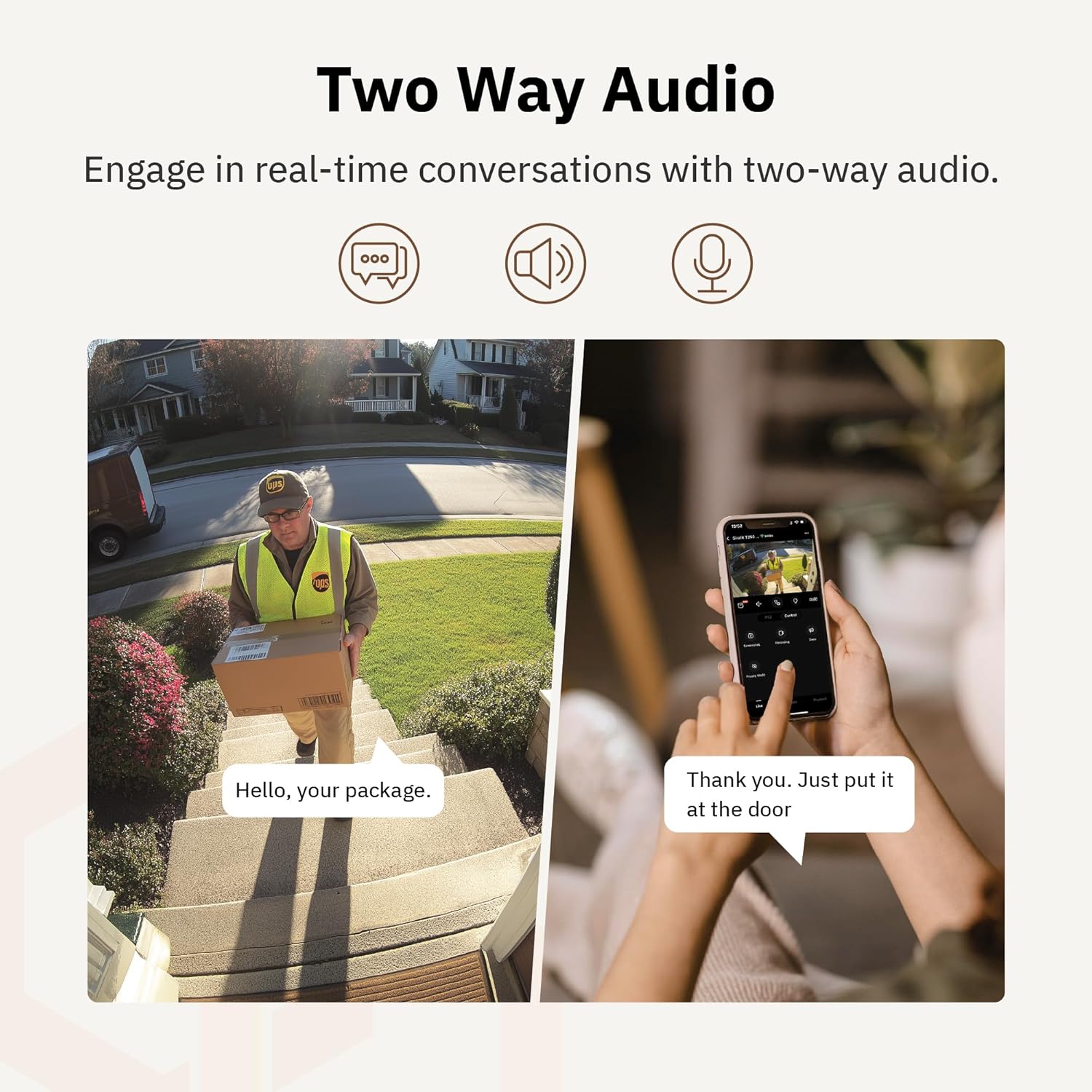
Сүрөт 4.6: Мурункуample of using two-way audio to communicate with a delivery person at the door.
4.5 Купуялык режими
For enhanced privacy, the camera features a privacy mode. When activated, the camera lens physically tilts down by 180°, ensuring no live feed is captured or transmitted. This provides 100% privacy protection when needed.

Figure 4.7: The camera in privacy mode, with the lens tilted downwards to ensure no recording or live view.
4.6 Видео сактагыч
The camera supports two primary methods for video storage:
- Micro SD картасы: Insert a Micro SD card (up to 256GB, not included) into the designated slot on the camera for local storage of recordings.
- Булуттагы сактагыч: Girafit offers encrypted cloud storage services in the US. Refer to the app for subscription options and details.
5. Техникалык тейлөө
5.1 Тазалоо
Оптималдуу иштөөсүн сактоо үчүн, камеранын линзасын жана корпусун мезгил-мезгили менен тазалап туруңуз. Жумшак,amp чаңды жана кирди сүртүү үчүн чүпүрөк колдонуңуз. Линзага же каптамага зыян келтириши мүмкүн болгон катуу химиялык заттарды же абразивдүү материалдарды колдонуудан алыс болуңуз.
5.2 Микропрограмма жаңыртуулары
Girafit regularly releases firmware updates to improve camera performance, add new features, and enhance security. Check the Girafit app periodically for available updates and follow the in-app instructions to install them. Ensure the camera has a stable power supply during updates.
6. Кыйынчылыктарды
- Камера Wi-Fiга туташпай жатат:
- Ensure your Wi-Fi network is 2.4GHz or 5GHz and the password is correct.
- Камераны Wi-Fi роутериңизге жакыныраак жылдырыңыз.
- Роутериңизди жана камераңызды өчүрүп күйгүзүңүз.
- Видеонун сапаты начар:
- Интернетке туташуу ылдамдыгын текшериңиз.
- Камера линзасын тазалаңыз.
- Камера жетиштүү кубаттуулукту алып жатканын текшериңиз.
- Кыймылды аныктоо иштебей жатат:
- Колдонмонун жөндөөлөрүндө кыймылды аныктоо иштетилгенин текшериңиз.
- Аныктоо сезгичтигин жана аныктоо зоналарын тууралаңыз.
- Камераны тоскон эч кандай тоскоолдуктар жок экенин текшериңиз view.
- Эки тараптуу аудио көйгөйлөр:
- Check microphone and speaker permissions for the Girafit app on your phone.
- Камеранын микрофону жана динамиктери тосулуп калбаганын текшериңиз.
For further assistance, please contact Girafit customer support.
7. Техникалык шарттар
| Өзгөчөлүк | Description |
|---|---|
| Модель аты | GRF-T350SW |
| Видео тартуунун резолюциясы | 3K (5 МП) |
| Ички/тышкы колдонуу | Сыртта |
| Байланыш технологиясы | Wi-Fi (2.4GHz/5GHz), Wired |
| Power Source | Электр зымдары |
| Монтаж түрү | Дубалга орнотуу |
| Өзгөчө өзгөчөлүк | 2-Way Audio, AI Detection (Human/Pet/Vehicle), Auto Tracking, Color Night Vision, IP65 Weatherproof |
| Шайкеш түзмөктөр | Desktop, Laptop, Smartphone (Android/iOS) |
| Элементтин өлчөмдөрү (L x W x Y) | 2.63 x 2.63 x 4.76 дюйм |
| Элемент Салмагы | 14.7 унция |
| Сактагыч параметрлери | Микро SD карта (256 ГБ чейин), Cloud Storage |
| UPC | 764742517881 |
8. Кепилдик жана колдоо
Girafit products are designed for reliability and performance. For warranty information, please refer to the warranty card included with your product or visit the official Girafit website. For technical support, troubleshooting assistance, or any inquiries regarding your Girafit GRF-T350SW camera, please contact Girafit customer service through the contact information provided on the official website or within the Girafit app.