
Introduction
This manual provides comprehensive instructions for the safe and efficient operation of your QuanSheng TK11(5) Two Way Radio. Please read this manual thoroughly before using the device to ensure proper functionality and to prevent damage.
The QuanSheng TK11(5) is a dual-band handheld radio featuring 999 channels, 10W output power, NOAA weather scanning, and multiple charging options. It supports AM/FM/SSB reception, including aviation frequency bands, and offers dual PTT functionality for versatile communication.
Пакеттин мазмуну
Пакетиңизде бардык буюмдар бар экенин текшериңиз:

Image: Standard package contents including radio, antennas, battery, charger, and manual.
- 1 x QuanSheng TK11(5) Ham Radio Handheld
- 1 x 2500mAh литий-иондук батарея
- 1 x T-Shape Antenna
- 1 x Жогорку кирешелүү антенна
- 1 x USB Charger with Type-C Cable
- 1 x Иш тактасы заряддагыч
- 1 x Артка клип
- 1 x Англис колдонуучу колдонмо
- 1 x Lanyard
Продукт бүттүview
The QuanSheng TK11(5) radio is designed for robust performance and ease of use. Below are its key physical characteristics and dimensions.

Сүрөт: алдыңкы жана каптал views of the QuanSheng TK11(5) radio, illustrating its dimensions. The radio measures approximately 13.8 cm (5.43 inches) in height, 5.4 cm (2.13 inches) in width, and 3.4 cm (1.34 inches) in depth. With the standard antenna attached, the total height is approximately 24.6 cm (9.69 inches).
Антенна түрлөрү

Image: Two types of antennas included with the radio. The High Gain Antenna (50/144/430MHz) measures approximately 24.6 cm (9.69 inches). The T-Shape Antenna (0.153-18MHz) is more compact, measuring approximately 7.4 cm (2.8 inches) in height and 6.8 cm (2.68 inches) in width.
Жайгашуу
1. Батареяны орнотуу
- Align the 2500mAh Li-ion battery with the battery compartment on the back of the radio.
- Батареяны бекем чыккыча ордуна жылдырыңыз.
- To remove, press the release latch (if present) and slide the battery out.
2. Антенна тиркемеси
- Select the appropriate antenna for your desired frequency range (High Gain for 50/144/430MHz, T-Shape for 0.153-18MHz).
- Screw the antenna clockwise onto the connector at the top of the radio until it is finger-tight. Do not overtighten.
3. Баштапкы заряддоо
Before first use, fully charge the battery. The radio offers multiple charging options:
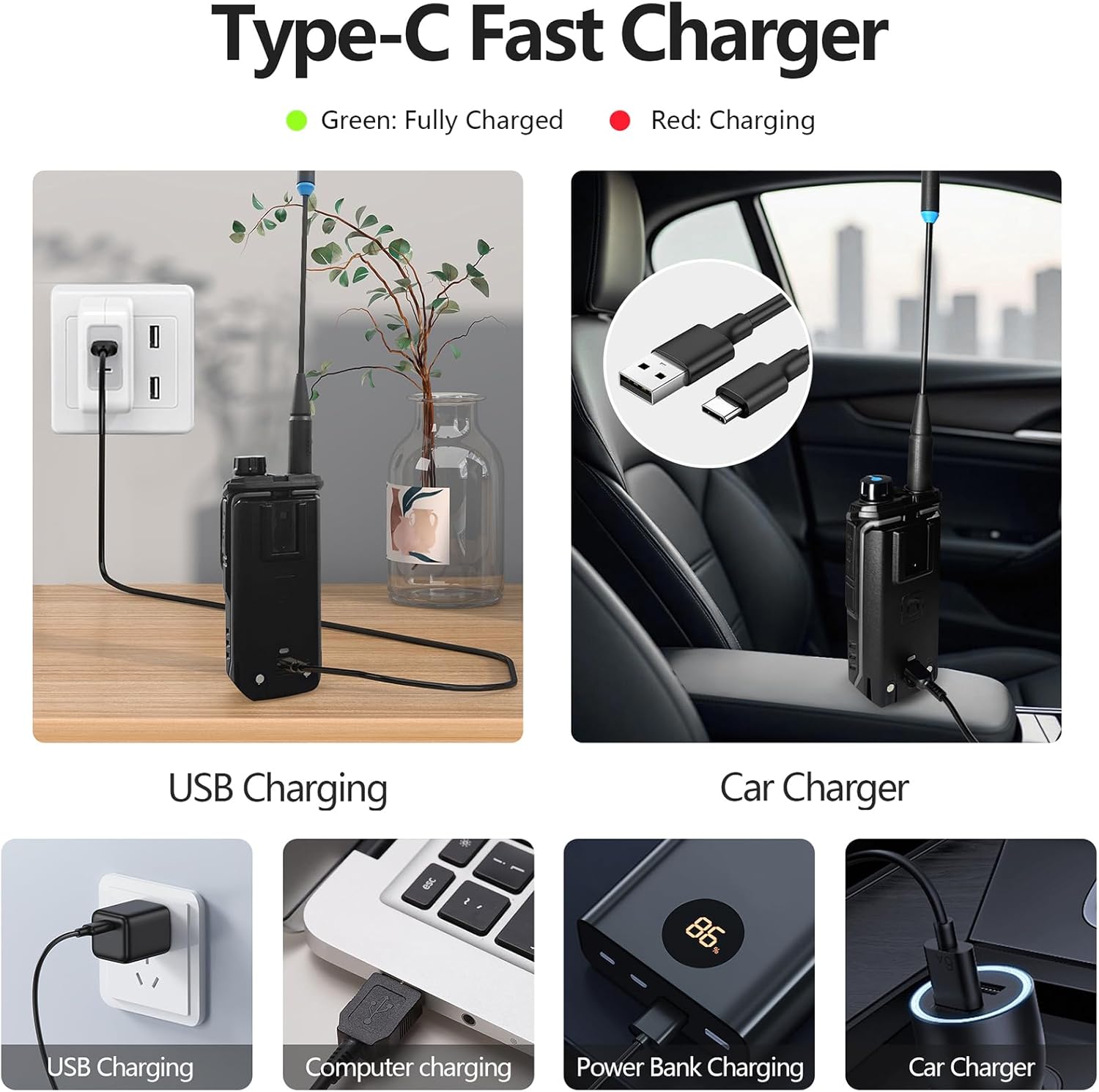
Image: Demonstrates various charging methods for the QuanSheng TK11(5) radio using its Type-C port. Options include USB wall charging, computer USB charging, power bank charging, and car charger charging. The radio also supports charging via a desktop charger. A green indicator light signifies a full charge, while red indicates charging in progress.
- Үстөл үстүндөгү кубаттагыч: Place the radio with the battery installed into the desktop charging cradle. Connect the adapter to the cradle and a power outlet.
- С тибиндеги түз кубаттоо: Connect the Type-C cable to the radio's Type-C port and to a USB power source (e.g., wall adapter, computer, power bank, car charger).
The charging indicator will typically show red during charging and turn green when fully charged. A full charge can take approximately 5 hours.
Иштөө нускамалары
1. Күйгүзүү/өчүрүү
Rotate the power/volume knob clockwise to turn the radio on. Continue rotating to adjust the volume. Rotate counter-clockwise until a click is heard to turn the radio off.
2. Канал тандоо
Use the up/down arrow keys or the keypad to select desired channels. The radio supports 999 channels.
3. Push-to-Talk (PTT)
Press and hold the PTT button on the side of the radio to transmit. Release the PTT button to receive.

Image: Close-up of the QuanSheng TK11(5) radio highlighting its dual PTT buttons (PTT 1 and PTT 2). This feature allows for dual receiving and dual PTT functionality, helping to avoid cross-model interference and supporting cross-band intercom.
4. Dual PTT Functionality
The radio features two programmable PTT buttons (PTT1 and PTT2) for enhanced flexibility, allowing for quick switching between two different frequencies or channels without manual selection. This supports cross-band intercom and helps avoid interference.
5. NOAA Weather Scanner Mode
The radio can scan all 10 official NOAA weather channels to provide real-time weather monitoring and alerts.

Image: The QuanSheng TK11(5) radio displaying NOAA weather alerts on its screen. The radio supports SAME decoding and can monitor 10 NOAA channels for real-time weather information.
To activate NOAA Weather Scanner Mode, refer to the specific menu options in your radio's display. This feature is useful for outdoor activities, marine operations, and daily commuting.
6. AM/FM/SSB Reception & Aviation Band
The radio supports a wide range of receiving bands, including AM, FM, and SSB (Shortwave Communication). It also includes the aviation frequency band.
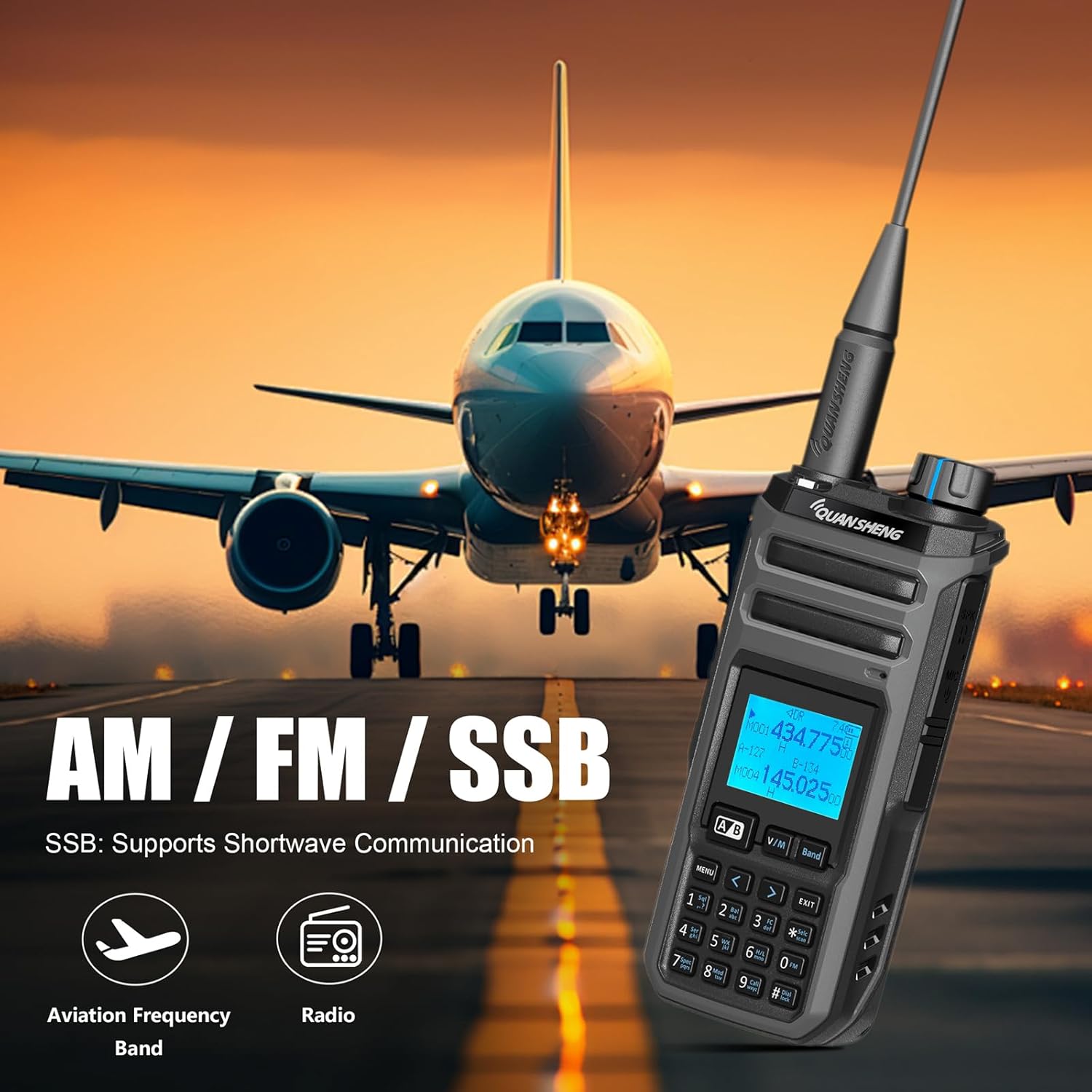
Image: The QuanSheng TK11(5) radio with text indicating support for AM, FM, and SSB (Shortwave Communication). An airplane icon and radio icon symbolize its capability for aviation frequency band reception and general radio functions.
Access these modes via the radio's menu system. Consult the on-screen interface for specific navigation.
7. Ариптакта кулпусу
To prevent accidental key presses, activate the keypad lock feature through the radio's menu settings.
Техникалык тейлөө
1. Тазалоо
- Радионун бетин жумшак, гamp кездеме.
- Катуу химиялык заттарды, эриткичтерди же абразивдүү тазалагычтарды колдонбоңуз.
- Ensure the radio is dry before use or storage.
2. Батареяга кам көрүү
- Баштапкы колдонуудан мурун батареяны толук заряддаңыз.
- Батареянын иштөө мөөнөтүн узартуу үчүн аны ашыкча заряддоодон же толугу менен жарактан чыгаруудан качыңыз.
- Радиону жана батареяны узак убакытка колдонбогондо салкын, кургак жерде сактаңыз.
3. Сактоо
When storing the radio for long periods, remove the battery and store it separately. Keep the radio in a dry, dust-free environment away from direct sunlight and extreme temperatures.
Проблемаларды чечүү
Күч жок
- Батарея туура орнотулганын жана заряддалганын текшериңиз.
- Ensure the power/volume knob is turned clockwise sufficiently.
Өткөрүп же кабыл ала албайт
- Verify the antenna is securely attached.
- Check if the channel is correctly selected and within the radio's operating frequency range.
- Батареянын жетиштүү заряды бар экенин текшериңиз.
- Confirm that the PTT button is being pressed correctly during transmission.
Начар аудио сапаты
- Үн деңгээлин тууралаңыз.
- Check for obstructions between radios or excessive distance.
- Антенна туура туташтырылганын текшериңиз.
Баскычтоп жооп бербейт
- Check if the keypad lock feature is activated. Deactivate it through the menu.
Техникалык шарттар
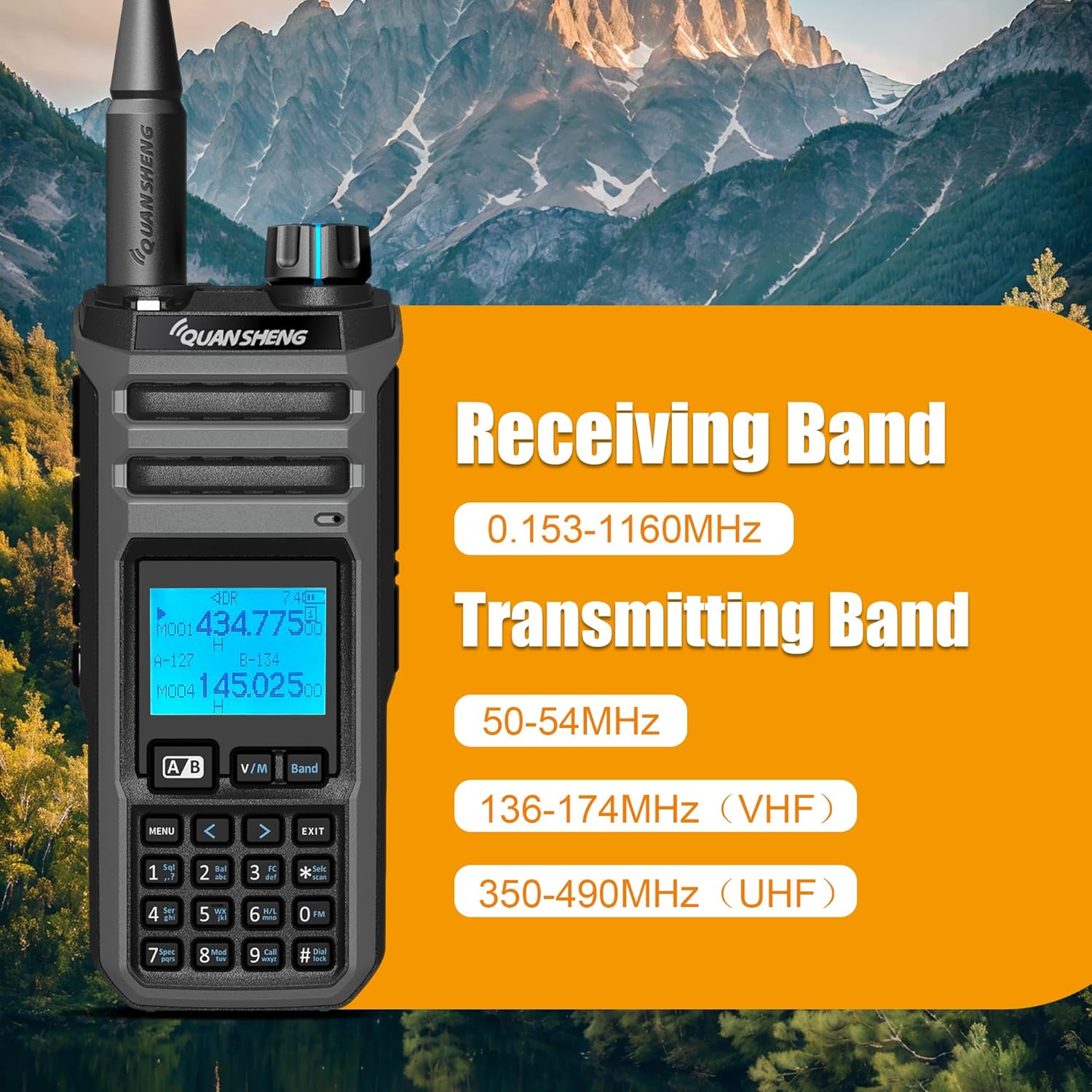
Image: The QuanSheng TK11(5) radio screen showing its receiving band of 0.153-1160MHz and transmitting bands including 50-54MHz, 136-174MHz (VHF), and 350-490MHz (UHF).
| Өзгөчөлүк | Деталь |
|---|---|
| Бренд | КВАНШЕН |
| Модель номери | TK115 |
| Түс | Кара |
| Каналдардын саны | 999 |
| Өзгөчөлүктөр | Digital Display, Dual Band, Emergency Alarm, Keypad Lock, Long Range |
| Frequency Range (Transmit) | 136-174 МГц (VHF), 350-490 МГц (UHF) |
| Frequency Range (Receive) | 0.153-1160 MHz (including AM/FM/SSB, Aviation Band) |
| Сүйлөшүү диапазону максималдуу | 4.99 Kilometers (up to 10 km in open terrain with 10W output) |
| Тtage | 7.4 вольт DC |
| Сууга туруктуулук деңгээли | Сууга чыдамдуу эмес |
| Батарея түрү | 2500mAh Li-ion (1 included) |
| Батареянын орточо иштөө мөөнөтү | 5 Hours (typical usage) |
| Иштөө температурасы | -20℃ден +60℃ге чейин (-4°F менен 140°F) |
| Антенна импедансы | 50 Ом |
| Тюнер түрү | UHF VHF |
| Аудио чыгаруу күчү | ≥0.5W |
| Аудио бурмалоо | ≤10% |
| NOAA Channels | 10 (with SAME decoding support) |
| Заряддоо | Type-C and Desktop Charger |
Кепилдик маалымат
The QuanSheng TK11(5) Two Way Radio comes with a 1 жылдык кепилдик from the date of purchase. This warranty covers manufacturing defects and malfunctions under normal use. It does not cover damage caused by misuse, accidents, unauthorized modifications, or exposure to water.
Кепилдик дооматтары үчүн сатып алганыңыздын далилин сактап коюңуз.
Колдоо
For technical assistance, troubleshooting help, or usage tips, please contact our expert support team. You can reach us via Amazon messaging for prompt service.
Our team is dedicated to providing professional assistance for your two-way radio needs.