
1. Киришүү
Thank you for choosing the EZVIZ CB8 Pro 4K Solar Camera. This manual provides essential information for the safe and effective use of your device, including setup, operation, maintenance, and troubleshooting. Please read this manual thoroughly before using the product and retain it for future reference.
2. Пакеттин мазмуну
Ensure all items listed below are present in your package. If any items are missing or damaged, please contact your retailer.
- EZVIZ CB8 Pro 4K Camera
- 5W Күн панели
- Монтаж шаблону
- Бурама топтом
- Power Adapter (for initial charging)
- USB кабели
- Quick Start Guide
- Көрсөтмө (бул документ)
3. Продукт бүтүп калдыview
The EZVIZ CB8 Pro 4K Solar Camera is a wireless outdoor security camera designed for comprehensive surveillance. It features 4K resolution, a 360° pan-and-tilt design, color night vision, human and vehicle detection, auto-tracking, two-way audio, and a built-in sound and light siren. The included 5W solar panel ensures continuous power for its 10400mAh battery.
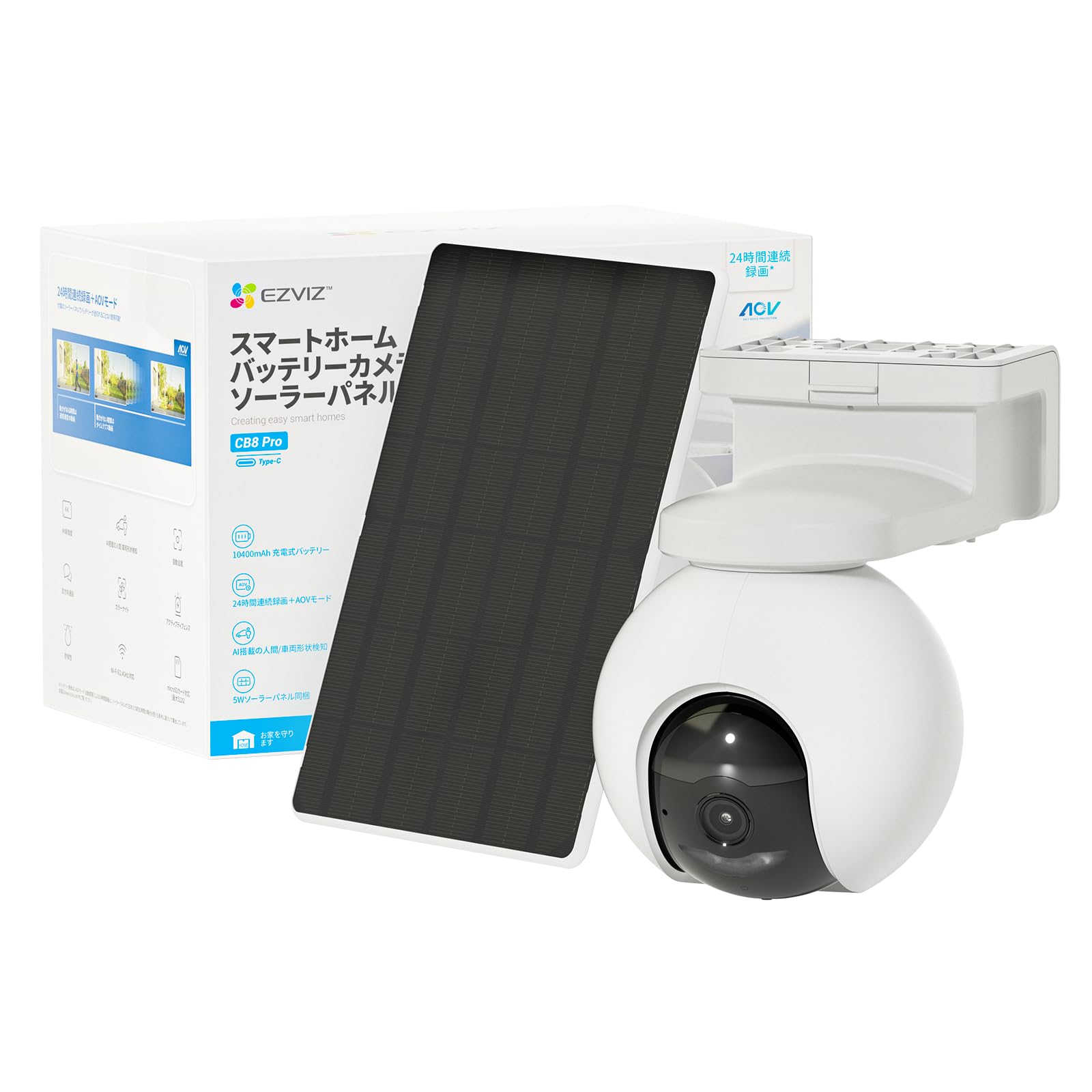
Image: EZVIZ CB8 Pro 4K Solar Camera and its accompanying 5W solar panel, illustrating the complete kit for outdoor surveillance.
Негизги өзгөчөлүктөрү:
- 4K видео чечилиши: Так жана деталдуу видео foo камсыз кылатtage.
- 360° панорамалоо жана кыйшайтуу: кенен чөйрөсүн сунуш кылат view алыстан башкаруу менен.
- Түнкү көрүнүш: Жарык аз шарттарда жакшыртылган көрүнүш.
- Адамдарды жана унааларды аныктоо: Intelligent algorithms reduce false alarms.
- Автоматтык түрдө көзөмөлдөө: Follows detected subjects within its field of view.
- Эки тараптуу аудио: Камера аркылуу байланышууга мүмкүндүк берет.
- Sound & Light Siren: Deters intruders with an audible alarm and flashing light.
- 100% Wire-Free: Easy installation without power cables.
- 5W Solar Panel: Provides continuous charging for the built-in 10400mAh battery.
- IP66 аба ырайы: Ар кандай аба ырайынын шарттарында сыртта колдонуу үчүн иштелип чыккан.
4. Орнотуу
4.1 Алгачкы заряддоо
Before installation, fully charge the camera using the provided power adapter and USB cable. Connect the USB cable to the camera's charging port and the adapter to a power outlet. The charging indicator will show the charging status.
4.2 EZVIZ App Installation and Account Setup
- EZVIZ тиркемесин App Store (iOS) же Google Play Store (Android) дүкөндөрүнөн жүктөп алыңыз.
- Open the app and create an EZVIZ account if you don't have one, or log in to your existing account.
- Tap the '+' icon on the app's home screen to add a new device.
- Камерада же анын таңгагында жайгашкан QR кодун сканерлеңиз.
- Follow the in-app instructions to connect the camera to your Wi-Fi network. Ensure your Wi-Fi signal is strong at the installation location.
4.3 Камераны жана күн панелин орнотуу
The camera and solar panel are designed for wall mounting. Choose a location that provides optimal surveillance coverage and receives ampкүн панели үчүн күн нуру.
- Жайгашкан жерди тандаңыз: Identify a suitable mounting spot, ideally 2-3 meters (7-10 feet) above the ground, with a clear view and good Wi-Fi signal. Ensure the solar panel can receive direct sunlight for several hours daily.
- Бургулоо тешиктери: Use the provided mounting template to mark and drill pilot holes for the camera and solar panel brackets.
- Коопсуз кашаалар: Attach the mounting brackets to the wall using the screws and wall anchors provided.
- Attach Camera and Solar Panel: Mount the camera onto its bracket and adjust its angle. Attach the solar panel to its bracket and connect its cable to the camera's charging port.
- Акыркы түзөтүүлөр: үчүн EZVIZ колдонмосун колдонуңуз view the live feed and make final adjustments to the camera's angle for optimal coverage.
5. Камераны иштетүү
5.1 Live View жана Ойнотуу
Access the EZVIZ app to view the live feed from your camera. You can also review foo жазылганtage stored on the microSD card (if installed) or in the EZVIZ CloudPlay service (subscription required).
5.2 Pan, Tilt, Zoom (PTZ) Control
Түз эфирде view interface of the EZVIZ app, use the directional controls to pan (rotate horizontally) and tilt (rotate vertically) the camera lens. The 360° pan and tilt functionality allows you to cover a wide area.
5.3 Түнкү көрүү режимдери
Камера түнкү көрүүнүн бир нече варианттарын сунуштайт:
- Түс режими: Provides full-color video even in low light.
- Infrared режими: Standard black-and-white night vision.
- Акылдуу түнкү көрүнүш: Automatically switches from black-and-white to full color upon motion detection.
You can select your preferred mode in the camera settings within the EZVIZ app.
5.4 Human & Vehicle Detection and Auto-Tracking
The camera uses advanced algorithms to distinguish between humans, vehicles, and other moving objects, reducing false alarms. When a human or vehicle is detected, the camera can automatically track its movement across the monitored area. Enable these features in the EZVIZ app's detection settings.
5.5 Эки тараптуу аудио
Use the microphone and speaker built into the camera to communicate with visitors or deter intruders. Tap the microphone icon in the live view сүйлөө жана камеранын динамиги аркылуу угуу.
5.6 AOV (Always on Video) Mode
The AOV mode enables continuous recording by capturing images at preset time intervals and compiling them into a time-lapse video. When activity is detected, it switches to normal speed video. Note that AOV mode requires an SD card for storage and is not supported for cloud storage.
5.7 Жергиликтүү сактагыч (MicroSD картасы)
The camera supports a microSD card up to 512 GB (sold separately) for local video storage. Insert the microSD card into the designated slot on the camera. This allows for recording without a monthly subscription fee. You can access recorded footage directly from the EZVIZ app.
6. Техникалык тейлөө
6.1 Камераны тазалоо
Regularly clean the camera lens and solar panel with a soft, dry cloth to ensure optimal performance. Avoid using harsh chemicals or abrasive materials that could damage the surfaces.
6.2 Батареяга кам көрүү
The camera's 10400mAh battery is designed for long life. Ensure the solar panel is positioned to receive maximum sunlight to maintain battery charge. In prolonged periods of low sunlight, you may need to manually charge the camera using the power adapter.
7. Кыйынчылыктарды
| Көйгөй | Мүмкүн себеп | Чечим |
|---|---|---|
| Колдонмодо камера оффлайн режиминде | Weak Wi-Fi signal, camera battery low, network issue | Check Wi-Fi signal strength, ensure solar panel is charging, restart camera and router. |
| Видеонун сапаты начар | Dirty lens, low bandwidth, poor lighting | Clean the lens, ensure stable internet connection, adjust camera position for better lighting. |
| Кыймылды аныктоо иштебей жатат | Detection settings incorrect, obstructions | Verify detection settings in the app, clear any obstructions in the camera's view. |
| Күн панели заряддалбай жатат | Insufficient sunlight, panel dirty, cable disconnected | Relocate panel for more sun, clean panel, check cable connection. |
8. Техникалык шарттар
| Өзгөчөлүк | Деталь |
|---|---|
| Бренд | ЭЗВИЗ |
| Модель аты | CB8 Pro Kit |
| Видео тартуунун резолюциясы | 4K |
| Натыйжалуу дагы эле чечим | 4 депутат |
| Ички/тышкы колдонуу | Сыртта |
| Connectivity Protocol | Wi-Fi |
| Өзгөчөлүктөр | 2 Way Audio, Built In Light, HD Resolution, Night Vision, PTZ Technology |
| Монтаж түрү | Дубалга орнотуу |
| Суу өткөрбөйт рейтинги | IP66 |
| Тtage | 5 вольт (ток) |
| Ватtage | 10 Ватт |
| Батареялар талап кылынат | Yes (Built-in 10400mAh) |
| Видео тартуу форматы | MPEG-4 |
| Элементтин өлчөмдөрү | 18.3 x 11.6 x 16.6 сантиметр |
| Элемент Салмагы | 803 грамм |
9. Кепилдик жана колдоо
Your EZVIZ CB8 Pro 4K Solar Camera is covered by a limited warranty provided by the manufacturer. Please refer to the warranty card included in your package or visit the official EZVIZ webдеталдуу кепилдик шарттары жана шарттары үчүн сайт.
Техникалык колдоо, продукт боюнча суроолор же тейлөө суроо-талаптары үчүн, EZVIZ кардарларды колдоо кызматына алардын расмий өкүлү аркылуу кайрылыңыз website or the contact information provided in your product documentation. Ensure you have your product model number (CB8 PRO 4K Kit) and serial number ready when contacting support.