
Introduction
The NEWSKILL Aton V2 Gaming Headset offers versatile connectivity options including 2.4G wireless, Bluetooth 5.0, and a wired USB-C connection, ensuring compatibility across multiple platforms. Designed for an immersive audio experience, it features 50mm neodymium drivers, a flexible retractable microphone for clear communication, and customizable RGB lighting. This manual provides essential information for setting up, operating, and maintaining your headset.
1. Пакеттин мазмуну
- NEWSKILL Aton V2 Gaming Headset
- USB-C - USB-A заряддоо/дата кабели
- 2.4G USB Wireless Dongle
- User Manual
2. Продукт бүтүп калдыview (Controls and Ports)
Familiarize yourself with the various controls and ports on your NEWSKILL Aton V2 headset for optimal use.

This image displays the control layout on the left earcup, including the volume adjustment wheel, power button, microphone mute switch, and a button for managing RGB lighting effects.

The underside of the left earcup features the USB-C port for charging and wired connection, alongside the dedicated port for the retractable microphone.
- Кубат баскычы: Located on the left earcup. Used to power the headset on/off and enter Bluetooth pairing mode.
- Көлөмдү өлчөөчү ролик: A scroll wheel on the left earcup for adjusting audio output volume.
- Микрофондун үнүн басуу баскычы: A dedicated button on the left earcup to quickly mute or unmute the microphone.
- RGB башкаруу баскычы: Cycles through RGB lighting modes or turns the lighting off.
- USB-C порту: For charging the headset and establishing a wired connection.
- Микрофон порту: Where the retractable microphone extends from.
3. Орнотуу жана туташуу
3.1. 2.4G Wireless Connection (PC, PS5, Nintendo Switch Docked)
- Insert the 2.4G USB wireless dongle into an available USB port on your device (PC, PS5, or Nintendo Switch dock).
- басып, кармап туруңуз Кубат баскычы on the headset for 3 seconds to turn it on.
- The headset will automatically attempt to connect to the dongle. A solid indicator light on the headset signifies a successful connection.
- Гарнитура системаңыздын жөндөөлөрүндө аудио чыгаруу жана киргизүү түзмөгү катары тандалганын текшериңиз.
3.2. Bluetooth 5.0 Connection (Mobile Devices, Nintendo Switch Handheld)
- басып, кармап туруңуз Кубат баскычы on the headset for 3 seconds to turn it on.
- To enter Bluetooth pairing mode, press and hold the Кубат баскычы for an additional 5 seconds until the indicator light flashes rapidly (usually blue/red).
- On your mobile device or Nintendo Switch (in handheld mode), navigate to the Bluetooth settings and search for available devices.
- Select "NEWSKILL Aton V2" from the list to pair. A solid blue indicator light confirms a successful connection.
3.3. Зымдуу туташуу (USB-C)
- Connect one end of the provided USB-C cable to the USB-C port on the headset.
- Connect the other end of the USB-C cable to an available USB-C port on your device.
- The headset will function as a wired audio device. No battery power is required for wired operation.
4. Иштөө нускамалары
4.1. Күйгүзүү/өчүрүү
- Күйгүзүү: басып, кармап туруңуз Кубат баскычы 3 секундга.
- Өчүрүү: басып, кармап туруңуз Кубат баскычы индикатор жарыгы өчкөнгө чейин 5 секунд басып туруңуз.
4.2. Үндү тууралоо
- айлантыңыз Volume Roller upwards to increase the volume.
- айлантыңыз Volume Roller downwards to decrease the volume.
4.3. Микрофонду колдонуу
- Extend Microphone: Gently pull the microphone out from its port on the left earcup. Adjust its position for optimal voice pickup.
- Retract Microphone: Push the microphone back into its port until it is fully stored.
- Үнсүз/Ачуу: басыңыз Микрофондун үнүн басуу баскычы once to toggle mute on or off. An indicator light (if present) may show the mute status.
This image shows the headset with its flexible, omnidirectional microphone extended from the left earcup, positioned for clear voice communication.

The headset is shown with the microphone retracted, demonstrating its discreet storage when not in use.
4.4. RGB жарыкты башкаруу
- басыңыз RGB башкаруу баскычы to cycle through various lighting effects or to turn the RGB lighting off.

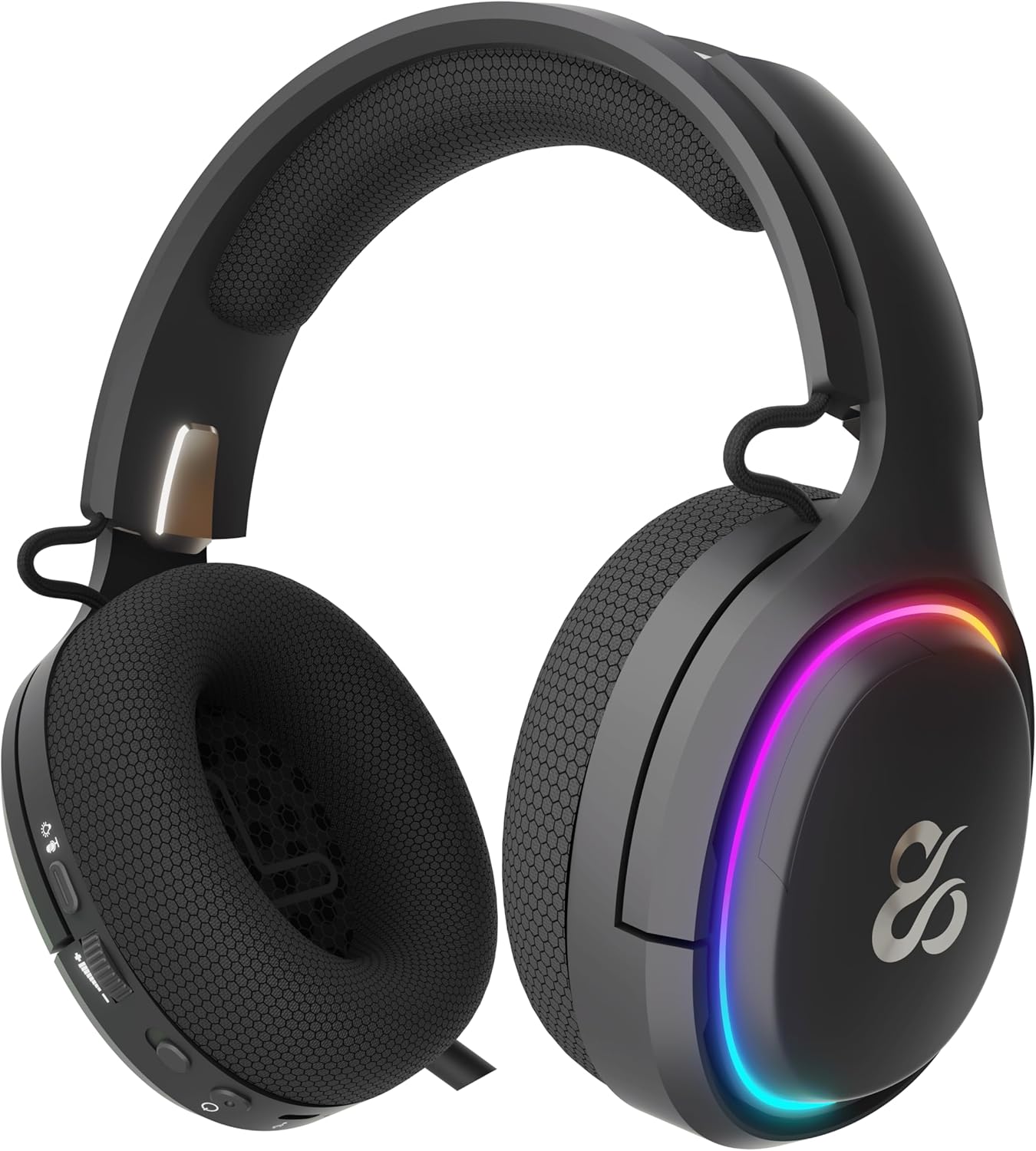
The earcup's outer ring illuminates with a colorful RGB light effect, customizable via the dedicated control button.
4.5. Заряддоо
- Connect the provided USB-C cable to the headset's USB-C port and to a power source (e.g., computer USB port, USB wall adapter).
- The indicator light will show the charging status (e.g., red for charging, off or green for fully charged).
- A full charge provides up to 60 hours of use without RGB lighting, or 38 hours with RGB lighting enabled.
5. Техникалык тейлөө
5.1. Тазалоо
- Гарнитураны тазалоо үчүн жумшак, кургак, мамыксыз чүпүрөктү колдонуңуз.
- Катуу химиялык заттарды, тазалоочу эриткичтерди же күчтүү жуучу каражаттарды колдонуудан алыс болуңуз.
- Гарнитураны сууга салбаңыз же ашыкча нымдуулукка дуушар кылбаңыз.
5.2. Сактоо
- Гарнитураны күн нурунан жана экстремалдык температурадан алыс салкын, кургак жерде сактаңыз.
- Гарнитуранын бузулушун алдын алуу үчүн, анын үстүнө оор буюмдарды койбоңуз.
6. Кыйынчылыктарды
- Үн жок:
- Check the headset's volume roller and ensure it is not at the minimum setting.
- Verify the headset is properly connected (2.4G dongle inserted, Bluetooth paired, or USB-C cable secure).
- Confirm the correct audio output device is selected in your computer or console's sound settings.
- Гарнитура заряддалганын текшериңиз.
- Микрофон иштебейт:
- Микрофон узартылганын жана үнсүз эместигин текшериңиз (үнсүздөө баскычын текшериңиз).
- Verify the correct audio input device is selected in your computer or console's sound settings.
- Микрофонду башка колдонмо же түзмөк менен сынап көрүңүз.
- Туташуу маселелери:
- For 2.4G wireless, try re-inserting the USB dongle and restarting the headset.
- For Bluetooth, unpair the headset from your device and then re-pair it. Ensure no other Bluetooth devices are interfering.
- For wired connection, ensure the USB-C cable is fully inserted at both ends.
- кубаттоо маселелери:
- Ensure the USB-C cable is not damaged and is securely connected.
- Башка USB портун же кубат адаптерин колдонуп көрүңүз.
7. Техникалык шарттар
- Модель номери:
- NS-HS-ATONV2
- Байланыш:
- 2.4G зымсыз, Bluetooth 5.0, USB-C зымдуу
- Айдоочулар:
- 50mm Neodymium Magnets
- Микрофон:
- Omnidirectional, Retractable
- Батареянын иштөө мөөнөтү:
- Up to 60 hours (without RGB), 38 hours (with RGB)
- Заряддоо порту:
- USB-C
- Шайкеш түзмөктөр:
- PC, PlayStation 5 (PS5), Nintendo Switch, Mobile Phones
- Өлчөмдөрү:
- 10 x 270 x 21 см
- Салмагы:
- 860 г
8. Коопсуздук маалыматы
- Угуу жөндөмүнө зыян келтирбөө үчүн катуу үн менен көпкө угуудан алыс болуңуз.
- Do not expose the headset to water, moisture, or extreme temperatures.
- Гарнитураны бөлүктөргө бөлүүгө же өзгөртүүгө аракет кылбаңыз. Бул кепилдикти жокко чыгарып, зыян келтириши мүмкүн.
- Гарнитураны жана анын аксессуарларын балдар жана үй жаныбарлары жетпеген жерде сактаңыз.
- Батареяны жергиликтүү эрежелерге ылайык таштаңыз.
9. Кепилдик жана колдоо
This product is covered by a manufacturer's warranty. For detailed warranty information, technical support, or service inquiries, please refer to the official NEWSKILL webсайтына кириңиз же алардын кардарларды тейлөө бөлүмүнө кайрылыңыз. Кепилдик боюнча дооматтар үчүн сатып алганыңызды тастыктаган документти сактап коюңуз.