
1. Киришүү
This manual provides detailed instructions for the proper use and maintenance of your ANYSECU W63-US 4G Network Radio. The W63-US is an intelligent handheld transceiver operating on Android 9.0, designed for Push-to-Talk (PTT) communication over 4G networks. It supports popular platforms like Zello and RealPTT, offering features such as GPS, Bluetooth, Wi-Fi, and a flashlight function. Its robust design includes IP68 waterproof and dustproof ratings, making it suitable for various environments.
2. Пакеттин мазмуну
Please verify that all items listed below are included in your product package. If any items are missing or damaged, contact your vendor.
- ANYSECU W63-US Radio Body (x1)
- Антенна (x1)
- Батарея (x1)
- Кубат кабели (x1)
- Кубат адаптери (x1)
- Кур клип (x1)
- Колдонуучунун колдонмосу (x1)
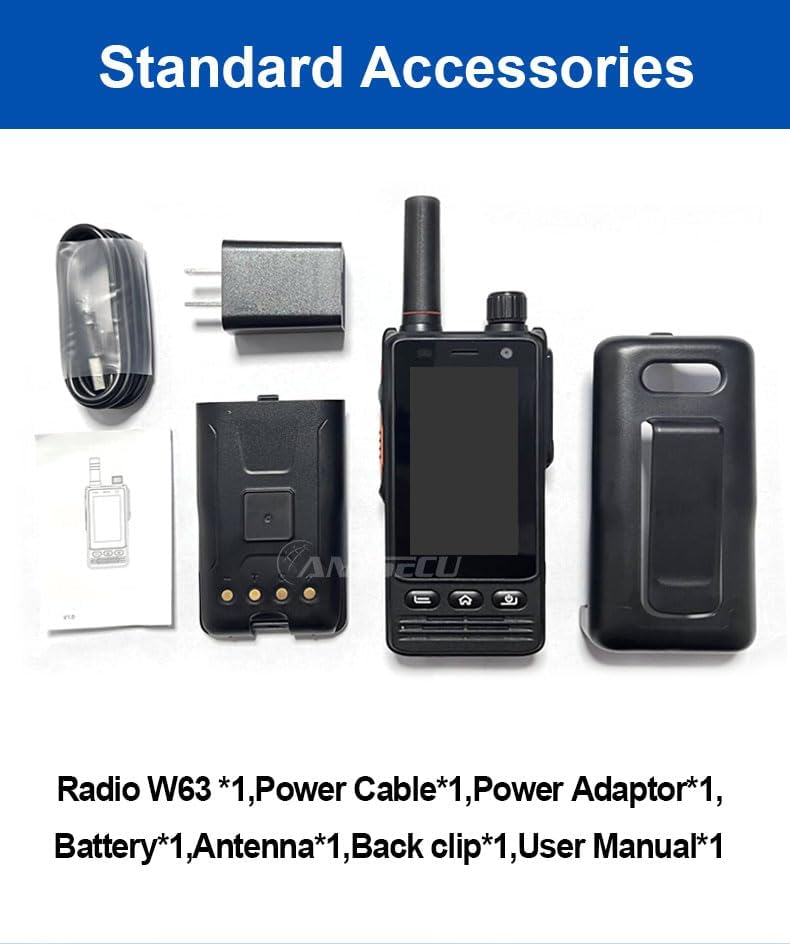
Image: Standard accessories included with the ANYSECU W63-US radio.
3. Продукт бүтүп калдыview
The ANYSECU W63-US features a compact design with a 2.95-inch high-definition touch screen and physical buttons for intuitive operation. It is equipped with both front and rear cameras, and a high-capacity battery for extended use.

Сүрөт: алдыңкы view of the ANYSECU W63-US radio highlighting Android 9, touch screen, GPS/BT/WiFi, and flashlight function.

Сүрөт: Арткы view of the ANYSECU W63-US radio, showing the 5MP front and 13MP rear cameras with built-in flash.
Негизги компоненттер:
- Антенна: For signal reception and transmission.
- Үн баскычы: Аудио чыгаруу деңгээлин тууралайт.
- SOS баскычы: For emergency alerts.
- PTT баскычы: Push-to-Talk button for communication.
- Дисплей: 2.95-inch touch screen (854*480 pixels).
- Чабыттоо баскычтары: Home, Back, and Power buttons.
- USB-C порту: Заряддоо жана маалыматтарды өткөрүү үчүн.
- Кур клип: Ыңгайлуу алып жүрүү үчүн.

Image: The ANYSECU W63-US radio shown with its high-quality waist clip for portability.
4. Орнотуу
4.1 Батареяны орнотуу
- Аппараттын өчүрүлгөнүн текшериңиз.
- Радионун артындагы батарея бөлүкчөсүнүн капкагын табыңыз.
- Этияттык менен капкакты алып салыңыз.
- Insert the provided 4000mAh 3.8V battery, aligning the contacts.
- Батарея бөлүмүнүн капкагын кайра жабыңыз, анын бекем жабылганын текшериңиз.

Image: The ANYSECU W63-US radio highlighting its 4000mAh high-capacity battery.
4.2 SIM Card / SD Card Installation
The W63-US supports 4G network connectivity. Insert your SIM card into the designated slot. If desired, an SD card can also be installed for additional storage.
4.3 Баштапкы күйгүзүү
- Экран жарык болгонго чейин Кубат баскычын басып, кармап туруңуз.
- Follow the on-screen prompts for initial setup, including language selection and network configuration.
Video: Demonstration of the ANYSECU W63-US radio's physical features and initial power-on sequence.
5. Иштөө нускамалары
5.1 Негизги навигация
- Сенсордук экран: Navigate menus and applications by tapping and swiping on the 2.95-inch display.
- Үй баскычы: Негизги үй экранына кайтып келет.
- Артка баскычы: Мурунку экранга кайтат.
- Кубат баскычы: Short press to lock/unlock screen, long press to power off/restart.

Image: A hand interacting with the 2.95-inch high-definition touch screen of the ANYSECU W63-US radio.
5.2 PTT Communication (Zello/RealPTT)
The W63-US is compatible with Zello and RealPTT applications for Push-to-Talk communication. Ensure you have an active account and are logged into your preferred application.
- Open the Zello or RealPTT application from the home screen.
- Select your desired contact or channel.
- Атайын баскычты басып, кармап туруңуз PTT баскычы on the side of the radio to transmit your voice.
- Угуу үчүн PTT баскычын коё бериңиз.
5.3 Тармакка туташуу
The device supports global 4G networks, Wi-Fi, and Bluetooth for versatile connectivity.
- 4G тармагы: Automatically connects if a valid SIM card is inserted and configured.
- Wi-Fi: Access Wi-Fi settings through the Android interface to connect to available networks.
- Bluetooth: Pair with compatible Bluetooth accessories like headsets.
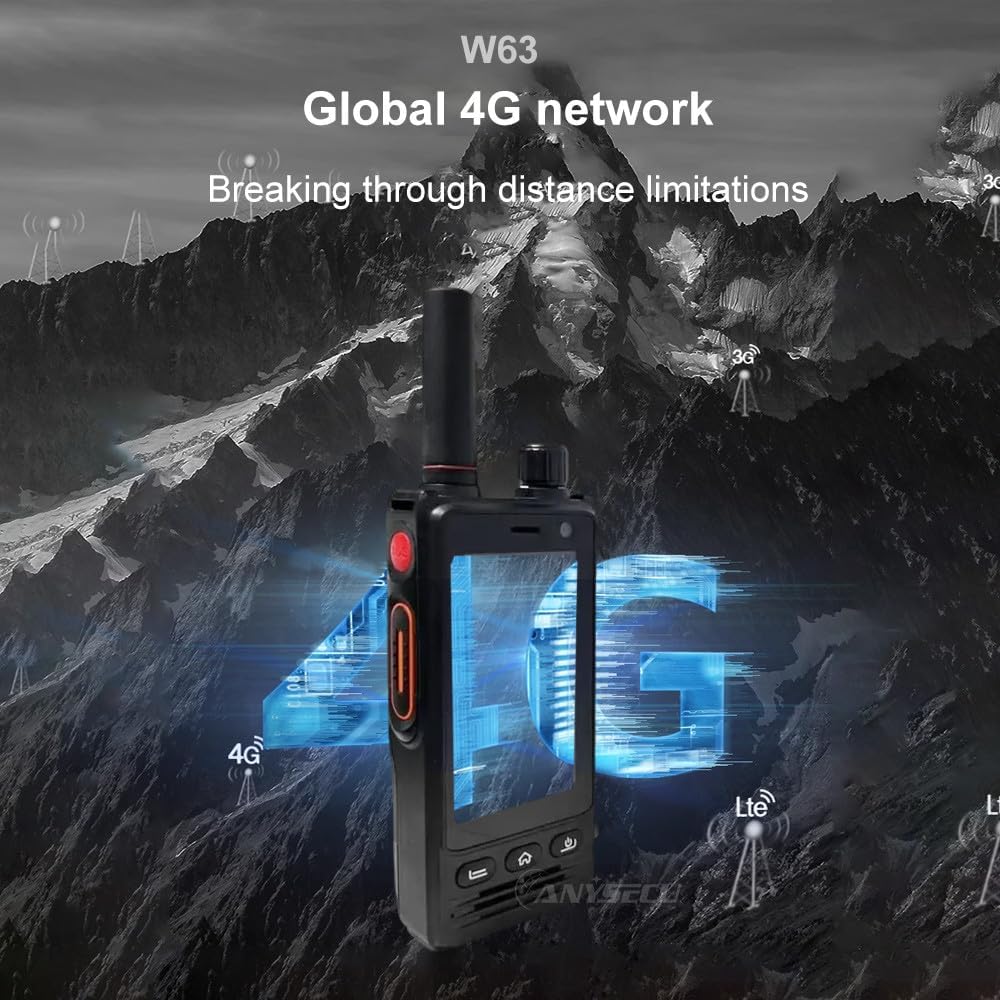
Image: The ANYSECU W63-US radio demonstrating its global 4G network capabilities.
6. Техникалык тейлөө
6.1 Аппаратты тазалоо
жумшак колдонуу, damp cloth to clean the exterior of the radio. Avoid using harsh chemicals or abrasive materials that could damage the device or screen.
6.2 Батареяга кам көрүү
- Биринчи жолу колдонуудан мурун батарейканы толук кубаттаңыз.
- Батареянын иштөө мөөнөтүн узартуу үчүн аны ашыкча заряддоодон же толугу менен жарактан чыгаруудан качыңыз.
- Радиону жана батареяны узак убакытка колдонбогондо салкын, кургак жерде сактаңыз.
6.3 Суу жана чаңга туруктуулук
The W63-US is rated IP68 waterproof and dustproof. This means it can withstand immersion in water up to 1.5 meters for 30 minutes and is protected against dust ingress. Ensure all ports and covers are securely closed before exposing the device to water or dust.

Image: The ANYSECU W63-US radio demonstrating its IP68 waterproof and dustproof features. An optional explosion-proof version may also be available.
7. Кыйынчылыктарды
If you encounter issues with your ANYSECU W63-US radio, refer to the following common problems and solutions:
- Түзмөк күйбөй жатат:
Ensure the battery is correctly installed and charged. Connect the radio to the charger and attempt to power on again. - Тармак туташуусу жок:
Verify that your SIM card is properly inserted and active. Check network settings to ensure 4G is enabled. If using Wi-Fi, confirm you are connected to a valid network. - PTT function not working:
Ensure you are logged into your Zello or RealPTT account. Check the application settings to confirm the PTT button is correctly mapped. Verify you have an active internet connection. - Аудио көйгөйлөрү (үн жок/бурмаланган үн):
Adjust the volume knob. Check if a headset is connected and properly functioning. Restart the device. - Сенсордук экран жооп бербейт:
Restart the device. If the issue persists, ensure the screen is clean and free from debris.
8. Техникалык шарттар
| Өзгөчөлүк | Деталь |
|---|---|
| Бренд | ANYSECU |
| Модель номери | W63-US |
| Түс | Кара |
| Операция системасы | Android 9.0 |
| Connectivity Protocol | 4G |
| Тюнер түрү | 4G |
| Дисплей | 2.95 inch High-definition (854*480 pixels) Touch Screen |
| Сууга туруктуулук деңгээли | IP68 суу өткөрбөйт |
| Батарея | 4000mAh 3.8V (1 AA battery required, included) |
| Каналдардын саны | 1000 |
| Сүйлөшүү диапазону максималдуу | 10 миля |
| Өзгөчөлүктөр | Long Range, GPS, Bluetooth, Wi-Fi, Flashlight |
| Шайкеш түзмөктөр | Zello, RealPTT |
| Камералар | Front 5MP, Rear 13MP with Built-in Flash |
9. Кепилдик жана колдоо
9.1 Кепилдик маалыматы
The ANYSECU W63-US radio body is covered by a 1 жылдык кепилдик сатып алынган күндөн тартып. Бул кепилдик нормалдуу колдонуудагы өндүрүш кемчиликтерин камтыйт. Кепилдик дооматтары үчүн сатып алганыңыздын далилин сактап коюңуз. Кепилдик туура эмес колдонуудан, кырсыктардан, уруксатсыз өзгөртүүлөрдөн же кадимки эскирүүдөн келип чыккан зыянды камтыбайт.
9.2 Кардарларды колдоо
For technical assistance, troubleshooting beyond this manual, or warranty inquiries, please contact your authorized ANYSECU dealer or visit the official ANYSECU webколдоо булактары үчүн сайт.