
Introduction
This manual provides detailed instructions for the setup, operation, and maintenance of your NiTHO NEXUS Wireless Controller. Please read this manual thoroughly before using the product to ensure proper functionality and to prevent damage.
Продукт бүттүview
The NiTHO NEXUS Wireless Controller is designed for multi-platform gaming, offering compatibility with PC (Windows), Switch 2, Switch / Lite / OLED, Android, and iOS devices. It features Hall Effect triggers, a 6-axis gyro, adjustable vibration, and customizable RGB lighting.
Controller Layout
Сүрөт: Алдыңкы жана арткы view of the NiTHO NEXUS Wireless Controller with all buttons and ports clearly labeled. Key labels include HOME button, Screenshot key, +/- keys, Pairing button, Left Rockers, Cross arrow key, TURBO button, Mode Indicator Light, A/B/X/Y Keys, Right Rockers, R1, R2, L1, L2, TYPE-C charging port, and Force Online button.
Жайгашуу
Контроллерди заряддоо
Before initial use, fully charge the controller. Connect the supplied USB Type-C cable to the controller's charging port and the other end to a USB power source (e.g., PC, USB wall adapter). The charging indicator will show the charging status and turn off when fully charged. A full charge takes approximately 2.5 hours and provides up to 9 hours of gameplay.

Сүрөт: Illustration showing the controller's 800mAh battery capacity, indicating up to 9 hours of gameplay and a 2.5-hour charging time.
Түзмөктөр менен жупташтыруу
The NiTHO NEXUS controller supports wireless connection via Bluetooth to various platforms.

Сүрөт: The NiTHO NEXUS controller highlighting its universal compatibility with Switch 1 & 2, PC, Android, and iOS devices.
- Nintendo Switch / Switch 2: Turn on your Switch console. Go to "Controllers" > "Change Grip/Order". Press and hold the Pairing button on the top of the NEXUS controller until the indicator lights flash rapidly. Once paired, the indicator light will become solid.
- PC (Windows): Ensure your PC has Bluetooth enabled. Go to "Bluetooth & other devices" settings, click "Add Bluetooth or other device", then "Bluetooth". Press and hold the Pairing button on the controller. Select "Nitho NEXUS" from the list of available devices.
- Android / iOS: Enable Bluetooth on your mobile device. Press and hold the Pairing button on the controller. Select "Nitho NEXUS" from the list of available Bluetooth devices.
Иштөө нускамалары
Vibration Settings
The controller features dual motor vibration with four adjustable levels: Off, Low, Medium, and High. These can be adjusted to suit your preference during gameplay.

Сүрөт: The controller with visual cues for dual motor vibration, showing 0%, 50%, 75%, and 100% intensity levels.
Турбо функциясы
The programmable turbo function allows for rapid, repeated button presses. It has three speed settings: 5, 10, or 15 shots per second.
- Turbo иштетүү үчүн: Press and hold the TURBO button, then press the desired action button (e.g., A, B, X, Y, L1, R1, L2, R2). The button will now continuously register presses when held.
- Турбо ылдамдыгын тууралоо үчүн: With Turbo active, press and hold the TURBO button, then move the Right Rocker (right analog stick) Up or Down to cycle through the speeds.
- Турбо режимин өчүрүү үчүн: Press and hold the TURBO button, then press the action button again.

Сүрөт: The controller highlighting the Turbo function, showing options for 5, 10, and 15 shots per second.
RGB жарык режимдери
The controller features customizable RGB lighting with 7 vibrant colors and 4 dynamic lighting modes.
- Jumping Light Effect: Түстөр тез өзгөрөт.
- Colorful Constant Light Effect: A single color remains constant.
- Rainbow Color Mixing Light Effect: Colors blend and transition smoothly.
- Breathing Light Effect: Colors fade in and out.
Refer to the controller's specific button combinations (usually a dedicated RGB button or a combination with the HOME button) to cycle through these modes and colors.

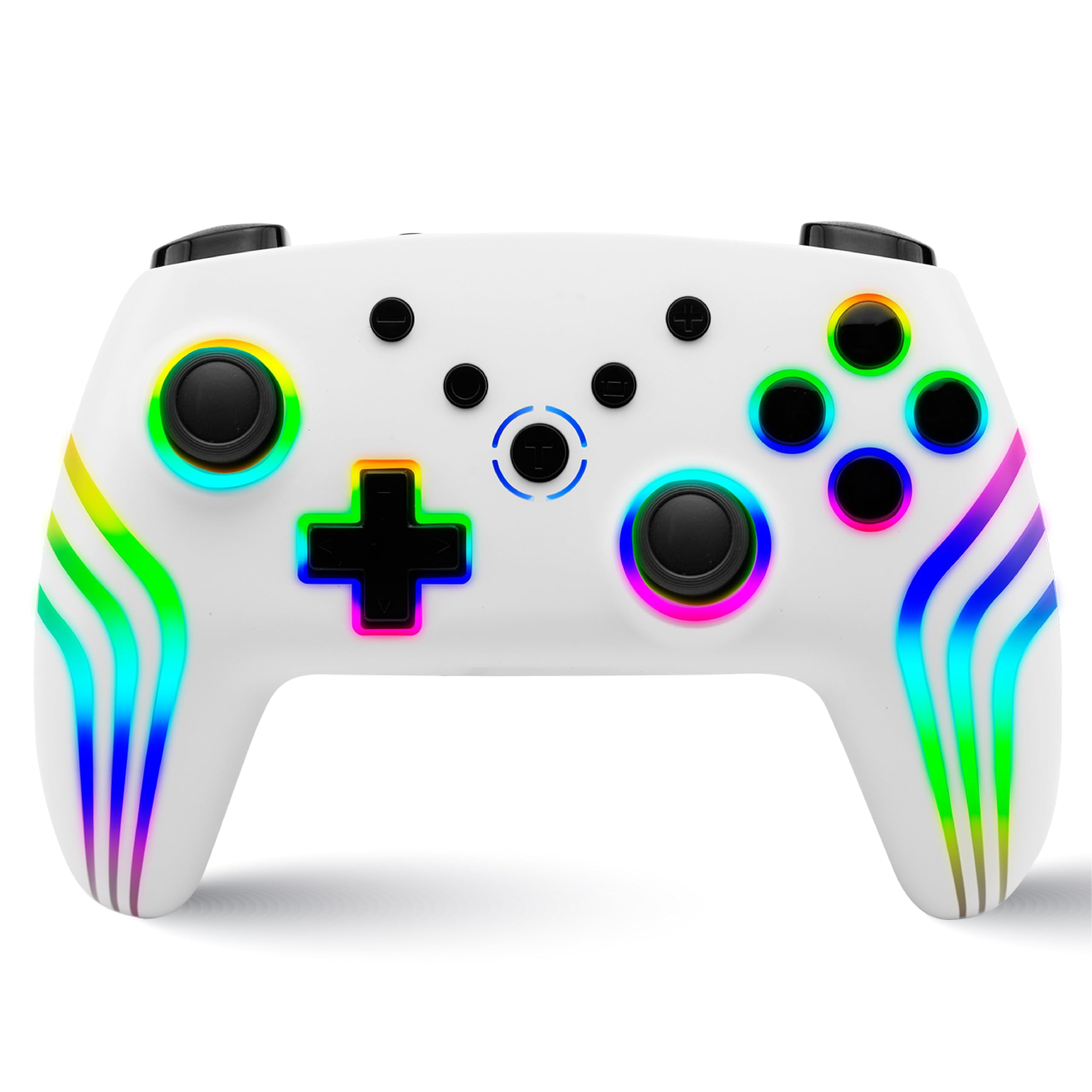
Сүрөт: The controller displaying various RGB LED light multi-effects, including Jumping Light, Colorful Constant Light, Rainbow Color Mixing Light, and Breathing Light.
6-Axis Gyro Motion Sensor
The integrated 6-axis gyro sensor allows for precise motion control in compatible games, capturing tilts and rotations for responsive gameplay, particularly in racing, action, and adventure titles.

Сүрөт: The controller with an overlay demonstrating its 6-axis motion sensing capabilities, showing rotational movement.
Холл эффектинин триггерлери
The magnetic Hall Effect triggers provide smooth and accurate input, reducing wear and preventing common issues like stick drift, ensuring long-lasting precision.

Сүрөт: Close-up of the controller's trigger area, emphasizing the Hall Effect Trigger technology.
Техникалык тейлөө
- Контроллерди жумшак, кургак чүпүрөк менен сүртүп, таза кармаңыз.
- Контроллерди өтө жогорку температурага, түз күн нуруна же нымдуулукка дуушар кылбаңыз.
- Контроллерди бөлүп алууга аракет кылбаңыз, анткени бул кепилдикти жокко чыгарат.
- Физикалык зыяндын алдын алуу үчүн, колдонулбай турган учурда контроллерди коопсуз жерде сактаңыз.
Проблемаларды чечүү
- Контроллер жупташкан жок: Ensure the controller is charged. Make sure Bluetooth is enabled on your device and the controller is in pairing mode (indicator lights flashing). Try restarting both the controller and the device.
- Киргизүү кечигүү же ажыратуу: Ensure there are no obstructions between the controller and the device. Move closer to the device. Reduce interference from other wireless devices.
- Баскычтар жооп бербейт: Check if the controller is charged. If specific buttons are unresponsive, try resetting the controller (refer to the "Force Online button" or a small reset pinhole if available, not explicitly mentioned but common).
- Вибрация иштебейт: Check in-game settings to ensure vibration is enabled. Verify the controller's vibration level is not set to "Off".
- Таякчалардын агымы: The NiTHO NEXUS features Hall Effect triggers designed to prevent stick drift. If you experience this issue, ensure the controller's firmware is up to date (check manufacturer's website) or contact support.
Техникалык шарттар
| Өзгөчөлүк | Деталь |
|---|---|
| Модель номери | NEXUS |
| Шайкештик | PC (Windows), Switch 2, Switch / Lite / OLED, Android, iOS |
| Байланыш | Зымсыз (Bluetooth) |
| Батарея | 800mAh стандарттуу эмес батарейка (кошулган) |
| Батареянын иштөө мөөнөтү | 9 саатка чейин |
| Заряддоо убактысы | Болжол менен 2.5 саат |
| Триггерлер | Magnetic Hall Effect Triggers |
| Motion Sensor | 6-Oxis Gyro |
| Вибрация | Dual Motor, 4 adjustable levels |
| Турбо функциясы | 3 speeds (5, 10, 15 shots/sec) |
| RGB жарыктандыруу | 7 colors, 4 dynamic modes |
| Продукциянын өлчөмдөрү | 16.1 x 6.5 x 11.1 см |
| Элемент Салмагы | 270 г |
| Келип чыккан өлкө | Кытай |
Кепилдик жана колдоо
Кепилдик жөнүндө маалымат жана техникалык колдоо алуу үчүн, расмий Nitho компаниясына кайрылыңыз website or contact their customer service directly. The manufacturer's contact email is: nithoamazonin@mtm-t.com.
For support in India, you may also contact the importer: Marketgate Technologies Private Limited, India, email: marketgateindia@gmail.com.
Кепилдик дооматтары үчүн сатып алганыңыздын далилин сактап коюңуз.