
Introduction
The Keenetic Roamer 4G is a portable mobile hotspot designed to provide secure and fast internet access on the go. It supports 4G LTE connectivity and Wi-Fi 6, allowing up to 10 devices to connect simultaneously. This manual provides essential information for setting up, operating, and maintaining your device.
Кутуда эмне бар
Upon unboxing your Keenetic Roamer 4G, please ensure all the following components are present:
- Roamer 4G Mobile Wi-Fi hotspot
- Removable Lithium-ion battery
- Тез баштоо колдонмосу
- USB-Aдан USB Type-C кабелине
Note: A SIM card and internet subscription are not included and must be acquired separately.
Продукт бүттүview

1-сүрөт: Фронт view of the Keenetic Roamer 4G, highlighting the color display that shows signal strength, data volume, battery status, and network information.
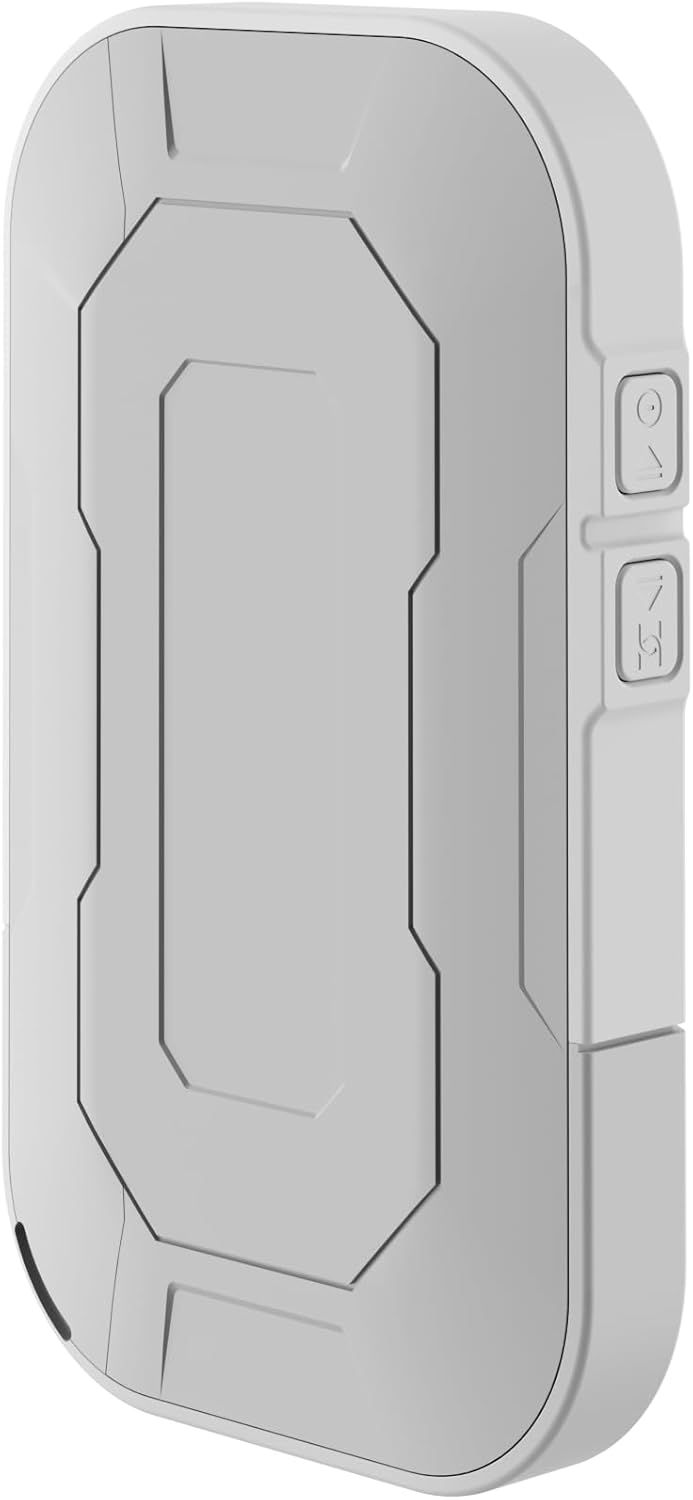
2-сүрөт: Арткы view of the device, illustrating its compact and portable design.

3-сүрөт: Side view displaying the USB Type-C port for charging and data transfer.

4-сүрөт: Side view illustrating the physical buttons for power and navigation.
Жайгашуу
1. SIM картаны салуу
- Locate the SIM card slot, typically found under the battery cover.
- Carefully remove the back cover and the battery.
- Insert your standard-sized SIM card into the designated slot with the gold contacts facing down, ensuring it clicks into place.
- Батареяны кайра салып, арткы капкакты ордуна коюңуз.
2. Аппаратты заряддоо
- Connect the provided USB-A to USB Type-C cable to the device's charging port.
- Plug the other end into a USB power adapter (not included) or a computer's USB port.
- The battery indicator on the display will show charging status. Fully charge the device before first use.
3. Күйгүзүү / Өчүрүү
- To power on, press and hold the Power button (refer to Figure 4) until the display lights up.
- To power off, press and hold the Power button until the shutdown prompt appears on the screen, then confirm.
Иштөө нускамалары
Wi-Fi аркылуу түзмөктөрдү туташтыруу
- Ensure the Roamer 4G is powered on and has established a 4G connection (indicated on the display).
- Wi-Fi иштетилген түзмөгүңүздө (смартфон, планшет, ноутбук) жеткиликтүү Wi-Fi тармактарын издеңиз.
- Locate the network name (SSID) displayed on the Roamer 4G's screen.
- Enter the Wi-Fi password (Key) also shown on the Roamer 4G's screen. Alternatively, you can scan the QR code displayed on the device's screen for quick connection.
- Your device should now be connected to the internet via the Roamer 4G hotspot.
Дисплейди түшүнүү
The color display provides real-time information about your hotspot's status:
- Сигнал күчү: Indicates the strength of the 4G cellular signal.
- Батарея деңгээли: Калган батарея зарядын көрсөтөт.
- Дайындардын колдонулушу: Displays current upload/download speeds and total data consumed.
- Тармак маалыматы: Provides details like SSID, password, and connected devices count.
Техникалык тейлөө
Батареяга кам көрүү
- To maximize battery lifespan, avoid exposing the device to extreme temperatures.
- Charge the battery regularly, but avoid leaving it fully discharged for extended periods.
- Аппарат узак убакыт бою колдонулбай турган болсо, сактоо алдында аны болжол менен 50% чейин заряддаңыз.
Тазалоо
- Use a soft, dry, lint-free cloth to clean the device's exterior.
- Суюк тазалоочу каражаттарды, аэрозолдорду же эриткичтерди колдонбоңуз.
Проблемаларды чечүү
| Көйгөй | Мүмкүн себеп | Чечим |
|---|---|---|
| Интернет байланышы жок | No SIM card inserted, SIM card not activated, no signal, data plan exhausted. | Ensure SIM is correctly inserted and active. Check signal strength on display. Verify data plan with your mobile operator. Try restarting the device. |
| Wi-Fi'га туташпай жатат | Incorrect password, device too far from hotspot, Wi-Fi disabled on hotspot. | Verify Wi-Fi password. Move closer to the hotspot. Ensure Wi-Fi is enabled on the Roamer 4G. |
| Түзмөк күйбөй жатат | Battery is depleted, battery not inserted correctly. | Charge the device for at least 30 minutes. Ensure the battery is properly seated. |
Техникалык шарттар
| Өзгөчөлүк | Деталь |
|---|---|
| Бренд | Keenetic |
| Модел | KN-5110-01-EU |
| Өлчөмдөр | 12.1 x 8.2 x 4.7 см |
| Салмагы | 200 грамм |
| Батарея түрү | Литий-ион (1 талап кылынат, кошулган) |
| Зымсыз түрү | 802.11b (Wi-Fi 6 compatible) |
| Байланыш технологиясы | LTE |
| Шайкеш түзмөктөр | PC (and other Wi-Fi enabled devices) |
| Өзгөчөлүктөр | LED Indicator, Color Display |
Кепилдик маалымат
For detailed warranty information, please refer to the warranty card included with your product or visit the official Keenetic webсайт. Кепилдик дооматтар үчүн сатып алганыңыздын далилин сактаңыз.
Кардарларды колдоо
If you encounter any issues not covered in this manual or require further assistance, please contact Keenetic customer support. Visit the official Keenetic webбайланыш маалыматы жана колдоо булактары үчүн сайт.
Сиз да зыярат кылсаңыз болот Keenetic Store on Amazon көбүрөөк маалымат алуу үчүн.