
1. Киришүү
Сатып алганыңыз үчүн рахматasing the Daakro SR-3800 5.1 Channel Bluetooth Home Audio Ampкөтөргүч. Бул amplifier is designed to provide a high-quality audio experience for your home theater, studio, or entertainment setup. Featuring a 300W rated power output, DSP display, Bluetooth 5.4 connectivity, and multiple input options, the SR-3800 offers versatility and robust performance. Please read this manual thoroughly before use to ensure proper setup and operation.

Image 1.1: Daakro SR-3800 Ampкөтөргүч жана алыстан башкаруу.
2. Коопсуздук маалыматы
To reduce the risk of fire or electric shock, do not expose this appliance to rain or moisture. Do not open the casing; refer all servicing to qualified personnel. Always ensure proper ventilation and avoid blocking cooling vents.
- Кубат булагы: Connect the unit to an AC power outlet of the specified voltage.
- Вентиляция: Do not obstruct the ventilation openings. Ensure adequate space around the unit for proper airflow.
- Суу жана ным: Аппаратты тамчылаган же чачыраган сууга тийгизбеңиз. Аппараттын үстүнө вазалар сыяктуу суюктуктар толтурулган буюмдарды койбоңуз.
- Жылуулук: Аппаратты радиаторлор, жылуулук регистрлери, мештер же башка аппараттар (анын ичинде) сыяктуу жылуулук булактарынын жанына койбоңуз. ampкөтөргүчтөр) жылуулукту пайда кылуучу.
- Тазалоо: Кургак чүпүрөк менен гана тазалаңыз.
- Тейлөө: Бул продуктту өзүңүз тейлөөгө аракет кылбаңыз. Бардык тейлөөнү квалификациялуу тейлөө кызматкерлерине тапшырыңыз.
3. Пакеттин мазмуну
Пакетте бардык буюмдар бар экенин текшериңиз:
- Daakro SR-3800 5.1 Channel Bluetooth Home Audio Ampөмүрлүү
- Remote Controller
- Колдонуучунун Колдонмосу (бул документ)
- Электр кабели
4. Продукт бүтүп калдыview
4.1 алдыңкы панели
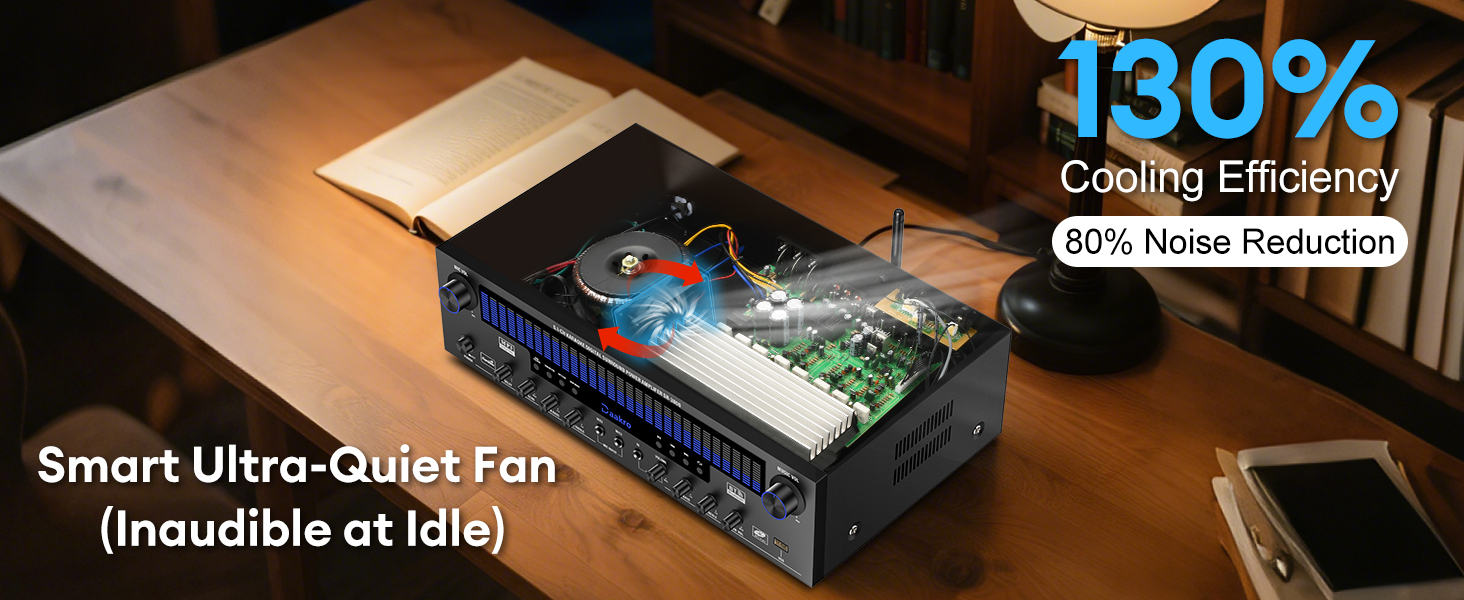
Image 4.1: Front Panel Controls and Display.
The front panel provides access to all primary controls and the DSP display:
- Микрофондун үн баскычы: Adjusts the overall volume of connected microphones.
- Күйгүзүү/өчүрүү: Күйгүзөт ampкөтөргүчтүн күчү.
- LCD экран: Displays current input mode, volume levels, and DSP spectrum effects.
- Кечиктирүү баскычы: Микрофондордун кечигүү эффектин тууралайт.
- Эхо баскычы: Микрофондор үчүн жаңырык эффектин тууралайт.
- Mic Bass Knob: Adjusts the bass level for microphones.
- Mic Treble Knob: Adjusts the treble level for microphones.
- Wireless Mic Volume Knob: Adjusts the volume for wireless microphones.
- Басс баскычы: Adjusts the overall bass level for music playback.
- Үч ыргытуу баскычы: Adjusts the overall treble level for music playback.
- DVD/CD/AUX Mode Knob: Selects DVD, CD, or AUX input.
- USB/BT/FM Mode Knob: Selects USB, Bluetooth, or FM radio input.
- OPT/COAX Mode Knob: Selects Optical or Coaxial digital input.
- DISP Mode Knob: Cycles through DSP display effects.
- Play/Pause Knob: Controls playback for USB/Bluetooth.
- Previous Knob: Skips to the previous track for USB/Bluetooth.
- Next Knob: Skips to the next track for USB/Bluetooth.
- Single Song/Playlist Loop Knob: Toggles repeat modes for USB playback.
- Subwoofer Volume Knob: Adjusts the output volume for the passive subwoofer.
- Музыканын үнүнүн баскычы: Adjusts the overall music playback volume.
4.2 Арткы панель
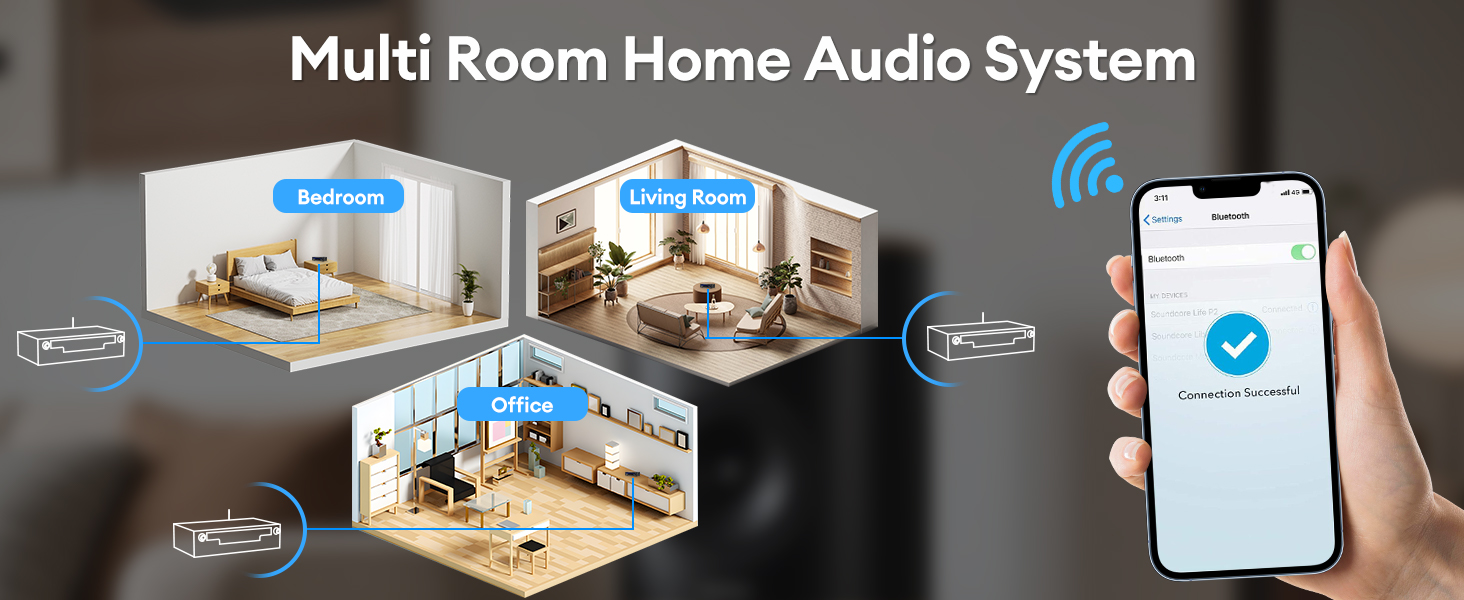
Image 4.2: Back Panel Input and Output Interfaces.
The back panel features various input and output connections:
- FM ANT: FM antenna connection.
- AUX IN: Тышкы аудио түзмөктөр үчүн стерео RCA киргизүү.
- КОЛДОНУУ: Оптикалык санариптик аудио киргизүү.
- COAX IN: Коаксиалдык санариптик аудио киргизүү.
- BT ANT: Bluetooth антеннасы.
- АУДО КИРГИЗҮҮ (DVD, CD, LINE): Stereo RCA inputs for DVD, CD players, and other line-level sources.
- SPEAKER OUTPUT (4-16Ω): Spring clip terminals for connecting passive speakers (Left, Right, Center, Left Surround, Right Surround).
- САБВУФЕР ЧЫГЫШЫ: RCA output for connecting a passive subwoofer.
- КҮЧ КИРГИЗҮҮ: AC кубат шнурунун туташуусу.
5. Орнотуу
5.1 Динамиктин туташуусу
The SR-3800 is compatible with 5-12 inch passive speakers with an impedance of 4 to 16 ohms. Ensure the amplifier is powered off before making any connections.
- Identify the speaker terminals on the back panel: Left, Right, Center, Left Surround, Right Surround.
- Ар бир динамиктин оң (+) терминалын телефондогу тиешелүү оң (+) терминалга туташтырыңыз ampөмүрлүү.
- Ар бир динамиктин терс (-) терминалын телефондогу тиешелүү терс (-) терминалга туташтырыңыз ampөмүрлүү.
- For a passive subwoofer, connect its RCA input to the SUBWOOFER OUTPUT on the ampөмүрлүү.
Эскертүү: Incorrect polarity can result in poor sound quality. Ensure all connections are secure.
5.2 Киргизүү байланыштары
Connect your audio sources to the appropriate input ports on the back panel:
- DVD/CD/LINE: Use RCA cables to connect DVD players, CD players, or other analog audio sources.
- AUX IN: Use RCA cables for general auxiliary audio input.
- OPT IN / COAX IN: Use optical or coaxial digital cables for digital audio sources like TVs or game consoles.
- FM ANT: Радио кабыл алуу үчүн комплекттеги FM антеннасын туташтырыңыз.
- USB: Insert a USB drive into the front panel USB port for media playback.
- Микрофондор: Connect wired microphones to the MIC1 or MIC2 inputs on the front panel. The amplifier also supports wireless microphones.
5.3 Кубат туташтыруу
After all audio and speaker connections are made, connect the power cable to the POWER INPUT on the back of the amplifier and then to a suitable AC power outlet.
6. Операция
6.1 Күйгүзүү/өчүрүү
басыңыз Күйгүзүү/ӨЧҮРҮҮ буруш үчүн алдыңкы панелдеги баскычты басыңыз amplifier on or off. The LCD screen will illuminate upon power-on.
6.2 Киргизүүнү тандоо
Rotate the input selection knobs (DVD/CD/AUX, USB/BT/FM, OPT/COAX) on the front panel to choose your desired audio source. The selected input will be displayed on the LCD screen.
6.3 Bluetooth жупташтыруу

Image 6.1: Bluetooth 5.4 Connectivity.
Bluetooth түзмөгүн туташтыруу үчүн:
- Select the 'BT' input mode using the USB/BT/FM knob. The LCD screen will show 'Bluetooth' or a similar indicator.
- Смартфонуңузда, планшетиңизде же компьютериңизде Bluetooth'ду иштетиңиз.
- Издөө available devices and select 'Daakro SR-3800'.
- Жупташкандан кийин, amplifier will indicate a successful connection, and you can stream audio wirelessly within a 30-foot range.
6.4 USB ойнотуу
Аудио камтыган USB флэш-дискти салыңыз files into the USB port on the front panel. Select the 'USB' input mode. Use the Play/Pause, Previous, Next, and Single Song/Playlist Loop knobs to control playback.
6.5 FM радиосу
Select the 'FM' input mode. The amplifier will automatically scan for available radio stations. Use the Previous/Next buttons (or corresponding remote control buttons) to navigate between stations.
6.6 Микрофонду колдонуу (Караоке)

Image 6.2: Karaoke Setup with Microphones.
Connect wired microphones to the MIC1/MIC2 inputs. Adjust microphone volume, delay, echo, bass, and treble using the dedicated knobs on the front panel. For wireless microphones, use the Wireless Mic Volume knob.
Абайлаңыз: External wired and wireless microphones may cause feedback noise if not positioned correctly or if gain levels are too high.
6.7 Аудио тууралоолору
Үнүңүздү так жөндөө үчүн алдыңкы панелдеги төмөнкү баскычтарды колдонуңуз:
- Музыканын үнүнүн баскычы: Controls the master volume for all music sources.
- Басс баскычы: Adjusts the low-frequency response of the music.
- Үч ыргытуу баскычы: Adjusts the high-frequency response of the music.
- Subwoofer Volume Knob: Controls the output level of the connected passive subwoofer.
6.8 DSP Display Modes
Image 6.3: Dynamic DSP Display in action.
The 19.8-inch LED display features 13 spectrum effects. Rotate the DISP Mode Knob to cycle through these visualizers, which analyze and display music rhythms in real-time within the 20 Hz to 20 kHz frequency response range.
6.9 Алыстан башкарууну колдонуу
Кошулган алыстан башкаруу пульту көпчүлүк нерселерге ыңгайлуу мүмкүнчүлүк берет amplifier functions, including power, input selection, volume adjustment, and playback controls. Ensure the remote has fresh batteries and is pointed towards the amplifier's front panel during use.
7. Техникалык тейлөө
7.1 Тазалоо
Сыртын сүртүңүз amplifier with a soft, dry cloth. Do not use liquid cleaners or aerosol sprays, as they may damage the finish or internal components.
7.2 Сактоо
сакталган болсо ampкөтөргүчтү узак убакытка күйгүзбөсөңүз, аны розеткадан сууруп, салкын, кургак жерде, күндүн түз нурунан жана өтө жогорку температурадан алыс сактаңыз.
7.3 Муздатуу системасы

Image 7.1: Internal Cooling System.
The amplifier features an ultra-quiet cooling system with built-in fans and heat sinks. Ensure that the side ventilation ports are not blocked to maintain optimal cooling efficiency and extend the equipment's lifespan.
8. Кыйынчылыктарды
| Көйгөй | Мүмкүн себеп | Чечим |
|---|---|---|
| Күч жок | Power cable not connected; Power outlet faulty; Ampөмүр бою өчүрүлгөн. | Ensure power cable is securely connected. Test outlet with another device. Press Power ON/OFF button. |
| Үн чыгышы жок | Incorrect input selected; Volume too low; Speaker wires loose; Mute function active. | Select correct input. Increase Music Volume. Check speaker connections. Deactivate mute. |
| Bluetooth туташпай жатат | Amplifier not in BT mode; Device too far; Bluetooth on device off. | Select BT input. Move device closer (within 30ft). Enable Bluetooth on your device. |
| Microphone feedback noise | Microphone too close to speakers; Mic volume too high. | Reposition microphones away from speakers. Reduce Mic Volume. |
| Пульт иштебей жатат | Batteries depleted; Obstruction between remote and ampөмүрлүү. | Replace remote batteries. Ensure clear line of sight to ampкөтөргүчтүн алдыңкы панели. |
9. Техникалык шарттар
| Өзгөчөлүк | Деталь |
|---|---|
| Модель номери | SR-3800 |
| Номиналдык кубаттуулук | 300 Вт (ар бир канал үчүн 50 Вт) |
| Айланадагы үн конфигурациясы | 5.1 канал |
| Динамик импедансы | 4-16 Ohms (Passive Speakers) |
| Subwoofer Compatibility | Passive Subwoofers Only |
| Bluetooth версиясы | 5.4 |
| Bluetooth диапазону | Up to 30 feet (stable connection) |
| DSP дисплей | 19.8-inch LED, 13 Spectrum Effects (20 Hz to 20 kHz) |
| Киргизүү интерфейстери | Bluetooth, USB, Wireless Mic, 2x Wired Mic, FM, AUX, OPT, COAX, DVD, CD, LINE |
| Муздатуу системасы | Built-in fans, heat sinks, side ventilation (Ultra-Quiet) |
| Өлчөмдөрү (пакет) | 19.3 x 13.6 x 7.4 дюйм |
| Элемент Салмагы | 13.47 фунт |
10. Кепилдик жана колдоо
Daakro is committed to providing high-quality products and customer satisfaction.
- Кепилдик: Бул продукт сатып алынган күндөн тартып 30 күндүк кепилдик менен келет.
- Кардарларды тейлөө: For any questions, technical assistance, or warranty claims, please contact our online customer service. We offer 24-hour support to ensure 100% customer satisfaction.
Please refer to your purchase platform or Daakro's official website for detailed contact information and warranty terms.