
Introduction
Welcome to the user manual for your Dubstep Buzz X9 Wireless Earbuds. These earbuds are designed to provide a high-quality audio experience with advanced features for both music and gaming. Please read this manual carefully to ensure proper use and maintenance of your device.
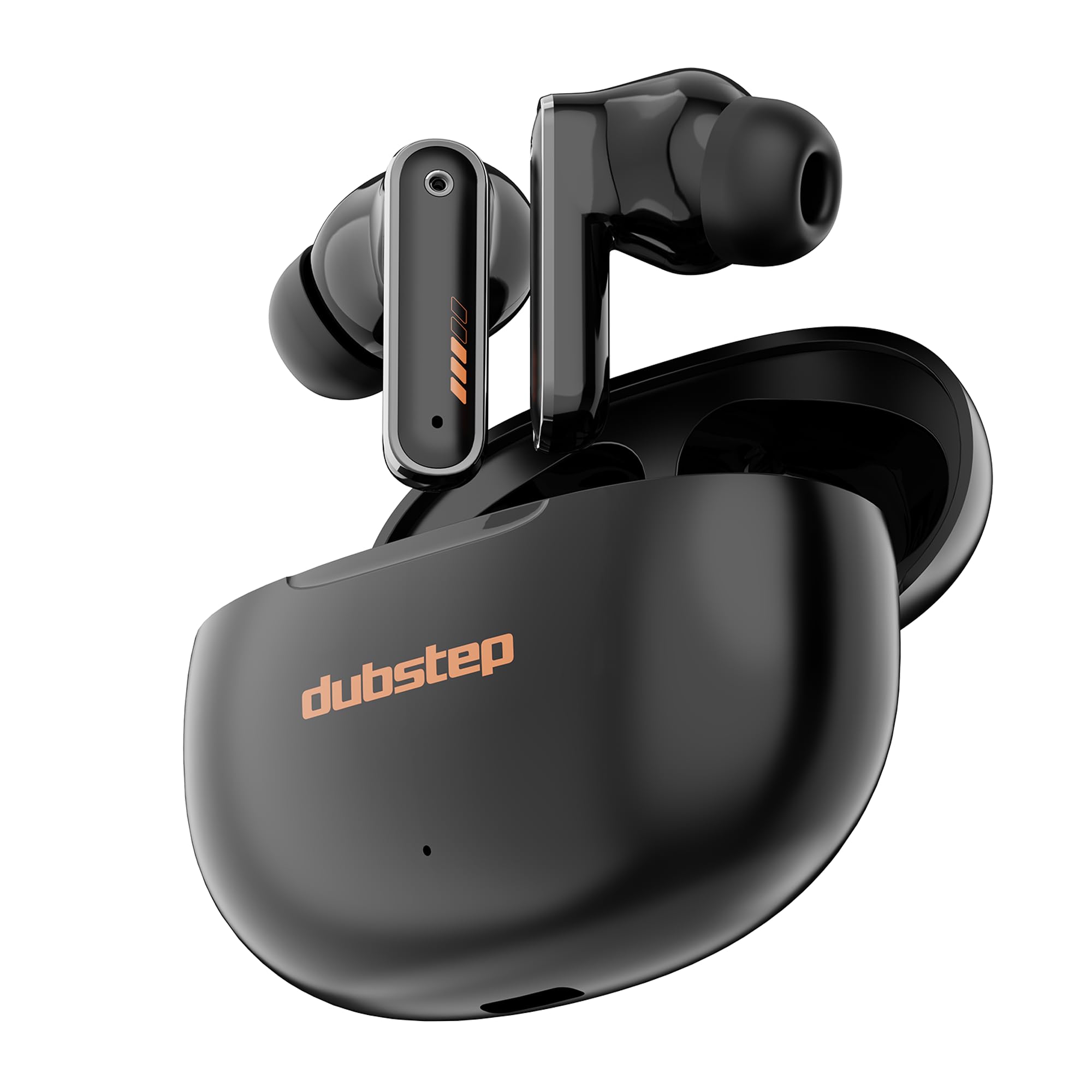
Image: Dubstep Buzz X9 Wireless Earbuds in their charging case, showcasing жарашыктуу дизайн.
Кутуда эмне бар
Upon opening your Dubstep Buzz X9 package, you should find the following items:
- Dubstep Buzz X9 Wireless Earbuds
- Зымсыз кубаттоо кутусу
- Кулак жаздыктары (ар кандай өлчөмдөгү)
- C түрүндөгү кубаттоочу кабель
- Колдонуучунун Колдонмосу (бул документ)

Image: All items included in the Dubstep Buzz X9 retail box: earbuds, charging case, Type-C cable, and ear cushions.
Орнотуу жана биринчи колдонуу
Кулакчындарды жана кутуну кубаттоо
Биринчи колдонуудан мурун, кулакчындарды да, кубаттоочу кутучаны да толук заряддаңыз.
- Кулакчындарды заряддоо кутусуна салыңыз.
- Type-C заряддоо кабелин корпустагы заряддоо портуна жана кубат булагына туташтырыңыз.
- The indicator light on the case will show charging status. A full charge typically takes about 1 hour for the case.

Image: The Dubstep Buzz X9 charging case with a Type-C cable connected, illustrating the fast charging capability.
Түзмөк менен жупташтыруу
The Buzz X9 earbuds utilize Bluetooth v5.4 for stable and lag-free connectivity.
- Кулакчындардын кубатталганын жана кубаттоочу кутучанын ичинде экенин текшериңиз.
- Заряддоо кутусунун капкагын ачыңыз. Кулакчындар автоматтык түрдө жупташтыруу режимине өтөт.
- Түзмөгүңүздө (смартфон, планшет, ноутбук) Bluetooth жөндөөлөрүнө өтүп, Bluetooth'ду күйгүзүңүз.
- Издөө "Dubstep Buzz X9" in the list of available devices and select it to connect.
- Туташкандан кийин аудио сигналын угасыз жана кулакчындардын индикатор жарыктары өзгөрөт.

Image: Dubstep Buzz X9 earbuds demonstrating wireless connectivity with a smartphone, highlighting instant pairing.
Иштөө нускамалары
Touch Controls
The Dubstep Buzz X9 earbuds feature intuitive touch controls for easy management of music, calls, and modes.
- Single Tap (R): Үнүн жогорулатуу (+)
- Single Tap (L): Үнүн азайтуу (-)
- Double Tap (L/R): Музыканы ойнотуу/тындыруу
- Үч жолу басуу (R): Кийинки ыр
- Үч жолу басуу (сол): Мурунку ыр
- Узак басуу (сол/оң): Үн жардамчысын жандырыңыз
- Four Tap (L/R): Switch between Music Mode / Game Mode
- Single Tap (during call): Чалууну кабыл алуу
- Single Tap (during call): Чакырууну токтотуу
- Double Tap (during call): Чакырууну четке кагуу

Image: Detailed diagram illustrating the touch control functions on the Dubstep Buzz X9 earbuds.
Dual Mode Technology (Music/Game)
The Buzz X9 earbuds offer a dual-mode feature, allowing you to switch between optimized audio profiles for music listening and gaming.
- Музыка режими: Provides a balanced audio experience with rich bass and clear highs, ideal for everyday listening.
- Оюн режими: Reduces audio latency to 40ms, ensuring synchronized sound effects and dialogue during gameplay for a competitive edge.
To switch modes, perform a Төрт таптоо кулакчындардын биринде.

Image: Visual representation of the dual mode feature, transitioning between music and game optimized audio.

Image: The earbuds displayed with a smartphone and game controller, emphasizing the 40ms ultra-low latency for gaming.
Өзгөчөлүктөрү жана технологиясы
Аудио сапаты
The Dubstep Buzz X9 earbuds are equipped with 13 мм неодим динамикалык драйверлери жана XBass® Technology to deliver deep, resonant bass and crystal-clear audio across the frequency spectrum.

Сүрөт: жарылган view of the earbud's internal components, highlighting the 13mm dynamic drivers responsible for audio output.
Экологиялык ызы -чууну жокко чыгаруу (ENC)
Integrated ENC microphones enhance call clarity by reducing ambient noise, ensuring your voice is heard clearly during calls.
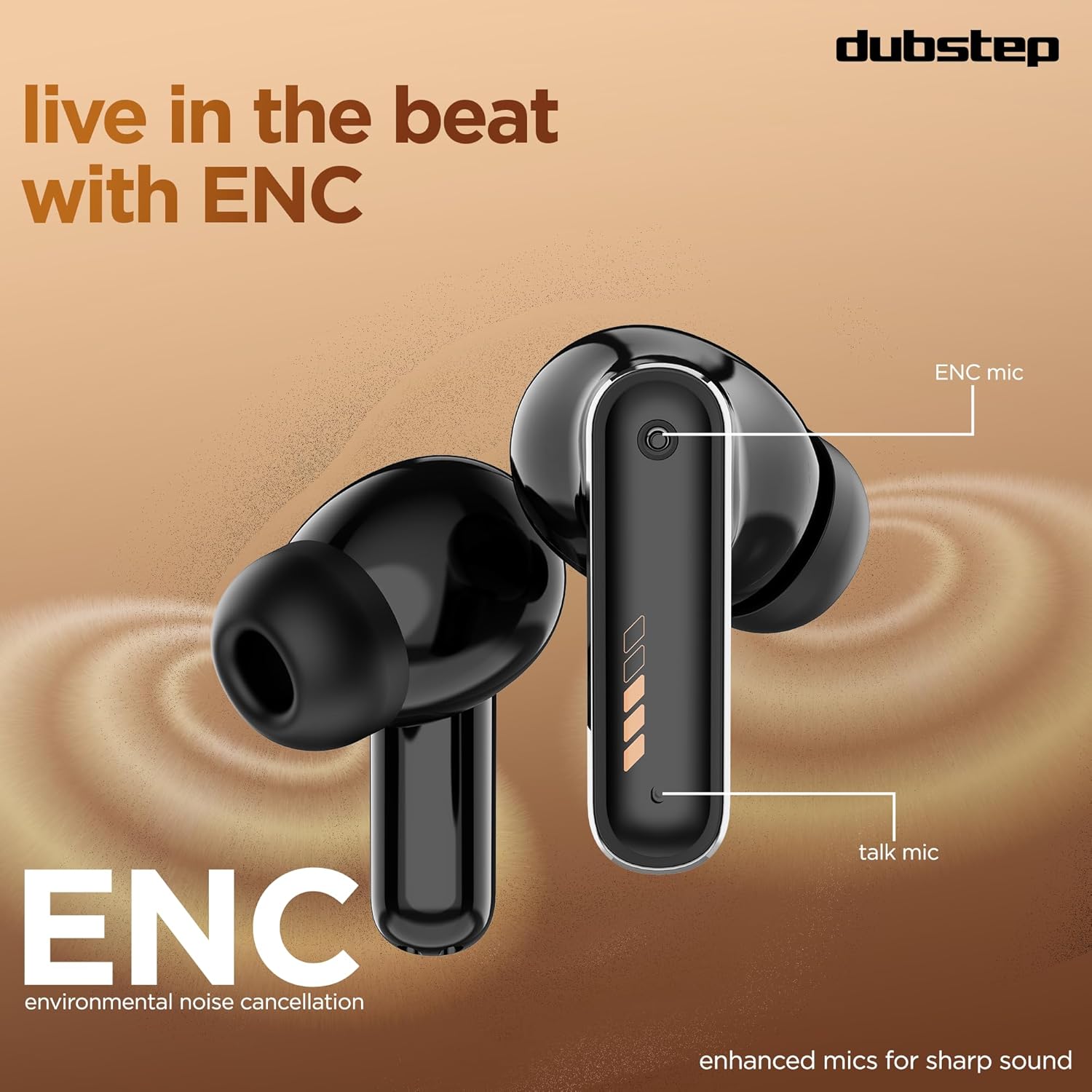
Image: Close-up of the earbud design, pointing out the locations of the ENC mic and talk mic for improved call quality.
Узартылган батареянын иштөө мөөнөтү
Ырахат алыңыз Жалпы ойноо убактысы 60 саат with the charging case, with 9 hours of continuous music playback on a single charge. The earbuds also offer an impressive 300 hours of standby time.

Image: The earbuds and case with a graphic indicating 60 hours of total playtime, 9 hours of music playtime, and 300 hours of standby time.
Техникалык тейлөө жана кам көрүү
To ensure the longevity and optimal performance of your Dubstep Buzz X9 earbuds, follow these care guidelines:
- Тазалоо: Кулакчындарды жана кубаттоочу кутучаны жумшак, кургак чүпүрөк менен үзгүлтүксүз тазалап туруңуз. Абразивдүү материалдарды же катуу химиялык заттарды колдонуудан алыс болуңуз.
- Кулак жаздыктары: Remove and clean ear cushions periodically with mild soap and water, then dry thoroughly before reattaching.
- Суу каршылык: The earbuds feature splash and sweat resistance. However, they are not waterproof. Avoid submerging them in water or exposing them to heavy rain.
- Сактагыч: Колдонулбаганда, кулакчындарды коргоо жана кубаттоо үчүн кубаттоочу кутучага сактаңыз.
- Температура: Кулакчындарды экстремалдык температурага (ысык же муздак) же тике күн нуруна узак убакытка калтыруудан сактаңыз.

Image: Earbuds with water droplets, illustrating their splash and sweat resistance feature.
Проблемаларды чечүү
If you encounter any issues with your Dubstep Buzz X9 earbuds, please refer to the following common solutions:
| Көйгөй | Чечим |
|---|---|
| Кулакчындар жупташкан жок | Ensure earbuds are charged. Place them in the case, close the lid, then open it again to re-enter pairing mode. Check your device's Bluetooth settings and try reconnecting. |
| Бир гана кулакчын иштейт | Place both earbuds back into the charging case, close the lid for 5 seconds, then open it. This should reset the connection between them. Re-pair with your device if necessary. |
| Көлөмү төмөн же үн сапаты начар | Check the volume levels on both your device and the earbuds. Ensure ear cushions are properly fitted and clean. Try different sized ear cushions for a better seal. |
| Заряддоо маселелери | Verify the Type-C cable is securely connected to both the case and the power source. Ensure the charging port is clean and free of debris. Try a different charging cable or power adapter. |
| Тийүү башкаруулары жооп бербейт | Манжаларыңыздын таза жана кургак экенине ынаныңыз. Кулакчындарды кутуга салып, кайра алып чыгып, кайра күйгүзүп көрүңүз. |
Техникалык шарттар
| Өзгөчөлүк | Деталь |
|---|---|
| Модель аты | Buzz X9 |
| Бренд | Дабстеп |
| Кулак жайгаштыруу | Кулакта |
| Форма фактору | Чыныгы зымсыз |
| Аудио драйвер түрү | Динамикалык драйвер |
| Аудио драйверинин өлчөмү | 13 миллиметр |
| Импеданс | 32 Ом |
| Noise Control | Экологиялык ызы -чууну жокко чыгаруу (ENC) |
| Bluetooth версиясы | 5.4 |
| Bluetooth диапазону | 10 метрге чейин |
| Аудио кечигүү | 40 миллисекунд (Оюн режими) |
| Батареянын иштөө мөөнөтү (наушник) | 9 саатка чейин (бир кубаттоо) |
| Батареянын иштөө мөөнөтү (корпусу менен) | 60 саатка чейин |
| Күтүү убактысы | 300 саат |
| Заряддоо убактысы (капка) | Болжол менен 1 саат |
| Заряддоо порту | Type-C |
| Башкаруу түрү | Touch Control |
| Материал | Акрилонитрил бутадиен стирол (ABS) |
| Шайкеш түзмөктөр | Уюлдук телефондор, планшеттер, ноутбуктар |
| Продукт Салмагы | 40 грамм |
| Келип чыккан өлкө | Кытай |
Кепилдик жана колдоо
Your Dubstep Buzz X9 Wireless Earbuds come with a 6 ай кепилдик.
To avail warranty or for any support inquiries, please contact the brand directly:
- Телефон номери: +918826257630
- Электрондук почта ID: hello@Dubstepworld.com
- Online User Manuals: For additional resources, visit www.dubstepworld.com/pages/user-manuals
Продукт видеосу бүттүview
Video: An official product highlight video for the Dubstep Buzz X9 Wireless Earbuds, showcasing key features like playtime, drivers, XBass technology, ENC mics, and Type-C fast charging.