
1. Киришүү
Thank you for choosing the Cillso IDW26 Smart Watch. This device is designed to enhance your daily life with smart features, health monitoring, and fitness tracking capabilities. This manual provides essential information for setup, operation, and maintenance to ensure optimal performance and user experience.
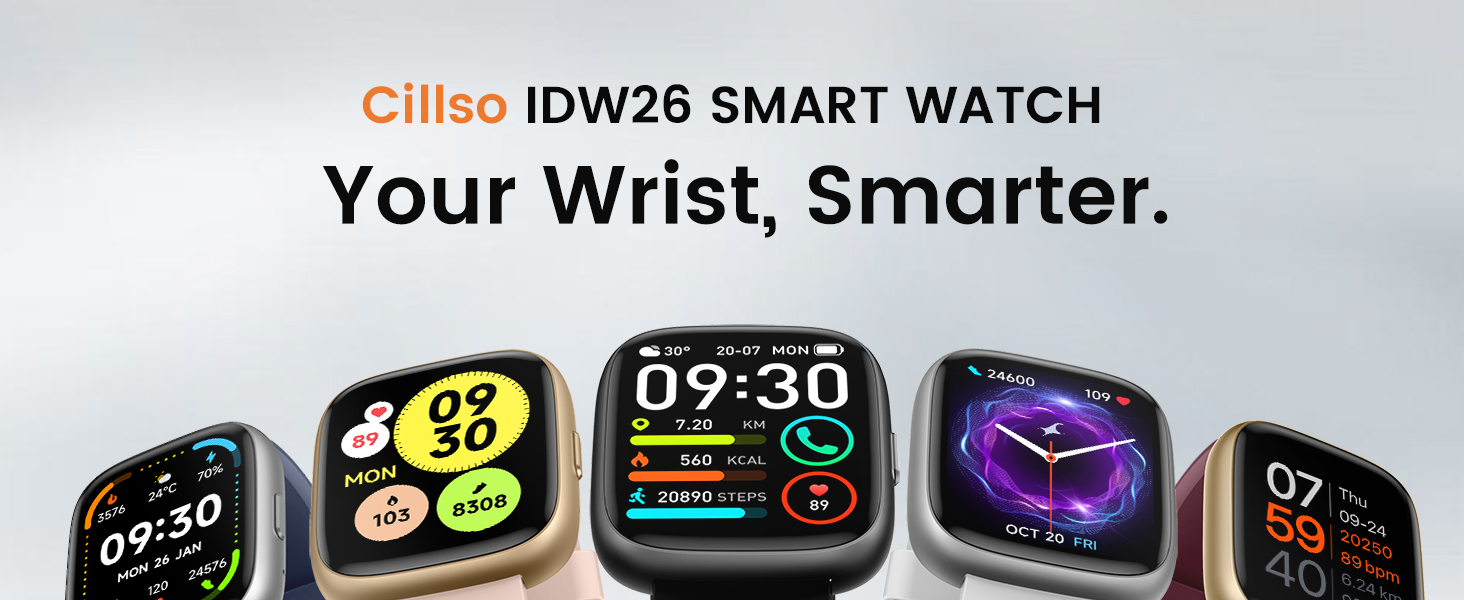
Image: The Cillso IDW26 Smart Watch displaying different watch faces, highlighting its versatility.
2. Кутуда эмне бар
Пакетиңизде бардык буюмдар бар экенин текшериңиз:
- 1x Cillso IDW26 Smart Watch
- 1x С тибиндеги магниттик кубаттоочу кабель
- 1x Колдонуучунун колдонмосу

Image: A visual representation of the smart watch, charging cable, and user manual included in the product packaging.
3. Орнотуу колдонмосу
3.1 Алгачкы заряддоо
Before first use, fully charge your Cillso IDW26 Smart Watch. Connect the magnetic charging cable to the charging contacts on the back of the watch and plug the USB-A end into a standard USB power adapter (not included). A full charge typically takes approximately 1.5 to 2 hours.
3.2 Колдонмону орнотуу
To unlock the full functionality of your smart watch, download and install the VeryFit application on your smartphone. The app is compatible with iOS 9.0+ and Android 5.0+ devices.
- Scan the QR code provided in the manual or on the watch screen, or search for "VeryFit" in your phone's app store (App Store for iOS, Google Play Store for Android).
- Тиркемени жүктөп алып, орнотуңуз.
- Open the VeryFit app and follow the on-screen instructions to create an account or log in.
3.3 Түзмөктү жупташтыруу
Follow these steps to pair your smart watch with your smartphone via the VeryFit app:
- Телефонуңуздун Bluetooth функциясы күйгүзүлгөнүн текшериңиз.
- Open the VeryFit app. Navigate to the 'Device' section and select 'Add Device'.
- The app will search for nearby devices. Select 'IDW26' from the list.
- Confirm the pairing request on both your phone and the smart watch.
- Allow the app to receive notifications when prompted to ensure message alerts are displayed on your watch.

Image: A visual guide demonstrating the pairing process between the smart watch and a smartphone through the VeryFit application.
For further assistance with app installation or pairing, you can visit the official support page: https://t.ido.ink/eAriqu
4. Иштөө нускамалары
4.1 Дисплей жана ыңгайлаштыруу
The Cillso IDW26 features a 1.83-inch HD touchscreen with a resolution of 320x385 pixels. Swipe across the screen to navigate through menus and functions. The brightness can be adjusted to four levels for optimal visibility in various lighting conditions.

Image: The 1.83-inch HD screen of the smart watch, showcasing its clarity and vibrant display.
You can personalize your watch face through the VeryFit app, choosing from over 130 stylish designs or creating custom ones using your own photos.
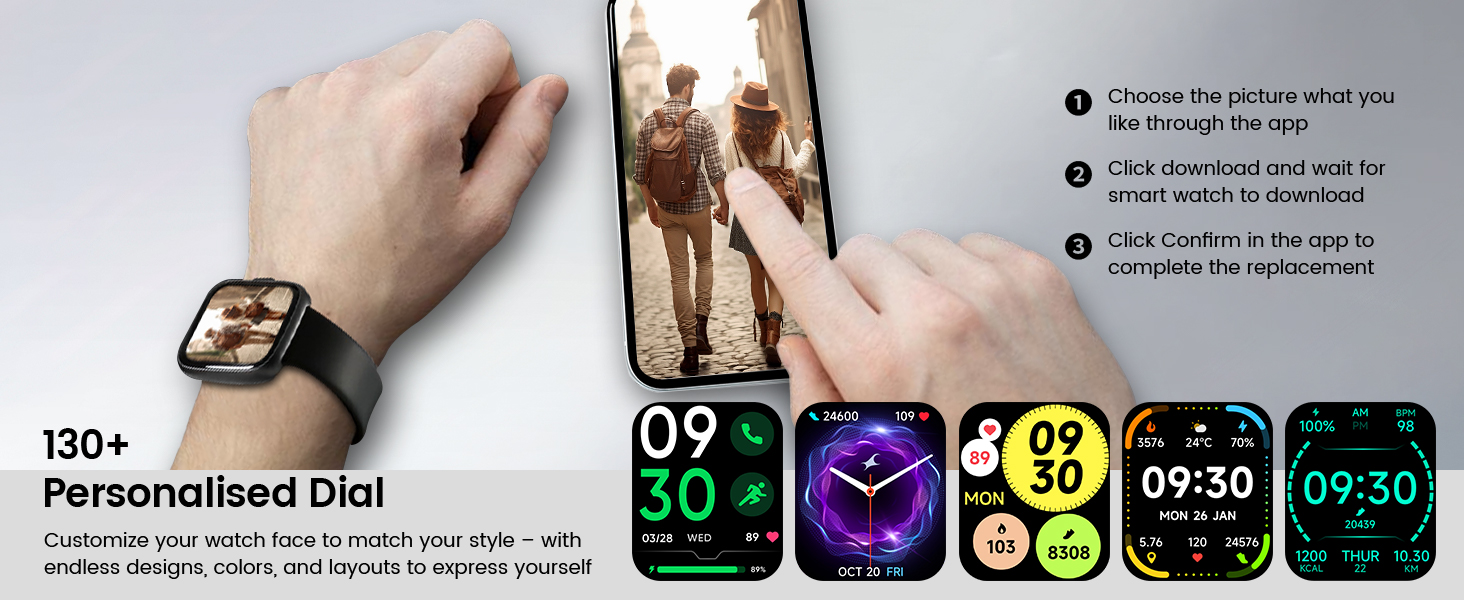
Сүрөт: Мисamples of personalized watch faces and the app interface for customization.
4.2 Bluetooth Calling and Message Notifications
With its built-in microphone and speaker, the IDW26 allows you to make and answer calls directly from your wrist when connected to your smartphone via Bluetooth 5.3. You can also view call history and access contacts.

Image: Demonstrating the Bluetooth call function on the smart watch.
Enable message notifications in the VeryFit app to receive alerts from various social media platforms (e.g., Facebook, Twitter, WhatsApp, Instagram) directly on your watch. The watch will vibrate to notify you of incoming messages.

Image: The smart watch showing a message notification and icons of supported social media applications.
4.3 Built-in Alexa Voice Control
The IDW26 integrates Amazon Alexa, allowing for hands-free voice commands. Speak to your watch to get news, weather updates, set reminders, control smart home devices, and manage music playback.

Image: A user utilizing the built-in Alexa voice assistant on the smart watch.
4.4 Ден соолуктун мониторинги
The smart watch is equipped with a high-precision optical sensor (LC10A) for continuous health tracking:
- Жүрөктүн кагышын көзөмөлдөө: 24-hour real-time heart rate tracking to help you monitor your cardiovascular health.
- Уйкунун мониторинги: Analyzes sleep patterns, identifying deep sleep, light sleep, and awake phases to provide insights for improving sleep habits.
- Кандын кычкылтекине (SpO2) көз салуу: Monitors blood oxygen levels for wellness insights.
- Дем алуу тренинги: Guides you through breathing exercises with gentle vibrations and visual cues to promote relaxation.

Сүрөт: бүттүview of the 24/7 health monitoring features including heart rate, sleep, blood oxygen, and breath training.
4.5 Спорт режимдери жана активдүүлүккө көз салуу
The IDW26 supports over 120 professional sports modes, covering a wide range of indoor and outdoor activities. It accurately tracks steps, distance, calories burned, and workout duration, providing detailed exercise data to help you analyze performance and optimize training plans.

Image: Visuals demonstrating the 120+ sports modes and comprehensive activity tracking features.
4.6 Башка функциялар
The smart watch includes several practical features:
- Ойготкуч саат
- Секундомер
- Таймер
- Телефондун Локатору
- Камераны башкаруу (алыстан жапкыч)
- Music Control (play/pause, skip tracks)
- Аба ырайы

Image: The smart watch's multi-functionality, including battery life and various utility features.
5. Техникалык тейлөө
5.1 Сууга туруктуулук
The Cillso IDW26 Smart Watch has an IP68 water resistance rating. This means it is resistant to sweat, rain, and can be worn during handwashing. It is not suitable for swimming, diving, or hot showers, as steam and high water pressure can damage the device.

Image: The smart watch demonstrating its IP68 water resistance for daily activities.
5.2 Тазалоо жана кам көрүү
To maintain your smart watch, regularly clean the screen and strap with a soft, dry cloth. Avoid using harsh chemicals or abrasive materials. Ensure the charging contacts are clean and dry before charging.
6. Кыйынчылыктарды
If you encounter issues with your Cillso IDW26 Smart Watch, please refer to the following common solutions:
- Күйгүзүлбөй жаткан саат: Саат толук заряддалганын текшериңиз. Аны заряддоо кабелине туташтырыңыз жана аны күйгүзүүгө аракет кылуудан мурун кеминде 30 мүнөт кубаттоого уруксат бериңиз.
- Телефон менен жупташтыруу мүмкүн эмес: Ensure Bluetooth is enabled on your phone and the watch is within range. Restart both your phone and the watch, then try the pairing process again through the VeryFit app.
- Билдирмелер алынган жок: Check the notification settings within the VeryFit app and your phone's system settings to ensure permissions are granted for the app to display notifications.
- Дене тарбия маалыматтары туура эмес: Ensure the watch is worn snugly on your wrist, about one finger's width above your wrist bone. Calibrate the watch with the app if available. Note that environmental factors and individual movement patterns can affect accuracy.
- Алекс жооп бербей жатат: Ensure the watch is properly connected to your phone and has an active internet connection through your phone. Check Alexa settings within the VeryFit app.
If problems persist, please contact customer support as described in Section 8.
7. Техникалык шарттар
| Өзгөчөлүк | Спецификация |
|---|---|
| Модель номери | IDW26 |
| Дисплей өлчөмү | 1.83 дюймдук HD сенсордук экран |
| Батарея сыйымдуулугу | 300 мАч |
| Заряддоо убактысы | Болжол менен 1.5 - 2 саат |
| Батареянын иштөө мөөнөтү (Кадимки колдонуу) | 5-7 күн |
| Күтүү убактысы | 30 күнгө чейин |
| Байланыш | Bluetooth 5.3 |
| Суу каршылык | IP68 |
| Операциялык системанын шайкештиги | Android 5.0+ / iOS 9.0+ |
| Элемент Салмагы | 10 грамм (0.353 унция) |
| Өзгөчөлүктөр | Alexa Built-in, Bluetooth Calling, Heart Rate Monitor, Sleep Monitor, SpO2, 120+ Sports Modes, Message Notifications, Camera Control, Music Control, Weather Forecast |
8. Кепилдик жана колдоо
Cillso is committed to providing quality products and customer satisfaction. If you experience any issues with your smart watch, such as product defects, missing items, or difficulties with functionality, please contact our customer service team.

Image: Information on how to seek assistance for product-related issues.
You can reach us through the Amazon platform where you purchased the product. Our customer service is available to assist you and resolve any problems within 24 hours.