
1. Киришүү
This manual provides comprehensive instructions for the safe and efficient operation of your HANMATEK AHO814 4-Channel Touchscreen Oscilloscope. This device integrates a 100MHz bandwidth oscilloscope, a 1.25GSa/s real-time sampling rate, 50Mpts memory depth, a 7-inch 1024x600 touchscreen display, and features an Android operating system with WiFi/LAN connectivity, a built-in signal generator, and a true RMS multimeter. Please read this manual thoroughly before use to ensure optimal performance and to prevent damage.
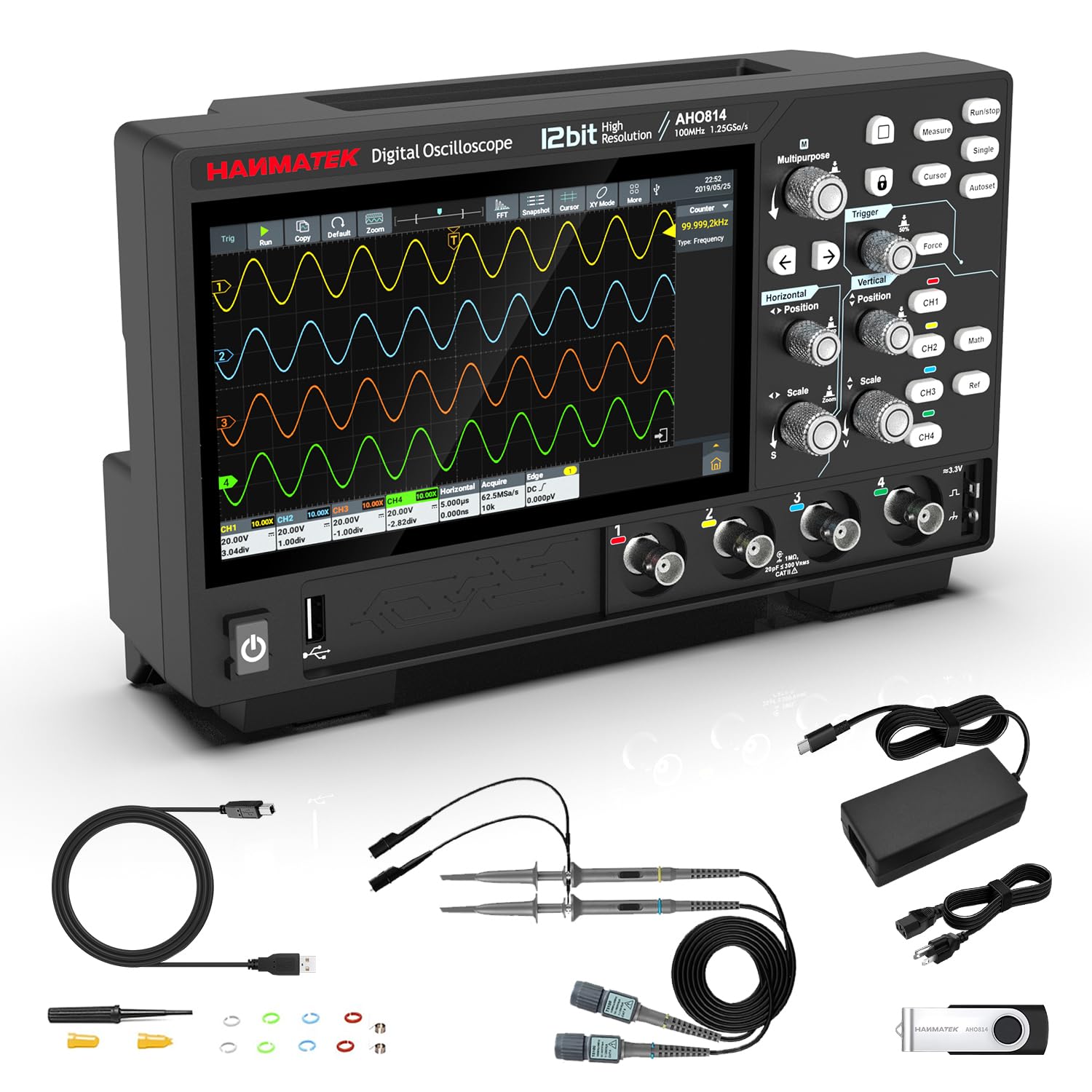
Figure 1: HANMATEK AHO814 4-Channel Touchscreen Oscilloscope overview.
2. Орнотуу
2.1 Таңгактан чыгаруу жана текшерүү
Carefully unpack the oscilloscope and all accessories. Inspect for any signs of damage during transit. If any components are missing or damaged, contact customer support immediately.

Figure 2: Included accessories with the AHO814 Oscilloscope.
2.2 Кубат туташтыруу
- Connect the provided power adapter to the Type-C power input port on the oscilloscope.
- Кубат адаптерин ылайыктуу AC розеткага сайыңыз.
- Аппаратты күйгүзүү үчүн кубат баскычын басыңыз.
2.3 Перифериялык түзүлүштөрдү туташтыруу
The AHO814 supports various peripherals to enhance productivity.
- USB түзмөк: Connect to a computer for data transfer and remote control.
- LAN: Connect to a router for network control and firmware updates.
- HDMI: Connect to an external display for larger waveform viewing.
- USB порттору: Connect a mouse or keyboard for easier navigation and input.

Figure 3: ашыкview of the versatile interfaces for connectivity.
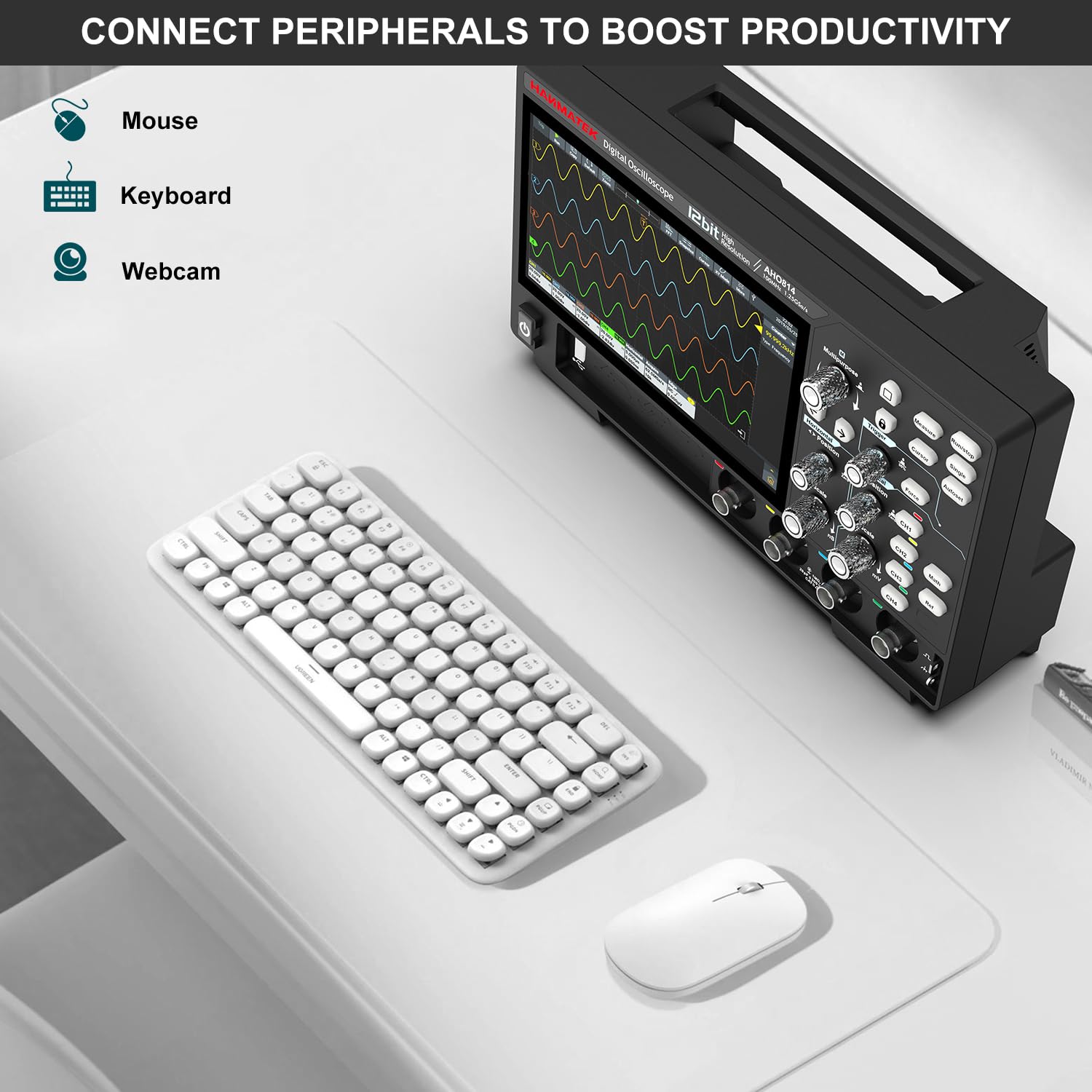
Figure 4: Connecting a mouse and keyboard to the oscilloscope.
Video 1: Demonstrating mouse control for precise adjustments on the AHO814 Oscilloscope.
3. Иштөө нускамалары
3.1 Basic Oscilloscope Functions
The AHO814 features a 7-inch capacitive multi-touch screen for intuitive operation. Use touch gestures for zooming, panning, and menu navigation. Physical buttons and knobs are also available for quick adjustments.

Figure 5: The 7-inch multi-touch screen interface.
3.2 Waveform Capture and Analysis
The oscilloscope offers an ultra-high 7M wfms/s waveform refresh rate and a massive 50Mpts memory depth per channel, allowing for detailed signal capture and analysis.
- Автоматтык орнотуу: Press the "Auto" button for automatic waveform scaling and positioning.
- Trigger Functions: Utilize rich trigger types and hardware decoding for precise signal isolation.
- Өлчөөлөр: Access 31 auto measurements and advanced mathematical operations (FFT, XY mode, Lissajous figures).

Figure 6: Rapid capture and precise analysis of waveforms.
Video 2: Demonstration of Lissajous figures using the AHO814 Oscilloscope.
3.3 Signal Generator Operation
The built-in 10MHz signal generator can produce various waveforms including sine, square, triangle, ramp, and pulse. Access this function through the main menu to configure output parameters.
3.4 Multimeter Functionality
Switch to multimeter mode to measure voltage, current, resistance, capacitance, diode, and continuity with True RMS accuracy.
4. Техникалык тейлөө
4.1 Тазалоо
Түзмөктү жумшак, кургак чүпүрөк менен үзгүлтүксүз тазалап туруңуз. Өтө кир болсо, бир азamp cloth with mild detergent. Avoid abrasive cleaners or solvents that could damage the screen or casing.
4.2 Микропрограмма жаңыртуулары
The Android-based system supports Over-The-Air (OTA) updates. Connect the device to a network via WiFi or LAN to check for and install the latest firmware, ensuring optimal performance and access to new features.
5. Кыйынчылыктарды
| Көйгөй | Мүмкүн себеп | Чечим |
|---|---|---|
| Түзмөк күйбөйт. | Электр кабели туташкан эмес же бузук. | Ensure power cable is securely connected. Test with another power outlet. |
| Эч кандай толкун формасы көрсөтүлгөн жок. | Input signal absent or incorrect settings. | Verify signal source connection. Use "Auto" setup. Adjust vertical and horizontal scales. |
| Сенсордук экран жооп бербейт. | Убактылуу программалык ката. | Restart the device. If issue persists, connect a USB mouse. |
| Incorrect trace colors for channels. | Potential firmware inconsistency. | Check for and apply the latest firmware updates. Contact customer support if the issue persists after update. |
6. Техникалык шарттар
| Өзгөчөлүк | Спецификация |
|---|---|
| Модель номери | AHO814 |
| өткөрүү жөндөмдүүлүгү | 100 МГц |
| Каналдар | 4 |
| Реалдуу убакытта С.ampling Rate | 1.25GSa/s |
| Memory Depth | 50Mpts |
| Толкун формасын жаңыртуу ылдамдыгы | 7M wfms/s |
| Операция системасы | Android |
| Дисплей | 7-inch 1024×600 Capacitive Touchscreen |
| Байланыш | WiFi, LAN, USB, HDMI |
| Камтылган функциялар | Signal Generator (10MHz), True RMS Multimeter |
| Vertical Resolution | 12-bit (4096 levels) |
| Элемент Салмагы | 3.96 фунт |
| Пакеттин өлчөмдөрү | 14.72 x 7.95 x 4.29 дюйм |

Figure 7: Physical dimensions of the AHO814 Oscilloscope.
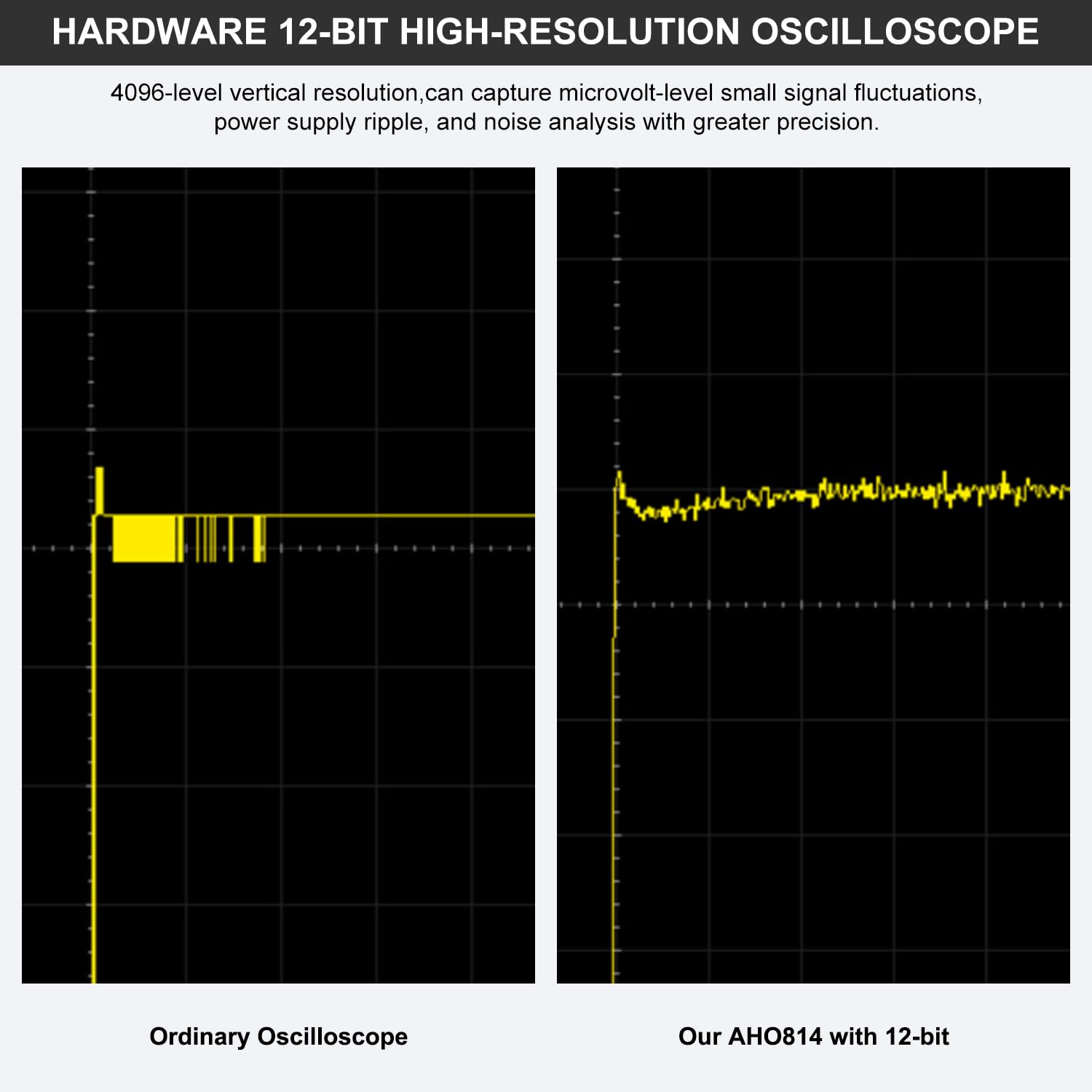
Figure 8: High-resolution 12-bit waveform capture capability.
7. Кепилдик жана колдоо
7.1 Кепилдик маалыматы
This product is covered by a standard manufacturer's warranty. For specific warranty terms and conditions, please refer to the warranty card included in your product packaging or visit the official HANMATEK webсайт. Коргоо пландары кеңейтилген камтуу үчүн да жеткиликтүү.
- 3 жылдык коргоо планы: Сатып алууга болот.
- 4 жылдык коргоо планы: Сатып алууга болот.
7.2 Кардарларды колдоо
For technical assistance, troubleshooting, or service inquiries, please contact HANMATEK customer support. Contact details can be found on the official HANMATEK webсайтында же продукт документациясында.