
1. Киришүү
The AWANFI GL-528 Walkie Talkies are designed for reliable and clear communication, suitable for various activities such as camping, hiking, and general outdoor use. Featuring a built-in rechargeable battery, multiple channels, and user-friendly controls, these two-way radios ensure you stay connected.
2. Пакеттин мазмуну
- AWANFI GL-528 Walkie Talkies (4 units)
- 1000mAh Li-ion Batteries (4 units, built-in)
- USB-C Charging Cables (2 units)
- Боо байлагычтар (4 даана)
- Belt Clips (4 units)
- Колдонуучунун колдонмосу (1 бирдик)
3. Продукт бүтүп калдыview
Familiarize yourself with the components of your AWANFI GL-528 Walkie Talkie:

- Антенна: Сигналдарды берүү жана кабыл алуу үчүн.
- LCD дисплей: Shows channel, battery status, and other indicators.
- Push to Talk (PTT) баскычы: Үнүңүздү өткөрүү үчүн басып туруңуз.
- Volume/Menu Up/Down Buttons: Adjust volume or navigate menu options.
- Call Tone/Lock Button: Send a call tone or lock/unlock the keypad.
- Микрофон: For speaking into the device.
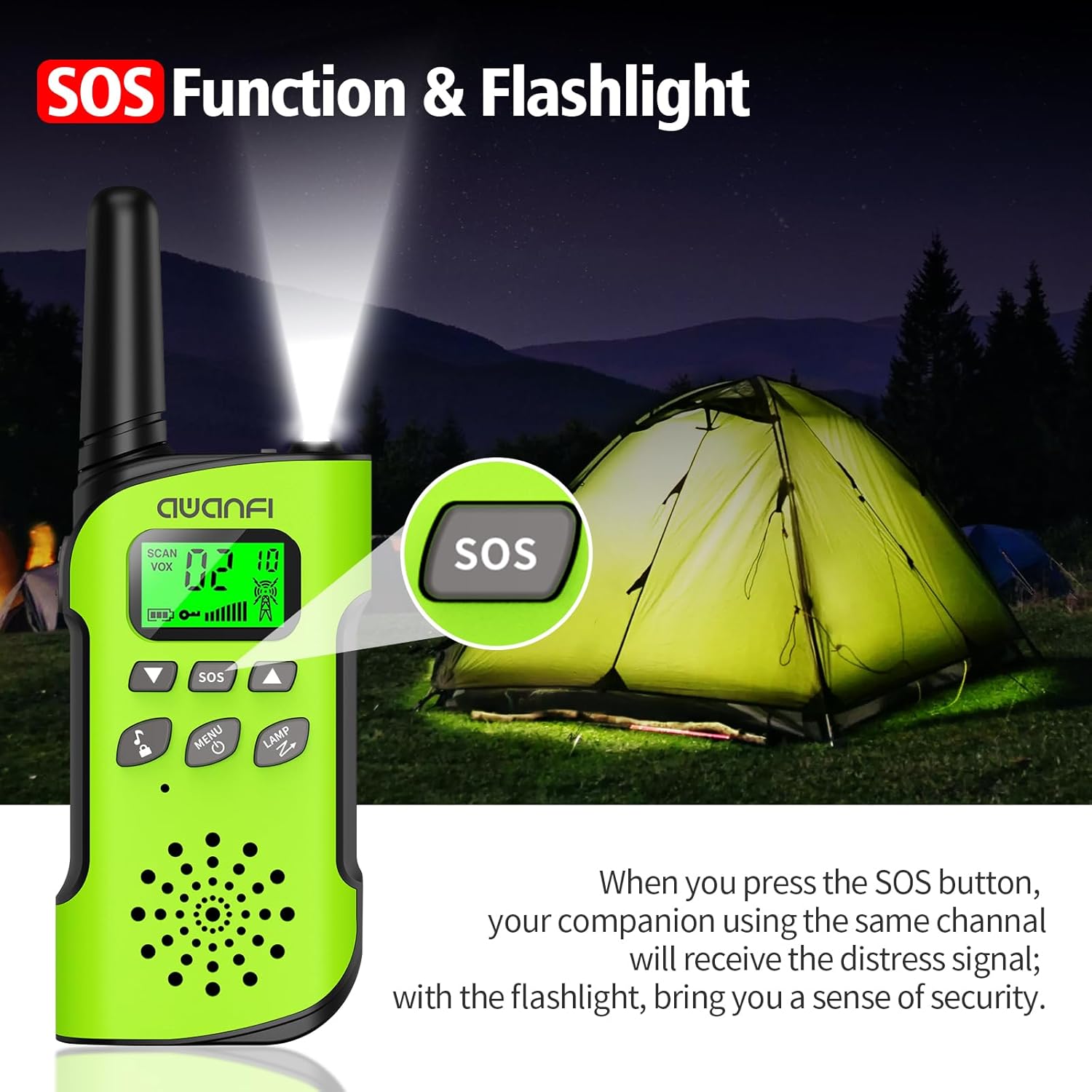
- SOS баскычы: Activates the SOS alert function.
- Flashlight/Scan Button: Turns on the flashlight or initiates channel scanning.
- Кубат/Меню баскычы: Long press to power on/off, short press to access menu.
- Баяндамачы: For hearing incoming transmissions.
- Type-C заряддоо порту: Камтылган батареяны кайра заряддоо үчүн.
- Кол чырак: Жарыктандыруу үчүн интегралдык LED жарык.
4. Орнотуу
4.1 Батареяны орнотуу жана заряддоо
The AWANFI GL-528 Walkie Talkies come with built-in 1000mAh Li-ion rechargeable batteries. Before first use, ensure the batteries are fully charged.


To charge the walkie talkie:
- Connect the provided USB-C charging cable to the Type-C charging port on the walkie talkie.
- USB-C кабелинин экинчи учун шайкеш келген USB кубат адаптерине (кошулмада жок) же компьютердин USB портуна сайыңыз.
- The battery indicator on the LCD display will show charging status. A full charge typically provides 24 hours of talk time and 2 days of standby.
4.2 Attaching Belt Clip and Lanyard
The walkie talkies come with belt clips and lanyards for convenient carrying.
- Боо үчүн: Insert the thin loop of the lanyard through the small hole at the top of the walkie talkie, near the antenna. Thread the rest of the lanyard through the loop and pull to secure.
- For Belt Clip: Align the belt clip with the grooves on the back of the walkie talkie and push it down firmly until it clicks into place.
5. Иштөө нускамалары
5.1 Күйгүзүү/өчүрүү
- Күйгүзүү үчүн: көпкө басыңыз Күч/Меню button (usually labeled with a power icon) until the LCD screen illuminates.
- Өчүрүү үчүн: көпкө басыңыз Күч/Меню LCD экраны өчкөнгө чейин баскычын кайра басыңыз.
5.2 Канал тандоо
The AWANFI GL-528 features 22 main channels and 121 sub-channels (CTCSS/DCS codes) for secure communication. All walkie talkies must be set to the same main channel and sub-code to communicate.
- Select Main Channel: баскычын кыска басыңыз Меню button. The channel number on the LCD will flash. Use the Up or Төмөн arrow buttons to select your desired main channel (1-22). Short press Меню ырастоо үчүн дагы.
- Select Sub-Channel (CTCSS/DCS): After confirming the main channel, the walkie talkie will move to the sub-channel setting. Use the Up or Төмөн arrow buttons to select your desired sub-channel (0-121). Press the PTT ырастоо жана менюдан чыгуу үчүн баскыч.
5.3 Басып туруп сүйлөшүү (PTT)
To communicate, press and hold the PTT button on the side of the walkie talkie. Speak clearly into the microphone. Release the PTT жооп угуу үчүн баскычты басыңыз.
5.4 Үндү тууралоо
колдонуу Үндү көтөрүү (▲) жана Үндү төмөндөтүү (▼) buttons to adjust the listening volume. These are typically the same buttons used for menu navigation when not in menu mode.
5.5 VOX Function (Voice-Activated Transmission)
The VOX function allows for hands-free communication. When activated, the walkie talkie will automatically transmit when it detects your voice.
To activate/adjust VOX:
- баскычын кыска басыңыз Меню button repeatedly until the VOX setting appears on the LCD.
- колдонуу Up or Төмөн arrow buttons to select the desired sensitivity level (1-3, or OFF to disable).
- Басыңыз PTT ырастоо жана чыгуу.
5.6 Фонар
The walkie talkie includes an integrated LED flashlight.
To turn the flashlight on/off, short press the LAMP button (often combined with the Scan button).
5.7 SOS функциясы
In case of emergency, the SOS function can be activated to alert other users on the same channel.
To activate the SOS function, press the dedicated SOS button. This will send out a distress signal to other walkie talkies on the same channel.
5.8 Key Lock
The key lock feature prevents accidental changes to settings.
- Бекитүү: көпкө басыңыз Call Tone/Lock button (usually labeled with a lock icon). A lock icon will appear on the LCD.
- Кулпуну ачуу үчүн: көпкө басыңыз Call Tone/Lock button again. The lock icon will disappear.
6. Техникалык тейлөө
To ensure the longevity and optimal performance of your AWANFI GL-528 Walkie Talkies, follow these maintenance guidelines:
- Keep the device dry. Avoid exposure to rain, moisture, or liquids.
- Аппаратты жумшак, гamp кездеме. Катуу химиялык заттарды же абразивдүү тазалагычтарды колдонбоңуз.
- Avoid extreme temperatures. Do not store in very hot or cold environments.
- Do not attempt to disassemble the walkie talkie. This will void the warranty and may cause damage.
7. Көйгөйлөрдү чечүү боюнча колдонмо
If you encounter any issues with your walkie talkie, refer to the following troubleshooting guide:
| Феномендер | Анализ | Чечим |
|---|---|---|
| Сиз радиону күйгүзө албайсыз. | Батарея туура эмес орнотулган болушу мүмкүн. Батареянын кубаты түгөнүп калышы мүмкүн. Батарея кир же бузулган батарея контакттарынан улам начар тийип калышы мүмкүн. | Батареяны чыгарып, кайра салыңыз. Батареяны кайра заряддаңыз же алмаштырыңыз. Батарея контактыларын тазалаңыз же батареяны алмаштырыңыз. |
| Кабыл алуу учурунда үнү начар же үзгүлтүккө учурайт. | батарея томtage төмөн болушу мүмкүн. Үн деңгээли төмөн болушу мүмкүн. Антенна бош же туура эмес орнотулган болушу мүмкүн. | Батареяны кайра заряддаңыз же алмаштырыңыз. Үнүн жогорулатуу. Радиону өчүрүп, антеннаны чыгарып, кайра туташтырыңыз. |
| Топтун башка мүчөлөрү менен байланыша албайсыз. | Спикер бөгөттөлгөн болушу мүмкүн. Жыштык же сигналдын түрү башка мүчөлөр менен дал келбеши мүмкүн. Ошол эле жыштыктагы радиолор үзгүлтүккө учурашы мүмкүн. | Динамиктин бетин тазалаңыз. TX/RX жыштыгыңыз жана сигнал түрү туура экенин текшериңиз. Башка мүчөлөргө өтүңүз. |
| Сиз белгисиз үндөрдү же ызы-чууларды угасыз. | Аналогдук режимдеги радио сигнализациясыз орнотулган болушу мүмкүн. Башка мүчөлөрдөн өтө алыс болушуңуз мүмкүн. | Кедергилерди болтурбоо үчүн дилериңизден учурдагы канал үчүн сигналды коюуну сураныңыз. Башка мүчөлөргө өтүңүз. |
| Өтө көп ызы-чуу жана ышкырыктан эч кимди уга албайсыз. | Сиз жагымсыз абалда болушуңуз мүмкүн. Мисалы үчүнample, сиздин байланышыңыз бийик имараттар тарабынан жабылышы же жер астындагы аймакта жабылышы мүмкүн. Бул тышкы бузулуунун натыйжасы болушу мүмкүн (мисалы, электромагниттик тоскоолдук). | Ачык жана тегиз жерге жылып, радиону өчүрүп күйгүзүп, кайра аракет кылыңыз. Тоскоолдукка алып келиши мүмкүн болгон жабдуулардан алыс болуңуз. |
| Радио тынбай берип турат. | VOX күйгүзүлгөн же гарнитура орнотулган эмес болушу мүмкүн. | VOX функциясын өчүрүңүз. Наушниктердин ордунда экенин текшериңиз. |
Эскертүү: Эгерде жогорудагы чечимдер көйгөйлөрүңүздү чече албаса, же башка суроолоруңуз болсо, көбүрөөк техникалык колдоо алуу үчүн дилериңизге кайрылыңыз.
8. Техникалык шарттар
- Бренд: AWANFI
- Модел: GL-528
- Тюнер технологиясы: UHF
- Элементтердин саны: 4
- Батареянын орточо иштөө мөөнөтү: 24 Hours (talk time)
- Батарея түрү: 1000mAh Li-ion (built-in)
- Каналдардын саны: 22
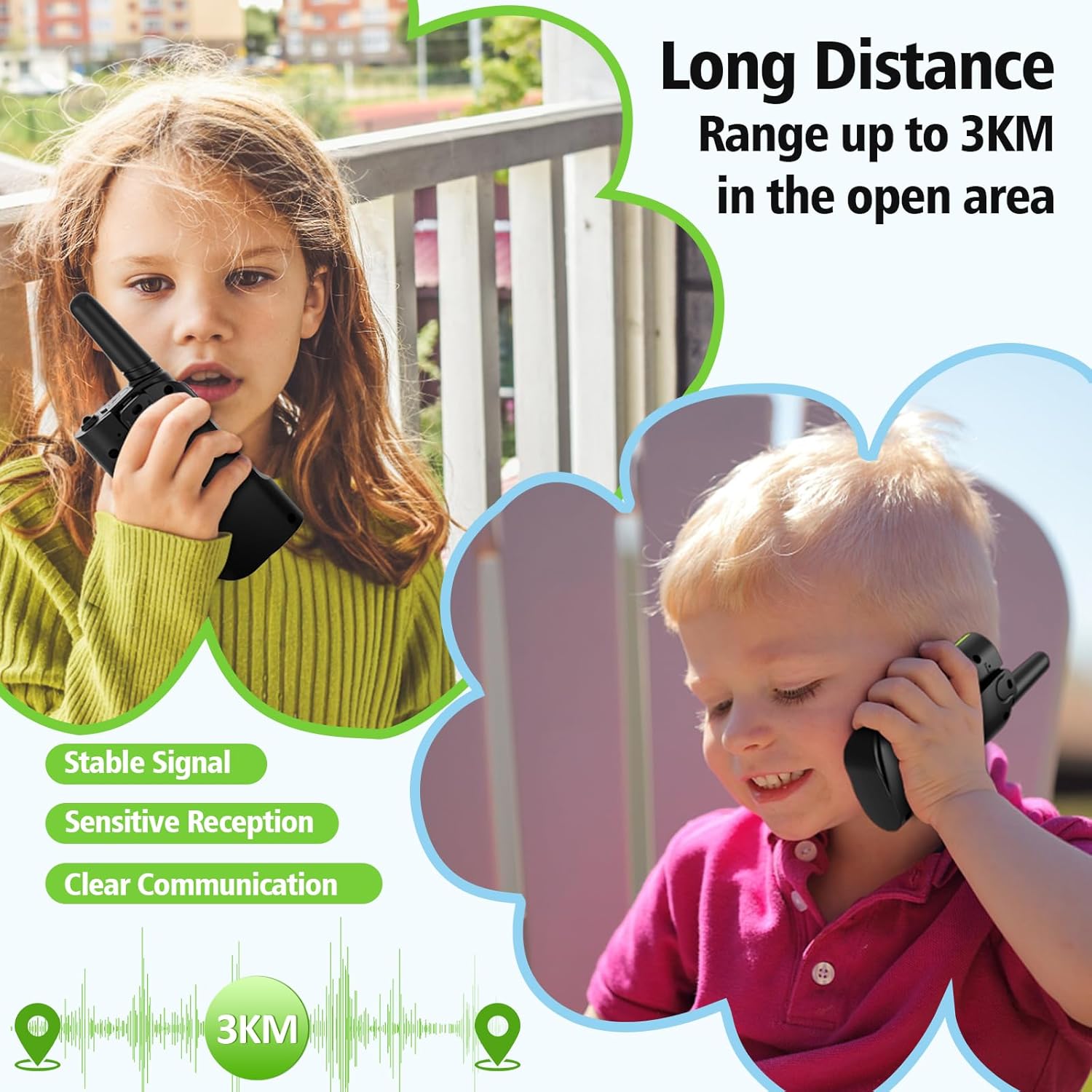
- Сүйлөшүү диапазону максималдуу: Up to 3 Kilometers (in open areas)
- Сууга туруктуулук деңгээли: Сууга чыдамдуу эмес
- Өзгөчөлүктөр: 4 Pack, Integrated Flashlight, Keypad Lock, Long Range, Rechargeable
- Өндүрүүчү: Shenzhen Geling Technology Co., Ltd.
9. Кепилдик жана колдоо
For warranty information or technical support, please contact the manufacturer, Shenzhen Geling Technology Co., Ltd., or your product retailer. Keep your purchase receipt for any warranty claims.