
1. Киришүү
The global-ptt 5288 Plus is a versatile dual-mode radio designed for reliable communication across various environments. It integrates both 4G LTE Push-to-Talk Over Cellular (PoC) for nationwide coverage and traditional UHF/VHF analog radio capabilities for local, on-site communication. This device is suitable for security teams, logistics, construction, and farm operations, offering features like dual standby, independent dual transmit, and dual screen display. This manual provides essential information for the safe and effective use of your 5288 Plus radio.
2. Пакеттин мазмуну
Please check the package carefully to ensure all items are present and in good condition. If any items are missing or damaged, contact your vendor.
- 2 x global-ptt 5288 Plus Radios
- 2 х Антенналар
- 2 x Батарейкалар
- 2 x Наушник
- 2 x Pre-set SIM Cards
- 1 x заряддоо кабели (Type-C)
3. Продукт бүтүп калдыview жана Негизги өзгөчөлүктөрү

Сүрөт: алдыңкы view of the global-ptt 5288 Plus radio, highlighting its dual-mode capabilities (PoC, UHF, VHF) and key features like dual screen, dual speaker, and nationwide push-to-talk.
- Кош режимде иштөө: Supports both 4G LTE Push-to-Talk Over Cellular (PoC) and traditional UHF/VHF analog radio bands (136-174 MHz & 400-490 MHz).
- Nationwide Communication: Utilizes pre-set SIM cards and 4G signal for instant communication across the country without range limitations.
- Dual Screen Display: Features a 2.0″ color display on the front and an OLED status screen on the side for independent data viewing.
- Кош динамик системасы: Independent audio playback for PoC and analog channels for enhanced clarity.
- Dual Standby & Independent TX: Allows simultaneous standby on two channels and independent transmission in dual mode.
- Encrypted Calls: Supports secure group or private calls.
- Күчтүү дизайн: Includes features like high/low power adjustment, frequency matching, backlight control, key lock, and low-power warning.

Image: Illustration of two SIM cards, emphasizing pre-installation and no hidden fees for tri-network connectivity.

Image: Close-up of the global-ptt 5288 Plus radio screen, highlighting "SECURE CALL" and certification by PTCRB for cybersecurity and stable communication.
4. Орнотуу колдонмосу
- Батареяны орнотуу: Align the battery with the compartment on the back of the radio. Push it firmly until it clicks into place. To remove, slide the battery release latch and pull the battery out.
- Антеннаны тиркөө: Антеннаны саат жебеси боюнча радионун үстүнкү жагындагы туташтыргычка манжаңыз менен бекем кысылганча бурап коюңуз. Ашыкча бекемдебеңиз.
- Insert SIM Card (if not pre-installed): The 5288 Plus typically comes with pre-set SIM cards. If you need to install or replace a SIM card, locate the SIM card slot (refer to the diagram in the full manual if available) and insert the card with the gold contacts facing down, ensuring it is correctly oriented.
- Батареяны заряддоо: Before first use, fully charge the radio's battery. Connect the Type-C charging cable to the radio's charging port and plug the other end into a compatible USB power adapter. The charging indicator will show the charging status.
- Attach Earpiece (Optional): If using an earpiece, plug it into the audio jack on the side of the radio.
5. Иштөө нускамалары
5.1 Күйгүзүү/өчүрүү
- Күйгүзүү үчүн: Rotate the Power/Volume knob clockwise until you hear a click and the display illuminates.
- Өчүрүү үчүн: Rotate the Power/Volume knob counter-clockwise until you hear a click and the display turns off.
5.2 Үндү тууралоо
Үндү катуулатуу үчүн Кубат/Үн баскычын саат жебеси боюнча, ал эми үндү азайтуу үчүн саат жебесине каршы буруңуз.
5.3 Mode Selection (PoC / Analog)
The 5288 Plus supports both PoC (4G LTE) and Analog (UHF/VHF) modes. Use the dedicated mode selection button or menu option (refer to on-screen interface) to switch between these modes. The dual screens will display relevant information for the active mode.
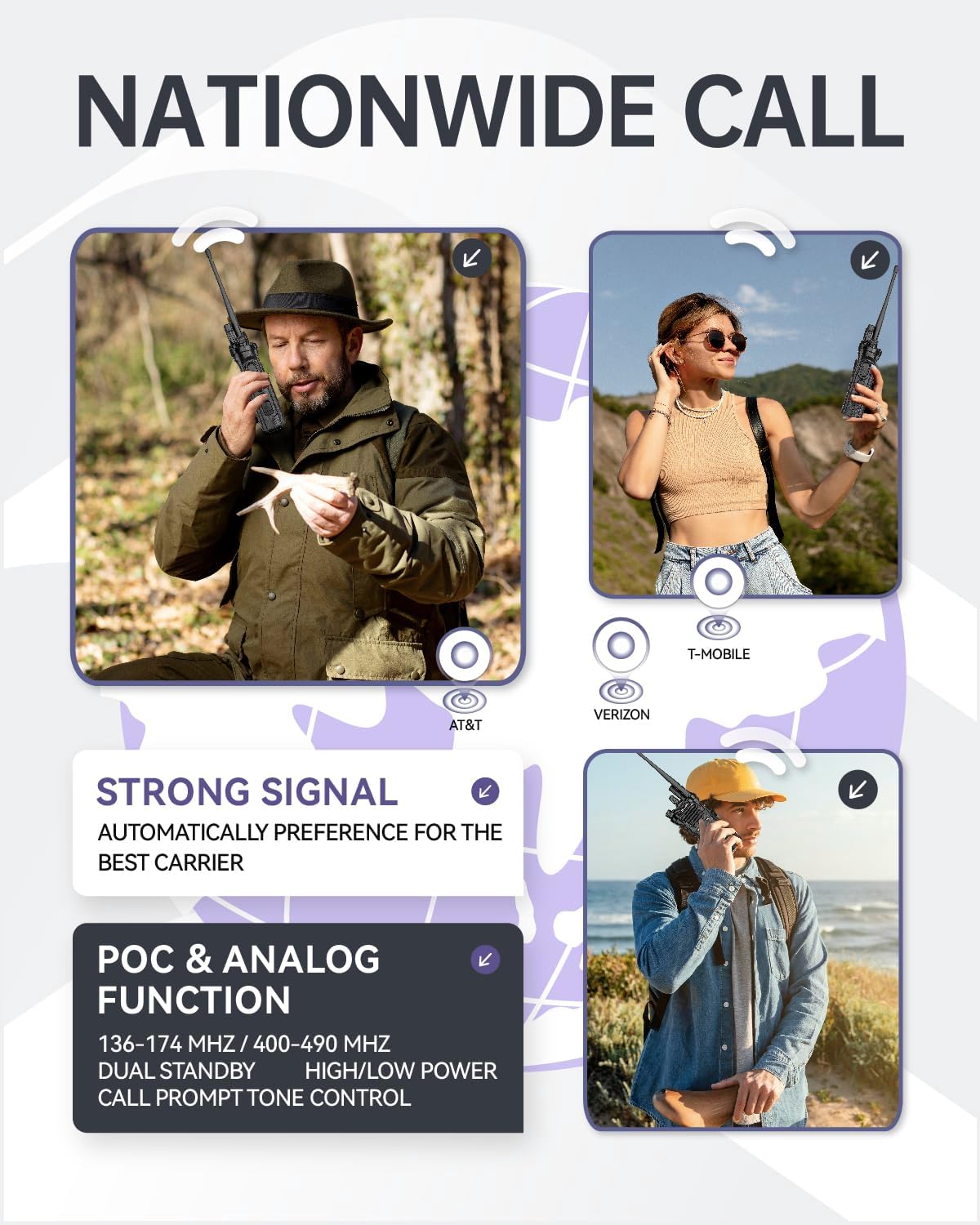
Image: Visual representation of nationwide call coverage with logos of AT&T, Verizon, and T-Mobile, emphasizing the radio's PoC and Analog dual function.
5.4 Басып туруп сүйлөшүү (PTT)
- Өткөрүш үчүн: Press and hold the PTT button located on the side of the radio. Speak clearly into the microphone.
- Кабыл алуу үчүн: Кирүүчү берүүлөрдү угуу үчүн PTT баскычын коё бериңиз.
5.5 Channel/Group Selection
Use the up/down navigation buttons or the keypad to select desired channels in Analog mode or groups in PoC mode. Refer to the on-screen display for current selection.
5.6 Encrypted Calls / Private Group Talk
The radio supports encrypted communication for enhanced privacy. Consult the radio's menu system for options to initiate private calls or join encrypted groups. Specific steps may vary based on firmware version.
5.7 Баскычтарды кулпу
To prevent accidental key presses, activate the keypad lock feature through the radio's menu or a dedicated shortcut key (often indicated by a lock icon).
6. Техникалык тейлөө
- Батареяга кам көрүү: Батареяны үзгүлтүксүз кубаттап туруңуз. Батареянын иштөө мөөнөтүн узартуу үчүн аны тез-тез толук зарядсыздандырбаңыз. Радиону жана батарейканы узак убакыт бою колдонбогон учурда салкын, кургак жерде сактаңыз.
- Тазалоо: жумшак колдонуу, damp cloth to clean the radio's exterior. Do not use harsh chemicals or abrasive cleaners. Ensure the charging port and audio jack are free of dust and debris.
- Суу каршылык: The radio has an IP54 waterproof rating, meaning it is protected from dust and splashing water. It is not designed for submersion. Ensure all port covers are securely closed to maintain water resistance.
- Антеннага кам көрүү: Do not bend or force the antenna. A damaged antenna can affect radio performance.
7. Кыйынчылыктарды
| Көйгөй | Мүмкүн себеп | Чечим |
|---|---|---|
| Радио күйбөйт | Батарея аз же туура орнотулган эмес. | Charge the battery. Ensure the battery is securely installed. |
| No signal in PoC mode | Out of 4G LTE coverage area. SIM card issue. | Move to an area with better cellular coverage. Check SIM card installation. Contact service provider if issue persists. |
| Аудио сапаты начар же үн жок | Volume too low. Antenna not properly attached. Interference. Earpiece issue. | Adjust volume. Check antenna connection. Move away from sources of interference. Test with/without earpiece. |
| Батарея бат эле түгөнөт | Frequent use. Old battery. High power setting. | Reduce transmission time. Consider replacing battery if old. Use low power setting when possible. |
| Cannot transmit in Analog mode | Incorrect channel selected. Radio in PoC mode. | Verify correct analog channel. Ensure radio is in Analog mode. |
8. Техникалык шарттар
| Өзгөчөлүк | Деталь |
|---|---|
| Бренд | global-ptt |
| Модель номери | 5288 Plus |
| Түс | Кара |
| Иштөө режимдери | PoC (4G LTE) + Analog (UHF/VHF) |
| Жыштык диапазону | 136-174 MHz / 400-490 MHz (Analog) |
| Каналдардын саны | 256 |
| Сүйлөшүү диапазону максималдуу | 5000 Kilometer (PoC, network dependent) |
| Тtage | 3.7 вольт |
| Сууга туруктуулук деңгээли | IP54 (Сууга туруктуу) |
| Продукциянын өлчөмдөрү (D x W x Y) | 1.5" x 2.5" x 7.5" |
| Өзгөчөлүктөр | Digital Keypad, LCD Display, Nationwide Coverage, PTT Function, Type-C Charging, Dual Screen, Dual Speaker, Encrypted Calls |
| Уккулуктуу ызы-чуу | 85 децибел |
9. Кепилдик жана колдоо
The global-ptt 5288 Plus radio comes with a 1 жылдык Чектелген Кепилдик сатып алынган күндөн тартып. Бул кепилдик өндүрүштүк кемчиликтерди жана нормалдуу колдонуудагы бузулууларды камтыйт. Бул туура эмес пайдалануудан, кырсыктардан, уруксатсыз өзгөртүүлөрдөн же табигый кырсыктардан келтирилген зыянды камтыбайт.
For warranty claims, technical support, or service inquiries, please contact your authorized global-ptt dealer or visit the official global-ptt website for contact information. Please have your product model number and proof of purchase ready when contacting support.