
1. Киришүү
Thank you for choosing the RORSOU C6 Active Noise Cancelling Headphones. These headphones are designed to provide a superior audio experience with advanced noise-cancelling technology, comfortable wear, and versatile connectivity options. This manual will guide you through the setup, operation, and maintenance of your new headphones.

Image: RORSOU C6 Active Noise Cancelling Headphones, Rose Gold variant.
2. Пакеттин мазмуну
Пакетиңизде бардык буюмдар бар экенин текшериңиз:
- RORSOU C6 Active Noise Cancellation Bluetooth Headphones
- 3.5mm Backup Audio Cable
- USB заряддоо кабели
- Колдонуучунун Колдонмосу (бул документ)
- Travel Protective Storage Bag
3. Продукт бүтүп калдыview жана Controls
Familiarize yourself with the physical features and control buttons of your RORSOU C6 headphones.

Image: Detailed diagram illustrating the location and function of control buttons and ports on the RORSOU C6 headphones.
- Үндү катуулатуу (+) / Кийинки трек: Click for volume up, long press for next track.
- Үндү азайтуу (-) / Мурунку трек: Click for volume down, long press for previous track.
- Күйгүзүү/Ойнотуу/Тындыруу баскычы: Long press to power on/off, click to play/pause music.
- ANC баскычы: Click to activate/deactivate Active Noise Cancelling.
- Тип-C Port: Наушниктерди заряддоо үчүн.
- 3.5 мм аудио уячасы: Зымдуу аудио туташуу үчүн.
4. Орнотуу
4.1. Bluetooth Жупташтыруу
- Наушниктердин өчүрүлгөнүн текшериңиз.
- Long press the Power Button until the LED indicator flashes blue, indicating pairing mode.
- On your device (smartphone, tablet, PC), enable Bluetooth and search for "RORSOU C6" in the list of available devices.
- Select "RORSOU C6" to connect. The LED indicator will turn solid blue once connected.
4.2. Зымдуу туташуу
Наушниктерди зымдуу туташуу менен колдонуу үчүн:
- Connect one end of the provided 3.5mm audio cable to the 3.5mm audio jack on the headphones.
- Connect the other end of the cable to your audio source's 3.5mm port.
- Наушник автоматтык түрдө зымдуу режимге өтөт.
5. Иштөө нускамалары
5.1. Активдүү ызы-чууну жокко чыгаруу (ANC)
The RORSOU C6 features advanced Active Noise Cancelling technology to reduce ambient noise.

Image: Visual representation of Active Noise Cancelling reducing external noise.
- To activate ANC, click the dedicated ANC button. You will hear an audible confirmation.
- To deactivate ANC, click the ANC button again.
5.2. Аудионун сапаты
Equipped with 40mm dynamic drivers, the C6 headphones deliver high-fidelity audio with deep bass, rich mids, and crisp highs, ensuring every detail of your music is clear.
5.3. Батареянын иштөө мөөнөтү жана заряддоо
The headphones offer up to 60 hours of playtime on a single charge. A full charge takes approximately 2 hours using the provided USB charging cable.

Image: Close-up of the RORSOU C6 earcups and adjustable headband, emphasizing comfort.
5.4. Ыңгайлуулук жана көчмөлүүлүк
The RORSOU C6 headphones feature ultra-soft protein leather earcups and an adjustable headband for extended comfortable wear. Their lightweight and foldable design allows for easy storage in the travel protective bag, making them ideal for travel and daily use.
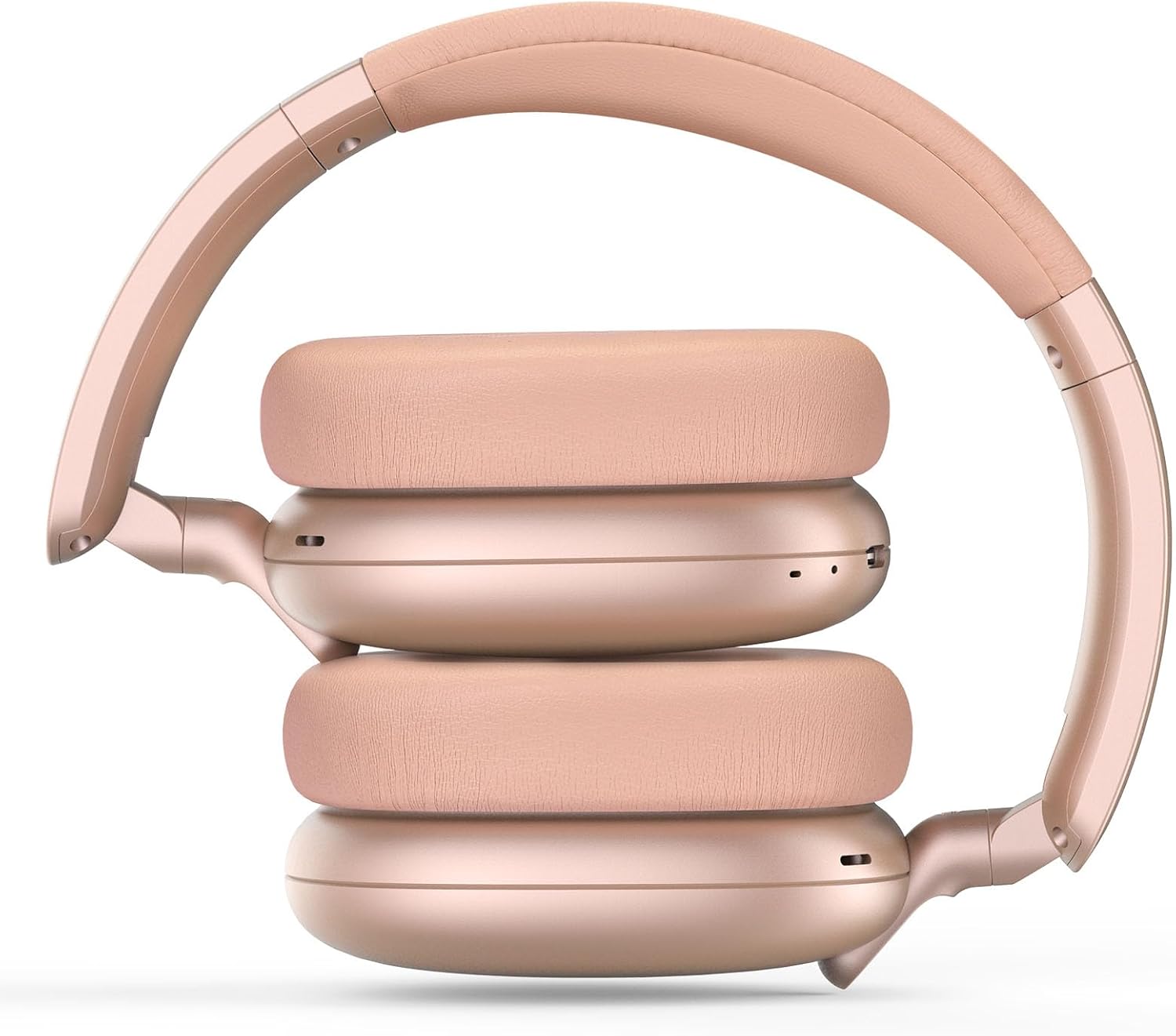
Image: RORSOU C6 headphones shown in their folded configuration, demonstrating portability.
6. Техникалык шарттар
| Өзгөчөлүк | Спецификация |
|---|---|
| Модель аты | C6 |
| Бренд | RORSOU |
| Байланыш технологиясы | Bluetooth 5.4, Wired, Wireless |
| Зымсыз байланыш технологиясы | Bluetooth |
| Ызы-чууну башкаруу функциялары | Активдүү ызы-чууну жокко чыгаруу |
| Наушник уясы | 3.5 мм Джек |
| Аудио драйверинин өлчөмү | 40 миллиметр |
| Батареянын иштөө мөөнөтү | 60 саат |
| Заряддоо убактысы | 2 саат |
| Элемент Салмагы | 230 грамм (8.1 унция) |
| Өзгөчө өзгөчөлүк | Adjustable Headband, Detachable Cable, Foldable, Lightweight, Noise Cancellation |
7. Техникалык тейлөө
To ensure the longevity and optimal performance of your RORSOU C6 headphones, follow these maintenance guidelines:
- Тазалоо: Кулакчындарды тазалоо үчүн жумшак, кургак чүпүрөктү колдонуңуз. Катуу химиялык заттарды же абразивдүү материалдарды колдонуудан алыс болуңуз.
- Сактагыч: When not in use, store the headphones in the provided travel protective storage bag to prevent dust and scratches.
- Экстремалдуу шарттарды болтурбоо: Наушниктерди экстремалдык температурага, нымдуулукка же тике күн нуруна калтырбаңыз.
- Суу каршылык: These headphones are not water resistant. Avoid contact with liquids.
8. Кыйынчылыктарды
If you encounter any issues with your RORSOU C6 headphones, please refer to the following common solutions:
- Кубат жок: Кулакчындар толук заряддалганын текшериңиз. Аларды USB кубаттоо кабели аркылуу кубат булагына туташтырыңыз.
- Bluetooth аркылуу жупташтыруу мүмкүн эмес: Make sure the headphones are in pairing mode (flashing blue LED). Ensure Bluetooth is enabled on your device and it is within range (10 meters). Try restarting both the headphones and your device.
- Үн жок: Check the volume levels on both the headphones and your connected device. If using a wired connection, ensure the 3.5mm cable is securely plugged into both ends.
- ANC иштебейт: Ensure the ANC function is activated by pressing the ANC button.
- Начар аудио сапаты: Ensure the headphones are within Bluetooth range of your device. If using a wired connection, try a different 3.5mm cable.
9. Кепилдик жана колдоо
RORSOU is dedicated to providing high-quality products with excellent after-sale service. Your RORSOU C6 headphones come with a 365-day Hassle-Free Limited Protection. If you have any questions or require support, please contact RORSOU customer service. We aim to respond within 12 hours.