
CHEREEKI B0FHHKMP1X
CHEREEKI Digital LED Alarm Clock User Manual
Model: B0FHHKMP1X
Introduction
Сатып алганыңыз үчүн рахматasing the CHEREEKI Digital LED Alarm Clock. This manual provides detailed instructions for setting up and operating your new alarm clock. Please read it thoroughly before use and keep it for future reference.
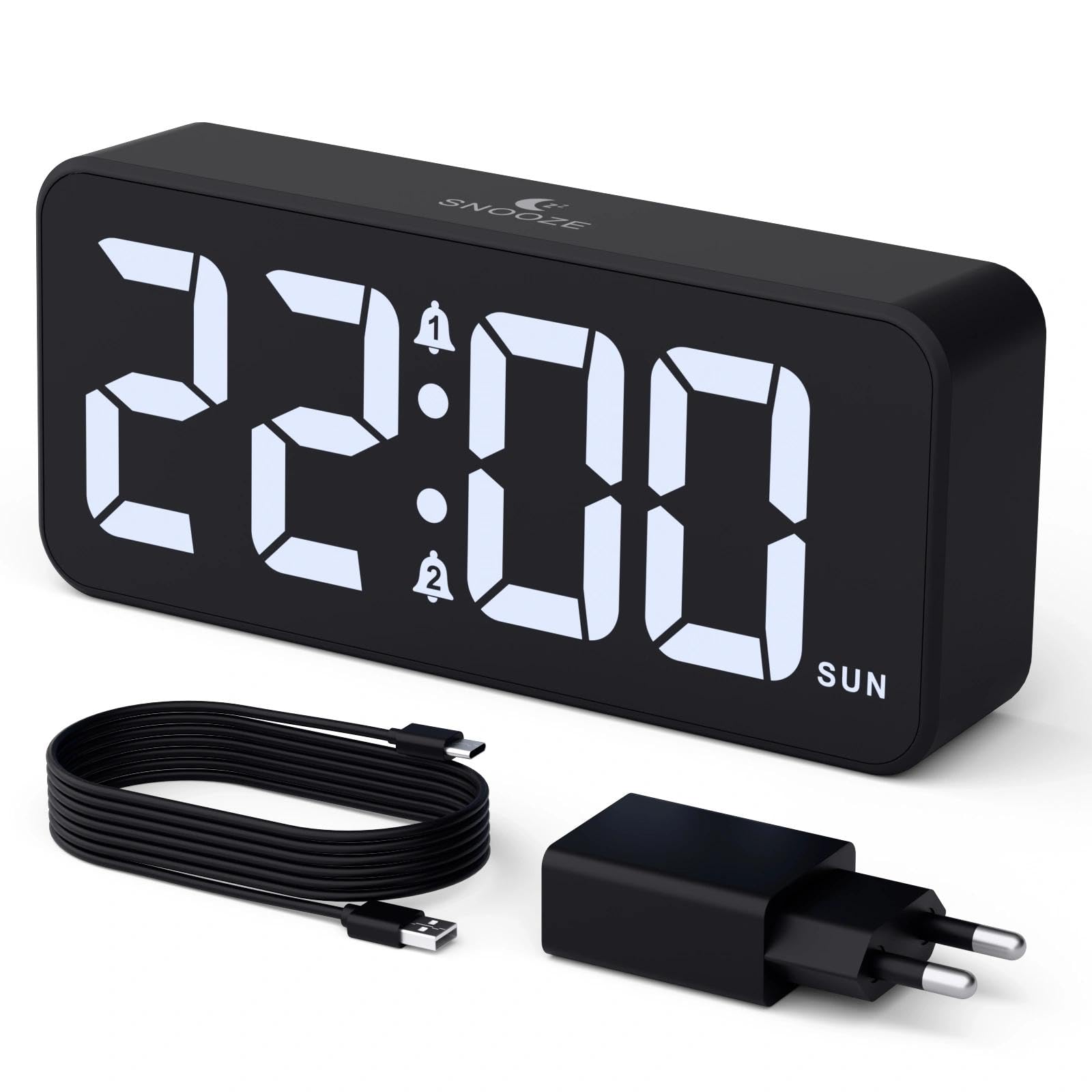
Image: The CHEREEKI Digital LED Alarm Clock, showcasing its large LED display and key features.
Коопсуздук маалыматы
- Ensure the power adapter and cable are compatible with the device's voltage requirements (5V/1A or 5V/2A).
- Аппаратты сууга же ашыкча нымдуулукка дуушар кылбаңыз.
- Аппаратты жылуулук булактарынын жанына же тике күн нуруна коюудан алыс болуңуз.
- Түзмөктү өз алдынча бөлүктөргө бөлүүгө же оңдоого аракет кылбаңыз. Көйгөйлөр жаралса, кардарларды колдоо кызматына кайрылыңыз.
- Балдар жетпеген жерде сактаңыз.
Пакеттин мазмуну
- CHEREEKI Digital LED Alarm Clock
- Power Adapter (5V/1A or 5V/2A)
- USB заряддоо кабели (1.5 м)
- User Manual
- CR2032 Backup Battery (pre-installed or included)

Image: Illustration of the items included in the product package.
Продукциянын жайгашуусу жана башкаруу элементтери

Image: Rear panel of the alarm clock with labels for all buttons and ports.
- Убакытты коюу баскычы: Убакытты орнотуу режимине өтүү үчүн басыңыз.
- Ойготкуч 1 баскычы: Press to set Alarm 1.
- Ойготкуч 2 баскычы: Press to set Alarm 2.
- Өйдө/ылдый баскычтары: Adjust values during setting.
- Dimmer Knob: Rotate to adjust display brightness (0-100%).
- Үн баскычы: Rotate to adjust alarm volume (10 levels).
- USB чыгуу порту: Тышкы түзмөктөрдү кубаттоо үчүн.
- Type-C киргизүү порту: For power supply to the alarm clock.
- DST Button: For Daylight Saving Time adjustment.
- Батарея бөлүмү: Houses the CR2032 backup battery.
Жайгашуу
1. Power Connection
The alarm clock operates solely on AC power. Connect the provided USB cable to the Type-C input port on the back of the clock and plug the adapter into a standard wall outlet (5V/1A or 5V/2A). The display will light up.

Image: The alarm clock connected to a power source via its adapter.
2. Камдык батарея
A CR2032 backup battery is included to retain time and alarm settings during power outages. This battery does not power the display or alarm functions; it only preserves memory. Ensure the battery is correctly installed in the compartment on the back of the clock.

Image: Close-up of the backup battery compartment, indicating its purpose to retain settings during power loss.
Иштөө нускамалары
Убакытты коюу
- Press the "TIME SET" button. The hour digits will flash.
- Саатты жөндөө үчүн "ЖОГОРУ" же "ТӨМӨН" баскычтарын колдонуңуз.
- Press "TIME SET" again to confirm the hour and move to minute setting. The minute digits will flash.
- Use the "UP" or "DOWN" buttons to adjust the minutes.
- Press "TIME SET" once more to confirm the minutes and exit time setting mode.
Ойготкучтарды орнотуу (1-ойготкуч жана 2-ойготкуч)
This clock supports two independent alarms with three scheduling options.
- Press the "ALARM 1" or "ALARM 2" button. The alarm hour digits will flash.
- Use the "UP" or "DOWN" buttons to adjust the alarm hour.
- Press the respective alarm button again to confirm the hour and move to minute setting. The minute digits will flash.
- Use the "UP" or "DOWN" buttons to adjust the alarm minutes.
- Press the alarm button again to select the alarm schedule:
- Иш күндөрү: Дүйшөмбүдөн жумага чейин
- Дем алыш күндөрү: Ишембиден жекшембиге чейин
- Күнүмдүк: Дүйшөмбүдөн жекшембиге чейин
- Press the alarm button once more to confirm the schedule and exit alarm setting mode.
- To enable/disable an alarm, press the "ALARM 1" or "ALARM 2" button briefly outside of setting mode. An alarm icon will appear/disappear on the display.

Image: The alarm clock demonstrating dual alarm settings with various scheduling options.
Тындырма функциясы
When the alarm sounds, touch the top of the clock to activate the 5-minute snooze function. The alarm will temporarily stop and sound again after 5 minutes. To turn off the alarm completely, press any other button on the back of the clock.
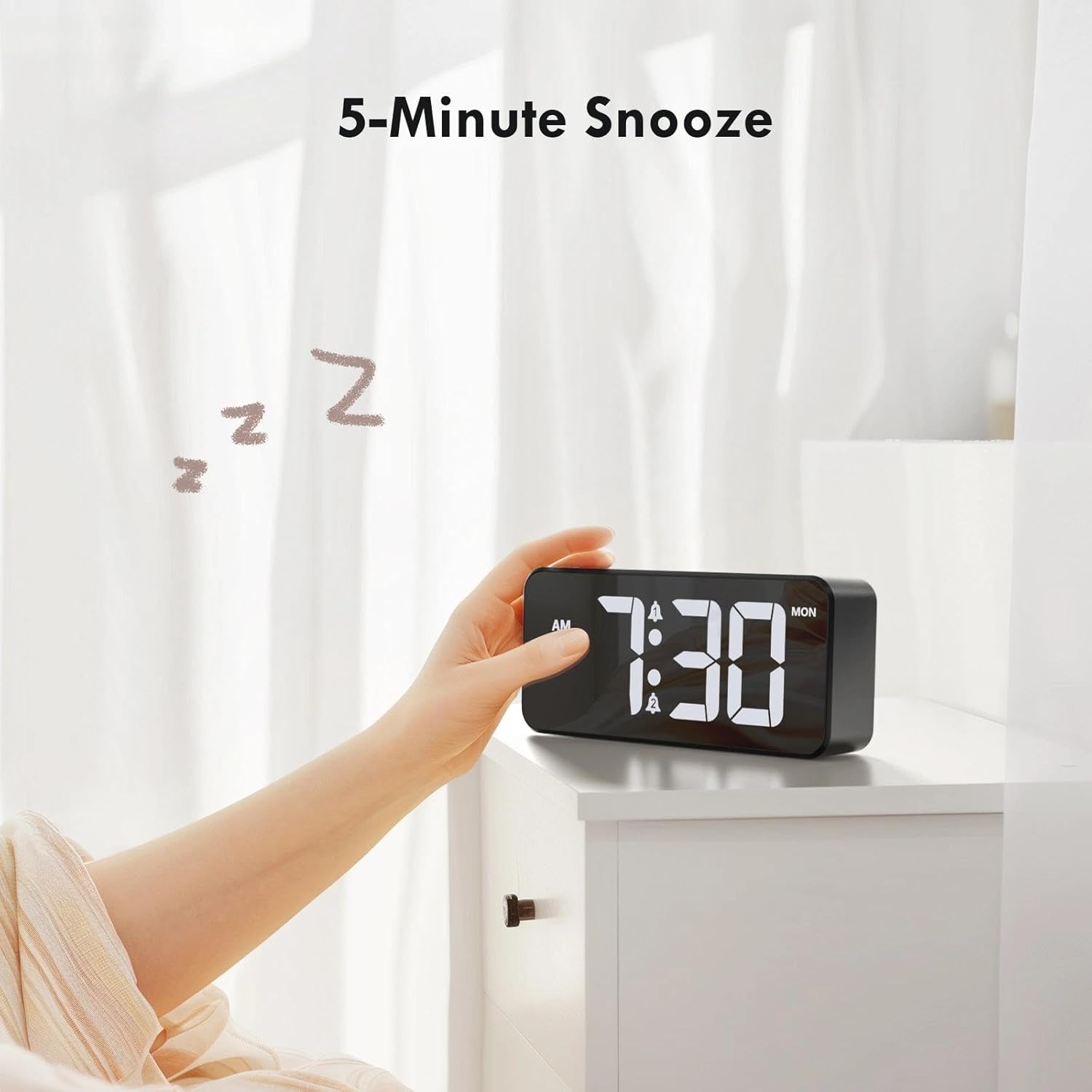
Image: A user activating the snooze function by touching the top of the alarm clock.
Дисплей жарыктыгын жөндөө
Rotate the "DIMMER" knob on the back of the clock to adjust the display brightness from 0% (off) to 100% (maximum brightness). This allows for comfortable viewар кандай жарык абалында.

Image: Visual representation of the adjustable brightness feature and the dimmer knob.
Ойготкучтун үнүн тууралоо
Rotate the "VOLUME" knob on the back of the clock to select one of the 10 available alarm volume levels. Choose a volume that suits your preference.

Image: The volume control knob and a visual scale indicating adjustable volume levels.
12/24 саат форматы
To switch between 12-hour and 24-hour time formats, press and hold the "TIME SET" button for a few seconds until the format changes. In 12-hour format, "AM" or "PM" indicators will be displayed.

Image: The alarm clock showing both 12-hour and 24-hour time display options.
USB заряддоо порту
The USB-A output port on the back of the clock allows you to charge other devices, such as smartphones or tablets. Simply connect your device's charging cable to this port.

Image: The alarm clock charging a smartphone via its integrated USB port.
Жазгы убакыт (DST)
To adjust for Daylight Saving Time, press the "DST" button on the back of the clock. This will advance or set back the time by one hour. Press it again to revert.
Техникалык тейлөө
- Сааттын бетин жумшак, кургак чүпүрөк менен тазалаңыз. Абразивдүү тазалоочу каражаттарды же эриткичтерди колдонбоңуз.
- Аппаратты чаңдан жана таштандыдан алыс кармаңыз.
- If the backup battery needs replacement, use a CR2032 coin cell battery. Ensure correct polarity.
Проблемаларды чечүү
| Көйгөй | Мүмкүн себеп | Чечим |
|---|---|---|
| Дисплей өчүк. | Not connected to power; Dimmer set to 0%. | Ensure the clock is plugged into a working power outlet. Rotate the Dimmer knob to increase brightness. |
| Ойготкуч угулбайт. | Alarm not activated; Volume set to minimum. | Press the ALARM 1/2 button to activate the alarm (icon should appear). Rotate the Volume knob to increase volume. |
| Жөндөөлөр өчүрүлгөндөн кийин жоголдуtage. | Backup battery is dead or missing. | CR2032 камдык батареясын алмаштырыңыз. |
| USB кубаттоо иштебей жатат. | Саат кубатталбай жатат; Түзмөктүн кабели бузулган. | Ensure the alarm clock is powered. Try a different USB cable or device. |
Техникалык шарттар
- Бренд: ЧЕРЕКИ
- Модел: B0FHHKMP1X
- Түсү: Кара
- Дисплей түрү: Digital LED
- Материал: Акрилонитрил бутадиен стирол (ABS)
- Продукциянын өлчөмдөрү: 14.5 x 3.81 x 6.5 см (5.7 x 1.5 x 2.5 дюйм)
- Элемент Салмагы: 230 грамм (0.5 фунт)
- Кубат булагы: Wired Electric (5V/1A or 5V/2A adapter)
- Камдык батарея: CR2032 (for memory retention only)
- Өзгөчөлүктөр: Adjustable Brightness, Dual Alarm, Snooze, USB Charging Port, 12/24H Format, Adjustable Volume, Day of Week Display
Кепилдик жана колдоо
This CHEREEKI Digital LED Alarm Clock comes with a Өмүр бою кепилдик. For any product inquiries, technical support, or warranty claims, please contact CHEREEKI customer service through the retailer where you purchased the product or visit the official CHEREEKI webбайланыш маалыматы үчүн сайт.
Сураныч, кепилдик максаттары үчүн сатып алганыңыздын далилин сактап коюңуз.
Ask a question about this manual
Ask about setup, troubleshooting, compatibility, parts, safety, or missing instructions. Manuals+ will review the question and use this page’s manual context to help answer it.