
1. Продукт бүтүп калдыview
The Native Union Find It Card is an ultra-slim Bluetooth tracker designed to help you locate your valuables using the Apple Find My network. Its discreet design allows it to fit seamlessly into wallets, passport holders, or be attached to other items with the included keychain wire. Featuring a rechargeable battery with up to 6 months of life, it offers a high-volume alert to quickly pinpoint nearby items.
- Works with Apple Find My: Utilize Apple's Find My app to precisely locate your belongings.
- Ultra-Slim & Discreet Design: At just 1.7mm thick, it fits easily into wallets or passport holders.
- Long-Lasting & Wirelessly Rechargeable: Enjoy up to 6 months of battery life, rechargeable via Qi or MagSafe.
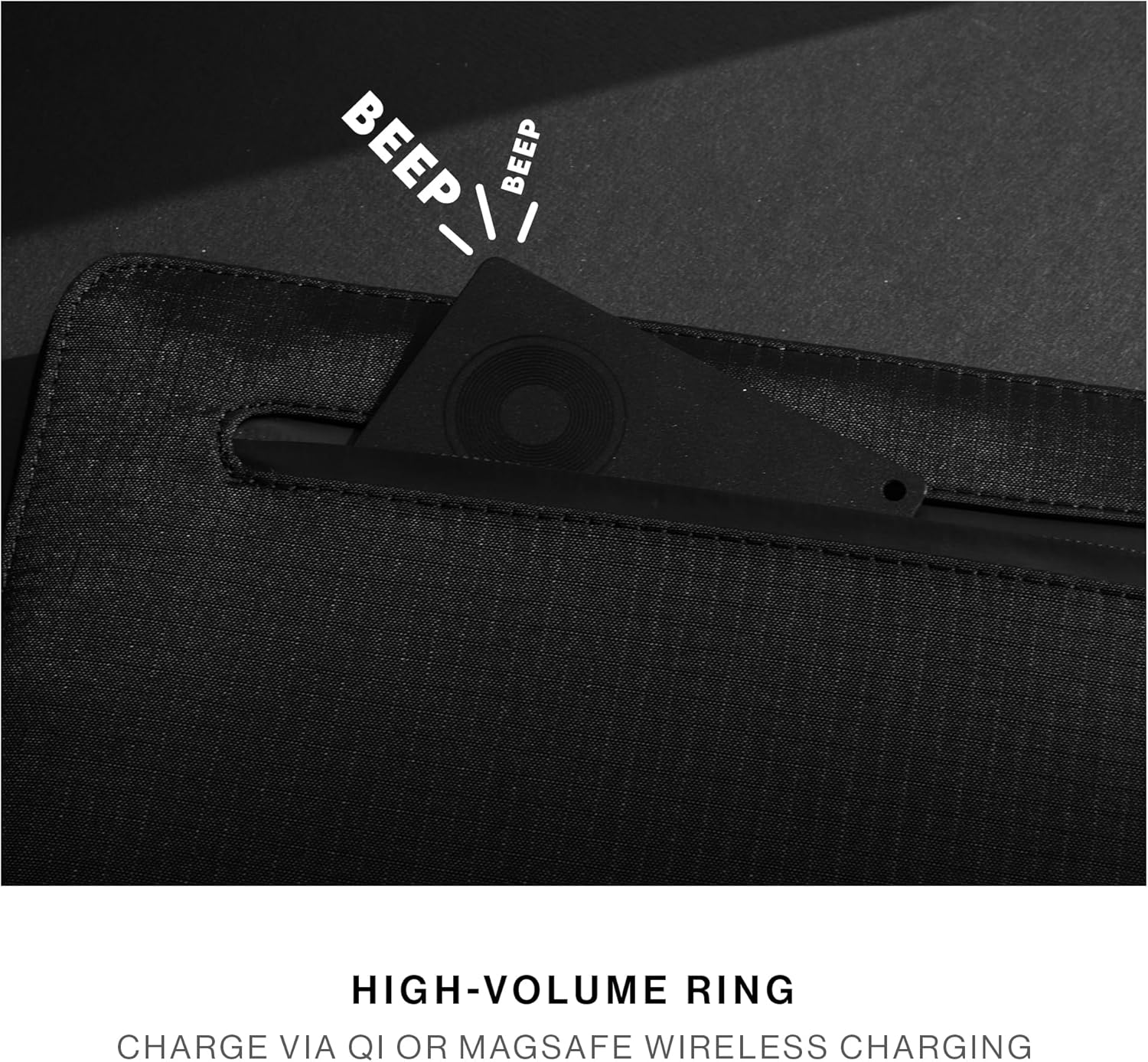
- High-Volume Ring: Quickly locate nearby items with a loud audible alert.
- Акыркыга чейин курулган: Constructed from durable, water-repellent materials for daily wear and tear.
2. Баштоо
2.1 Кутуда эмне бар
- Native Union Find It Card (Model RHK51)
- Keychain Wire
- Instruction Manual
2.2 Charging the Find It Card
The Find It Card features a rechargeable battery designed to last up to 6 months on a single charge. To charge, place the card on any Qi or MagSafe compatible wireless charger. The LED indicator on the card will show charging status.

2.3 Apple Find My менен жупташуу
To pair your Find It Card with your Apple device, follow these steps:
- Ensure your Find It Card is charged.
- ачыңыз Find My колдонмону iPhone, iPad же Mac компьютериңизден жүктөп алыңыз.
- басыңыз Items экрандын төмөн жагындагы өтмөктү басыңыз.
- таптаңыз + (Add Item) and then select Башка колдоого алынган нерсе.
- Press and hold the power button on the Find It Card for a few seconds until it beeps, indicating it's in pairing mode.
- Your device will detect the Find It Card. Follow the on-screen instructions to name your item and assign an emoji.
- Туташкандан кийин, таптап коюңуз Бүтүрүү.

2.4 Attaching the Keychain Wire
The included metal keychain wire can be used to securely attach your Find It Card to items like luggage, keys, or bags. Simply thread the wire through the small hole on the card and secure it to your desired item.

3. Иштөө нускамалары
3.1 Буюмуңуздун жайгашкан жерин аныктоо
Once paired, you can locate your Find It Card using the Apple Find My app:
- ачыңыз Find My колдонмо.
- тандаңыз Items өтмөк.
- Tap on your Find It Card from the list.
- You will see its last known location on a map.
- To locate it when nearby, tap Үн ойнотуу to make the card emit a high-volume ring.
3.2 Эскертүүлөр артта калды
The Find It Card can notify you if you leave your item behind. This feature is configured within the Apple Find My app settings for your specific item.

4. Техникалык шарттар
| Өзгөчөлүк | Деталь |
|---|---|
| Продукциянын өлчөмдөрү | 0.07"L x 0.07"W x 0.07"Mh |
| Элемент Салмагы | 1.76 унция |
| Элемент моделинин номери | RHK51 |
| Батареялар | 1 литий-иондук батарейкалар талап кылынат. (камтылган) |
| Батареянын иштөө мөөнөтү | 6 айга чейин |
| Заряддоо | Qi or MagSafe wireless charging |
| Байланыш технологиясы | Bluetooth |
| Материал | Металл, пластик |
| Шайкештик | Apple Find My network (iOS devices only) |
5. Кароо жана тейлөө
To ensure the longevity and optimal performance of your Native Union Find It Card, please follow these guidelines:
- Аппаратты таза, жумшак, кургак чүпүрөк менен сүртүңүз.
- Аппаратты экстремалдык температурага же түз күн нуруна узак убакытка калтыруудан сактаңыз.
- While water-repellent, avoid submerging the device in water for extended periods.
- Recharge the device regularly, ideally every 6 months, to maintain battery health.
6. Кыйынчылыктарды
If you encounter issues with your Native Union Find It Card, try the following:
- Түзмөк жупташкан жок: Ensure the card is charged and within Bluetooth range of your Apple device. Try restarting both the card (by pressing and holding the power button) and your Apple device.
- Картадан үн чыкпайт: Check the volume settings in the Find My app. Ensure the card is not obstructed by thick materials.
- Так эмес жайгашкан жер: Жайгашкан жердин тактыгы жакын жердеги Apple түзмөктөрүнүн тыгыздыгына жараша болот. Apple түзмөктөрү азыраак аймактарда жайгашкан жерди жаңыртуулар азыраак же так болушу мүмкүн.
- Батарея кубатталбай жатат: Ensure your wireless charger is functioning correctly and the card is placed properly on the charging surface.
7. Кепилдик жана колдоо
The Native Union Find It Card comes with a manufacturer's warranty. For detailed information regarding warranty coverage, terms, and conditions, please refer to the warranty documentation included in your product packaging or visit the official Native Union webсайт.
For technical support, troubleshooting assistance, or any other inquiries, please contact Native Union customer service through their official webсайт же продукт документациясында көрсөтүлгөн байланыш маалыматы.
8. Продукт видеосу бүттүview
Кененирээк маалымат алуу үчүн бул видеону көрүңүзview of the Native Union Find It Card, including its features and how it compares to other trackers.