
1. Киришүү
This manual provides detailed instructions for the safe and efficient operation of your Gracioso Portable DAB/DAB+/FM Radio with Bluetooth 5.3. Please read this manual thoroughly before using the device and retain it for future reference.
2. Пакеттин мазмуну
Таңгактан чыгаргандан кийин, төмөндө көрсөтүлгөн нерселердин бардыгы бар экенин жана жакшы абалда экендигин текшериңиз:
- Gracioso Portable DAB Radio
- USB-C заряддоо кабели
- User Manual
3. Продукт бүтүп калдыview
The Gracioso Portable DAB/DAB+/FM Radio offers versatile audio playback options including digital DAB/DAB+ radio, FM radio, Bluetooth 5.3 streaming, and MP3 playback via USB/SD card. It features a color display, 5W speaker, dual alarm clock, and a rechargeable battery for portable use.

Сүрөт 1: Алдыңкы view of the Gracioso Portable DAB Radio.
4. Орнотуу
4.1 Батареяны заряддоо
The radio is equipped with a built-in 1200 mAh rechargeable battery. Before first use, fully charge the device.
- Connect the supplied USB-C charging cable to the radio's USB-C port.
- Кабелдин экинчи учун туура келген USB кубат адаптерине туташтырыңыз (кошумча эмес).
- The battery indicator on the display will show charging status. A full charge typically takes 2-3 hours and provides up to 7 hours of playback depending on volume.

2-сүрөт: USB-C кубаттоочу кабелин туташтыруу.
4.2 Extending the Antenna
For optimal radio reception, fully extend the telescopic antenna. Adjust its position for the best signal quality.

Figure 3: Fully extended antenna for improved reception.
4.3 Күйгүзүү/өчүрүү
басып, кармап туруңуз Күч радиону күйгүзүү же өчүрүү үчүн баскыч.
5. Иштөө нускамалары
5.1 Radio Mode (DAB/DAB+/FM)
- басыңыз РЕЖИМ button to select DAB or FM radio mode.
- In DAB/DAB+ mode, the radio will automatically scan for available stations upon first use or if no stations are found.
- To manually initiate an auto-scan, press and hold the SCAN button. The radio can store up to 80 preset stations (50 AM and 30 DAB).
- колдонуу TU+/- buttons to navigate through stations or presets.
- Станцияны сактоо үчүн, каалаган станцияга күүлөп, андан кийин басып, кармап туруңуз MEMO/STORE button. Follow the on-screen prompts to select a preset number.

Figure 4: Automatic scanning and preset station storage.
5.2 Bluetooth режими
- басыңыз РЕЖИМ Bluetooth режимин тандоо үчүн баскычын басыңыз. Дисплейде "Жупташтыруу" деген жазуу көрсөтүлөт.
- Enable Bluetooth on your smartphone or tablet and search for "DAB939".
- Select "DAB939" to pair. Once connected, you can stream audio wirelessly.
- Эскертүү: This device does not support connecting to Bluetooth headphones.
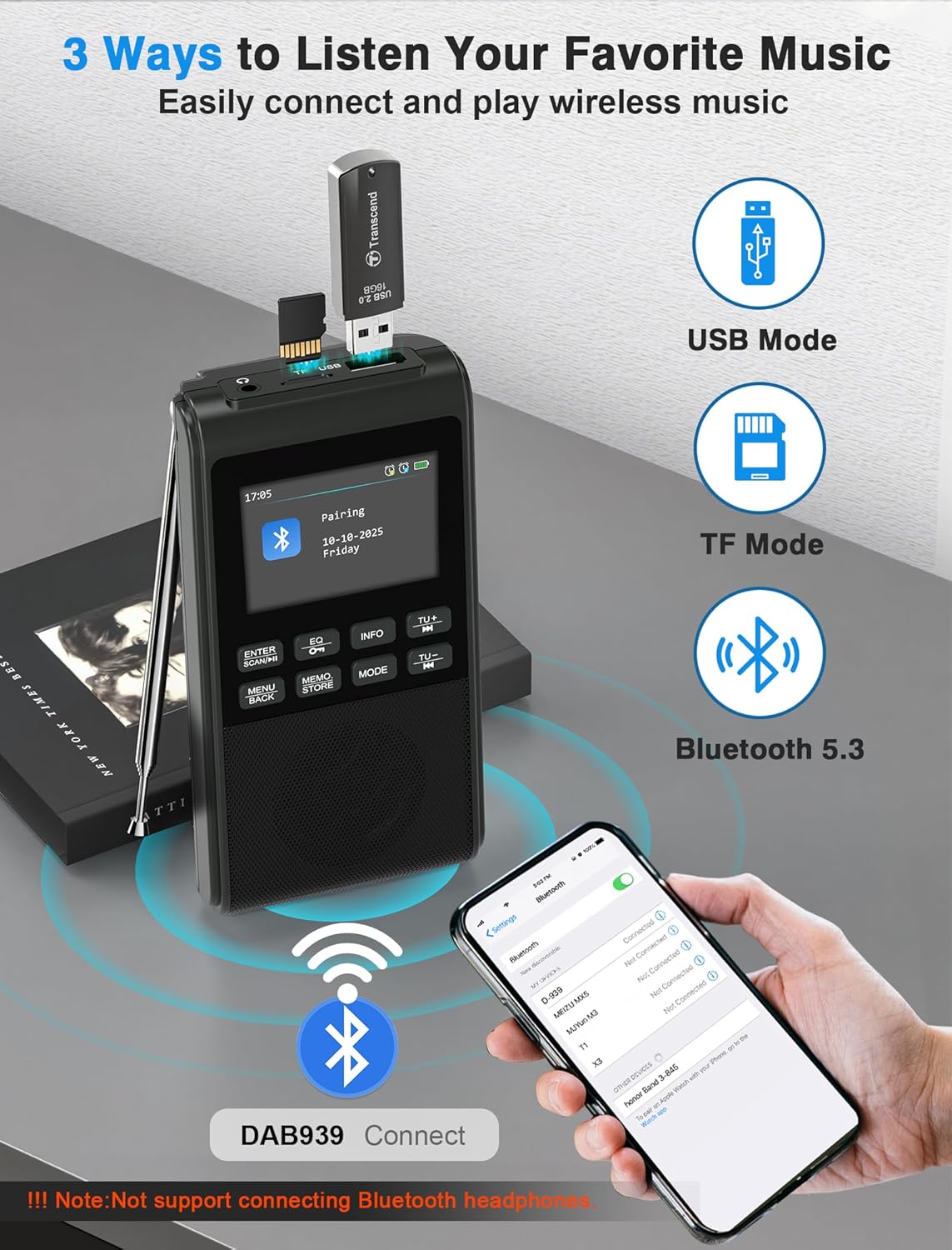
Figure 5: Pairing the radio with a Bluetooth device.
5.3 USB/SD картаны ойнотуу
Insert a USB flash drive or SD card (up to 32GB) containing MP3 files into the respective slot. The radio will automatically switch to USB or SD card mode and begin playback. The device remembers playback progress.
5.4 Эквалайзер режимдери
басыңыз EQ button to cycle through 6 equalizer modes: Pop, Rock, Jazz, Classic, Vocal, and Flat. Select the mode that best suits your audio preference.

Figure 6: Visual representation of the 5W speaker and EQ settings.
5.5 Гарнитураны колдонуу
Connect 3.5mm headphones to the headphone jack for private listening. The internal speaker will automatically disconnect when headphones are plugged in.

Figure 7: Connecting 3.5mm headphones to the radio.
5.6 Ойготкуч саат функциясы
The radio features a dual alarm clock. Refer to the on-screen menu for setting Alarm 1 (weekdays) and Alarm 2 (weekends), including customizable alarm volume.

Figure 8: Setting up the dual alarm clock.
5.7 Уйку таймери
Activate the sleep timer function to automatically turn off the radio after a set period (15, 30, 45, 60, 90, or 120 minutes). This feature is ideal for falling asleep to music or talk radio.
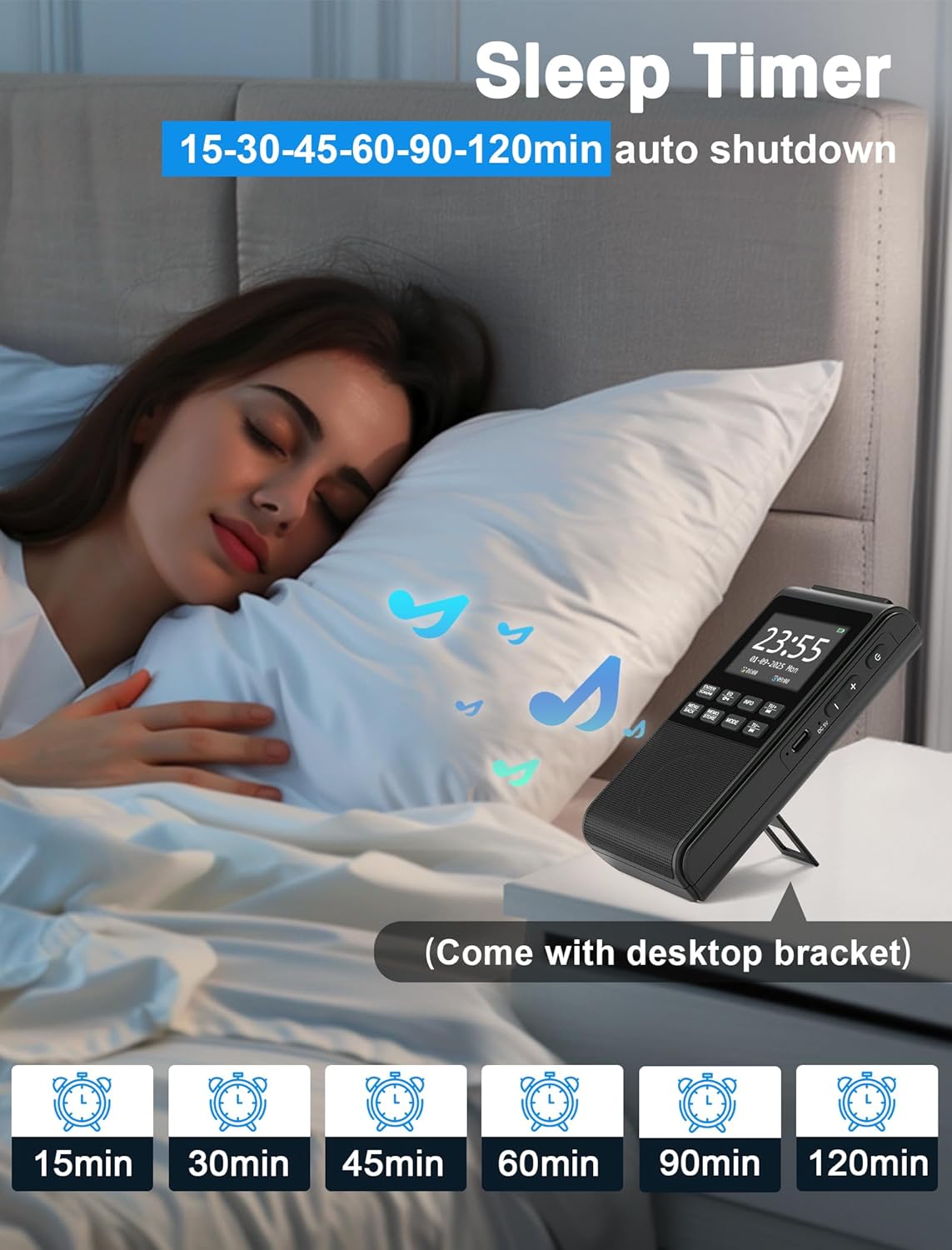
Figure 9: Using the sleep timer feature.
6. Техникалык тейлөө
6.1 Тазалоо
Wipe the radio with a soft, dry cloth. Do not use abrasive cleaners or solvents, as they may damage the surface.
6.2 Батареяга кам көрүү
Батареянын иштөө мөөнөтүн узартуу үчүн, батареяны тез-тез толук зарядсыздандырбаңыз. Түзмөктү көпкө чейин колдонбосоңуз да, аны үзгүлтүксүз заряддап туруңуз.
7. Кыйынчылыктарды
- Кубат жок: Ensure the battery is charged. Connect the USB-C cable to a power source.
- Радио кабыл алуу начар: Fully extend and adjust the antenna. Try moving the radio to a different location to improve signal strength.
- Bluetooth туташпай жатат: Ensure the radio is in Bluetooth pairing mode. Check that Bluetooth is enabled on your external device and "DAB939" is selected.
- Үн жок: Check the volume level. Ensure headphones are not plugged in if you intend to use the internal speaker.
8. Техникалык шарттар
| Бренд: | Gracioso |
| Модель номери: | B0FJ88Z2BV |
| Продукциянын өлчөмдөрү: | 12.7 x 6.7 x 2.8 см |
| Элемент Салмагы: | 230 грамм |
| Батарея: | 1200 мАч Литий-ион (кайра заряддалуучу) |
| Заряддоо порту: | USB-C |
| Радио топтору: | DAB, DAB+, FM |
| Bluetooth версиясы: | 5.3 |
| Динамиктин чыгышы: | 5W |
| Дисплей: | ЖК түстүү дисплей |
| Кошумча өзгөчөлүктөр: | Integrated Clock, Portable, Rechargeable, Foldable Stand, Wrist Strap |
9. Кепилдик жана колдоо
Your Gracioso Portable DAB/DAB+/FM Radio comes with a 12-month warranty. For any questions, technical assistance, or warranty claims, please contact our customer support team. We offer world-class 24/7 customer service to ensure your satisfaction.
For more information and support, please visit the official Gracioso brand store on Amazon: Gracioso Brand Store.