
1. Киришүү
Thank you for choosing the Inkbird ITH-13-B Temperature Hygrometer Monitor. This device provides accurate real-time temperature and humidity readings, offering smart monitoring capabilities via Bluetooth and a dedicated mobile application. It is designed for various indoor environments such as nurseries, greenhouses, wine cellars, and living spaces.

The Inkbird ITH-13-B monitor is suitable for a variety of applications, including monitoring conditions in homes, reptile terrariums, incubators, wine cellars, for musical instruments, and for storing herbs.
2. Продукциянын өзгөчөлүктөрү
- High-Precision Swiss-made Sensirion Sensors: Provides temperature readings accurate to ±0.2°C (±0.36°F) and humidity readings within ±2%. Data is sampled every 3 seconds for real-time monitoring.
- Revolutionary Bluetooth 5.0 Technology: Offers a stable connection up to 230 feet (70 meters) without obstructions.
- Маалыматтарды сактоо жана экспорттоо: Stores up to 300 days of offline temperature and humidity data. Users can access and export up to 2 years of historical data via the mobile application.
- Ультра узак батареянын иштөө мөөнөтү: Operates for over 8 months with the included 2 AA batteries.
- Compact Design with Large Display: Features a clear LCD screen and offers two installation options: desktop placement and wall hanging.
- Smart App Control: Allows users to set parameters for VPD and dew point, receive instant notifications for temperature and humidity shifts, and access detailed data history.

Ички view of the Inkbird ITH-13-B, showcasing the Swiss-made Sensirion sensors responsible for its high accuracy.
3. Пакеттин мазмуну
- 1 x Inkbird ITH-13-B Temperature Hygrometer Monitor
- 2 x AA батарейкалар
- 1 x User Manual
4. Түзмөк бүттүview
The Inkbird ITH-13-B is a compact, white rectangular device featuring a clear LCD screen that displays temperature and humidity. It includes a button on the top for unit switching and a foldable stand/hook on the back for versatile placement.

The Inkbird ITH-13-B monitor with its clear LCD display showing current temperature and humidity.

The compact design of the Inkbird ITH-13-B allows for easy placement and clear readability.
5. Орнотуу
5.1 Батареяны орнотуу
- Аппараттын арт жагында жайгашкан батарея бөлүкчөсүнүн капкагын ачыңыз.
- Туура полярдуулукту (+/-) камсыз кылуу менен 2 AA батарейкасын салыңыз.
- Батарея уясынын капкагын бекем жабыңыз.
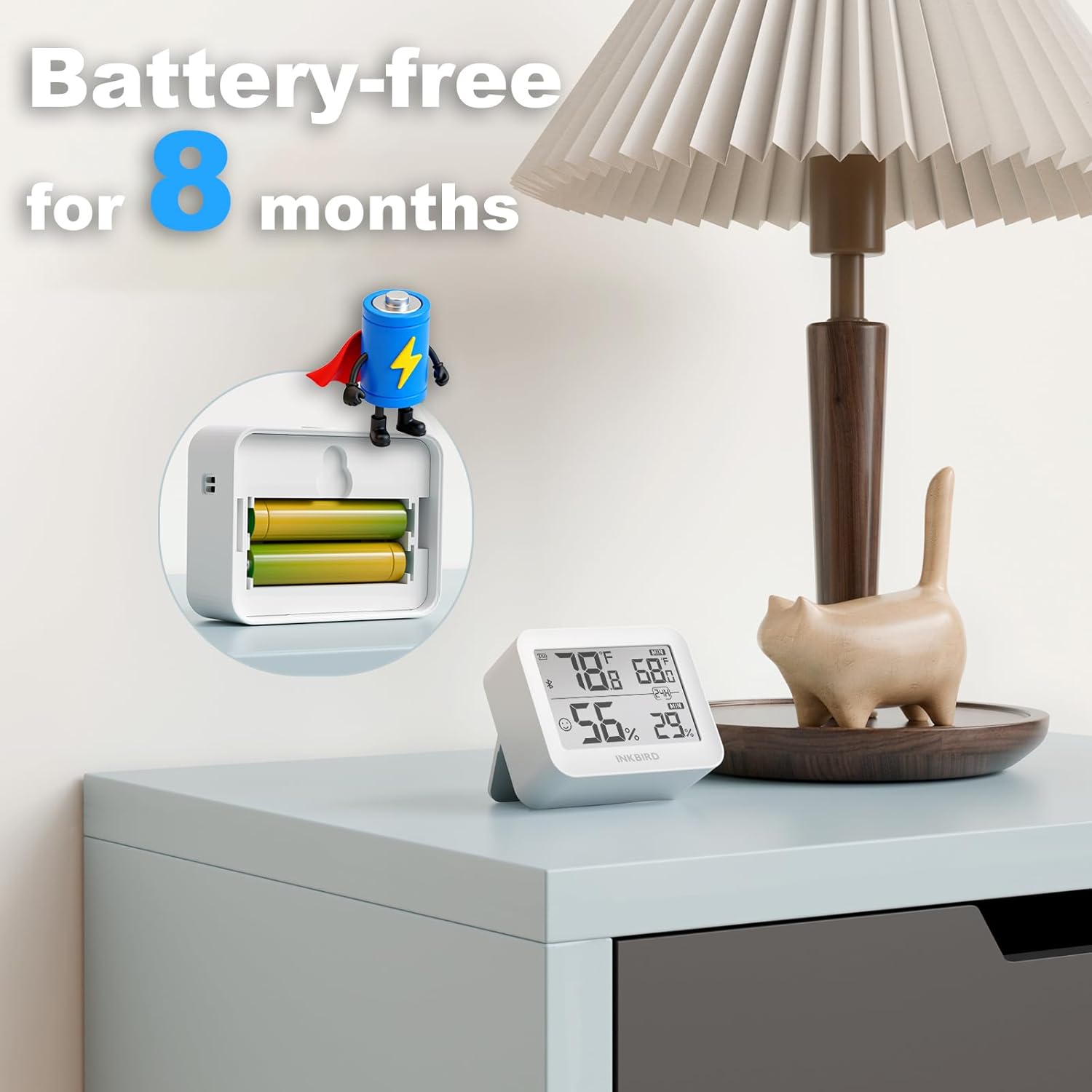
Illustration of battery installation, highlighting the long battery life of over 8 months.
5.2 Колдонмону жүктөп алуу жана жупташтыруу
- Download the "INKBIRD" app from the App Store (iOS) or Google Play Store (Android).
- Смартфонуңузда Bluetooth'ду иштетиңиз.
- Open the INKBIRD app and follow the on-screen instructions to add your device. The monitor should automatically connect via Bluetooth.
6. Иштөө нускамалары
6.1 Дисплейдеги көрсөткүчтөр
The LCD screen displays current temperature and humidity. It also shows maximum and minimum values recorded over a 24-hour period.
6.2 Температуралык бирдиктерди алмаштыруу
Press the button located on the top of the device to toggle between Celsius (°C) and Fahrenheit (°F).
6.3 Колдонмо функциялары
- Реалдуу убакыттагы маалыматтар: View Смартфонуңуздагы температура жана нымдуулукту түз эфирде өлчөө.
- Тарыхый дата: Access and analyze up to 2 years of historical data, with offline storage for 300 days.
- Custom Comfort Levels: Set personalized temperature and humidity ranges within the app.
- реалдуу убакыт эскертүүлөр: Receive instant notifications on your smartphone if temperature or humidity levels exceed your preset ranges.
- Маалыматтарды экспорттоо: Export historical data for detailed analysis.
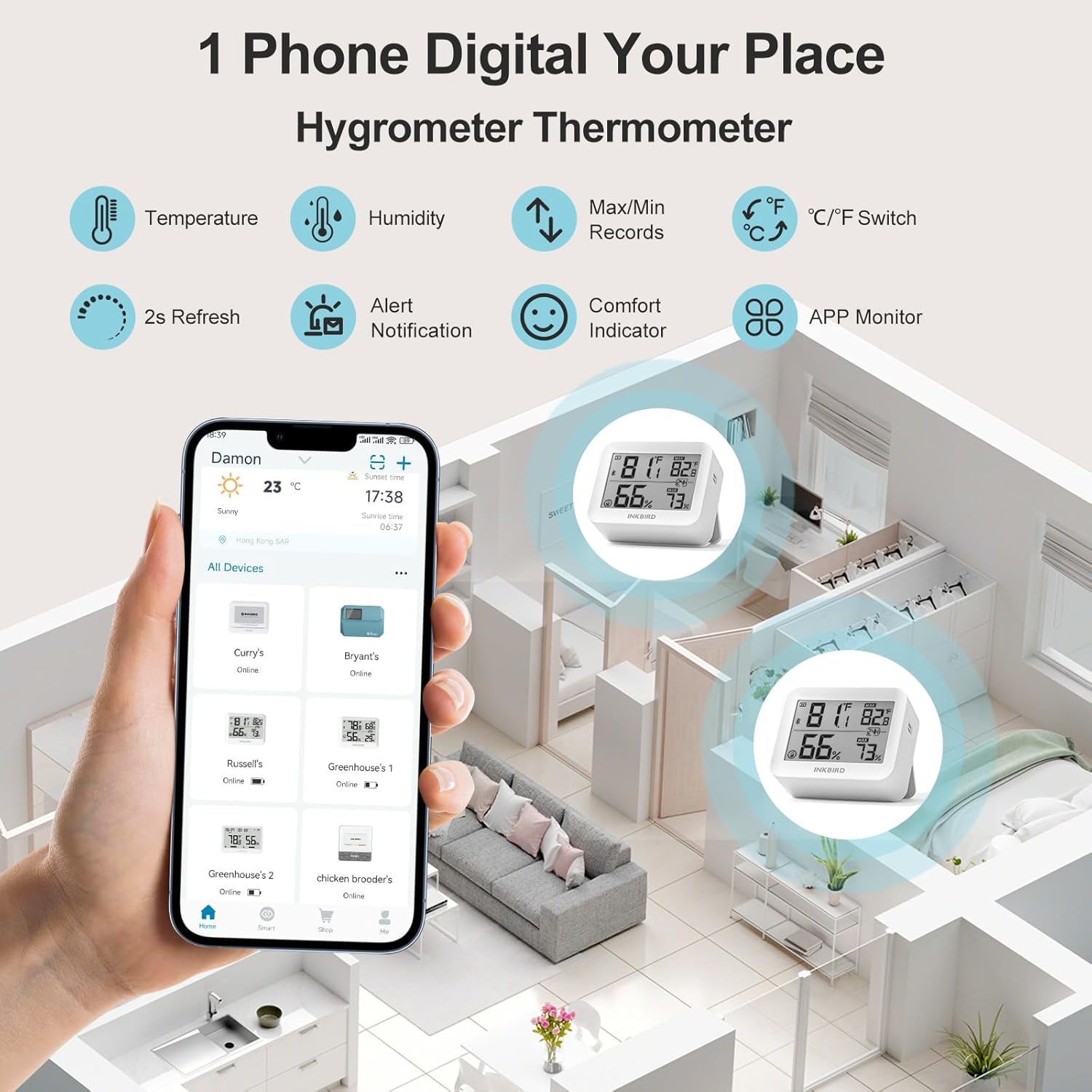
The Inkbird app allows remote monitoring of multiple devices, displaying real-time temperature and humidity.
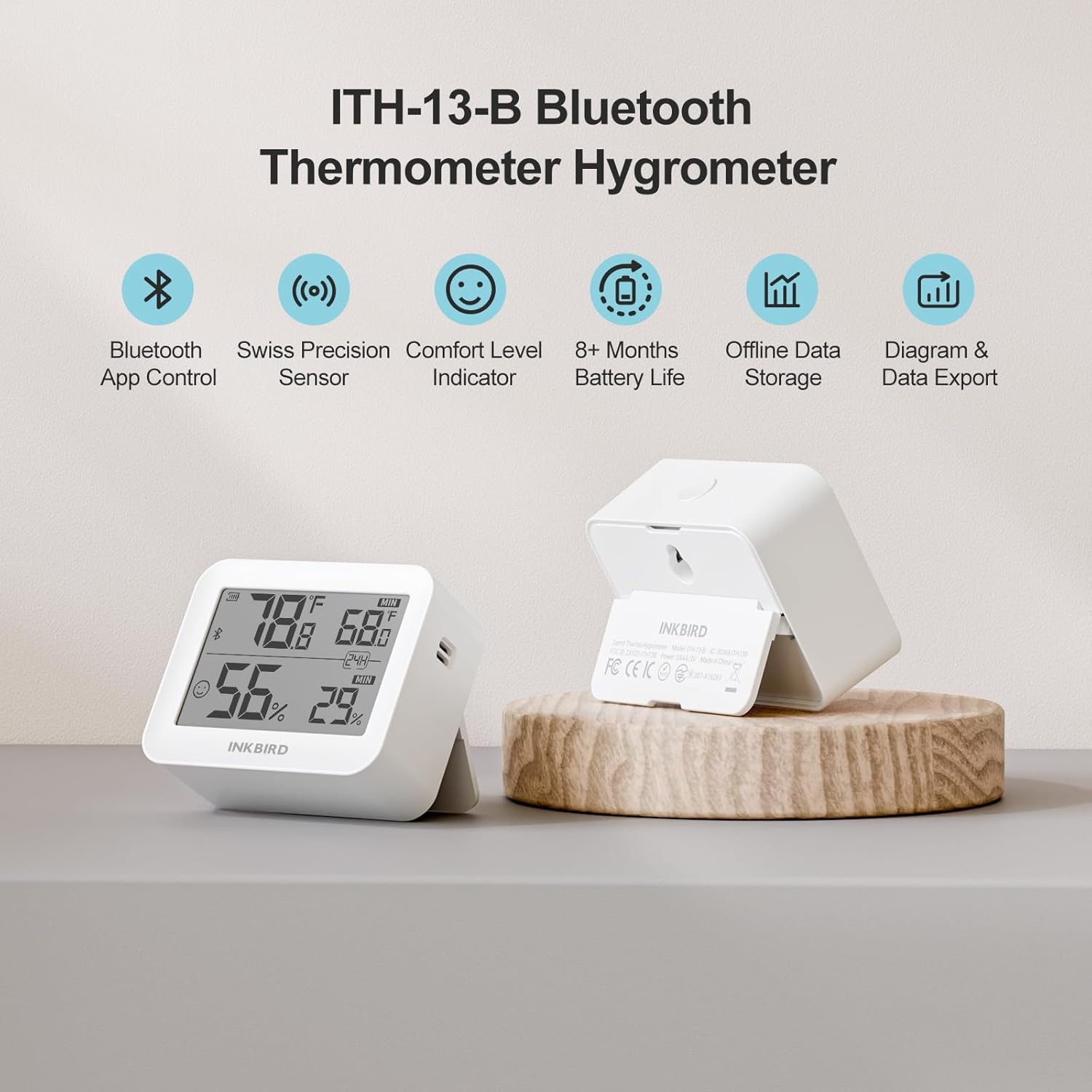
The device supports up to 300 days of offline data storage and 2 years of historical data export via the app.

The Air Comfort Level Indicator on the display and in the app helps you maintain optimal indoor air quality.
7. Техникалык тейлөө
7.1 Батареяны алмаштыруу
Replace the AA batteries when the low battery indicator appears on the device display or within the INKBIRD app to ensure continuous operation.
7.2 Тазалоо
Wipe the device exterior with a soft, dry cloth. Do not use liquid cleaners, abrasive materials, or immerse the device in water.
8. Кыйынчылыктарды
- Дисплей жок: Батареялар туура орнотулганын жана заряды жетиштүү экендигин текшериңиз. Зарыл болсо, батарейкаларды алмаштырыңыз.
- Туура эмес окуулар: Ensure the device is placed away from direct sunlight, heat sources, air conditioners, or extreme drafts. Allow the device to stabilize for at least 30 minutes after placement.
- Bluetooth туташуу маселелери:
- Смартфонуңузда Bluetooth иштетилгенин текшериңиз.
- Ensure the device is within the 230-foot (70-meter) Bluetooth range without significant physical obstructions.
- Restart the INKBIRD app or your smartphone.
- Attempt to re-pair the device within the INKBIRD app.
- App Not Receiving Data: Confirm a stable Bluetooth connection. Check that the INKBIRD app has all necessary permissions enabled on your smartphone.
9. Техникалык шарттар
| Бренд | Inkbird |
| Модел | ITH-13-B |
| Температуранын тактыгы | ±0.2°C (±0.36°F) |
| Нымдуулуктун тактыгы | ±2% (конденсацияланбаган) |
| Температура диапазону | -20°Cден 60°Cге чейин (-4°Fтен 140°Fге чейин) |
| нымдуулук колому | 0% RH-99% RH |
| Маалыматтар Сampling Interval | 3 секунд сайын |
| Bluetooth версиясы | 5.0 |
| Bluetooth диапазону | Up to 230 feet (70 meters) without obstructions |
| Батарея түрү | 2 x AA батарейкалар |
| Батареянын иштөө мөөнөтү | 8 айдан ашык |
| Offline Data Storage | 300 күнгө чейин |
| Historical Data Storage (App) | 2 жылга чейин |
10. Кепилдик маалыматы
Inkbird products typically come with a standard manufacturer's warranty. For specific warranty terms, conditions, and duration, please refer to the official Inkbird webсайтка же түздөн-түз кардарларды колдоо менен байланышыңыз. Сатып алуу квитанциясын кепилдик дооматтары үчүн сатып алуунун далили катары сактаңыз.
11. Колдоо
For further assistance, technical support, or product inquiries, please visit the official Inkbird website or contact their customer service team through the contact information provided on their website or in the INKBIRD app.