1. Киришүү
Thank you for choosing the Hwagol i130 Smartwatch. This device is designed to enhance your daily life with its robust features, including a 1.52-inch HD display, Bluetooth calling, comprehensive health monitoring, and a wide range of sports modes. This manual provides essential information for setting up, operating, and maintaining your smartwatch to ensure optimal performance and longevity.
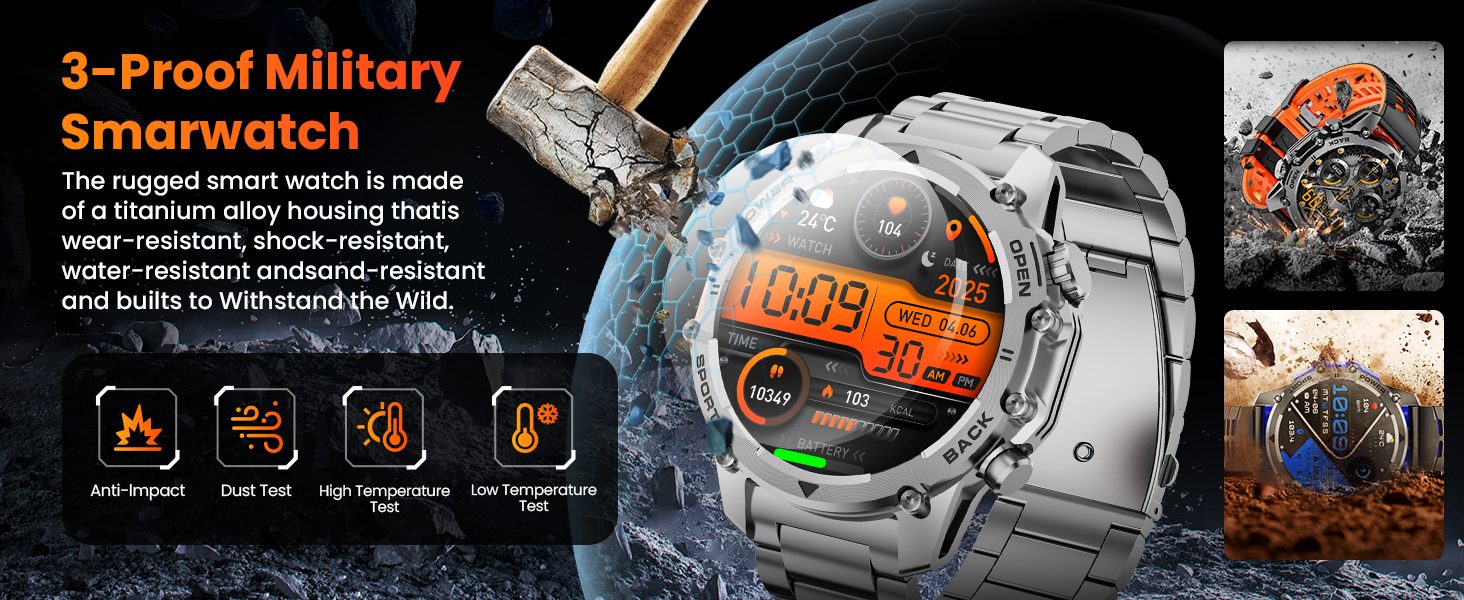
The Hwagol i130 Smartwatch is built with military-grade durability, featuring wear-resistant, shock-resistant, and water-resistant properties. It is designed to withstand various environmental conditions.
2. Пакеттин мазмуну
Сураныч, пакетте төмөнкү нерселерди текшериңиз:
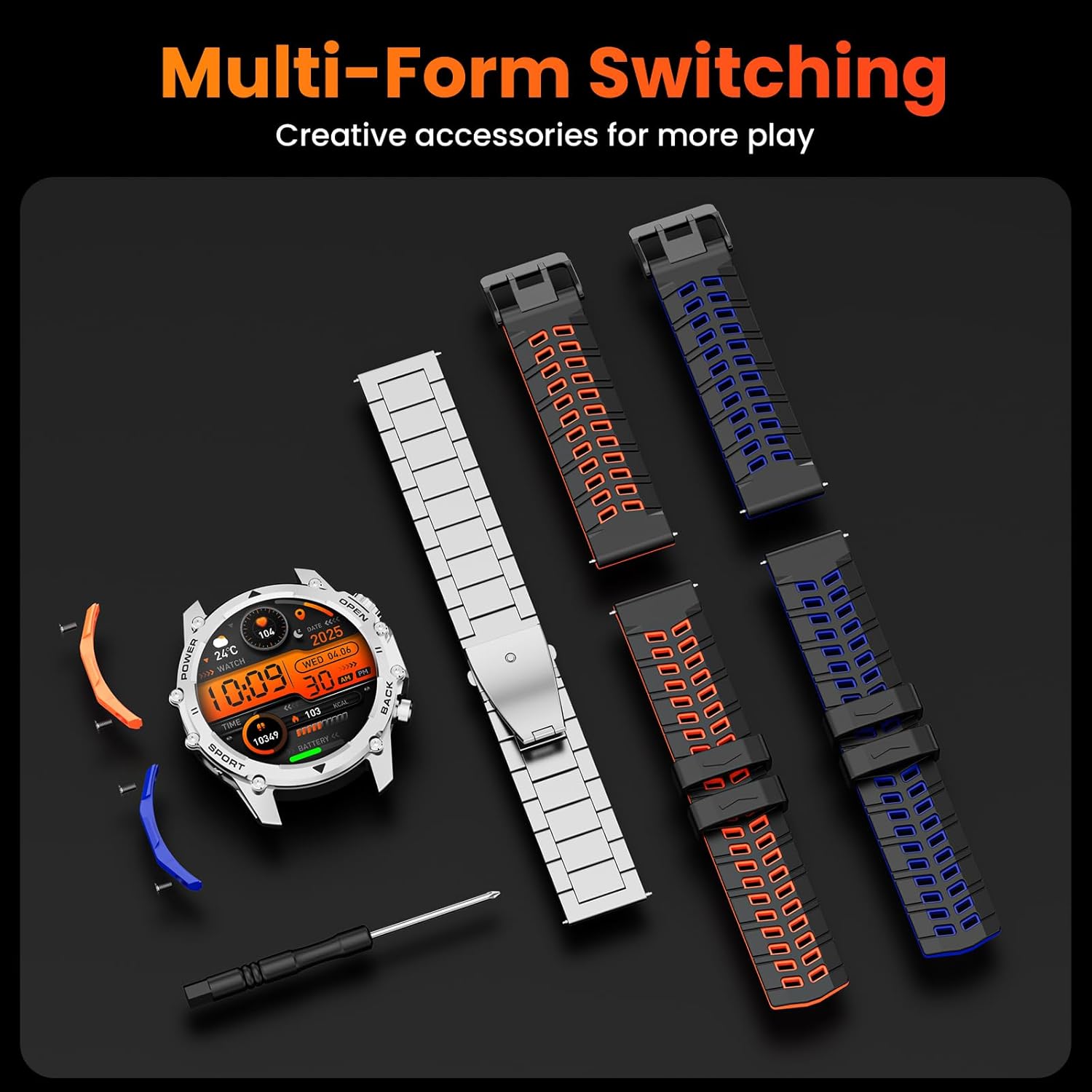
- Smart Watch Head x1
- Black Steel Band x1
- Orange and Black Silicone Band x1
- Blue and Black Silicone Band x1
- Blue Detachable Accessory x1
- Orange Detachable Accessory x1
- Дал келүүчү бурамалар x4
- Бургасчы x1
- Instruction Manual x1
- Кубаттоо кабели x1

The package includes the smartwatch, multiple interchangeable straps, a charging cable, and tools for strap replacement.
3. Орнотуу
3.1 Акылдуу саатты кубаттоо
Before first use, fully charge your smartwatch. Connect the magnetic charging cable to the charging contacts on the back of the watch and plug the USB end into a power adapter (not included) or a computer's USB port. The watch display will indicate charging status. A full charge typically provides 7-10 days of normal use or over 30 days of standby time.

The smartwatch charging via its magnetic cable, highlighting its 500mAh battery capacity.
3.2 Companion колдонмосун орнотуу
To unlock all features and synchronize data, download the companion app on your smartphone. Издөө телефонуңуздун колдонмолор дүкөнүндөгү (Android үчүн Google Play Store же iOS үчүн Apple App Store) колдонмонун аталышы (адатта, тез баштоо көрсөтмөсүндө же баштапкы орнотуу учурунда саат экранында айтылат).
3.3 Смартфонуңуз менен жупташуу
- Акылдуу саатыңыздын кубатталганын жана күйүп турганын текшериңиз.
- Смартфонуңузда Bluetooth'ду иштетиңиз.
- Смартфонуңуздагы өнөктөш колдонмосун ачыңыз.
- Follow the in-app instructions to search for and connect to your Hwagol i130 Smartwatch. You may need to confirm the pairing on both your phone and the watch.
4. Иштөө нускамалары
4.1 Негизги навигация
The Hwagol i130 Smartwatch features a 1.52-inch HD touchscreen and multiple physical buttons for navigation:
- Сенсордук экран: Менюларды карап чыгуу жана ар кандай функцияларга кирүү үчүн солго/оңго, өйдө/ылдый серпиңиз. Тандоо үчүн таптаңыз.
- КҮЧ баскычы: Typically used to turn the watch on/off, return to the home screen, or activate the screen.
- СПОРТ баскычы: Спорттук режимдерге тез жетүү.
- Арткы баскыч: Мурунку экранга кайтат.

Акылдуу сааттын дисплейи көрсөтүлөтasing its 1.52-inch HD screen with 360x360 resolution.
4.2 Bluetooth чалуу
Once paired with your smartphone, you can make and receive calls directly from your smartwatch. This feature allows for hands-free communication, especially useful during exercise or when your phone is not easily accessible.
- Чалууларга жооп берүү: Чалуу келгенде, саат экранындагы жашыл жооп берүү сүрөтчөсүн басыңыз.
- Чалууларды жасоо: Access the call function from the watch menu to dial numbers or select contacts.

The smartwatch displaying an incoming call and smart notifications from various apps.
4.3 Smart эскертмелер
Receive notifications for calls, messages, and social media apps directly on your wrist. Ensure notification permissions are enabled in both your phone's settings and the companion app.
4.4 Спорт режимдери
The smartwatch supports over 120 sports modes, including running, cycling, and climbing. Select your desired activity from the sports menu to track real-time data such as heart rate, steps, and calories burned.
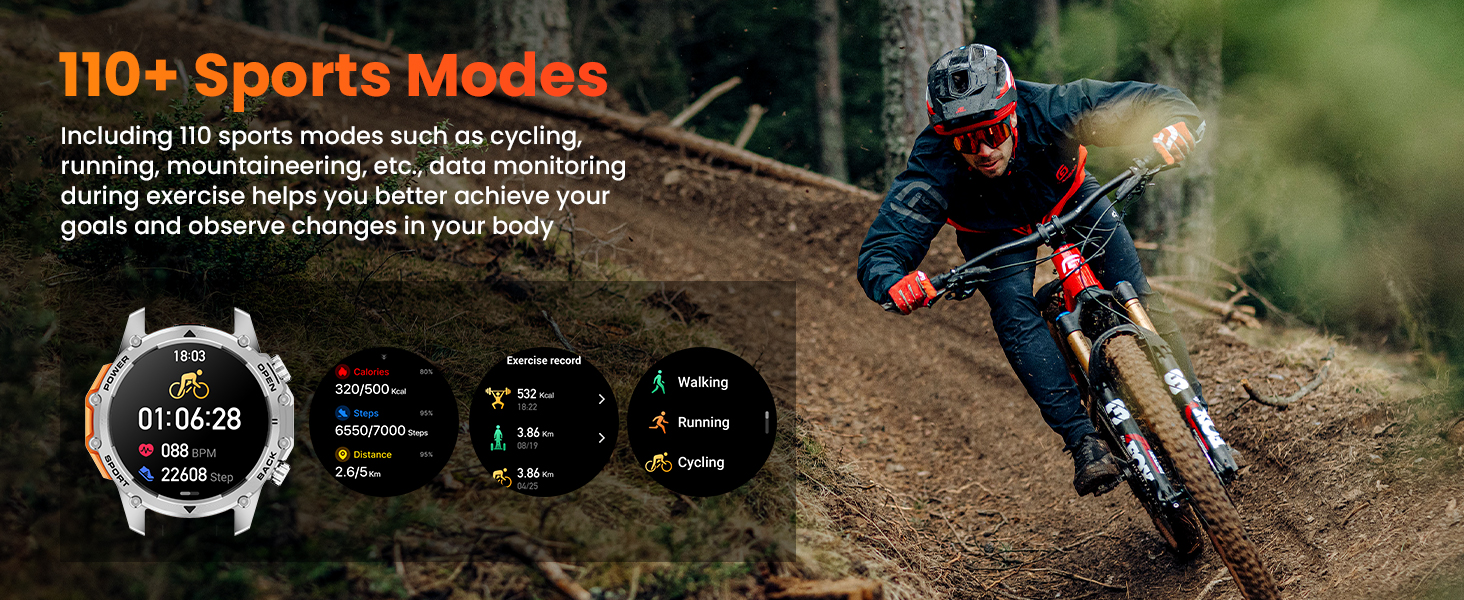
The smartwatch tracking a cycling activity, showing various performance metrics.
4.5 Ден соолуктун мониторинги
The Hwagol i130 Smartwatch provides 24/7 health monitoring features:
- Жүрөктүн кагышын көзөмөлдөөчү: Күн бою жүрөктүн кагышын көзөмөлдөйт.
- Кандагы кычкылтек (SpO2) Монитор: Сиздин кандын кычкылтек менен каныккандыгын өлчөйт.
- Уйкунун сапатын көзөмөлдөө: Monitors your sleep patterns and provides insights into sleep quality.
View detailed health data and trends in the companion app.

The smartwatch displaying real-time health data for heart rate, blood oxygen, and sleep.
4.6 Фонардын функциясы
The smartwatch includes a powerful side flashlight. Activate it with a single click to illuminate your surroundings, useful for outdoor activities at night, during power outages, or when searching for items in low light.

The smartwatch's flashlight function demonstrated in various low-light situations.
4.7 Сааттын жүзүн ыңгайлаштыруу
Choose from over 200 exquisite online watch faces to personalize your smartwatch. You can also upload your favorite images through the companion app to create custom watch faces.
4.8 Башка өзгөчөлүктөр
The smartwatch offers various practical functions:
- Музыкалык башкаруу: Смартфонуңузда музыканы ойнотууну көзөмөлдөңүз.
- Аба ырайы: Реалдуу убакытта аба ырайы жаңыртууларын алыңыз.
- Алыскы камера: Саатыңызды телефонуңуздун камерасы үчүн алыстан жапкыч катары колдонуңуз.
- Ойготкуч саат: Ойготкучтарды түздөн-түз билегиңизден коюңуз.
- Калькулятор: Негизги эсептөөлөрдү жүргүзүү.
- Эскерткичтер: Set reminders for activity, hydration, and more.
- Телефонду табуу: Жупташкан смартфонуңузду табыңыз.
The smartwatch interface showing various features and customizable watch faces.
5. Боону алмаштыруу
Your Hwagol i130 Smartwatch comes with three interchangeable straps (one steel, two silicone) and detachable accessories, allowing you to customize its look. Use the provided screwdriver and screws to safely replace the straps.
- Place the watch face down on a soft, clean surface.
- Use the screwdriver to carefully remove the screws securing the current strap.
- Detach the old strap and attach the new strap, aligning the screw holes.
- Secure the new strap with the screws using the screwdriver. Ensure it is firmly attached before wearing.
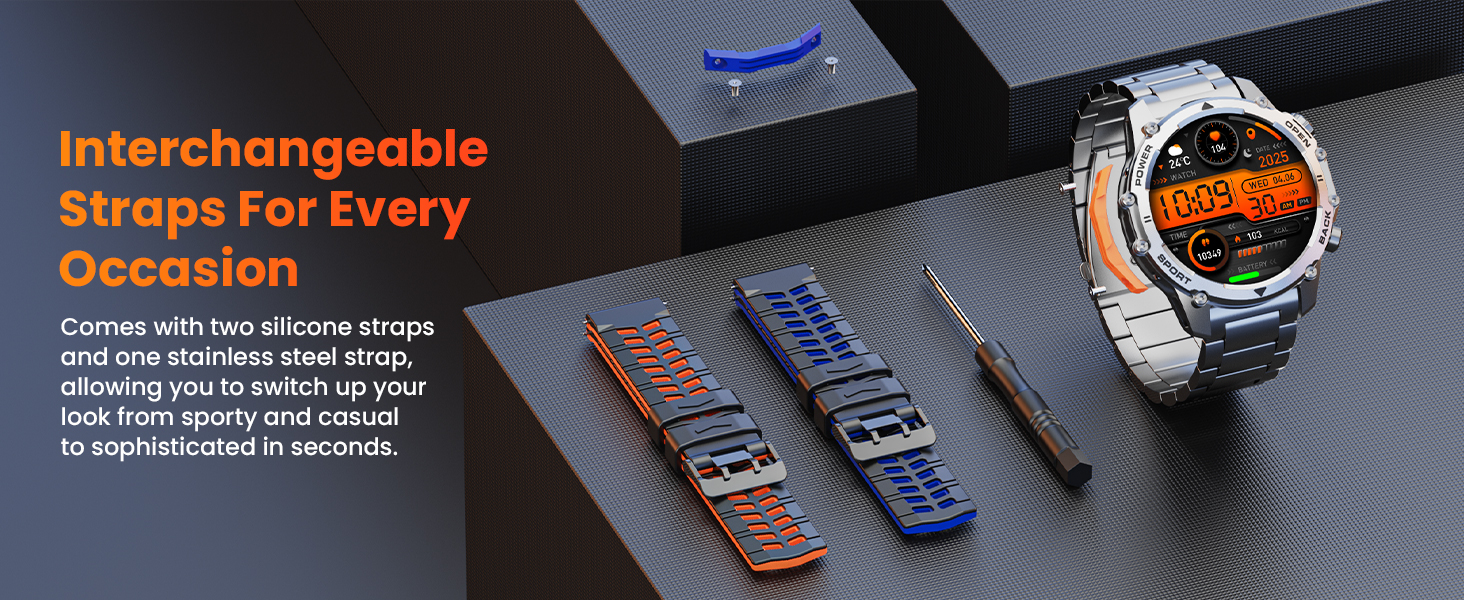
The smartwatch with its interchangeable straps and the tool for replacement.
6. Техникалык тейлөө
6.1 Тазалоо
Regularly clean your smartwatch and straps with a soft, dry cloth. For stubborn dirt, lightly dampчүпүрөктү суу менен. Катуу химиялык заттарды же абразивдүү материалдарды колдонуудан алыс болуңуз.
6.2 Сууга туруктуулук
The Hwagol i130 Smartwatch is IP68 rated, meaning it is resistant to dust and can withstand immersion in water up to 1.5 meters for 30 minutes. However, it is not suitable for swimming, diving, or prolonged immersion in water. Avoid exposing the watch to hot water, steam, or high-pressure water jets.
6.3 Батареяга кам көрүү
Батареянын иштөө мөөнөтүн узартуу үчүн, саатты тез-тез толук зарядсыздандырбаңыз. Аны үзгүлтүксүз кубаттап туруңуз, эгерде узак убакытка сактасаңыз, анын кеминде 50% заряддалганын текшериңиз.
7. Кыйынчылыктарды
- Күйгүзүлбөй жаткан саат: Сааттын толук заряддалганын текшериңиз. Аны кубаттагычка туташтырып, күйгүзүүдөн мурун бир нече мүнөт күтө туруңуз.
- Смартфон менен жупташуу мүмкүн эмес:
- Телефонуңузда жана саатыңызда Bluetooth иштетилгенин текшериңиз.
- Саат телефонуңуздун диапазонунда экенин текшериңиз.
- Телефонуңузду да, саатыңызды да өчүрүп күйгүзүңүз.
- Check if the companion app has necessary permissions.
- Туура эмес ден соолук маалыматтары: Саат өтө тар же өтө бош эмес, билегиңизге бекем тагылганын текшериңиз. Сааттын артындагы сенсорлорду тазалаңыз. Өлчөө учурунда ашыкча кыймылдан качыңыз.
- Билдирмелер алынган жок: Check notification settings in both your phone's system settings and the companion app. Ensure the watch is properly connected via Bluetooth.
- Батарейканын кыска мөөнөтү: Экрандын жарыктыгын азайтыңыз, керексиз функцияларды өчүрүңүз жана фондо колдонмолорду колдонууну оптималдаштырыңыз.
8. Техникалык шарттар
| Өзгөчөлүк | Деталь |
|---|---|
| Бренд | Hwagol |
| Модель номери | i130 smartwatch |
| Түс | Silver Steel |
| Операция системасы | iOS, Android |
| Screen Size | 1.52 дюйм |
| Экран формасы | Тегерек |
| Байланыш | Bluetooth |
| Өзгөчөлүктөр | Phone Finder, Do Not Disturb Mode, Flashlight, 3 Straps, 120+ Sports Modes, Long-lasting Battery (7-30 days) |
| Шайкеш түзмөктөр | Смартфон, Планшет |
| Батареянын курамы | Литий-ион |
| Заряддалуучу батарея | Ооба |
| Эстутум сактоо сыйымдуулугу | 128 MB |
| Батарея сыйымдуулугу | 500 мАч |
| GPS | GPS жок |
9. Кепилдик жана колдоо
The Hwagol i130 Smartwatch comes with an extended warranty period. If your smartwatch is damaged due to non-human factors within 360 days of purchase, you may contact the store's customer service for confirmation and a replacement service.
For any issues encountered during the use of your smartwatch, please do not hesitate to contact our customer support. We are committed to providing professional assistance.
Contact information can typically be found on the product packaging or the seller's page where you purchased the item.