
1. Продукт бүтүп калдыview
The Bewinner 4G 5G Portable WiFi Hotspot is a modern, high-speed mobile router designed for convenient internet access on the go. It operates by simply inserting a 4G or 5G SIM card (not included), eliminating the need for a broadband connection. This device provides fast internet speeds, supporting LTE Cat4 for up to 300 Mbps, making it ideal for travel, business trips, camping, жана RV колдонуу.
Equipped with a built-in 3650mAh battery, it offers over 10 hours of continuous use. It can also be powered externally via a USB-C port, allowing for charging through a computer, power bank, or car charger. The hotspot supports network bands B1, B3, B5, B40 and can connect up to 10 devices simultaneously, including smartphones, tablets, and laptops. Its plug-and-play design ensures ease of use.

Сүрөт 1.1: Алдыңкы view of the Bewinner 4G 5G Portable WiFi Hotspot, showing the display and power button.
2. Пакеттин мазмуну
Кутучаны ачканда бардык буюмдардын бар экенин текшерүү үчүн таңгактын ичиндегисин текшериңиз.
- 1 x Bewinner 4G 5G Portable WiFi Hotspot
- 1 х USB-C кубаттоо кабели
- 1 х Колдонуучунун колдонмосу (бул документ)
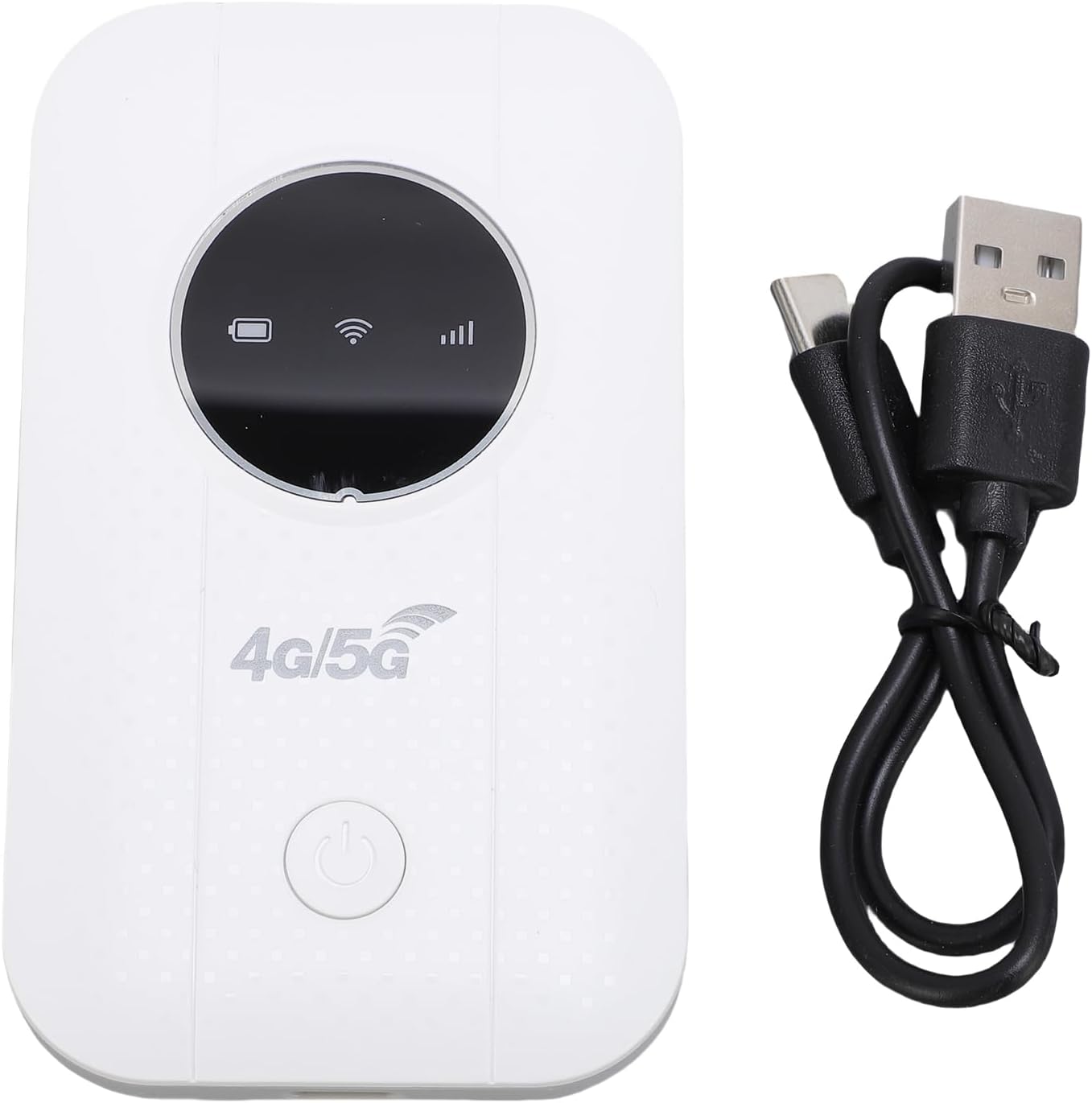
Image 2.1: The portable WiFi hotspot alongside its USB-C charging cable.
3. Орнотуу нускамалары
3.1. SIM картаны салуу
- Аппараттын өчүрүлгөнүн текшериңиз.
- Locate the SIM card slot on the side or back of the device.
- Gently open the SIM card slot cover.
- Insert a standard 4G or 5G SIM card (not included) into the slot with the gold contacts facing down and the notched corner aligned correctly.
- SIM картанын уячасынын капкагын бекем жабыңыз.
3.2. Аппаратты заряддоо
- Connect the provided USB-C charging cable to the device's USB-C port.
- Connect the other end of the cable to a USB power source (e.g., computer USB port, power bank, or USB wall adapter).
- The battery indicator on the device's display will show charging status. A full charge typically takes several hours.

Image 3.1: Illustration of the device's battery life, indicating a 3650mAh capacity for over 10 hours of continuous use.
4. Иштөө нускамалары
4.1. Күйгүзүү / Өчүрүү
- To power on: Press and hold the power button (usually located on the front or side) for a few seconds until the display lights up.
- Өчүрүү үчүн: Түзмөк өчкөнгө чейин кубат баскычын кайра басып, кармап туруңуз.
4.2. Түзмөктөрдү хотспотко туташтыруу
- Once the hotspot is powered on and has detected the SIM card, it will broadcast a Wi-Fi network.
- Смартфонуңузда, планшетиңизде же ноутбугуңузда Wi-Fi жөндөөлөрүнө өтүңүз.
- Издөө available Wi-Fi networks. The hotspot's network name (SSID) and password (WPA2-PSK, WPA3) are typically displayed on the device's screen or on a sticker inside the battery compartment.
- Select the hotspot's SSID and enter the password when prompted.
- Your device should now be connected to the internet via the portable hotspot. The hotspot supports up to 10 connected devices simultaneously.
4.3. Checking Network Status
The device's display provides real-time information on network signal strength, battery level, and the number of connected devices.
5. Техникалык тейлөө
- Тазалоо: Аппаратты тазалоо үчүн жумшак, кургак чүпүрөктү колдонуңуз. Суюк тазалагычтардан же абразивдүү материалдардан алыс болуңуз.
- Сактагыч: Аппаратты түз күн нурунан жана экстремалдык температурадан алыс салкын, кургак жерде сактаңыз.
- Батареяга кам көрүү: To prolong battery life, avoid fully discharging the battery frequently. If storing for extended periods, charge the battery to about 50% and recharge every few months.
- Жылуулук таркатылышы: If the device is used for long periods, especially when charging or with multiple connected devices, ensure it has adequate ventilation to prevent overheating.
6. Кыйынчылыктарды
| Көйгөй | Мүмкүн себеп | Чечим |
|---|---|---|
| Интернет байланышы жок |
|
|
| Түзмөк күйбөйт |
|
|
| Жай интернет ылдамдыгы |
|
|
7. Техникалык шарттар
| Өзгөчөлүк | Деталь |
|---|---|
| Модель номери | Bewinner16r4afipkd |
| Тармак жыштыгы | LTE: B1 / B3 / B5 / B40, WCDMA: B1 / B3 |
| Зымсыз стандарт | 802.11b, 802.11g, 802.11n |
| Wireless Transfer Rate | Up to 300 Mbps (LTE Cat4) |
| SIM карта уячасы | 1 x SIM card (not included) |
| Батарея түрү | Камтылган 3650mAh Li-ion батареясы |
| Батареянын иштөө мөөнөтү | Over 10 hours continuous use |
| Байланыш технологиясы | LTE, Wi-Fi |
| Коопсуздук протоколу | WPA2-PSK, WPA3 |
| Максималдуу туташкан түзмөктөр | 10 |
| Шайкеш түзмөктөр | Ноутбук, смартфон, планшет |
| Күч ыкмасы | USB-C |
8. Кепилдик жана колдоо
8.1. Өндүрүүчүнүн Кепилдиги
This Bewinner product comes with a 2 жылдык өндүрүүчү кепилдик. Please retain your proof of purchase for warranty claims. The warranty covers defects in materials and workmanship under normal use. It does not cover damage caused by misuse, accidents, unauthorized modifications, or natural disasters.
8.2. Кардарларды колдоо кызматы
For technical assistance, troubleshooting, or warranty inquiries, please contact Bewinner customer support. Refer to the product packaging or the official Bewinner webэң акыркы байланыш маалыматы үчүн сайт.
- Онлайн колдоо: Visit the official Bewinner webКөп берилүүчү суроолор жана колдоо булактары үчүн сайт.
- Электрондук почта колдоо: Check your product documentation for a support email address.