
1. Продукт бүтүп калдыview
The SONOFF MINI Duo-L is a compact, dual-channel Zigbee smart switch designed for easy integration into existing electrical systems, particularly those without a neutral wire. It enables smart control of two independent loads, offering remote operation, automation, and compatibility with various smart home platforms.
Негизги өзгөчөлүктөрү:
- No Neutral Wire Smart Switch: Ideal for older homes with single-wire systems, simplifying installation without requiring rewiring.
- Dual Channel Zigbee Switch: Allows independent control of two devices with a total load of up to 12A and 8A per channel.
- Акылдуу жаңыртуу: Converts traditional switches into smart switches, enabling remote control and automation.
- Zigbee 3.0 шайкештиги: Seamlessly integrates with smart home systems like Home Assistant, enhancing device compatibility and automation possibilities.
- Компакт дизайн: Fits easily into standard switch boxes, even in confined spaces, for discreet modernization.
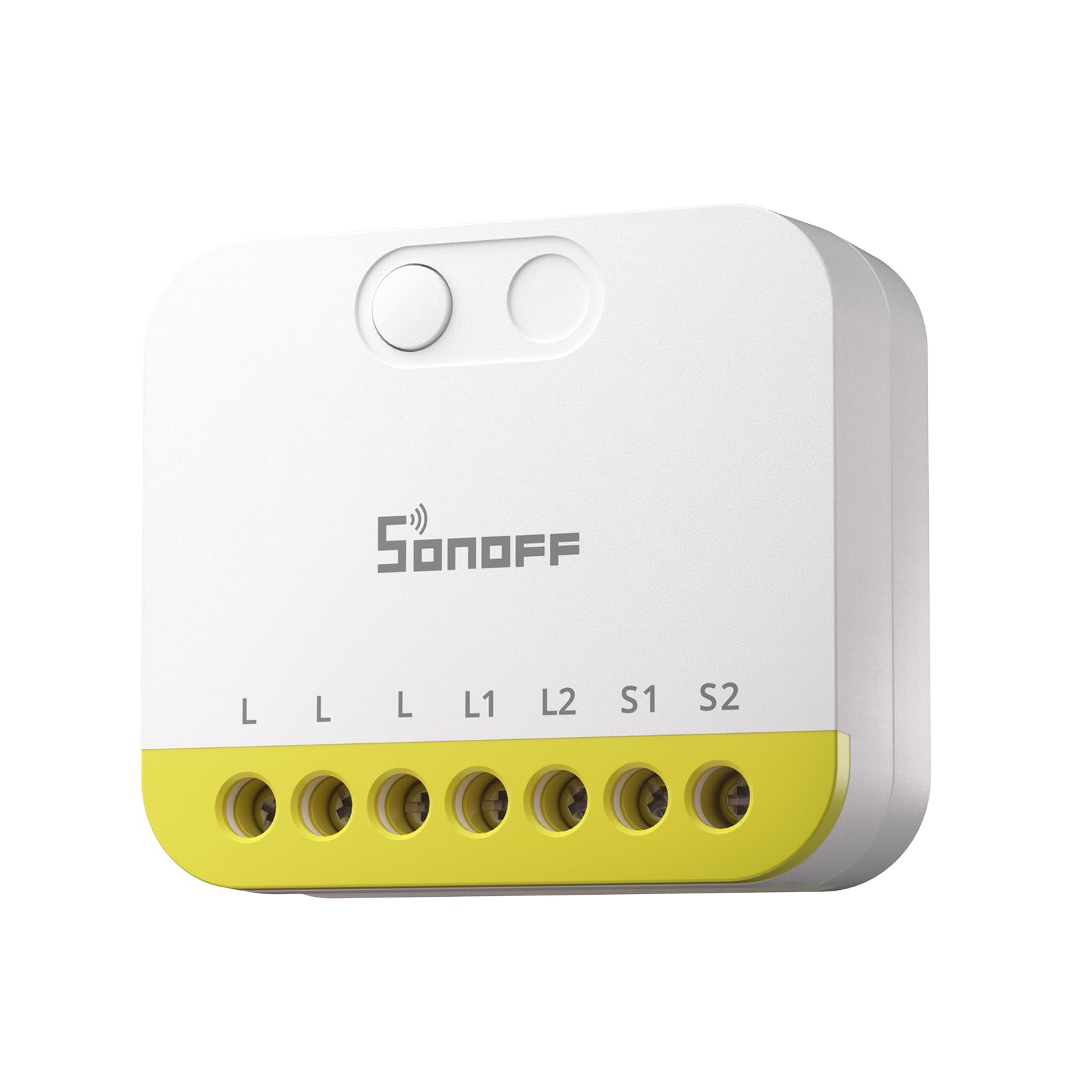
The device supports various control methods including manual buttons, the eWeLink app, and voice commands via compatible smart assistants. It can be powered by either DC 9-23V or AC 100-240V, making it versatile for different electrical setups.

2. Эмнелер камтылган
The SONOFF MINI Duo-L package typically includes the following items:
- MINI-ZB2GS-L Smart Switch
- User Manual
- Монтаждык клиптер
- Small Screwdriver (for terminal connections)
3. Техникалык шарттар
| Спецификация | Нарк |
|---|---|
| Модел | МИНИ-ZB2GS-L |
| Иштөө режими | КҮЙГҮЗҮҮ ӨЧҮРҮҮ |
| Учурдагы рейтинг | 1 Amps |
| Operating Voltage | 240 вольт |
| Байланыш түрү | Адатта жабык |
| Туташтыргыч түрү | Crimp |
| Которуу түрү | Foot Switch |
| Терминал | Бурама |
| Материал | Пластик |
| Буюмдун өлчөмдөрү L x W x H | 1.61 x 1.61 x 0.59 дюйм |
| Circuit Type | 1-жол |
| Монтаж түрү | Тешик аркылуу орнотуу |
| Позициялардын саны | 1 |
| Жогорку температура рейтинги | 40 градус |
| Башкаруу ыкмасы | Пульт, Үн |
| Connectivity Protocol | Zigbee 3.0 |
| Ватtage | 2880 ватт |
| Эл аралык коргоо рейтинги | IP00 |
| Specification Met | CE |

4. Коопсуздук маалыматы
Warning: Please install and maintain this device by a professional electrician. To avoid electric shock hazards, do not operate any connection or contact the terminal connector while the device is powered on!
- Always turn off the main power supply at the circuit breaker before performing any installation, wiring, or maintenance.
- Ensure all wiring is done according to local electrical codes and regulations.
- Do not exceed the maximum load ratings of the device (12A total, 8A per channel).
- This device is rated IP00 and is not waterproof. It must be installed in a dry, protected environment or within a waterproof enclosure if used outdoors.
- Аппаратты балдардан алыс кармаңыз.
5. Орнотуу боюнча колдонмо
5.1 Даярдоо
- Ensure the power to the circuit you will be working on is completely off at the main circuit breaker.
- Gather necessary tools: screwdriver (included), wire strippers, electrical tape.
- Identify the wires in your wall box: Live wire (L), Load wires (L1, L2 for two channels), and potentially a Neutral wire (N) if your setup includes one. The MINI Duo-L supports no-neutral wiring.
5.2 Физикалык орнотуу
The compact design of the SONOFF MINI Duo-L allows it to fit inside most standard wall switch boxes, converting your existing switches into smart ones.

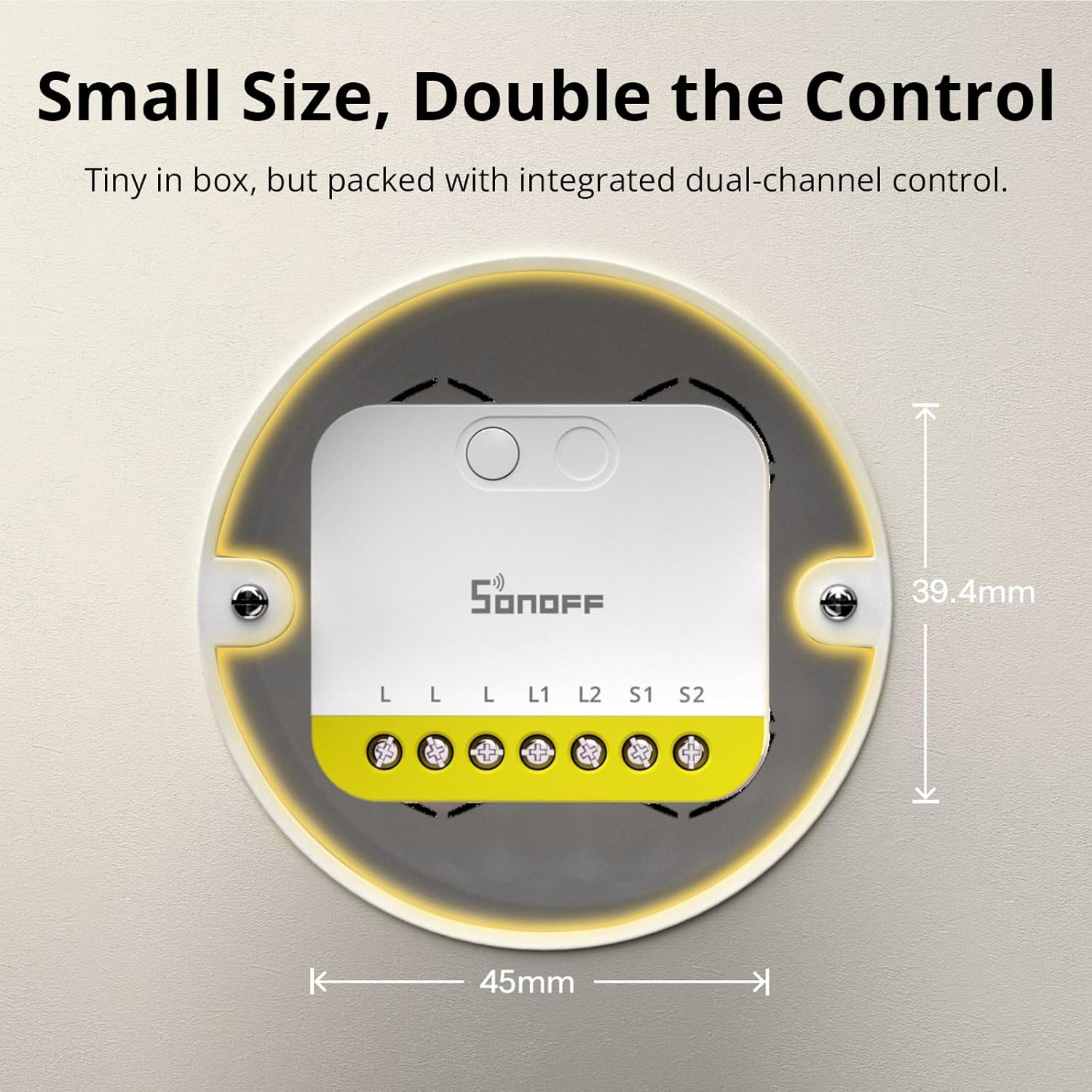
The device is designed to work without an anti-flicker module for loads as low as 3W, simplifying the setup process.

The MINI Duo-L is compatible with various external switch types, including rocker, momentary, and SPDT switches.

The detach relay feature allows your physical switch button to act as smart triggers for lighting scenes, which is an ideal solution for smart bulbs.

6. Электр зымдары боюнча нускамалар
Carefully follow the wiring diagrams provided in the user manual and the video below. Ensure all connections are tight and secure to prevent electrical hazards.
- Live Wire (L): Connect the incoming live wire to the 'L' terminal on the device.
- Load Wires (L1, L2): Connect the load wires for your lights/appliances to the 'L1' and 'L2' terminals respectively.
- Switch Wires (S1, S2): Connect the wires from your physical wall switches to the 'S1' and 'S2' terminals for manual control.
- Neutral Wire (N): If your installation has a neutral wire, connect it to the 'N' terminal. If not, the device is designed to operate without it.
7. Түзмөктү жупташтыруу
After successful wiring, you need to pair your SONOFF MINI Duo-L with your Zigbee gateway using the eWeLink app.
- Turn the main power back on at the circuit breaker.
- Жүктөп алып, ачыңыз eWeLink app смартфонуңузда.
- Ensure your Zigbee gateway is already added and connected within the eWeLink app.
- eWeLink колдонмосунда түзмөк кошуу үчүн "+" сүрөтчөсүн таптаңыз.
- Select 'Scan' and scan the QR code located on the back of the SONOFF MINI Duo-L device.
- Alternatively, long-press the button on the device for approximately 5 seconds until the LED indicator flashes slowly. This indicates the device is in pairing mode.
- Follow the on-screen instructions in the eWeLink app to complete the pairing process.
The SONOFF MINI Duo-L is compatible with multiple Zigbee hubs, including SONOFF Zigbee Bridge Pro, Zigbee Bridge Ultra, iHost, NSPanel Pro, and various Dongle Plus models.

8. Operating Your Smart Switch
8.1 Кол менен башкаруу
You can continue to use your existing physical wall switches to control the connected lights or appliances. The smart switch will respond to these manual actions.
8.2 Колдонмону башкаруу
Once paired, open the eWeLink app to remotely control the two channels of your SONOFF MINI Duo-L. You can turn each channel on or off independently from anywhere with an internet connection.
8.3 Үн менен башкаруу
If integrated with a compatible Zigbee hub and voice assistant (e.g., Amazon Alexa, Google Home), you can control your lights and appliances using voice commands. For example, "Alexa, turn on living room light 1."
8.4 Акылдуу көрүнүштөр жана автоматташтыруу
Utilize the eWeLink app or your smart home system to create personalized smart scenes and schedules. This allows for automated control based on time, events, or other smart devices in your home.
9. Техникалык тейлөө
- Үзгүлтүксүз текшерүүлөр: Periodically inspect all wiring connections to ensure they remain tight and free from corrosion or damage.
- Тазалоо: Keep the device clean and free from dust. Use a dry, soft cloth for cleaning. Do not use liquid cleaners.
- Курчап турган чөйрө: Ensure the device is not exposed to moisture, direct sunlight, or extreme temperatures outside its operating range (0°C to 40°C).
- Программалык камсыздоонун жаңыртуулары: Check the eWeLink app regularly for available firmware updates to ensure optimal performance and security.
10. Кыйынчылыктарды
10.1 Түзмөк жооп бербей жатат
- Электр камсыздоо: Verify that the main power supply to the device is on and the circuit breaker has not tripped.
- Zigbee тармагы: Ensure your Zigbee gateway is online and functioning correctly. Check the signal strength between the switch and the gateway.
- Кайра жупташтыруу: If the issue persists, try re-pairing the device with your Zigbee gateway as described in Section 7.
10.2 Lights Flickering (No Neutral Wire Setup)
- The SONOFF MINI Duo-L is designed to work without a neutral wire and typically does not require a bypass for loads above 3W.
- If flickering occurs with very low wattage LED bulbs (below 3W), consider installing a bypass capacitor (not included) in parallel with the load to stabilize the circuit.
10.3 Жупташтыруу маселелери
- Жакындык: Ensure the device is within close range of your Zigbee gateway during the pairing process.
- Тармак түрү: Confirm that your Wi-Fi network is 2.4GHz, as the device may not support 5GHz networks for initial setup.
- Кайтаруу: Perform a factory reset on the device by long-pressing the button for 5 seconds until the LED flashes slowly, then attempt pairing again.
11. Кепилдик жана колдоо
Кепилдик:
This SONOFF product comes with a two-year warranty from the date of purchase.
Кардарларды колдоо:
For technical assistance, troubleshooting, or any product-related inquiries, please contact SONOFF customer support at support@itead.cc.