
dbsono N8A
dbsono көчмө Bluetooth колонкасы зымсыз колдонуучу колдонмосу
Модель: N8A
Introduction
Бул колдонмо сиздин dbsono көчмө Bluetooth зымсыз динамигиңиздин (модель: N8A) коопсуз жана натыйжалуу иштеши үчүн маанилүү маалыматты берет. Продукцияны колдонуудан мурун бул колдонмону кылдаттык менен окуп чыгыңыз жана келечекте колдонуу үчүн сактап коюңуз.
Коопсуздук маалыматы
- Динамикти экстремалдык температурага же түз күн нуруна узак убакытка калтырбаңыз.
- Спикерди түшүрүүдөн же катуу таасирлерге дуушар кылуудан качыңыз.
- Do not disassemble, repair, or modify the speaker yourself. Contact qualified service personnel for any repairs.
- Динамикти медициналык шаймандардан алыс кармаңыз.
- Ensure the charging port cover is securely closed when near water to maintain IPX5 water resistance.
- Заряддоо үчүн берилген электр кабелин гана колдонуңуз.
Пакеттин мазмуну
Пакетте бардык буюмдар бар экенин текшериңиз:
- dbsono Portable Bluetooth Speaker (Model: N8A)
- Электр кабели
- Quick Start Guide
Продукт бүттүview

1-сүрөт: Фронт view of the dbsono Portable Bluetooth Speaker. This image displays the speaker's red mesh grille and the top panel with control buttons.
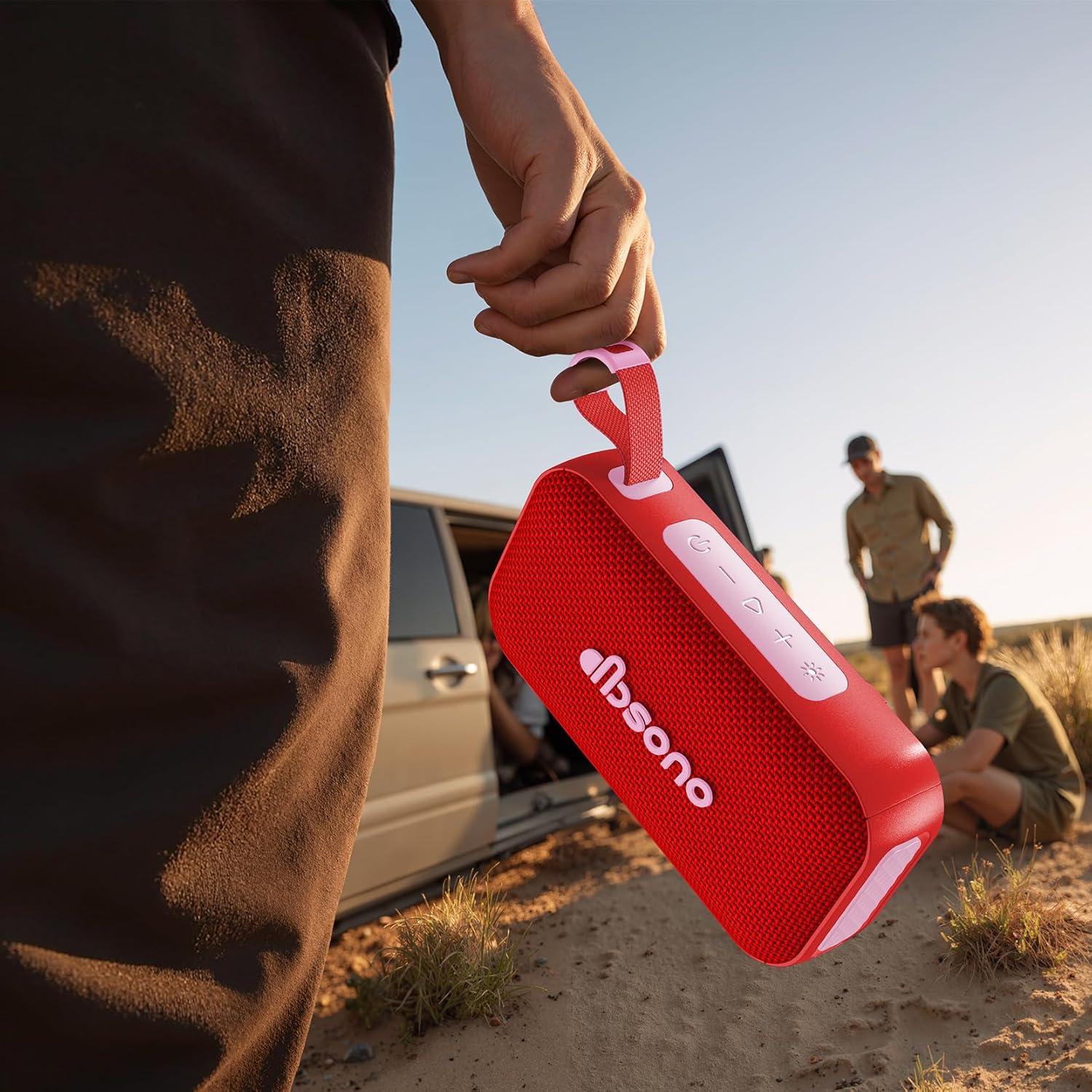
2-сүрөт: The dbsono speaker being held, illustrating its compact size and portability for outdoor use.
Башкаруу каражаттары жана көрсөткүчтөр:
- Кубат баскычы: Күйгүзүү/өчүрүү үчүн басып туруңуз.
- Үнүн жогорулатуу (+): Үнүн жогорулатуу үчүн кыска басыңыз. Кийинки трекке көпкө басыңыз.
- Үнүн төмөндөтүү (-): Үндү азайтуу үчүн кыска басыңыз. Мурунку трек үчүн көпкө басыңыз.
- Ойнотуу/тындыруу баскычы: Аудиону ойнотуу же тындыруу үчүн басыңыз.
- Bluetooth баскычы: Жупташтыруу режимине кирүү үчүн басыңыз.
- Жарык режим баскычы: RGB жарык режимдери аркылуу айлануу үчүн басыңыз.
- Заряддоо порту: Заряддоо үчүн USB-C порту.
- LED көрсөткүчү: Shows power status, charging status, and Bluetooth connection.
Жайгашуу
1. Динамикти кубаттоо
Before first use, fully charge the speaker. Connect the provided power cable to the speaker's charging port and the other end to a USB power adapter (not included). The LED indicator will show charging status and turn off when fully charged. A full charge provides up to 30 hours of playtime.
2. Күйгүзүү / Өчүрүү
- Күйгүзүү үчүн: Press and hold the Power Button for 2-3 seconds until you hear an audible prompt and the LED indicator lights up.
- Өчүрүү үчүн: Press and hold the Power Button for 2-3 seconds until you hear an audible prompt and the LED indicator turns off.
3. Bluetooth Жупташтыруу
- Динамик күйгүзүлгөнүн жана Bluetooth түзмөгүңүздөн 10 метр (33 фут) аралыкта экенин текшериңиз.
- The speaker will automatically enter Bluetooth pairing mode when powered on for the first time, or if no device is connected. The LED indicator will flash blue.
- Түзмөгүңүздө (смартфон, планшет, ноутбук) Bluetooth иштетиңиз жана жеткиликтүү түзмөктөрдү издеңиз.
- Select "dbsono N8A" from the list of devices.
- Туташкандан кийин LED индикатору көк түскө айланат жана сиз ырастоо үнүн угасыз.
- To pair with a new device, disconnect from the current device or press the Bluetooth button to enter pairing mode again.
4. Чыныгы зымсыз стерео (TWS) жупташтыруу
TWS allows you to connect two dbsono N8A speakers for a combined 40W stereo sound experience.
- Эки динамик тең күйгүзүлгөнүн жана эч кандай Bluetooth түзмөгүнө туташкан эмес экенин текшериңиз.
- On one speaker (this will be the primary speaker), press and hold the Bluetooth button for 3 seconds. You will hear a prompt indicating TWS pairing mode.
- Негизги динамик автоматтык түрдө экинчи динамикти издейт.
- Once connected, both speakers will emit a confirmation sound, and their LED indicators will synchronize.
- Эми, "Bluetooth жупташтыруу" бөлүмүндө сүрөттөлгөндөй, Bluetooth түзмөгүңүздү негизги динамикке туташтырыңыз. Аудио эки динамик аркылуу тең стерео режиминде ойнотулат.
- To disconnect TWS, press and hold the Bluetooth button on either speaker for 3 seconds.
Иштеп жатат
Basic Audio Controls
- Ойнотуу/тындыруу: Play/Pause баскычын басыңыз.
- Көлөмү: '+' баскычын кыска басыңыз.
- Үнүн азайтуу: '-' баскычын кыска басыңыз.
- Кийинки трек: '+' баскычын көпкө басыңыз.
- Мурунку трек: '-' баскычын көпкө басыңыз.
RGB Lightshow Modes
Press the Light Mode button to cycle through various RGB light effects. The speaker offers multiple dynamic light modes to enhance your listening experience.

3-сүрөт: The speaker positioned on a rock in an outdoor setting, demonstrating its suitability for adventures.

4-сүрөт: The speaker on a table during an outdoor gathering, illustrating its use in social environments.
Техникалык тейлөө
Тазалоо
Динамикти жумшак менен сүртүңүз, гamp кездеме. Абразивдүү тазалагычтарды, спиртти же химиялык эриткичтерди колдонбоңуз, анткени алар бетке же ички компоненттерге зыян келтириши мүмкүн.
Сактагыч
When not in use for extended periods, store the speaker in a cool, dry place, away from direct sunlight and extreme temperatures. It is recommended to charge the speaker at least once every three months to maintain battery health.
Сууга туруктуулук (IPX5)
The speaker is IPX5 water resistant, meaning it can withstand splashes and light rain. It is not designed to be submerged in water. Ensure the charging port cover is securely closed before exposing the speaker to water. After exposure to water, wipe the speaker dry before charging.
Проблемаларды чечүү
| Көйгөй | Мүмкүн себеп | Чечим |
|---|---|---|
| Динамик күйбөйт. | Батарея аз же түгөнүп калган. | Берилген кубат кабелин колдонуп, динамикти кубаттаңыз. |
| Bluetooth түзмөгү менен жупташтыруу мүмкүн эмес. | Динамик жупташтыруу режиминде эмес; түзмөктө Bluetooth өчүк; Түзмөк өтө алыс. | Динамик жупташтыруу режиминде экенин текшериңиз (көк LED күйүп турат). Түзмөгүңүздө Bluetooth'ду күйгүзүңүз. Түзмөктү динамикке жакыныраак жылдырыңыз (10 м аралыкта). |
| Үн жок же үнү төмөн. | Динамиктин же түзмөктүн үнү өтө төмөн; Динамик туташкан эмес. | Динамиктин жана туташкан түзмөгүңүздүн үнүн жогорулатыңыз. Баяндоочунун ийгиликтүү жупташтырылганын текшериңиз. |
| TWS жупташтыруу ишке ашпай калды. | Спикерлер бири-биринен өтө алыс; Бир динамик мурунтан эле түзмөккө туташкан. | Ensure both speakers are within close proximity. Disconnect any Bluetooth devices from both speakers before initiating TWS pairing. |
Техникалык шарттар
| Модель аты | N8A |
| Бренд | дбсоно |
| Динамик түрү | Көчмө спикер |
| Байланыш технологиясы | Bluetooth 5.4 |
| Динамиктин максималдуу чыгаруу күчү | 20 Watts (40W in TWS mode) |
| Оюн убактысы | 30 саатка чейин |
| Сууга туруктуулук деңгээли | IPX5 |
| Продукциянын өлчөмдөрү | 6.85"D x 2.05"W x 3.66"H |
| Элемент Салмагы | 1.15 фунт |
| Батарея | 1 C батарейка (кошулган) |
Кепилдик жана колдоо
For warranty information or technical support, please refer to the contact details provided in the Quick Start Guide included with your product, or visit the official dbsono website. Please have your model number (N8A) and purchase details ready when contacting support.
Онлайн колдоо: Visit the dbsono Store on Amazon
Ask a question about this manual
Ask about setup, troubleshooting, compatibility, parts, safety, or missing instructions. Manuals+ will review the question and use this page’s manual context to help answer it.