
1. Киришүү
Thank you for choosing the Ossuret 9-inch Android 13 Car Stereo. This manual provides essential information for the proper installation, operation, and maintenance of your new car infotainment system. Please read this manual thoroughly before use to ensure optimal performance and safety.
2. Compatibility & Pre-Installation Notes
This car stereo is specifically designed for Citroen C3 and DS3 models manufactured between 2010 and 2016. Please verify your vehicle's compatibility before proceeding with installation.

Сүрөт: Installation notes for Citroen C3 DS3. The image displays two important notes for installation. Please Note 1: The original car requires removal of a patch with a blade to install the new frame. Two close-up images show the patch location. Please Note 2: If your original car has a specific button (illustrated in the image), remove its cover and install the original button. If this button is not present, there is no need to touch the plastic cover.
Маанилүү эскертүүлөр:
- Эскертүү 1: On your original vehicle, you must remove a specific patch with a blade to install our Android car stereo frame.
- Эскертүү 2: If your original vehicle is equipped with the button shown in the image, remove its cover and install the original button. If this button is not present on your original vehicle, it is not necessary to touch the plastic cover.
3. Орнотуу
Before beginning installation, ensure the vehicle's battery is disconnected. Carefully follow the wiring diagrams provided with the product. Connect all necessary cables, including power, speakers, GPS antenna, and any optional accessories like the backup camera or external microphone.
Негизги орнотуу кадамдары:
- Remove the original car stereo unit and trim.
- Perform any necessary modifications as indicated in the compatibility notes (e.g., removing patches or transferring buttons).
- Жаңы стерео системанын зымдарын унаанын зымдарына туташтырыңыз. Бардык туташуулардын бекем экенин текшериңиз.
- Connect the GPS antenna, USB cables, and RCA harness (if applicable).
- Mount the new Ossuret car stereo into the dashboard opening.
- Унаанын аккумуляторун кайра туташтырып, түзмөктү сынап көрүңүз.
4. Иштөө нускамалары
4.1 Система бүттүview (Android 13)
Your Ossuret car stereo runs on the Android 13 operating system, providing a familiar and intuitive interface. Access various applications, settings, and features directly from the touchscreen display.

Сүрөт: Android system logo. The unit operates on Android 13, offering a modern and versatile user experience.
4.2 Wireless Carplay / Android Auto
This car stereo supports wireless Apple Carplay and Android Auto (Zlink application pre-installed and activated). Connect your smartphone via Wi-Fi or Bluetooth to access phone functions, navigation, music, and more directly on the car stereo display.
- Байланыш: Use Wi-Fi or Bluetooth to pair your smartphone.
- Өзгөчөлүктөрү: Access phone calls, messages, maps, music, and podcasts.

Сүрөт: Carplay and Android Auto system support. The image shows the car stereo display with Carplay and Android Auto interfaces, along with a smartphone displaying the Carplay icon and an Android Auto device.
4.3 Bluetooth функциясы
The integrated Bluetooth module allows for hands-free calling and wireless audio streaming. The built-in microphone ensures clear communication during calls.
- Hands Free Чалуулар: Answer/make calls safely without distraction.
- Phonebook Download: Download your mobile phone's contacts to the stereo.
- Bluetooth Музыкасы: Телефонуңуздан унаанын динамиктерине аудио агылыңыз.

Сүрөт: Bluetooth function support. The image displays the car stereo's Bluetooth interface for dialing and a smartphone, highlighting the built-in microphone for calls.
4.4 GPS навигациясы
The unit features a GPS navigation system with support for both offline map data and online navigation applications. Voice guidance is available for easy directions.
- Кош зона функциясы: Navigate while music plays in the background.
- Карта түрлөрү: Supports Europe maps.
- Колдоого алынган колдонмолор: Compatible with popular navigation apps like Waze and Google Maps.

Сүрөт: GPS Navigator. The car stereo displays a navigation map with route information, alongside icons for Waze, Navitel, and Google Maps.
4.5 Мультимедиа ойнотуу
Enjoy various media formats for music and video playback. Connect USB devices for local content.
- Музыка форматтары: MP3, WMA, AAC, RM, FLAC, etc.
- Видео форматтары: MPEG-1/2/4, H264, H263, VC1, RV, RMVB, DivX, Sorenson Spark, VP8, AVS Stream, etc.
- Picture Жылдар: JPG/BMP/JPEG/GIF/PNG.
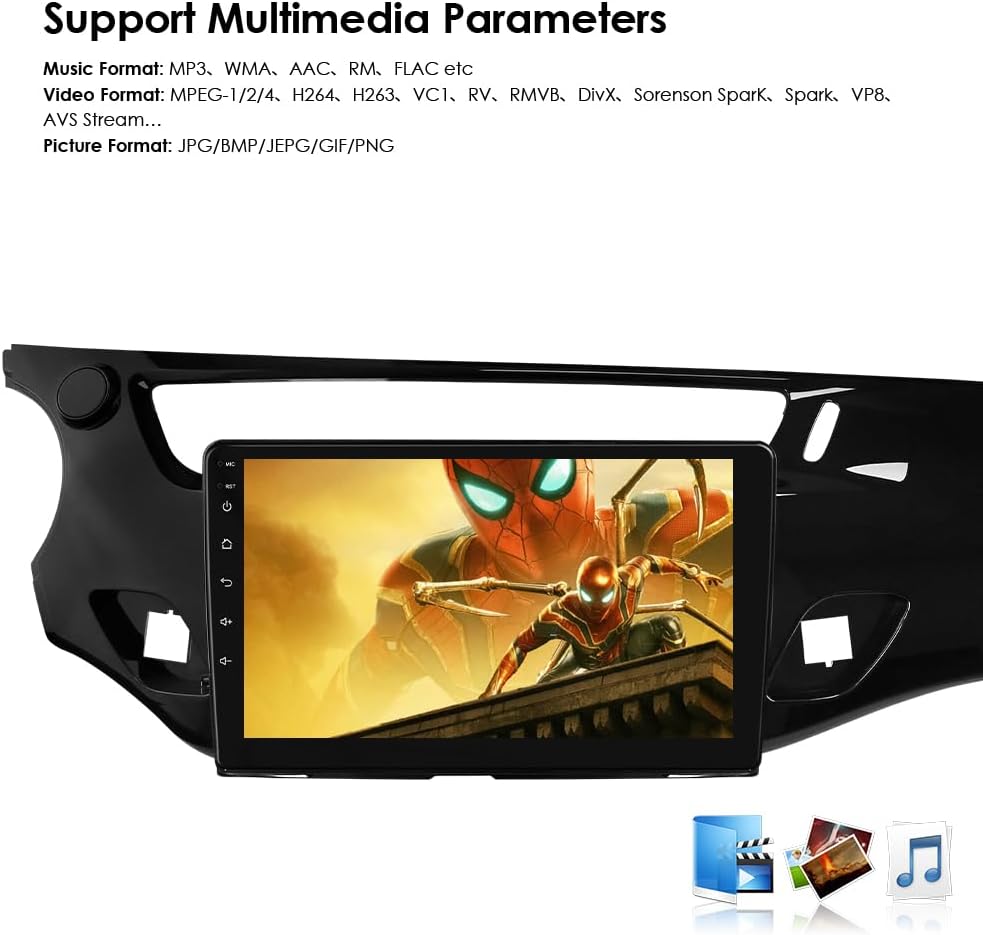
Сүрөт: Multimedia parameters. The car stereo screen shows a video playing, indicating support for various music, video, and picture formats.
4.6 Рулду башкаруу
The unit is compatible with all factory steering wheel control functions. Easily change tracks, channels, and adjust volume to minimize distractions while driving.

Сүрөт: Steering Wheel Control. The image illustrates the integration of the car stereo with steering wheel controls, showing icons for volume, track changes, and mode selection.
4.7 Камдык камеранын киргизүүсү
Support for a backup camera input allows the display to automatically switch to the rearview interface when the vehicle is put into reverse. This helps in identifying obstacles and improving safety.

Сүрөт: Support Backup Camera. The image shows the car stereo displaying a rearview токтоочу көрсөтмөлөр менен камера берүү.
4.8 WiFi туташуусу
Connect to Wi-Fi networks to access online features, download apps, browse the internet, and stream content.

Сүрөт: WiFi. The image depicts a smartphone connecting wirelessly to the car stereo, indicating WiFi functionality.
4.9 Бөлүнгөн экран дисплейи
The split-screen feature allows two applications to be displayed simultaneously, such as navigation and music, enhancing multitasking capabilities.

Сүрөт: Split Screen Display. The image shows the car stereo screen divided into two sections, displaying navigation on one side and music playback on the other.
4.10 FM радио функциясы
Tune into your favorite radio stations with the built-in FM tuner.

Сүрөт: FM Function. The image displays the car stereo's FM radio interface, showing frequency tuning and station presets.
4.11 Сенсордук экрандын иштеши
The capacitive touchscreen provides a responsive and intuitive user experience. Navigate menus, select options, and control media with simple touches and gestures.

Сүрөт: Touch Screen. The image shows a hand interacting with the car stereo's touchscreen, demonstrating its responsive interface.
4.12 Үн менен башкаруу
Utilize voice commands for various functions, enhancing convenience and safety while driving. The system supports voice assistants for navigation, calls, and more.
5. Техникалык тейлөө
To ensure the longevity and optimal performance of your Ossuret car stereo, follow these maintenance guidelines:
- Тазалоо: Экранды жана сыртын тазалоо үчүн жумшак, кургак чүпүрөктү колдонуңуз. Абразивдүү тазалагычтардан же эриткичтерден качыңыз.
- Программалык камсыздоо жаңыртуулары: Ишти жакшыртуу жана жаңы функцияларды кошуу үчүн программалык камсыздоо жаңыртууларын мезгил-мезгили менен текшерип, орнотуп туруңуз.
- Температура: Аппаратты анын электрондук тетиктерине таасир этиши мүмкүн болгон экстремалдык температуранын таасиринен сактаңыз.
- Күч: Бузуунун алдын алуу үчүн туруктуу электр энергиясы менен камсыз болуңуз.
6. Кыйынчылыктарды
Эгерде сиз унааңыздын стереосу менен көйгөйлөргө туш болсоңуз, төмөнкү жалпы көйгөйлөрдү чечүү кадамдарын караңыз:
| Көйгөй | Мүмкүн себеп | Чечим |
|---|---|---|
| Күч жок | Электр байланышы бош, сактагыч күйүп кетти. | Check power cables and vehicle fuses. Ensure proper wiring. |
| Үн жок | Динамиктин зымдары туура эмес, үнү өтө төмөн, үнсүз режимде. | Verify speaker connections, increase volume, check mute settings. |
| GPS сигналы жоголду | GPS антеннасы туура эмес туташкан же тоскоолдукка учураган. | GPS антеннасынын коопсуз туташтырылганын жана ачык экенин текшериңиз view асмандын. |
| Bluetooth жупташуу маселелери | Түзмөк жупташтыруу режиминде эмес, туура эмес сырсөз, тоскоолдук. | Ensure both devices are in pairing mode, re-enter password, try pairing in a different location. |
| Сенсордук экран жооп бербейт | Программалык камсыздоодогу мүчүлүштүк, экран коргоочусунун кийлигишүүсү. | Restart the unit. If a screen protector is installed, ensure it is applied correctly. |
If the problem persists after trying these steps, please contact Ossuret customer support for further assistance.
7. Техникалык шарттар
| Өзгөчөлүк | Деталь |
|---|---|
| Бренд | Ossuret |
| Унаа кызматынын түрү | Машина |
| Screen Size | 9 дюйм |
| Өзгөчөлүктөр | Carplay/Android Auto |
| Байланыш технологиясы | Bluetooth, USB, Wi-Fi |
| Карта түрү | Europe |
| Аудио чыгаруу режими | Стерео |
| Монтаж түрү | Куралдар тактасы |
| Операция системасы | Android 13 |
| Эстутум сактоо сыйымдуулугу | 32 ГБ |
| Сенсордук экран түрү | Capacitive |
| Дисплей түрү | LCD |
| Адам интерфейсинин киргизүү | Микрофон, сенсордук экран |
| Шайкеш түзмөктөр | Смартфон |
| Башкаруу ыкмасы | Тийүү, Үн |
| Батареялар камтылган | Жок |
| Колдоого алынган спутниктик навигация системасы | GPS |
| Өндүрүүчү | Hitour Tech |
8. Accessories (What's in the Box)
The following components are included with your Ossuret car stereo:
- USB кабели
- RCA аркандары
- GPS антеннасы
- Тышкы микрофон
- Rear Camera Input RCA Cable
- Factory USB Adapter
- Canbus декодери
- Радио антенна адаптеринин кабели

Сүрөт: Accessories. The image displays all the included cables and components: Power Cable, External Microphone, RCA Harness (WiFi version only), Rear Camera input RCA Cable, GPS Antenna (High-speed antenna), USB Cable, Factory USB Adapter, Canbus Decoder, and Radio Antenna Adapter Cable.
9. Кепилдик жана колдоо
Your Ossuret car stereo comes with a 1 жылдык кепилдик сатып алынган күндөн тартып. Бул кепилдик өндүрүштүк кемчиликтерди жана нормалдуу колдонуудагы бузулууларды камтыйт.
For Warranty Claims and Technical Support:
Please contact the seller or Ossuret customer service directly. Have your purchase details and product model number ready when contacting support.