
1. Коопсуздук боюнча маанилүү маалымат
Please read all instructions carefully before installing and operating your air conditioner. Keep this manual for future reference. Your safety and the safety of others are very important. Follow all safety messages outlined in this manual.
Электр коопсуздугу
- Бул шайман туура жерге туташтырылышы керек.
- Кондиционерди электр шнурунун же сайгычтын бузулушу менен иштетпеңиз.
- Do not use an extension cord or an adapter plug with this unit.
- Кубат булагынын кубаттуулук көрсөткүчү түзмөктүн техникалык мүнөздөмөсүнө дал келгенин текшериңиз.
Орнотуу коопсуздугу
- Install the unit securely according to the installation instructions to prevent it from falling.
- Ensure the window frame is strong enough to support the unit's weight.
- Do not block the air inlets or outlets of the unit.
2. Продукт бүтүп калдыview
The Midea 5,000 BTU EasyCool Window Air Conditioner is designed to cool, dehumidify, and circulate air in spaces up to 150 sq. ft. This unit features intuitive controls and a reusable filter.
Бирдиктин компоненттери

Сүрөт 2.1: Фронт view of the Midea EasyCool Window Air Conditioner, showing the control panel on the left and the air vents.
The front panel includes the main control interface with buttons for temperature adjustment, mode selection, fan speed, timer, filter reset, and power. The air outlet louvers are located at the top front of the unit.
Алыстан башкаруу
Сүрөт 2.2: The remote control for the Midea EasyCool Window Air Conditioner, featuring buttons for power, mode, fan speed, temperature, timer, and special functions like Eco and Sleep.
The included remote control allows for convenient adjustment of settings from a distance. It features buttons for power, mode selection (Cool, Fan, Dry), fan speed (Auto, Low, Med, High), temperature adjustment, timer settings, and special functions such as EcoSave and SleepWell modes.
3. Орнотуу боюнча нускамалар
This section provides a general guide for installing your Midea EasyCool Window Air Conditioner. All mounting accessories are included. A screwdriver is required for installation (not included).
Аксессуарлар жана тетиктер камтылган

Сүрөт 3.1: A visual representation of all included accessories and parts: side panels, top rail, reusable filter, remote control with batteries, various screws, and window sash seal foam.
Before beginning installation, ensure all parts listed in Image 3.1 are present. These typically include side panels, a top rail, a reusable filter, a remote control, mounting screws, and window sash seal foam.
Window Requirements and Unit Dimensions
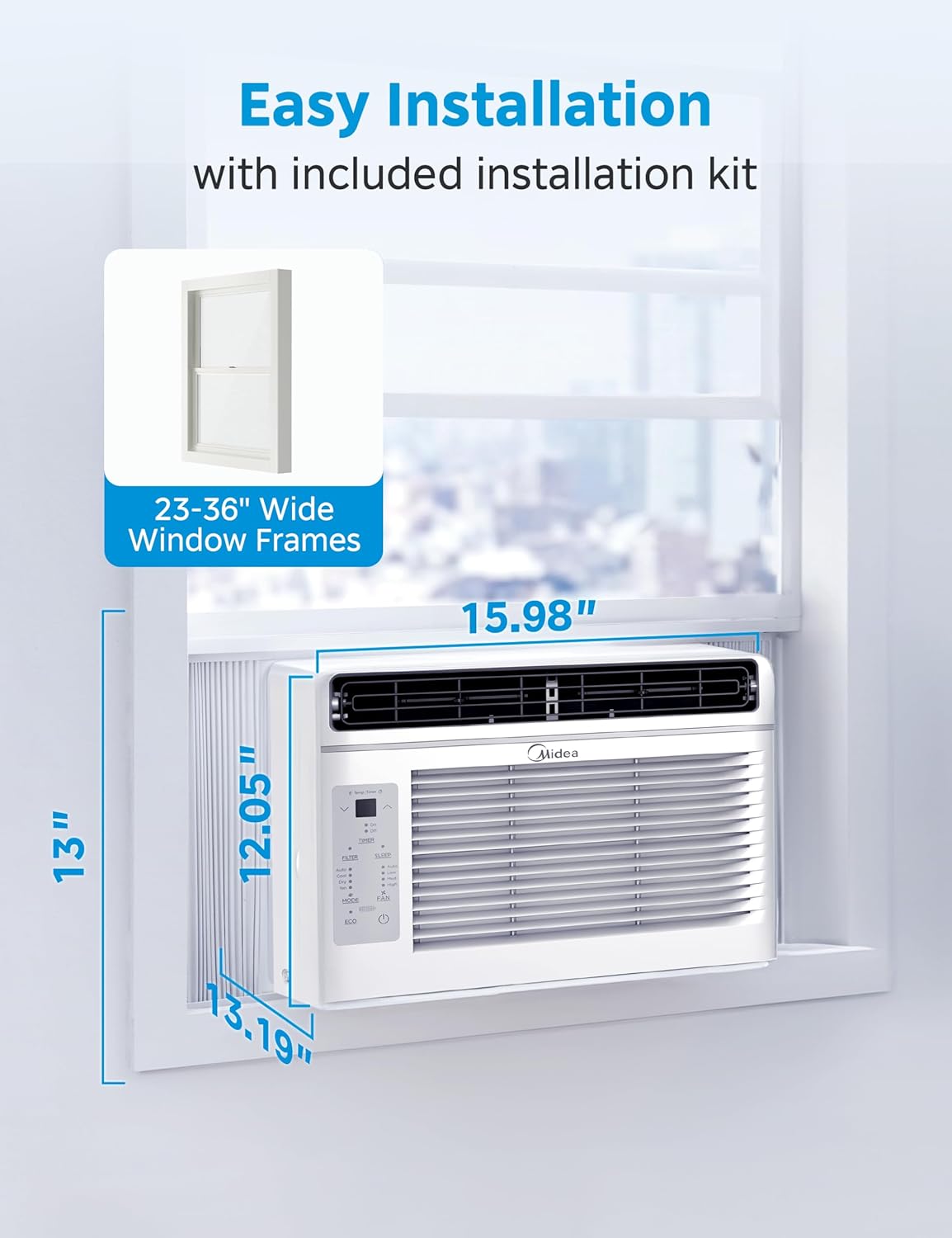
Сүрөт 3.2: Diagram illustrating the air conditioner's dimensions (13.19"D x 15.98"W x 12.05"H) and indicating compatibility with window frames 23-36 inches wide.
The unit is designed for installation in standard double-hung windows with openings between 23 and 36 inches wide. Refer to Image 3.2 for detailed dimensions. Ensure your window can accommodate these measurements and support the unit's weight (approximately 35.5 pounds).
Кадам-кадам орнотуу
- Терезени даярдоо: Clean the window sill and frame. For some window frames, pilot holes are recommended before installing screws.
- Каптал панелдерди тиркөө: Slide the accordion side panels into the side channels of the air conditioner.
- Коопсуз үстүнкү рельс: Attach the top rail to the top of the unit using the provided screws.
- Терезеге бирдикти коюңуз: Carefully lift the unit and place it in the window opening, ensuring the bottom rail rests on the window sill.
- Каптал панелдерди кеңейтүү: Extend the side panels to fill the window opening and secure them to the window frame with screws.
- Мөөр боштуктары: Apply the window sash seal foam to seal any gaps between the window sashes and the unit to prevent air leakage.
- Сыноо операциясы: Plug in the unit and test its basic functions to ensure proper installation.
4. Иштөө нускамалары
Your Midea EasyCool Window Air Conditioner offers multiple modes and settings for optimal comfort. The unit can cool, dehumidify, and circulate air.

Сүрөт 4.1: Visual representation of the three primary functions: cooling with snowflake icon, fan operation with fan icon, and dehumidification with water droplet icon, demonstrating the unit's versatility.
Башкаруу панели жана пульттун функциялары

Сүрөт 4.2: A detailed diagram highlighting the electronic control panel buttons and their functions, including temperature increase/decrease, timer, filter reset, sleep mode, mode selection, fan speed adjustment, ECO mode, and power ON/OFF. It also shows the reusable filter being removed.
Refer to Image 4.2 for a detailed understanding of the electronic control panel and its functions. All these functions can also be accessed via the remote control.
Иштөө режимдери
- Муздак режим: Provides cooling to the room. Adjust the temperature using the up/down arrows.
- Күйөрман режими: Circulates air without cooling. Select from Low, Med, or High fan speeds.
- Кургак режим (ным кургаткыч): Бөлмөдөгү нымдуулукту азайтат. Вентилятордун ылдамдыгы бул режимде автоматтык түрдө башкарылат.
- Авто режим: The unit automatically selects the operating mode (Cool or Fan) and fan speed based on the set temperature and current room temperature.
Өзгөчөлүктөр
- EcoSave Mode: Optimizes energy consumption by cycling the compressor and fan to maintain the set temperature efficiently.
- SleepWell Mode: Gradually increases the set temperature over several hours to provide comfortable sleeping conditions while saving energy.
- EasyTimer: Allows you to program the unit to turn on or off at a specific time within a 24-hour period.
- Автоматтык түрдө өчүрүү: Куч болгон учурда уtage, электр кубаты калыбына келтирилгенден кийин түзмөк акыркы колдонулган жөндөөлөр менен автоматтык түрдө кайра жүктөлөт.
5. Техникалык тейлөө
Regular maintenance ensures optimal performance and longevity of your air conditioner. The primary maintenance task is cleaning the air filter.
Cleaning the Reusable Air Filter
The air filter should be cleaned regularly, typically every two weeks, or when the 'Clean Filter' warning indicator illuminates on the control panel.
- Чыпканы алып салуу: Gently pull the front panel open and slide out the air filter. Refer to Image 4.2 for visual guidance on filter removal.
- Чыпканы тазалоо: Wash the filter with warm, soapy water. Rinse thoroughly. For heavy dust accumulation, a vacuum cleaner can be used before washing.
- Фильтрди кургатыңыз: Фильтрди кайра салуудан мурун аны толугу менен абада кургатууга уруксат бериңиз. Аны күн нуруна же катуу ысыкка калтырбаңыз.
- Фильтрди кайра орнотуңуз: Кургак чыпканы кайра оюгуна жылдырып, алдыңкы панелди жабыңыз.
- Чыпка көрсөткүчүн баштапкы абалга келтирүү: Press the 'FILTER' button on the control panel to reset the filter cleaning reminder.
Жалпы тазалоо
- Агрегаттын сыртын жумшак менен сүртүңүз, гamp кездеме. Катуу тазалагычтарды же абразивдерди колдонбоңуз.
- Аба кирүүчү жана чыгаруучу желдеткичтердин тоскоолдуксуз экенине ынаныңыз.
6. Кыйынчылыктарды
This section addresses common issues you might encounter with your air conditioner. If the problem persists after attempting these solutions, please contact customer support.
| Көйгөй | Мүмкүн себеп | Чечим |
|---|---|---|
| Түзмөк күйбөйт | Электр жок; автоматтык өчүргүч иштебей калган; электр шнуру бузулган. | электр байланышын текшерүү; өчүргүчтү кайра орнотуу; электр шнурунун бузулганын текшериңиз. |
| Жетишсиз муздатуу | Dirty air filter; blocked air vents; room too large; temperature setting too high. | Clean air filter; clear obstructions; ensure unit is appropriate for room size; lower temperature setting. |
| Ашыкча ызы-чуу | Loose installation; foreign object in fan; unit not level. | Re-secure unit; check for obstructions; ensure unit is level. |
| Сыртта суу тамчылап жатат | Normal operation (condensation). | This is normal during cooling operation. Ensure proper drainage. |
| Пульт иштебей жатат | Батареялар түгөнүп калды; пульт менен блоктун ортосундагы тоскоолдук. | Replace batteries; remove obstructions; ensure remote is pointed at the unit. |
7. Техникалык шарттар
Technical specifications for the Midea 5,000 BTU EasyCool Window Air Conditioner, Model MAW05R1JWT-B.
| Өзгөчөлүк | Спецификация |
|---|---|
| Модель номери | MAW05R1JWT-B |
| Муздатуу күчү | 5,000 BTU |
| Камтуу аймагы | 150 кв. |
| Продукциянын өлчөмдөрү (D x W x Y) | 13.19" x 15.98" x 12.05" |
| Элемент Салмагы | 35.5 фунт |
| Тtage | 115 вольт |
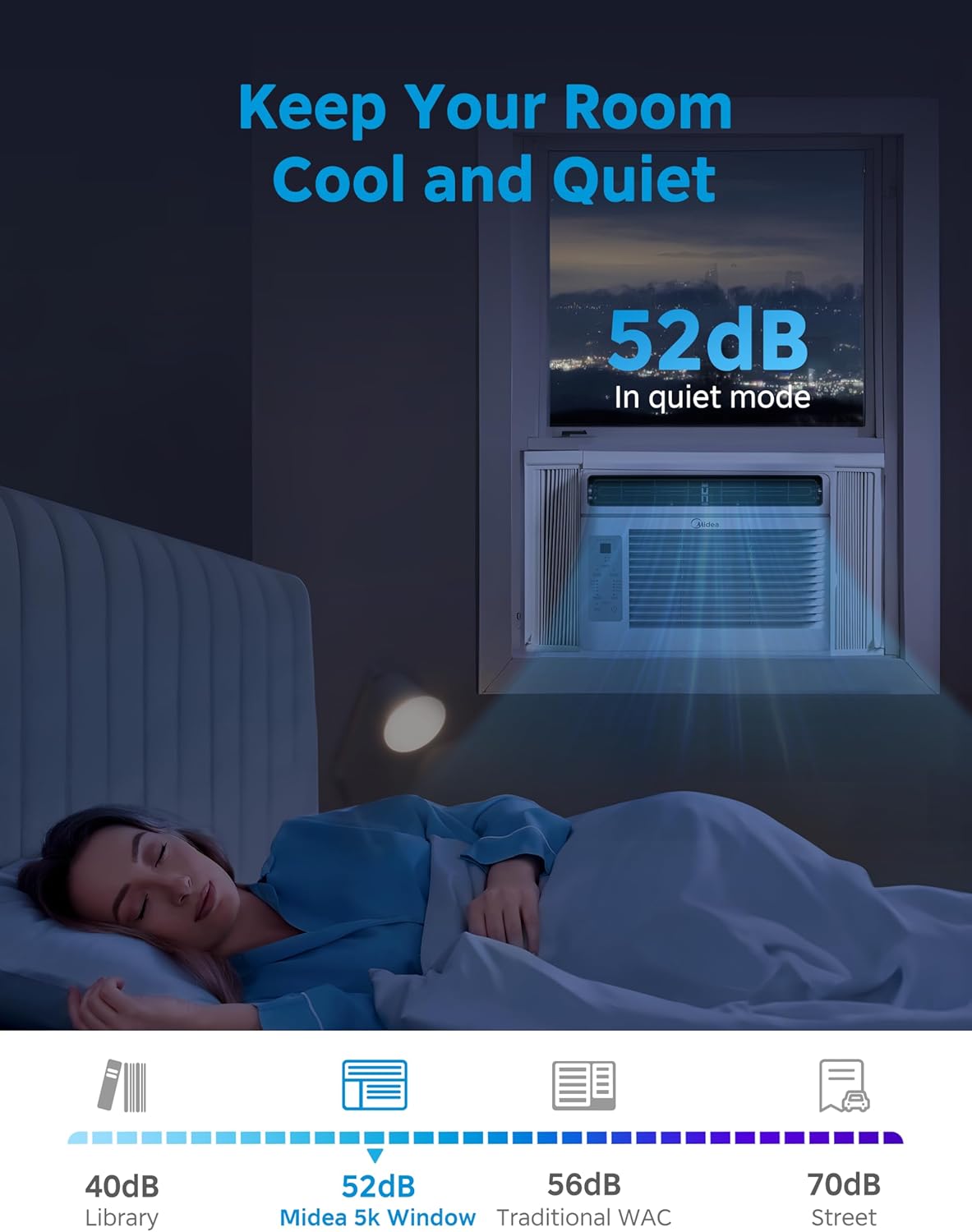
| Noise Level (Low Mode) | 52 децибел |
| Форма фактору | Терезе |
| Өзгөчөлүктөр | Dehumidifier, Dust Filter, Eco Mode, Fast Cooling, Remote Controlled |
| Камтылган компоненттер | Терезе кашаа |
| Батареялар талап кылынат | Ооба (алыстан башкаруу үчүн) |
8. Кепилдик маалыматы
This Midea product is backed by a Бир жылдык Чектелген Кепилдик from the original purchase date. This warranty covers parts and labor for defects in materials or workmanship under normal use.
For specific warranty terms and conditions, please refer to the warranty card included with your product or contact Midea customer support.
9. Кардарларды колдоо кызматы
For technical assistance, troubleshooting beyond this manual, or warranty claims, please contact Midea customer support.
You can find more information and support resources by visiting the official Midea store:


