
Introduction
This manual provides detailed instructions for the installation, operation, and maintenance of your Ossuret 7-inch Android 14 Car Stereo. Please read this manual thoroughly before using the product to ensure proper functionality and to prevent damage.
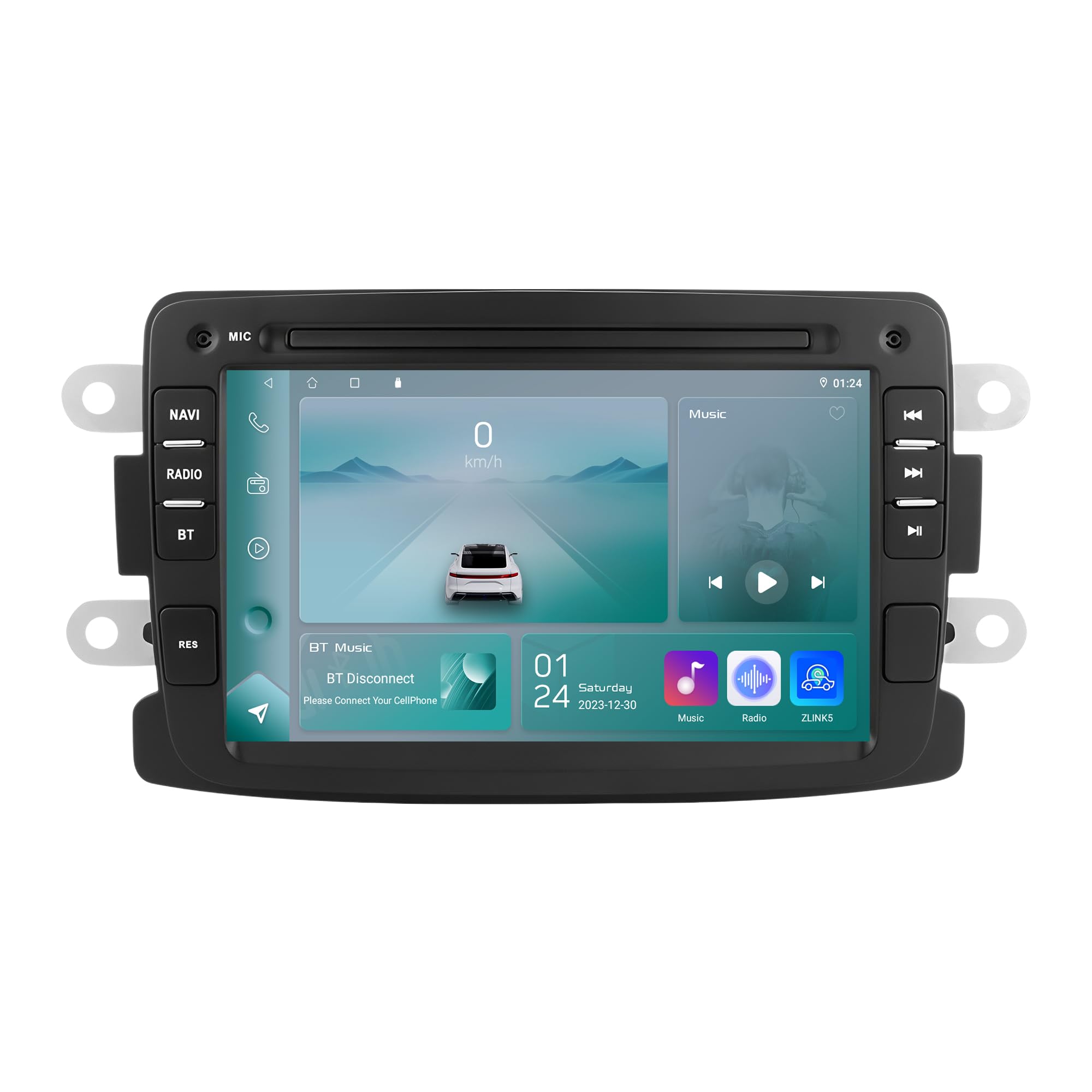
Figure 1: Ossuret 7-Inch Android 14 Car Stereo. This image shows the main unit with its display.
Унаа шайкештиги
This car stereo is designed for specific vehicle models. Please verify your vehicle's compatibility before installation.
- For Dacia: Logan (2012-2017), DOKKER (2012-2017), Duster (2011-2017), Sandero (2012-2017), Lodgy (2012-2017)
- Renault үчүн: Captur (2013-2017), Symbol (2013-2017)
- For LADA: Xray 2 (Note: Some steering wheel control buttons may not function with LADA Xray 2)
Кутуда эмне бар
Ensure all components listed below are present in the package before proceeding with installation.

2-сүрөт: Пакеттин мазмуну. This image displays all items included with your Ossuret car stereo, such as various cables, adapters, and the main unit.
- USB кабели
- RCA аркандары
- GPS антеннасы
- Rear Camera Input RCA Cable
- Тышкы микрофон
- 4 Pin USB Cable
- 6 Pin USB Cable
- Электр кабели
- Canbus декодери
- Радио антенна адаптеринин кабели
- Радио антенна адаптери
Орнотуу боюнча колдонмо
Professional installation is recommended. Disconnect the vehicle's battery before starting the installation process. Refer to your vehicle's specific wiring diagrams for accurate connections.

3-сүрөт: Орнотуудан мурун жана кийин. This image illustrates the visual transformation of the dashboard after the Ossuret car stereo is installed, replacing the original unit.
Жалпы орнотуу кадамдары:
- Даярдоо: Унаанын өчүрүлгөнүн жана батареянын ажыратылганын текшериңиз.
- Эски бирдикти алып салуу: Учурдагы унаанын стерео жана кыркуучу панелдерин кылдаттык менен алып салыңыз.
- Зымдарды туташтыруу: Connect the power cable, RCA harness, GPS antenna, and other necessary cables to the new Ossuret unit. Ensure all connections are secure.
- Canbus декодери: If your vehicle requires a Canbus decoder (included), connect it as per the wiring diagram to ensure proper communication with vehicle systems.
- Сыноо функциясы: Before fully reassembling the dashboard, reconnect the battery and test the basic functions of the stereo (power, audio, touch screen).
- Коопсуздук бирдиги: Жаңы стереону аспаптар тактасынын тешигине бекем орнотуңуз.
- Кайра чогултуу: Бардык жасалгалоо панелдерин кайра орнотуп, тыкан жасалгалоону камсыз кылыңыз.
Operating Your Car Stereo
Негизги операциялар
- Күйгүзүү/өчүрүү: Түзмөктү күйгүзүү же өчүрүү үчүн кубат баскычын (көбүнчө алдыңкы панелде жайгашкан) басып, кармап туруңуз.
- Үндү көзөмөлдөө: Adjust the volume using the physical knob or the on-screen controls.
- Сенсордук экран: Navigate through menus and applications using the capacitive touch screen.
- Башкы экран: Access the main Android interface by pressing the Home button or icon.
Wireless Carplay / Android Auto
The unit supports wireless Apple Carplay and Android Auto via the pre-installed Zlink application. This allows seamless integration of your smartphone's features onto the car stereo display.

Figure 4: Carplay and Android Auto System. This image demonstrates how your smartphone's interface can be mirrored and controlled directly from the car stereo screen.
- Смартфонуңуздун Wi-Fi жана Bluetooth иштетилгенин текшериңиз.
- On the car stereo, open the "Zlink" application.
- Follow the on-screen prompts to connect your phone via Bluetooth or Wi-Fi.
- Once connected, your phone's compatible apps will appear on the stereo screen.
Bluetooth функциясы
Connect your mobile phone via Bluetooth for hands-free calling and audio streaming.

5-сүрөт: Bluetooth функциясы. This image highlights the hands-free calling feature and the built-in microphone for clear communication.
- Жупташтыруу: Стереодогу жана телефонуңуздагы Bluetooth жөндөөлөрүнө өтүңүз. Издөө available devices and select "Ossuret" (or similar name). Enter the PIN if prompted (usually 0000).
- Hands Free Чалуу: Once paired, you can make and receive calls directly from the stereo. The built-in microphone captures your voice.
- Bluetooth Music (A2DP): Stream audio from your phone to the car stereo. Control playback (play/pause, skip) from the stereo screen.
- Phonebook Download: The unit supports downloading your phone's contact list for easy access.
GPS навигациясы
The car stereo features integrated GPS navigation with preloaded European maps and supports online navigation apps.

Figure 6: GPS Navigation. This image shows the detailed map interface with navigation guidance and support for various navigation applications.
- Оффлайн навигация: Use the preloaded maps without an internet connection.
- Онлайн навигация: Connect to Wi-Fi and use popular navigation apps like Google Maps, Waze, etc.
- Үн нускамасы: Receive turn-by-turn voice directions.
- Кош зона функциясы: Navigate while listening to music or other audio.
USB туташуу
Connect external USB devices for media playback or data transfer. The unit supports up to 2TB external memory.

Figure 7: USB Connection. Бул сүрөт төмөнкүлөрдү көрсөтөт file browsing capability when a USB device is connected, allowing access to various media and data files.
- USB дискиңизди көрсөтүлгөн USB портуна салыңыз.
- кирүү file manager or media player application to browse and play content.
Мультимедиа ойнотуу
The unit supports a wide range of audio and video formats for an enhanced entertainment experience.

Figure 8: Multimedia Playback. This image shows the car stereo playing a video, indicating its support for various multimedia formats.
- Музыка форматтары: MP3, WMA, AAC, RM, FLAC, etc.
- Видео форматтары: MPEG-1/2/4, H264, H263, VC1, RV, RMVB, DivX, Sorenson Spark, Spark, VP8, AVS Stream, etc.
- Picture Жылдар: JPG/BMP/JEPG/GIF/PNG
Руль башкаруу
The car stereo is compatible with your vehicle's factory steering wheel controls, allowing you to manage volume, tracks, and channels without taking your hands off the wheel. This feature helps minimize distractions while driving.
Арткы View Камера киргизүү
Бирдик арткы жагын колдойт view camera (not included). When the vehicle is shifted into reverse gear, the display will automatically switch to the rear camera feed, providing a clear view of obstacles behind the vehicle and assisting with safe parking.
Кароо жана тейлөө
- Экранды тазалоо: Use a soft, lint-free cloth to gently wipe the touch screen. Avoid abrasive cleaners or solvents that may damage the screen.
- Жалпы тазалоо: Түзмөктү чаңдан жана таштандылардан таза кармаңыз. Сыртын тазалоо үчүн жумшак, кургак чүпүрөк колдонуңуз.
- Температура: Аппаратты экстремалдык температурага, түз күн нуруна узак убакытка же жогорку нымдуулукка дуушар кылуудан алыс болуңуз.
- Программалык камсыздоо жаңыртуулары: Мезгил-мезгили менен өндүрүүчүнүн текшерүү website for any available software updates to ensure optimal performance and new features.
Проблемаларды чечүү
If you encounter issues, refer to the table below for common problems and their solutions. If the problem persists, contact customer support.
| Көйгөй | Мүмкүн себеп | Чечим |
|---|---|---|
| Түзмөк күйбөйт. | Бошоң электр туташуу, күйгөн сактагыч, унаанын аккумуляторунун көйгөйү. | Электр кабелдерин жана туташууларын текшериңиз. Унаанын сактагычтарын текшериңиз. Унаанын аккумулятору заряддалганын текшериңиз. |
| Үн жок. | Volume too low, mute activated, incorrect audio source, speaker wiring issue. | Increase volume. Check if mute is active. Select correct audio source. Verify speaker connections. |
| Сенсордук экран жооп бербейт. | Software glitch, screen calibration issue. | Restart the unit. If available, perform screen calibration in settings. |
| Bluetooth байланышы көйгөйлөрү. | Телефон табылбай жатат, туура эмес жупташтыруу, тоскоолдук. | Ensure phone Bluetooth is on and discoverable. Delete previous pairings and re-pair. Move phone closer to the unit. |
| GPS сигналы жоголду же так эмес. | GPS антеннасынын тыгылып калышы, спутниктик сигналдын начар кабыл алынышы, эскирген карталар. | GPS антеннасынын таза болушун текшериңиз view of the sky. Update maps if necessary. |
Техникалык мүнөздөмөлөр
| Өзгөчөлүк | Спецификация |
|---|---|
| Бренд | Ossuret |
| Операция системасы | Android 14 |
| RAM | 2 ГБ |
| ROM | 32 ГБ |
| CPU | 4Core*A53 1.5Ghz |
| Screen Size | 7 дюйм |
| Сенсордук экран түрү | Сенсорный экран |
| Screen Resolution | 1024 x 600 |
| Байланыш технологиясы | Bluetooth, USB, Wi-Fi |
| Өзгөчөлүктөр | Android Auto, Apple CarPlay, GPS Navigation, Steering Wheel Control, Rear Camera Input |
| Шайкеш түзмөктөр | Смартфон |
| Аудио чыгаруу режими | Стерео |
| Каналдардын саны | 2.0 |
| Башкаруу ыкмасы | Тактиль |
| USB Port Compatibility | Up to 2TB external memory |
| Кепилдик | 1 жыл |
| Келип чыккан өлкө | Кытай |
Кепилдик жана колдоо
Кепилдик маалымат
This Ossuret car stereo comes with a 1 жылдык кепилдик сатып алынган күндөн тартып. Бул кепилдик өндүрүштүк кемчиликтерди жана нормалдуу колдонуудагы бузулууларды камтыйт. Кепилдик дооматтары үчүн сатып алганыңыздын далилин сактап коюңуз.
Кардарларды колдоо
For technical assistance, troubleshooting beyond this manual, or warranty inquiries, please contact Ossuret customer support through the retailer where the product was purchased or visit the official Ossuret webбайланыш маалыматы үчүн сайт.