
1. Орнотуу жана орнотуу
This section provides instructions for installing your new Rimoody Android Car Radio.
1.1 Пакеттин мазмуну
Орнотууну баштоодон мурун, пакетте бардык компоненттер бар экенин текшериңиз:

Сүрөт: бүттүview of all components included with the Rimoody car radio, such as the GPS antenna, various USB cables, user manual, RCA cable, rear camera input cable, external microphone, camera, radio antenna, Canbus decoder, installation tool, and power cable.
- GPS антеннасы
- USB кабелдери (ар кандай түрлөрү)
- User Manual
- RCA кабели
- Арткы камера киргизүү кабели
- Микрофон (МИК)
- Камера
- Радио антенна
- Canbus декодери
- Орнотуу куралы
- Электр кабели
1.2 Radio Installation Steps
Follow these steps to install the car radio:

Image: Visual guide for the installation process, detailing the wiring connections, the insertion of the new radio into the dashboard, and the final appearance of the integrated unit.
- Зымдарды туташтыруу: Connect the wires between the new radio and the original car's wiring harness. Ensure the protocol box (if applicable) is properly connected.
- Radio Insertion: Carefully install the new radio back into the car's dashboard slot.
- Коопсуз бекиткичтер: Tighten any bottom screws or fasteners to secure the unit.
- Panel Reattachment: Reattach the original car frame on the outer side of the air conditioning control panel.
- Аяктоо: The installation of the new radio is now complete.
Маанилүү: If the wiring harness does not match your vehicle, please contact customer service to request the correct wiring harness.
2. Иштөө нускамалары
This section details the various functions and features of your Rimoody Android Car Radio.
2.1 Wireless Carplay, Android Auto, and Mirror Link
The unit supports wireless connectivity for Apple Carplay, Android Auto, and Mirror Link, allowing seamless integration with your smartphone.
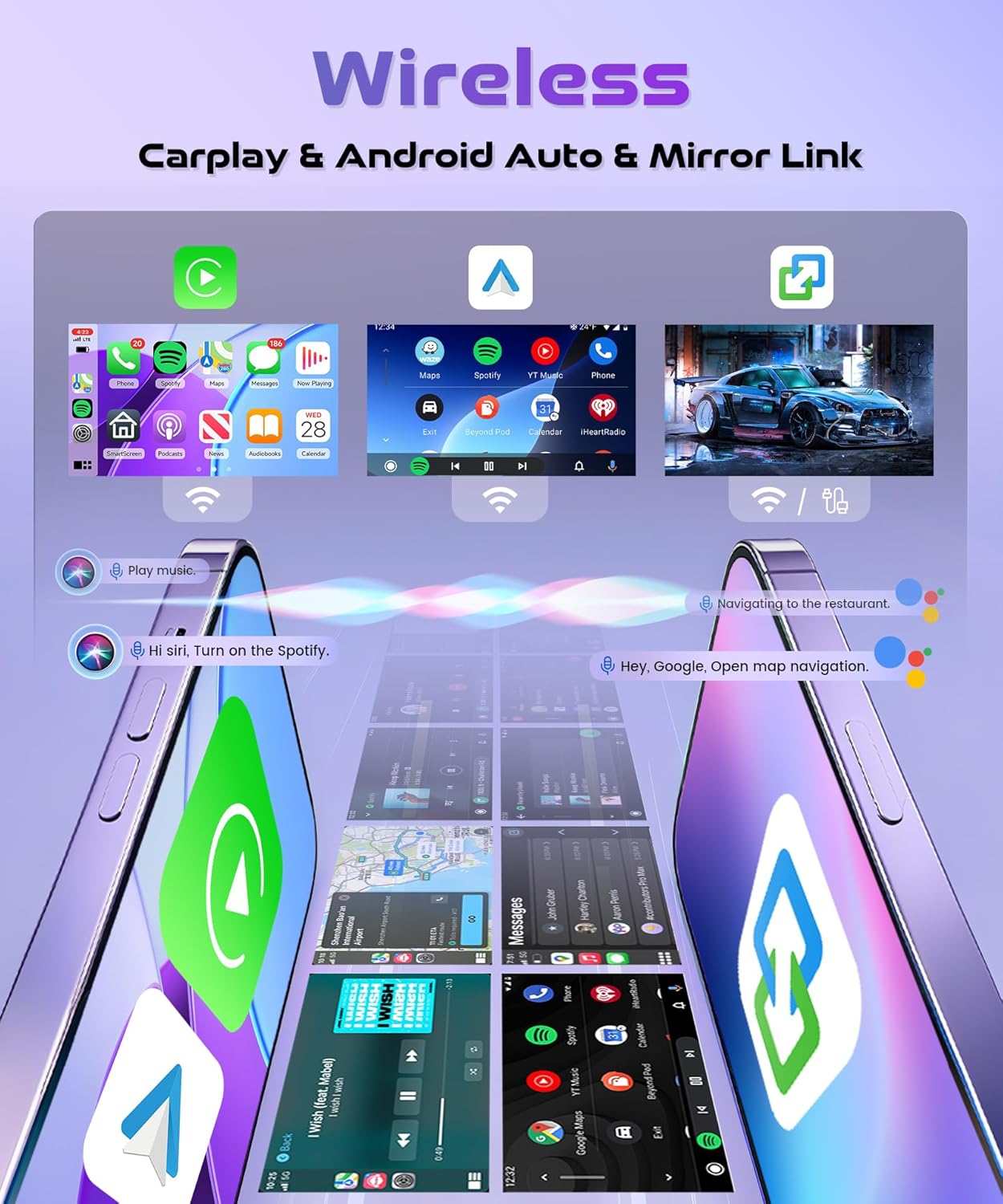
Image: Visual representation of the wireless connectivity features, including Apple Carplay, Android Auto, and Mirror Link, displaying how smartphone applications and content are integrated into the car radio's interface.
- Wireless Carplay: Access iPhone apps like navigation, music, and messages directly on the radio screen.
- Android Auto: Connect Android phones for navigation, communication, and entertainment features.
- Mirror шилтемеси: Mirror your smartphone screen to the car radio display for full access to your phone's interface.
2.2 GPS Navigation and Wi-Fi Connectivity
The radio features built-in GPS for navigation and Wi-Fi for internet access and updates.

Image: The car radio screen displaying a detailed GPS map, indicating its navigation capabilities. The image also visually represents Wi-Fi connectivity, 4G network support, 128GB storage, and a 4-core processor, emphasizing the unit's performance and connectivity features.
- GPS навигациясы: Utilize pre-installed or downloaded navigation apps for accurate directions.
- Камтылган Wi-Fi: Connect to a Wi-Fi hotspot for internet browsing, app downloads, and online services.
- 4G байланышы: Supports 4G networks for faster data access (requires compatible SIM card/dongle, not included).
2.3 Bluetooth 5.0 and Audio Equalizer (EQ)
Connect your devices via Bluetooth 5.0 for hands-free calls and audio streaming. Adjust audio settings with the built-in equalizer.

Сүрөт: Курама сүрөт көргөзмөсүasing the Bluetooth 5.0 interface for music and calls, the audio equalizer (EQ) settings, the FM/RDS radio display, and the steering wheel control configuration screen, illustrating the various audio and control functionalities.
- Bluetooth 5.0: Enjoy stable and high-quality wireless audio streaming and hands-free calling.
- Аудио эквалайзер: Customize sound output with various preset EQ modes or manual adjustments.
2.4 FM/RDS радиосу
Tune into your favorite radio stations with FM and RDS (Radio Data System) support.
- FM радиосу: Scan and save FM radio stations.
- RDS функциясы: Display station information, song titles, and traffic announcements where available.
2.5 Рулду башкаруу
Integrate with your vehicle's steering wheel controls for safe and convenient operation.
- Ыңгайлаштырылган башкаруу элементтери: Map various radio functions (volume, track skip, mode) to your steering wheel buttons.
2.6 Арткы View Camera and Split Screen
Enhance parking safety with rear view camera support and multitask with the split-screen feature.

Image: The car radio screen displaying a rear view camera feed, complete with parking guidelines, to assist with safe reversing. The image also illustrates the split-screen functionality, showing the camera view alongside another application, demonstrating multitasking capabilities.
- Арткы View Камера киргизүү: Automatically display the rear camera feed when reversing.
- Бөлүнгөн экран: Экранда бир эле учурда эки тиркемени, мисалы, навигацияны жана музыканы иштетиңиз.
2.7 10.1 Inch In-Cell HD Touch Screen
Experience clear visuals and responsive touch control with the high-definition display.

Сүрөт: жакын план view of the 10.1-inch In-Cell 1280x720 HD Touch Screen, emphasizing its high light transmittance (68%) and 100% sRGB color accuracy, demonstrating the display's quality and responsiveness.
- Дисплей өлчөмү: 10.1 дюйм
- Чечим: 1280x720 HD
- Технология: In-Cell Touch Screen for improved responsiveness and clarity.
- Түс тактыгы: 100% sRGB for vibrant and true-to-life colors.
- Жарык өткөрүмдүүлүк: 68% for clear visibility.
3. Техникалык тейлөө
Туура тейлөө сиздин унааңыздын радиосунун узак иштөөсүн жана оптималдуу иштешин камсыз кылат.
3.1 Агрегатты тазалоо
- Use a soft, dry cloth to clean the screen and exterior surfaces.
- өжөр белгилери үчүн, жеңил гampчүпүрөккө суу же экранды тазалоочу каражат. Катуу химиялык заттардан алыс болуңуз.
- Тазалоочу эритмелерди түз эле шайманга чачпаңыз.
3.2 Программалык камсыздоо жаңыртуулары
- Periodically check for software updates through the unit's settings menu or the manufacturer's webсайт.
- Ensure a stable internet connection during updates to prevent interruptions.
- Updating the software can improve performance, add new features, and fix bugs.
3.3 Жалпы кам көрүү
- Аппаратты экстремалдык температурага же түз күн нуруна узак убакытка калтыруудан сактаңыз.
- Do not attempt to disassemble the unit; this will void the warranty.
- Үзгүлтүксүз көйгөйлөрдү болтурбоо үчүн бардык кабелдер коопсуз туташтырылганын текшериңиз.
4. Кыйынчылыктарды
This section addresses common issues you might encounter with your car radio.
4.1 Электр энергиясы маселелери
- Кубат жок: Check all power cable connections. Ensure the car's ignition is on. Verify the fuse in the power cable or car's fuse box.
- Unit Restarts Randomly: Check power connections for looseness. Ensure the car's battery voltage туруктуу.
4.2 Аудио көйгөйлөрү
- Үн жок: Динамиктердин туташууларын текшериңиз. Үн өчүрүлбөгөнүн же өтө төмөн коюлбаганын текшериңиз. Аудио чыгаруу жөндөөлөрүн текшериңиз.
- Бурмаланган үн: Check speaker impedance compatibility. Adjust EQ settings. Ensure audio source quality is good.
4.3 Connectivity Issues (Bluetooth, Wi-Fi, Carplay/Android Auto)
- Bluetooth туташпай жатат: Ensure Bluetooth is enabled on both the radio and your device. Delete previous pairings and try reconnecting.
- Wi-Fi туташпай жатат: Verify Wi-Fi password. Ensure the hotspot is active and within range.
- Carplay/Android Auto Not Launching: Ensure your phone is compatible and the app is updated. Check USB cable connection if using wired mode. For wireless, ensure Wi-Fi and Bluetooth are enabled on your phone.
4.4 GPS Issues
- GPS сигналы жок: GPS антеннасынын туура орнотулганын жана ачык экенин текшериңиз view асмандын.
- Туура эмес жайгаштыруу: Update GPS maps. Ensure the antenna is not obstructed.
4.5 Сенсордук экран жооп бербейт
- Бөлүктү өчүрүп-күйгүзүңүз.
- Экран таза жана таштандылардан таза экенин текшериңиз.
- Эгер көйгөй чечилбесе, заводдук жөндөөлөргө кайтаруу керек болушу мүмкүн (эскертүү: бул колдонуучунун бардык маалыматтарын өчүрөт).
4.6 General System Issues
- Системанын кечигүү/тоңдуруу: Close unnecessary background applications. Clear cache. Consider a factory reset if persistent.
- Зымдардын дал келбестиги: As noted in installation, if the provided wiring harness does not match your vehicle, contact customer service for assistance.
5. Техникалык шарттар
Detailed technical specifications for the Rimoody 4G+128G Wireless Carplay Android Car Radio.
| Өзгөчөлүк | Спецификация |
|---|---|
| Бренд | Римуди |
| Модел | RimoodyB0FKB1V6VN |
| Шайкеш түзмөктөр | Smartphone, Tablet, Personal computer, Speaker, Amplifier, Camera, Microphone, USB |
| Өзгөчөлүктөр | Android Auto, Apple CarPlay, Built-In Wi-Fi, GPS Navigation, Music Streaming, Touchscreen |
| Аудио чыгаруу режими | Стерео |
| Аудио чыгаруу түрү | Bluetooth, RCA, Speakers |
| Динамиктин айланасындагы үн каналынын конфигурациясы | 4.0 |
| Чыгуу Wattage | 180 Ватт |
| Туташтыргыч түрү | USB, AHD, CVBS |
| Байланыш технологиясы | USB, AHD, CVBS |
| Controller Type | Mobile App, Google Assistant, Siri |
| Видеону коддоо | H.264, H.265/HEVC, MPEG-4 |
| Элемент Салмагы | 500 грамм |
| Пакеттин өлчөмдөрү | 42.1 x 33.5 x 10.7 см |
| Дисплей өлчөмү | 10.1 дюйм |
| Display Resolution | 1280x720 HD |
| Дисплей технологиясы | In-Cell Touch Screen |
| Display Color Accuracy | 100% sRGB |
| Display Light Transmittance | 68% |
6. Кепилдик жана колдоо
This section provides information regarding product warranty and how to obtain support.
6.1 Продукциянын кепилдиги
Your Rimoody car radio is covered by a standard manufacturer's warranty. The warranty period typically covers defects in materials and workmanship under normal use. Please refer to the warranty card included in your package or the seller's policy for specific terms and conditions, including duration and coverage details.
- Кайтаруу саясаты: Сатуучудан 30 күндүк кайтарып берүү/алмаштыруу саясаты.
6.2 Кардарларды колдоо
For technical assistance, troubleshooting beyond this manual, or warranty claims, please contact the seller or manufacturer directly.
- Байланыш маалыматы: Refer to your purchase documentation or the seller's contact details on the platform where the product was purchased.
- Before Contacting Support: Please have your product model number (RimoodyB0FKB1V6VN) and purchase date ready.