
1. Киришүү
The EWEADN F61 is a compact 60% wired gaming keyboard designed for efficiency and performance. It features vibrant RGB backlighting, durable PBT keycaps, and an ergonomic design for comfortable extended use. This manual provides detailed instructions for setting up, operating, and maintaining your keyboard.
2. Пакеттин мазмуну
- EWEADN F61 60% Wired RGB Gaming Keyboard
- Алынуучу USB-C кабели
- User Manual
3. Орнотуу
To begin using your EWEADN F61 keyboard, follow these simple steps:
- USB-C кабелин туташтыруу: Plug the detachable USB-C cable into the Type-C port on the keyboard and the other end into an available USB port on your computer (PC, laptop, gaming console, smartphone, or tablet). The keyboard is plug-and-play, requiring no additional drivers.
- Adjust Ergonomic Kickstands: The keyboard features dual-layer feet support with two adjustable angles (7° and 15°) for enhanced typing comfort. Flip out the kickstands on the underside of the keyboard to your preferred height.
- Системанын шайкештиги: The keyboard is compatible with both Windows and Mac operating systems. To switch between modes, hold down the 'FN' key and press 'A' for Windows or 'S' for Mac.
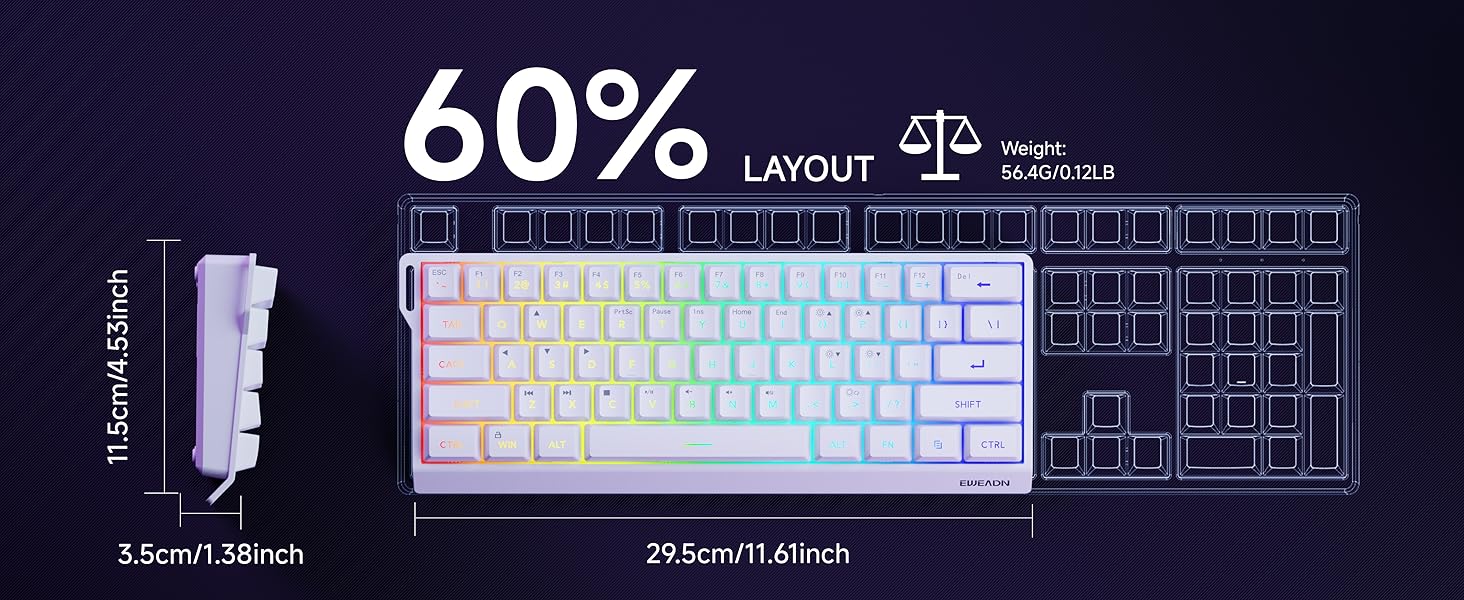
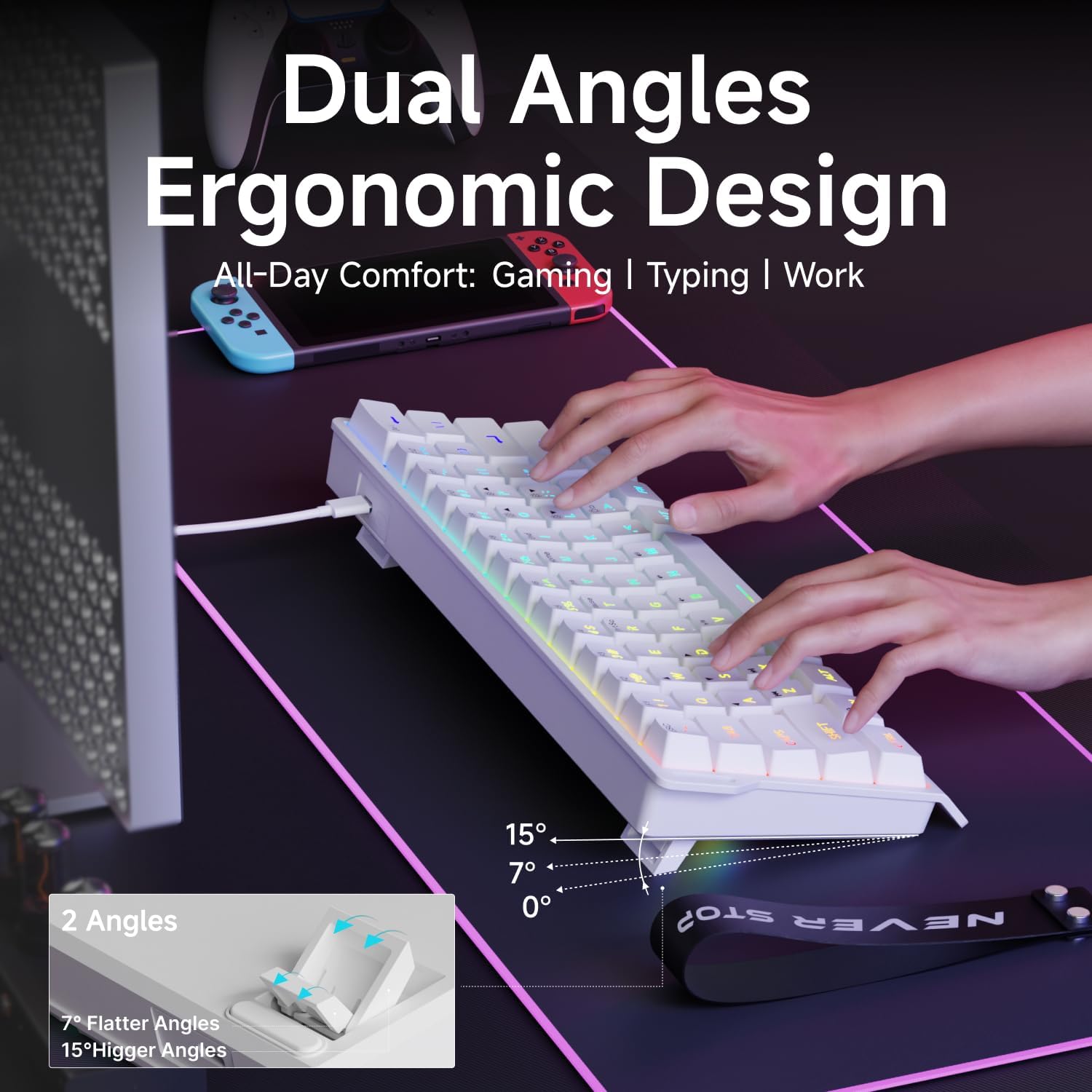
Video: Demonstrates the compact 60% design of the EWEADN F61 keyboard, highlighting its portability and suitability for gaming and travel. Shows the keyboard being connected and used.
4. Иштөө нускамалары
4.1 RGB жарыкты башкаруу
The EWEADN F61 features 16.8 million RGB backlight colors with 6 effects and 5 brightness levels. Use the following key combinations to customize your lighting:
- Арткы жарык эффекттерин которуштуруу: кармап туруңуз FN + INS to cycle through the 6 available lighting effects.
- Жарыктыкты жөндөө: кармап туруңуз FN + P (to increase brightness) or FN + ;: (to decrease brightness). There are 5 brightness levels.
- Жарыктын ылдамдыгын тууралоо: кармап туруңуз FN + O (to increase speed) or FN + L (to decrease speed).
- Жарыктарды күйгүзүү/өчүрүү: кармап туруңуз FN + Backspace арткы жарыкты күйгүзүү же өчүрүү үчүн.
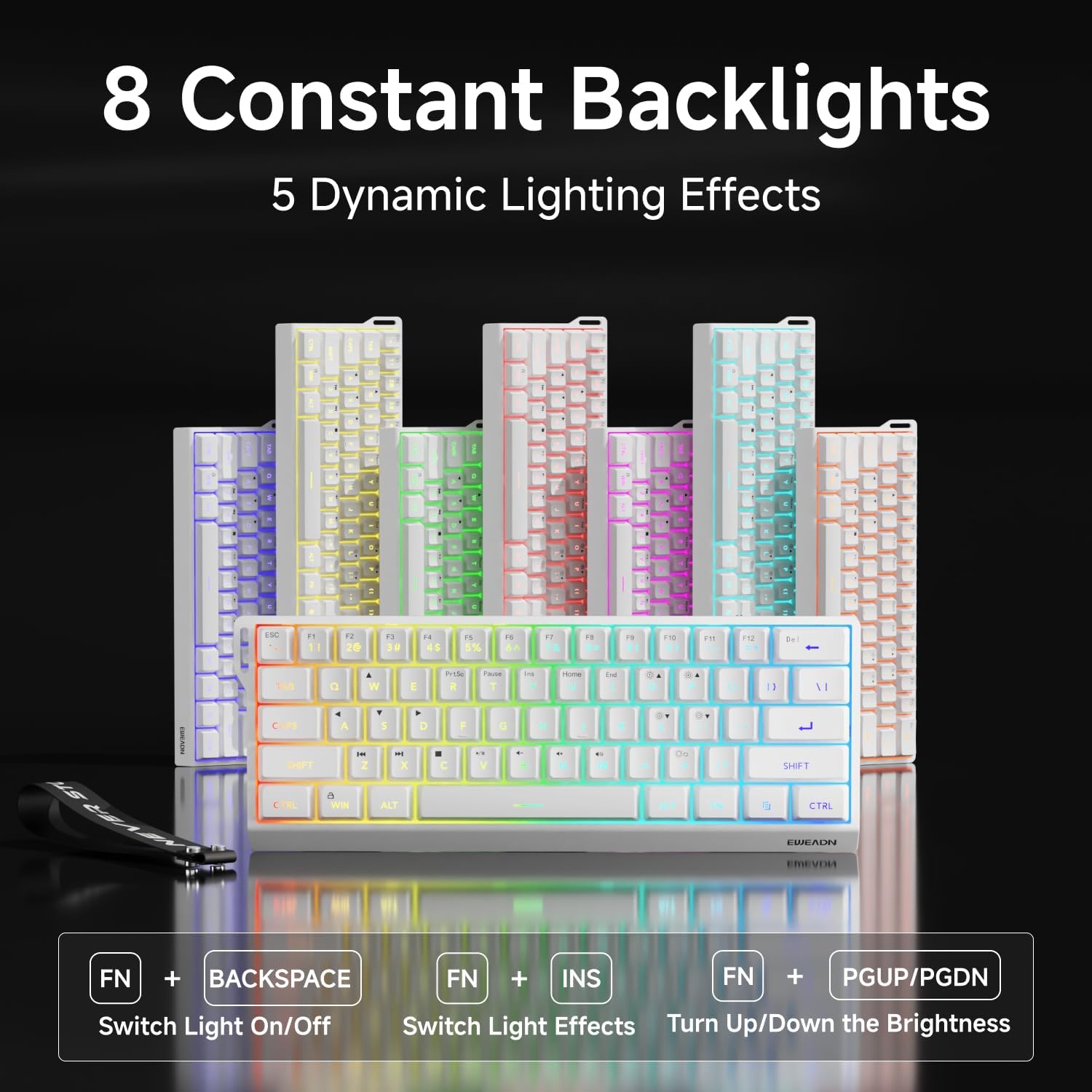

Video: A vertical video showcasing the EWEADN F61 60% Wired RGB Backlit Gaming Keyboard, demonstrating its compact size and various RGB lighting effects.
4.2 Негизги функциялары жана жайгашуусу
The F61 features a 60% compact layout, which means some keys are accessed via the 'FN' (Function) key. This design saves desk space while retaining essential functionality.
- Кулпулануучу Win ачкычы: Prevent accidental interruptions during gaming by locking the Windows key. Press FN + Жеңиш to toggle the Win key lock.
- PBT баскычтоптору: The keyboard is equipped with dual-layer injection PBT keycaps, ensuring durability and clear, translucent characters that resist fading.
- Үнсүз мембраналык өчүргүчтөр: Experience quieter keystrokes for a more comfortable and less disruptive typing or gaming session.


5. Техникалык тейлөө
To ensure the longevity and optimal performance of your EWEADN F61 keyboard, follow these maintenance guidelines:
- үзгүлтүксүз тазалоо: Use a soft, dry cloth to wipe down the keycaps and keyboard surface. For deeper cleaning, you can use a can of compressed air to remove dust and debris from between the keys.
- Суюктуктардын төгүлүүсүн болтурбоо: While durable, direct exposure to liquids can damage the internal components. In case of a spill, immediately disconnect the keyboard and allow it to dry completely before reconnecting.
- Кабельге кам көрүү: Handle the detachable USB-C cable with care. Avoid sharp bends or excessive pulling to prevent damage to the cable or port.
6. Кыйынчылыктарды
If you encounter any issues with your EWEADN F61 keyboard, refer to the following troubleshooting tips:
- Баскычтоп жооп бербейт:
- USB-C кабели клавиатурага жана компьютериңизге коопсуз туташканын текшериңиз.
- Баскычтопту компьютериңиздин башка USB портуна сайып көрүңүз.
- Компьютериңизди өчүрүп күйгүзүңүз.
- RGB Lights Not Working/Incorrect:
- Арткы жарык өчүп калганын текшериңиз (FN + Backspace).
- Cycle through lighting effects (FN + INS) to see if they respond.
- Adjust brightness levels (FN + P / ;:).
- Keys Not Functioning as Expected (e.g., Esc, Delete):
- Remember that due to the 60% layout, many functions are accessed via the 'FN' key in combination with other keys. Refer to the keycap legends or the user manual for specific combinations.
- Ensure the correct system compatibility mode is selected (FN + A for Windows, FN + S for Mac).
7. Техникалык шарттар
| Өзгөчөлүк | Деталь |
|---|---|
| Өндүрүүчү | EWEADN |
| Модель номери | F61 |
| Макет | 60% компакт |
| Байланыш | Зымдуу (USB-C) |
| Клавиатура материалы | PBT (Dual-Layer Injection) |
| Которуу түрү | Membrane (Silent) |
| Арткы жарыктандыруу | RGB (6 эффект, 5 жарыктык деңгээли) |
| Эргономика | Dual-Angle Adjustable Feet (7°, 15°) |
| Шайкеш түзмөктөр | Оюн консолу, ноутбук, компьютер, смартфон, планшет |
| Операциялык системалар | Windows, Mac |
| Өлчөмдөр | 11.61 x 4.53 x 1.93 дюйм (29.5 x 11.5 x 4.9 см) |
| Элемент Салмагы | 1.32 фунт (0.6 кг) |
8. Кепилдик жана колдоо
For any product inquiries, technical assistance, or warranty claims, please contact EWEADN customer support:
- Электрондук почта колдоо: eweadnkeyboard@outlook.com
Колдоо кызматына кайрылганда продуктуңуздун моделинин номери (F61) жана сатып алуу чоо-жайы даяр болсун.
