
1. Киришүү
This manual provides essential information for setting up, operating, and maintaining your ASUS Zenbook 14 OLED Laptop. This device is designed for business, multimedia, gaming, and student use, offering a powerful computing experience with its Intel 16-core Ultra 7 255H processor, vibrant 14-inch WUXGA Lumina OLED Touch display, 16GB DDR5 memory, and 512GB SSD storage. Please read this manual thoroughly to ensure proper use and longevity of your laptop.
2. Кутуда эмне бар
Carefully unpack your ASUS Zenbook 14 OLED Laptop and ensure all items are present:
- ASUS Zenbook 14 OLED Laptop
- Кубаттуу адаптер
- Auth 3-in-1 USB Cable

Image: Packaging for the included Auth 3-in-1 USB Cable.
3. Продукт бүтүп калдыview
The ASUS Zenbook 14 OLED Laptop combines performance with a sleek design. Key features include:
- Процессор: Intel 16-core Ultra 7 255H with up to 5.1 GHz clock speed.
- Графика: Integrated Intel Arc 140T GPU.
- Дисплей: 14-inch WUXGA (1920x1200) Lumina OLED Touch display with 500 nits HDR brightness and 100% DCI-P3 color gamut.
- Эстутум: 16 ГБ DDR5 SDRAM.
- Сактагыч: 512GB Solid State Drive (SSD).
- Операция системасы: Windows 11 Pro.
- Байланыш: Wi-Fi 7, Bluetooth, 2x Thunderbolt 4, 1x USB-A 3.2, 1x HDMI 2.1 TMDS.
- Аудио: Harman Kardon speakers with Dolby Atmos support.
- Коопсуздук: Fingerprint reader and FHD IR Privacy Camera.
- Баскычтоп: Арткы жарыктандырылган клавиатура.

Сүрөт: бүттүview of key features including Intel Ultra 7 255H, Intel Arc 140T GPU, 14" WUXGA OLED Touch, up to 16GB RAM, up to 2TB SSD, Windows 11 Pro, Wi-Fi 7, Dolby Atmos, Harman Kardon, FHD IR Privacy Camera, and Bluetooth 5.4.

Сүрөт: деталдуу view of the Intel Core Ultra 7 255H processor, highlighting its 16-core, 16-thread architecture with up to 5.1 GHz speed.

Image: The 14-inch OLED Touch display with a 16:10 aspect ratio and 1920 x 1200 resolution.

Сүрөт: жогорудан төмөнгө view of the laptop's backlit keyboard and large touchpad.
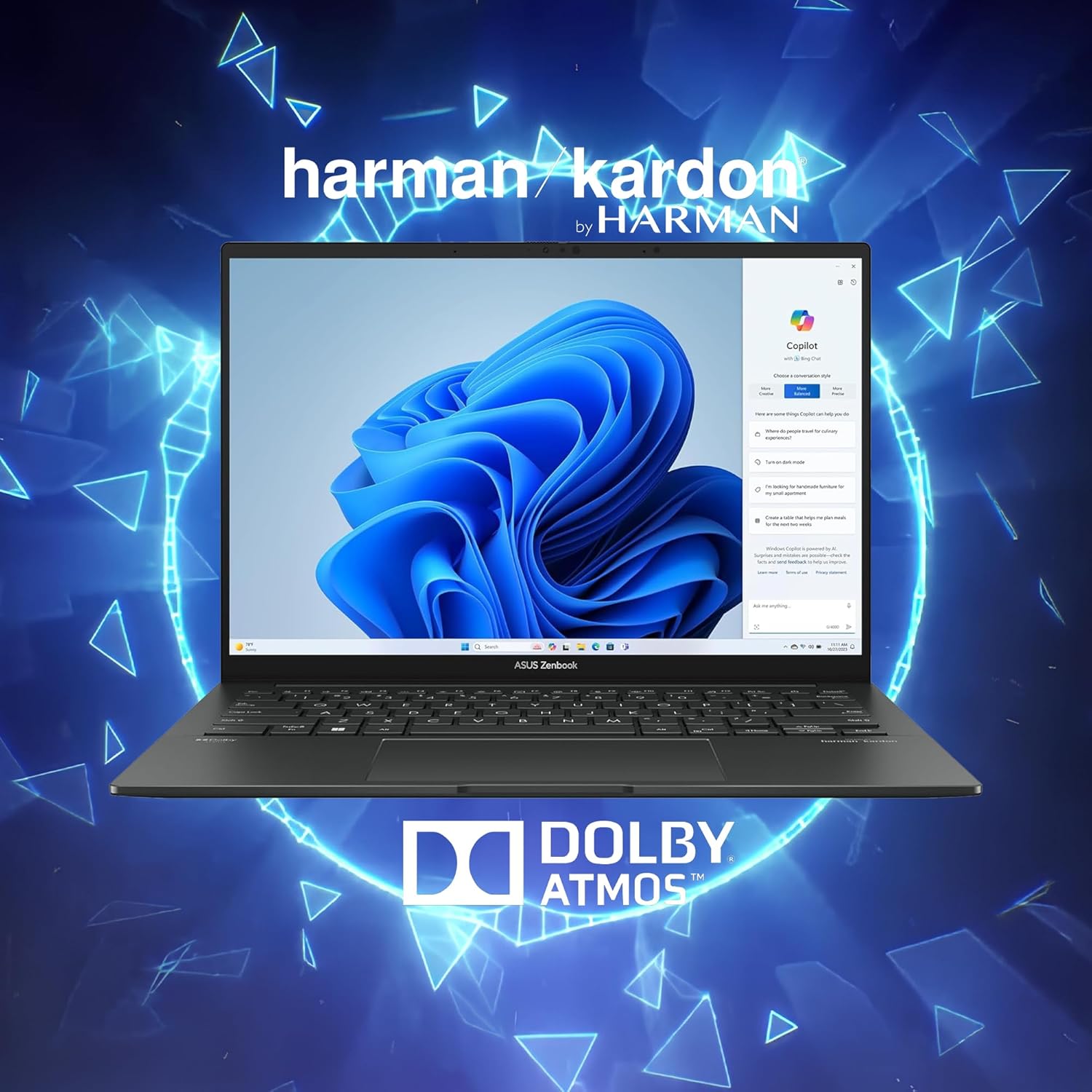
Image: Laptop display showing Windows 11 with Copilot, emphasizing Dolby Atmos and Harman Kardon audio features.
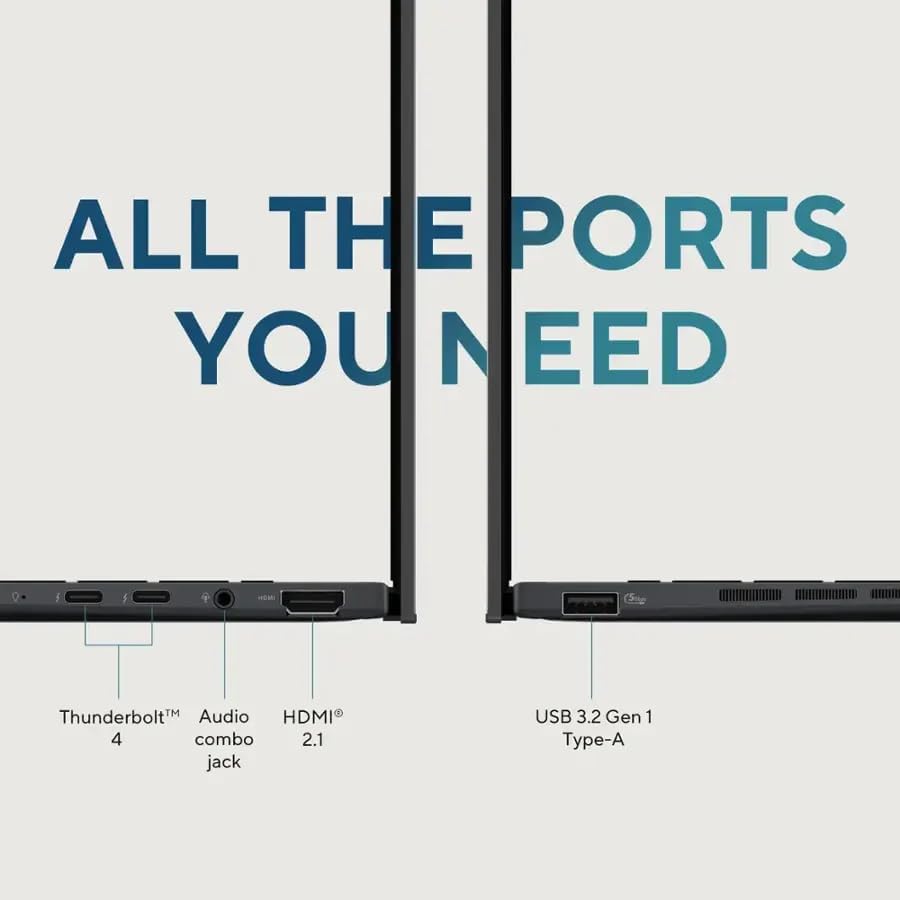
Image: Close-up of the laptop's ports, including Thunderbolt 4, Audio combo jack, HDMI 2.1, and USB 3.2 Gen 1 Type-A.

Image: Laptop showcasing Wi-Fi 7 capabilities for fast connectivity and an FHD IR privacy webcam for clear video conferencing.
4. Орнотуу
- Ноутбукту заряддоо: Connect the power adapter to the laptop's charging port and a power outlet. Allow the battery to charge fully before first use.
- Күйгүзүү: Ноутбуктун капкагын ачып, адатта клавиатуранын жогорку оң жагында же капталында жайгашкан кубат баскычын басыңыз.
- Баштапкы орнотуу: Windows 11 Pro орнотуусун аяктоо үчүн экрандагы көрсөтмөлөрдү, анын ичинде тилди тандоону, тармакка туташууну жана колдонуучу аккаунтун түзүүнү аткарыңыз.
- Перифериялык түзүлүштөрдү туташтыруу: Connect any external devices such as a mouse, external display, or USB drives to the available ports.
5. Иштөө нускамалары
5.1 Күйгүзүү/өчүрүү
- Күйгүзүү үчүн: Кубат баскычын басыңыз.
- Жабуу: Баштоо баскычын чыкылдатып, андан кийин Кубат > Өчүрүү.
- Кайра баштоо үчүн: Баштоо баскычын чыкылдатып, андан кийин Кубат > Кайра иштетүү.
- Уктоо үчүн: Капкагын жабыңыз же "Баштоо" баскычын, андан кийин "Күчүн жана Уйку режимин" чыкылдатыңыз.
5.2 Баскычтоп жана сенсордук такта
The laptop features a full-sized backlit keyboard and a responsive touchpad for navigation.
- Арткы жарык клавиатура: Adjust keyboard backlight brightness using the dedicated function keys (Fn + F7, typically).
- Сенсордук такта жаңсоолору: Supports multi-touch gestures for scrolling, zooming, and switching applications. Refer to Windows settings for customization.
5.3 Дисплей
The 14-inch WUXGA OLED Touch display offers vivid colors and deep blacks. It supports touch input for intuitive interaction with Windows 11 Pro.
- Тийүү функциясы: Use your fingers to navigate, select, and interact with applications directly on the screen.
- Дисплейдин жөндөөлөрү: Adjust resolution, brightness, and color profiles via Windows Display Settings.
5.4 Байланыш
Your Zenbook 14 OLED provides various ports and wireless options for connecting to other devices and networks.
- Wi-Fi 7: Connect to high-speed wireless networks. Configure Wi-Fi settings in Windows.
- Bluetooth: Pair with Bluetooth-enabled devices like headphones or mice.
- Thunderbolt 4: Use these versatile ports for high-speed data transfer, video output, and power delivery.
- USB-A 3.2: Стандарттуу USB түзмөктөрүн туташтырыңыз.
- HDMI2.1: Кеңейтилген дисплей үчүн тышкы мониторлорго же телевизорлорго туташыңыз.
6. Техникалык тейлөө
- Тазалоо: Экранды жана корпусту тазалоо үчүн жумшак, мамыксыз чүпүрөктү колдонуңуз. Күчтүү химиялык заттардан алыс болуңуз.
- Программалык камсыздоо жаңыртуулары: Regularly update Windows and ASUS drivers to ensure optimal performance and security.
- Батареяга кам көрүү: Батареянын иштөө мөөнөтүн узартуу үчүн, экстремалдык температурадан жана батареяны бат-баттан толук кубаттап турбаңыз.
- Сактагыч: Ноутбукту колдонбогондо салкын, кургак жерде сактаңыз.
7. Кыйынчылыктарды
- Ноутбук күйбөй жатат: Кубат адаптери бекем туташып турганын жана батарейканын заряды жетиштүү экенин текшериңиз. Башка электр розеткасын колдонуп көрүңүз.
- Дисплей маселелери: Эгерде экран бош болсо, көйгөй ноутбуктун дисплейинде экенин текшерүү үчүн тышкы мониторду туташтырып көрүңүз. Жарыктык жөндөөлөрүн тууралаңыз.
- Туташуу көйгөйлөрү: For Wi-Fi issues, restart your router and the laptop. For Bluetooth, ensure the device is discoverable and within range.
- Жай аткаруу: Керексиз тиркемелерди жаап, зыяндуу программаларды текшериңиз жана жетиштүү бош орун сактаңыз.
- Keyboard/Touchpad Unresponsive: Restart the laptop. If the issue persists, check for driver updates.
8. Техникалык шарттар
| Өзгөчөлүк | Деталь |
|---|---|
| Бренд | ASUS |
| Модель аты | ASUS Zenbook 14 OLED |
| Screen Size | 14 дюйм |
| Түс | Жаспер Грей |
| Катуу дисктин өлчөмү | 512 ГБ SSD |
| CPU модели | Intel Ultra 7 255H (16-core, 2 GHz) |
| RAM эстутум орнотулган өлчөмү | 16 ГБ DDR5 |
| Операция системасы | Windows 11 Pro |
| Өзгөчө өзгөчөлүк | Backlit Keyboard, Fingerprint Reader |
| Графикалык сопроцессор | Intel Arc 140T GPU |
| Элемент Салмагы | 2.7 фунт |
| Өлчөмдөрү (У x Туурасы x Калыңдыгы) | 8.67" x 12.3" x 0.59" |
| Video Output | HDMI, Thunderbolt |
| Дисплейдин максималдуу чечилиши | 1920x1200 |
| Дисплей түрү | OLED, Touchscreen (capacitive) |
| Жалпы USB порттору | 3 (2x Thunderbolt 4, 1x USB-A 3.2) |
| HDMI портторунун жалпы саны | 1 |
| Байланыш технологиясы | Thunderbolt 4, USB-A 3.2, HDMI 2.1 TMDS, Wi-Fi 7, Bluetooth |
| Webcam Capability | FHD IR Privacy Camera |
9. Кепилдик жана колдоо
Кепилдик маалыматы жана техникалык колдоо үчүн продуктуңузга кошулган документтерди караңыз же расмий ASUS колдоо бөлүмүнө баш багыңыз webсайт. Кепилдик дооматтары үчүн сатып алуу дүмүрчөгүңүздү сактаңыз.