
Introduction
This manual provides essential information for setting up, operating, maintaining, and troubleshooting your NIMO 17.3 Gaming Laptop. Designed for high performance with an AMD Ryzen 9 8945HS processor and Radeon 780M graphics, this laptop offers a powerful computing experience for gaming, creative work, and everyday tasks. Please read this manual thoroughly to ensure optimal use and longevity of your device.
1. Баштапкы орнотуу
1.1 Таңгактан чыгаруу жана биринчи жолу күйгүзүү
Carefully remove your NIMO laptop and all accessories from the packaging. Place the laptop on a stable, flat surface. Before first use, it is recommended to fully charge the battery.

The NIMO 17.3 Gaming Laptop, ready for initial setup.
1.2 Батареяны заряддоо
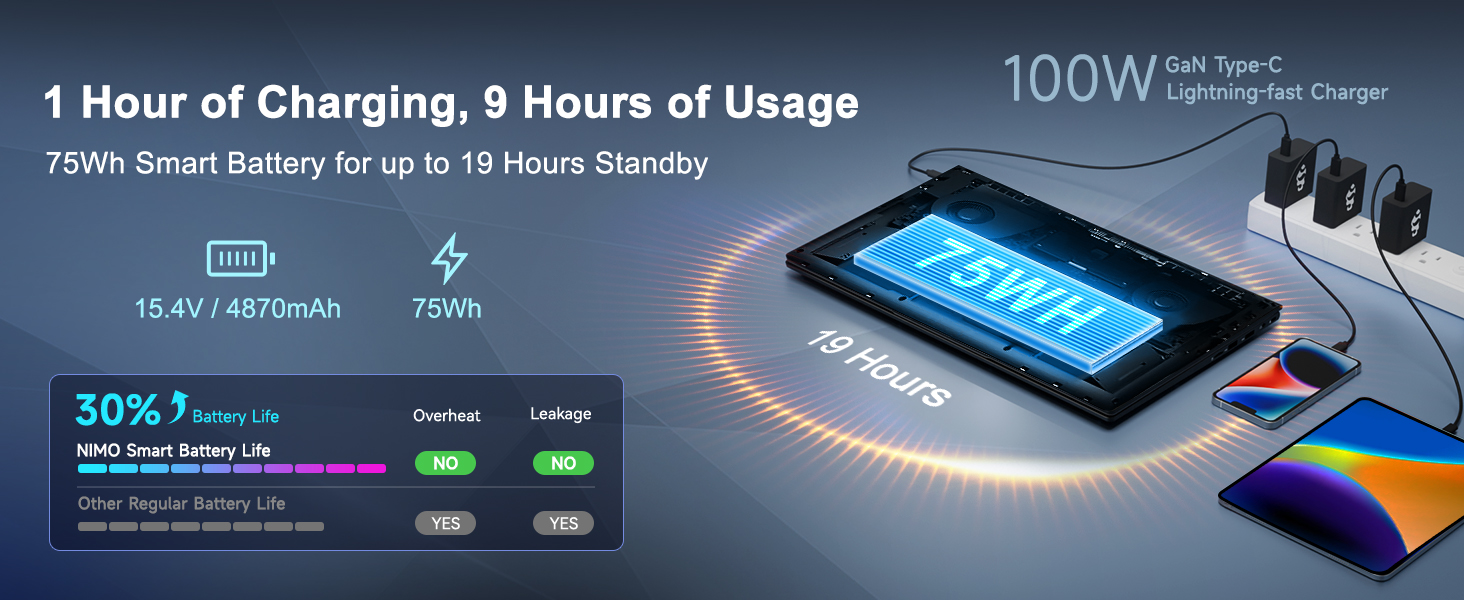
Connect the provided 100W PD Type-C fast charger to the USB-C port on your laptop and then to a power outlet. The charging indicator light will illuminate. Allow the laptop to charge fully before its first use for optimal battery calibration.

The 100W GaN Type-C charger connected to the laptop, illustrating fast charging capability.
1.3 Операциялык системанын конфигурациясы
Upon first power-on, you will be guided through the Windows 11 setup process. Follow the on-screen instructions to configure language, region, network settings, and user accounts.
1.4 Манжа изин окугучту орнотуу
For enhanced security and quick login, set up the integrated fingerprint reader during the Windows 11 setup or later via Windows Settings > Accounts > Sign-in options. Follow the prompts to register your fingerprints.

Close-up of the backlit keyboard and integrated fingerprint reader for secure access.
1.5 Перифериялык түзүлүштөрдү туташтыруу
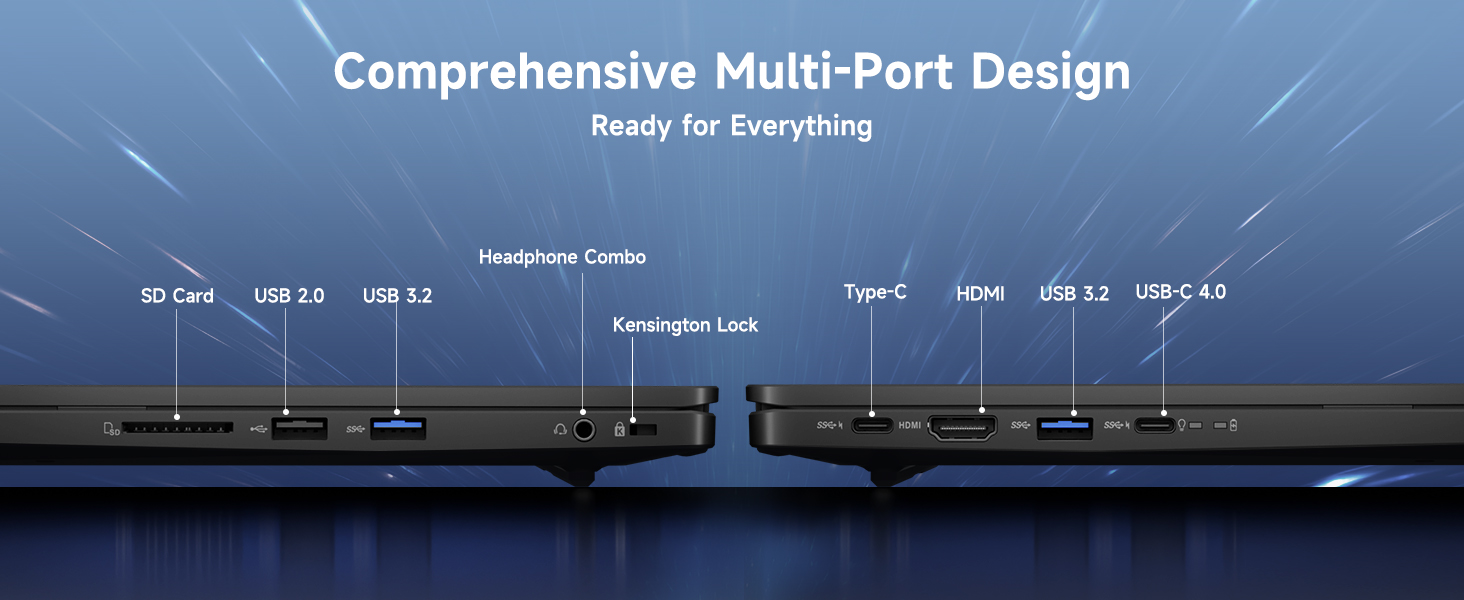
Your NIMO laptop features a comprehensive multi-port design for various peripherals:
- USB-C 4.0: For ultra-fast data transfer, external displays, and eGPU support.
- USB 3.2: Шайкеш келген түзмөктөр үчүн жогорку ылдамдыктагы маалыматтарды өткөрүп берүү.
- USB 2.0: Стандарттык USB түзмөктөр үчүн.
- HDMI: Тышкы мониторлорго же сыналгыларга туташуу.
- SD карта уячасы: Эстутум карталары үчүн.
- Headphone Combo Jack: For audio output and microphone input.
- Kensington Lock Slot: Физикалык коопсуздук үчүн.
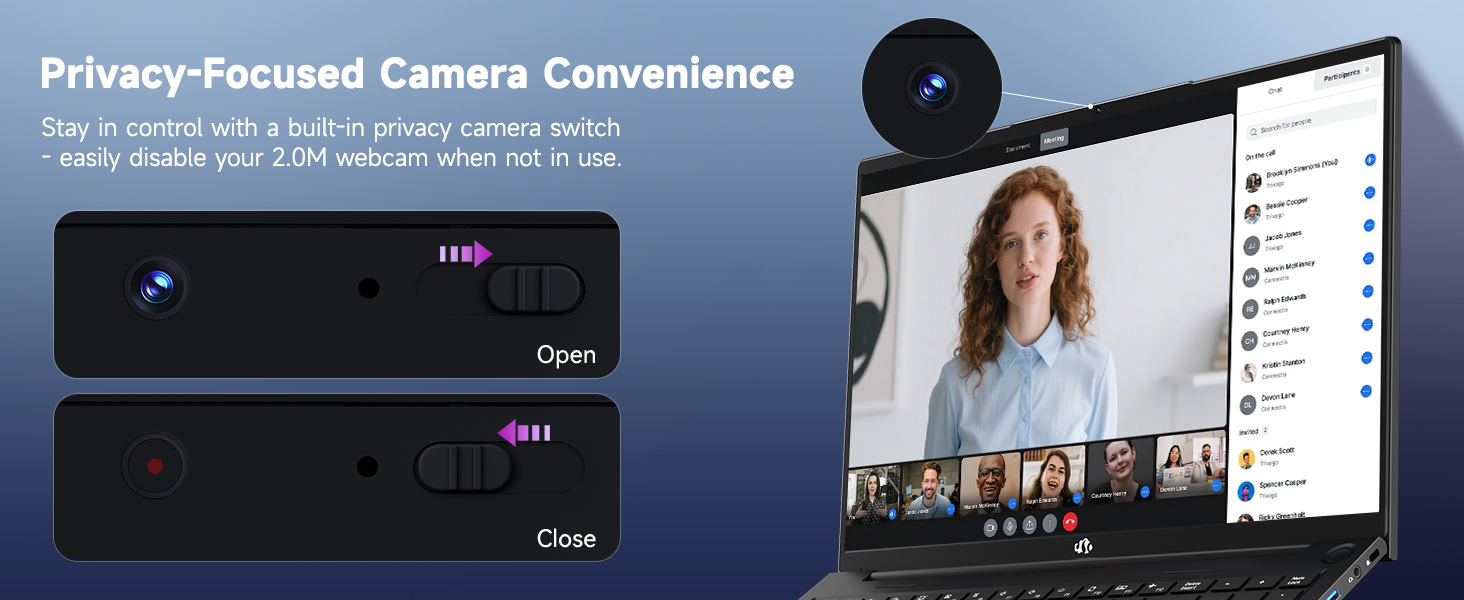
Diagram illustrating the comprehensive multi-port design of the NIMO laptop, including USB-C 4.0, HDMI, USB 3.2, USB 2.0, SD Card slot, Headphone Combo, and Kensington Lock.
2. Иштөө нускамалары
2.1 Күйгүзүү/өчүрүү жана уйку режимдери
- Күйгүзүү: Баскычтопто жайгашкан кубат баскычын басыңыз.
- Өчүрүү: Баштоо баскычын чыкылдатып, андан кийин Кубат > Өчүрүү.
- Уйку режими: "Старт" баскычын, андан кийин "Күчүн" > "Уйку" режимин чыкылдатыңыз же ноутбуктун капкагын жабыңыз.
2.2 Баскычтопту жана сенсордук тактаны колдонуу
The NIMO laptop features a full-size keyboard with a numeric keypad and adjustable backlighting. Press Fn + F10 (or similar function key depending on model) to cycle through backlight brightness levels. The large touchpad supports multi-touch gestures for navigation.
2.3 Дисплейдин өзгөчөлүктөрү
Experience clear visuals on the 17.3-inch Full HD (1920x1080) IPS display. This screen provides vibrant colors and wide viewing angles, suitable for various applications from productivity to entertainment.

The NIMO laptop displaying a vibrant image, highlighting its 17.3-inch Full HD IPS screen.
2.4 Webкамеранын купуялык которгучу
For privacy, your laptop includes a physical webcam privacy switch. Slide the switch to the left to cover the camera lens and disable the webcam, or to the right to uncover and enable it.
Иллюстрациясы webcam privacy switch in both open and closed positions, demonstrating how to control camera access.
2.5 Аткаруу көрсөткүчү жогоруview
The NIMO laptop is powered by an AMD Ryzen 9 8945HS processor, offering 8 cores and 16 threads with a max boost clock of 5.2GHz. Integrated AMD Radeon 780M graphics provide capable performance for gaming and demanding creative applications.

Диаграмма showcasing the AMD Ryzen 9 8945HS processor with its 8 cores/16 threads and integrated Ryzen AI NPU.

Visual representation of the AMD Radeon 780M graphics, emphasizing its capabilities for gaming and creative work.
3. Кароо жана тейлөө
3.1 Ноутбукту тазалоо
- Экран: Жумшак, түксүз кездемени жеңил колдонуңуз dampсуу же экран тазалоочу менен бүттү. Суюктукту экранга түз чачпаңыз.
- Баскычтоп жана шасси: Жумшак, кургак чүпүрөктү колдонуңуз. өжөр кир үчүн, бир аз гamp кездеме колдонсо болот. Катуу химиялык заттардан алыс болуңуз.
- Порттор: Порттордогу чаңды акырын тазалоо үчүн кысылган абаны колдонуңуз.
3.2 Батареяны башкаруу
The laptop is equipped with a 75Wh battery. To prolong battery life:
- Батареяны бат-баттан толук кубаттап калуудан алыс болуңуз.
- Ноутбукту узак убакыт бою колдонбосо, салкын, кургак жерде сактаңыз.
- Utilize power-saving settings in Windows 11.

Graphic illustrating smart battery optimization features, including extended battery life, smart power control, safe fast charging, and battery health protection.
3.3 Жылуулук диссипациясы
The NIMO laptop features an efficient cooling system with dual fans and double copper pipes to manage heat. Ensure that the ventilation openings are not blocked during use to maintain optimal performance and prevent overheating.
Ички view of the laptop's efficient heat dissipation system, featuring dual fans and double copper pipes.
3.4 Программалык камсыздоо жаңыртуулары
Regularly update your Windows 11 operating system and device drivers to ensure system stability, security, and optimal performance. You can check for updates via Windows Settings > Windows Update.
4. Кыйынчылыктарды
This section addresses common issues you might encounter with your NIMO laptop.
4.1 Электр энергиясы маселелери
- Ноутбук күйбөй жатат: Ensure the charger is securely connected and the power outlet is functional. Try holding the power button for 15-20 seconds to perform a hard reset.
- Батарея кубатталбай жатат: Verify the charger is correctly plugged into both the laptop and the wall. Check for any damage to the charger cable or port.
4.2 Дисплей көйгөйлөрү
- Экранда дисплей жок: Connect an external monitor via HDMI to check if the issue is with the laptop's internal display. If the external monitor works, the internal display or its connection may be faulty.
- Жаркылдаган экран: Графикалык драйверлериңизди жаңыртыңыз. Дисплейдин жаңылануу ылдамдыгын Windows жөндөөлөрүнөн тууралаңыз.
4.3 Байланыш көйгөйлөрү
- Wi-Fi туташпай жатат: Windows жөндөөлөрүндө Wi-Fi иштетилгенин текшериңиз. Роутериңизди жана ноутбукту өчүрүп күйгүзүңүз. Зымсыз драйверлерди жаңыртыңыз.
- Bluetooth түзмөгү жупташкан жок: Ensure Bluetooth is enabled on both devices. Remove and re-add the device in Windows Bluetooth settings.
4.4 Иштин натыйжалуулугунун төмөндөшү
- Жай аткаруу: Керексиз тиркемелерди жабыңыз. CPU/RAM көп колдонулуп жатканын "Тапшырмаларды башкаргычтан" текшериңиз. SSDде жетиштүү бош орун бар экенин текшериңиз. Вирустарды сканерлеңиз.
- Ашыкча ысып кетүү: Ensure ventilation vents are clear. Use the laptop on a hard, flat surface. Consider reducing demanding workloads.
5. Техникалык шарттар
| Өзгөчөлүк | Спецификация |
|---|---|
| Бренд | NIMO |
| Модель аты | NIMO N175L |
| Screen Size | 17.3 дюйм |
| Screen Resolution | 1920 x 1080 пиксел (Full HD) |
| Процессор | AMD Ryzen 9 8945HS (Up to 5.2 GHz) |
| RAM | 32 ГБ DDR5 |
| Катуу диск | 1024 ГБ SSD (Катуу абалдагы) |
| Графикалык сопроцессор | AMD Radeon 780M (интеграцияланган) |
| Операция системасы | Windows 11 |
| Зымсыз түрү | 802.11a/b/g/n/ac |
| USB порттору | 1x USB 2.0, 3x USB 3.0, 1x USB-C 4.0 |
| Батареянын орточо иштөө мөөнөтү | 12.8 саат |
| Элемент Салмагы | 3.84 фунт |
| Продукциянын өлчөмдөрү | 15.66 x 9.99 x 0.74 дюйм |
| Түс | Кара |
| Өзгөчөлүктөр | Арткы жарык клавиатура, манжа изин окугуч, HD аудио, сандык баскычтоп |
6. Кепилдик жана Кардарларды колдоо
6.1 Кепилдик маалыматы
Your NIMO laptop comes with a 2 жылдык кепилдик for support and service. Additionally, NIMO offers a 90 күндүк кайтаруу саясаты from the date of purchase for any reason.
Image depicting a technician working on a laptop, symbolizing the 2-year support provided for NIMO products.
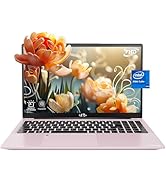
Image of a customer receiving a package, representing the 90-day return policy for NIMO products.
6.2 Колдоо кызматы менен байланышуу
For any product-related questions, technical assistance, or warranty claims, please contact NIMO customer support:
- Электрондук почта: service@nimopc.com
- Professional customer assistance is available to help resolve your issues.
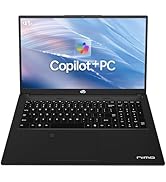
Image of customer service representatives, indicating professional customer assistance is available.