
1. Киришүү
The SMISEACOW SM-S8 Max is an ultra-thin, lightweight 15.3-inch FHD 1200P portable laptop screen extender designed to enhance productivity by providing dual screen functionality. This device supports various display modes and is compatible with a wide range of operating systems and laptops.
2. Коопсуздук маалыматы
- Do not squeeze or pierce the screen.
- Always ensure the small flap closes properly before sliding the screen or you could damage the display.
- If the screen flickers due to insufficient power or brightness adjustment is unresponsive, connect an external power supply of 5V/3A or higher.
- Аппаратты экстремалдык температурага же тике күн нуруна кабылуудан сактаңыз.
- Балдар жетпеген жерде сактаңыз.
3. Пакеттин мазмуну
Пакетиңизде бардык буюмдар бар экенин текшериңиз:
- Laptop Screen Extender (SM-S8 Max)
- Коргоочу кап
- USB-C - USB-C кабели
- USB-C - HDMI кабели
- USB-C - USB-A кабели
- User Manual
- Quick колдонмо

Image: Contents of the SMISEACOW SM-S8 Max package.
4. Продукт бүтүп калдыview
The SM-S8 Max features a robust design with aviation-grade aluminum alloy for the screen back cover, ensuring durability and efficient heat dissipation. It includes a retractable bracket for secure attachment to your laptop.
4.1 Негизги өзгөчөлүктөрү
- Ultra-thin & Lightweight: Only 0.18 inches thick and 1.78 lbs.
- 15.3" IPS FHD Screen: 1920x1200 resolution, 16:10 aspect ratio, 300 nits brightness, 100% sRGB color gamut, 178-degree viewбурч.
- Жөнгө салынуучу кашаа: Uniform retractable design for secure attachment to laptops from 12.59" to 16.14" wide.
- Telescopic Kickstand: Rotates 90 degrees for stable support.
- Бир нече порттор: USB-C (full-function), HDMI, USB-A for power.
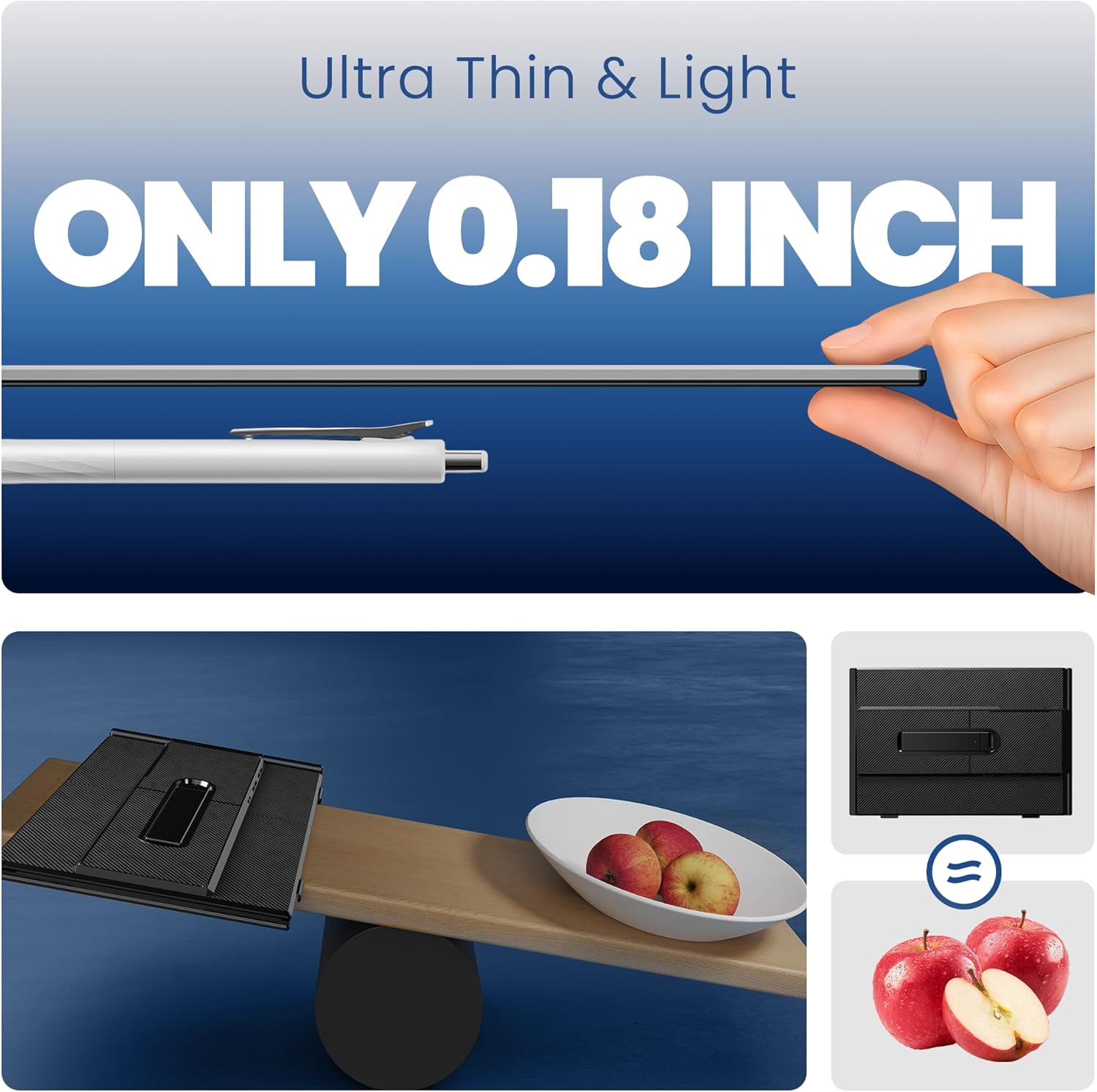
Image: The ultra-thin design of the SM-S8 Max, measuring only 0.18 inches.

Image: The 15.3-inch FHD screen of the SM-S8 Max with key display specifications.
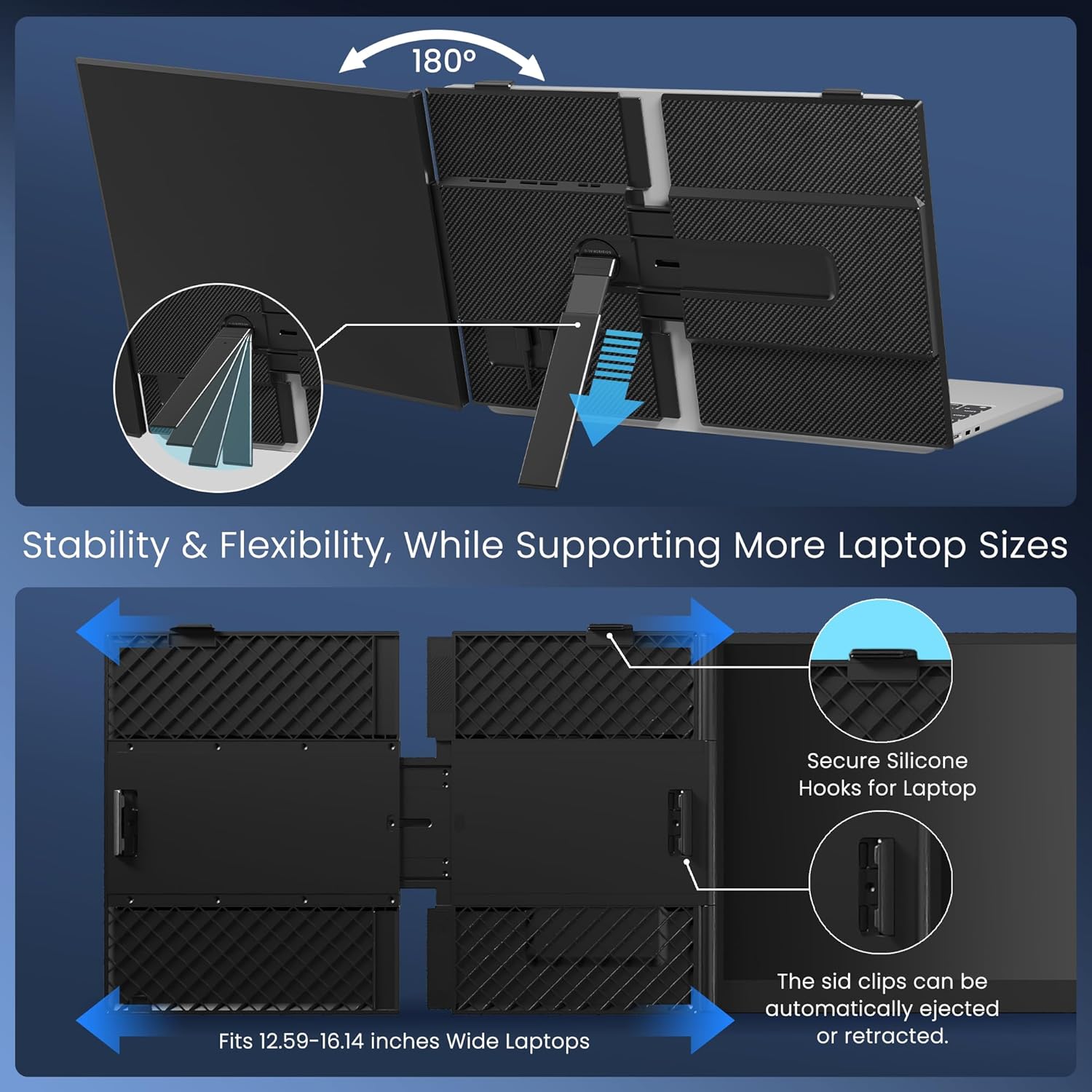
Image: The adjustable bracket and kickstand for stability and flexibility.
5. Орнотуу
5.1 Attaching the Extender to Your Laptop
- Open the laptop screen extender.
- Position the extender over the top edge of your laptop screen.
- Gently slide the side clips to fit the width of your laptop screen (compatible with 12.59" to 16.14" wide laptops).
- Ensure the extender is securely attached and the screen is stable.
- Extend the integrated kickstand from the back of the extender to provide additional support and adjust the viewing angle. The kickstand rotates 90 degrees.

Image: The screen extender supports various display modes for versatile use.
5.2 Connecting to Your Laptop
The SM-S8 Max is plug-and-play, requiring no drivers for most systems. Connection methods vary based on your laptop's available ports:
- Жалгыз USB-C кабелдик туташуу: If your laptop has a full-function USB-C port (Thunderbolt 3.0/4.0, supporting DP, or video output), use the provided USB-C to USB-C cable for both power and video signal.
- HDMI & USB-C Cable Connection: If your laptop does not have a full-function USB-C port, connect via an HDMI cable for video and a USB-A to USB-C cable for power supply.

Image: Connection options for the screen extender.

Image: Guide to checking for a full-featured Type-C port.
5.3 Official Product Video: Setup Demonstration
Video: Official demonstration of the 15.3'' 1200P 16:10 Ultra-Thin & Light Laptop Screen Extender setup and features.
6. Иштөө нускамалары
Once connected, your laptop should automatically detect the external display. You can configure the display settings through your operating system.
6.1 Көрсөтүү режимдери
- Кеңейтилген режим: Extends your desktop across both screens, allowing for more workspace.
- Mirroring Mode (Duplicate): Duplicates your primary laptop screen onto the extender.
- Портрет режими: Rotates the display to a vertical orientation, useful for documents or coding.
- Пейзаж режими: Стандарттуу горизонталдуу багыт.
6.2 Дисплей орнотууларын тууралоо
Use the buttons on the back of the extender to adjust brightness, contrast, color temperature, and other display settings. Refer to your laptop's display settings for further configuration options.
7. Техникалык тейлөө
- Экранды жумшак, мамыксыз чүпүрөк менен тазалаңыз. Абразивдүү тазалоочу каражаттардан алыс болуңуз.
- When not in use, store the extender in its protective case to prevent scratches and damage.
- Ensure cables are not bent sharply or tangled to prevent internal damage.
8. Кыйынчылыктарды
- No Display / Screen Flickering:
- Бардык кабелдер коопсуз туташтырылганын текшериңиз.
- If using HDMI, ensure the USB-C power cable is also connected to a sufficient power source (5V/3A or higher).
- Verify your laptop's USB-C port is full-function (supports video output).
- Check your laptop's display settings to ensure the external monitor is detected and enabled.
- Туура эмес чечим же пропорция:
- Adjust the display settings in your operating system. The optimal resolution is 1920x1200.
- Extender Not Fitting Laptop:
- The extender is designed for laptops between 12.59" and 16.14" wide. If your laptop falls outside this range, it may not clip securely. You can still use it by attaching it to the stand on the back of the product.
9. Техникалык шарттар
| Өзгөчөлүк | Деталь |
|---|---|
| Туруктуу экран дисплей өлчөмү | 15.3 дюйм |
| Screen Resolution | 1920x1200 пиксел |
| Max Screen Resolution | 1920 x 1200 пиксел |
| Аспект катышы | 16:10 |
| Screen Surface Description | Мт |
| Жарыктык | 300 нит |
| Түс гаммасы | 100% sRGB |
| Viewбурч | 178 градус |
| Элемент Салмагы | 1.78 фунт |
| Продукциянын өлчөмдөрү (LxWxH) | 13.86 x 9.34 x 0.62 дюйм |
| Түс | Кара |
| Өндүрүүчү | SMISEACOW |
| Compatible Laptop Sizes | 14''-17.3'' (optimal fit for 12.59''-16.14'' wide laptops) |
| Операциялык системалар | Windows, Mac, Linux, Chrome, PS, Xbox |
10. Колдоо
For any questions regarding connection issues, compatibility, or display problems, please contact SMISEACOW US customer service. We are dedicated to assisting you promptly.
зыярат кылыңыз SMISEACOW US Store көбүрөөк маалымат жана жардам үчүн.