
1. Продукт бүтүп калдыview
The IMIPAW Automatic Cat Feeder (Model DU3L-WY) is a smart pet food dispenser designed to provide scheduled and controlled feeding for your cat. Featuring 5GHz WiFi connectivity and app remote control, it allows for programmable timed feeding with adjustable portions and meals per day. The feeder includes a dual power supply option for uninterrupted operation and a sealed food bucket with a desiccant packet to maintain food freshness.

Image: The IMIPAW Automatic Cat Feeder, highlighting its dual-frequency WiFi capabilities.
2. Пакеттин мазмуну
- IMIPAW Automatic Cat Feeder Unit (3L capacity)
- Тамак-аш идиш
- Кубат адаптери (5V DC)
- USB Power Cable (Nylon braided)
- Desiccant Packet
- User Manual
- Азыктандыруу боюнча колдонмо
Video: A user unboxes the IMIPAW Automatic Pet Feeder, showing the main unit, power cable, and included documentation.
3. Орнотуу нускамалары
3.1 Ассамблея
- Place the feeder unit on a stable, flat surface.
- Attach the food bowl to the base of the feeder. It should snap securely into place.
- Open the top lid by rotating it counter-clockwise to the "OPEN" position and lifting it off.
- Insert the desiccant packet into its designated compartment under the lid to keep food fresh.
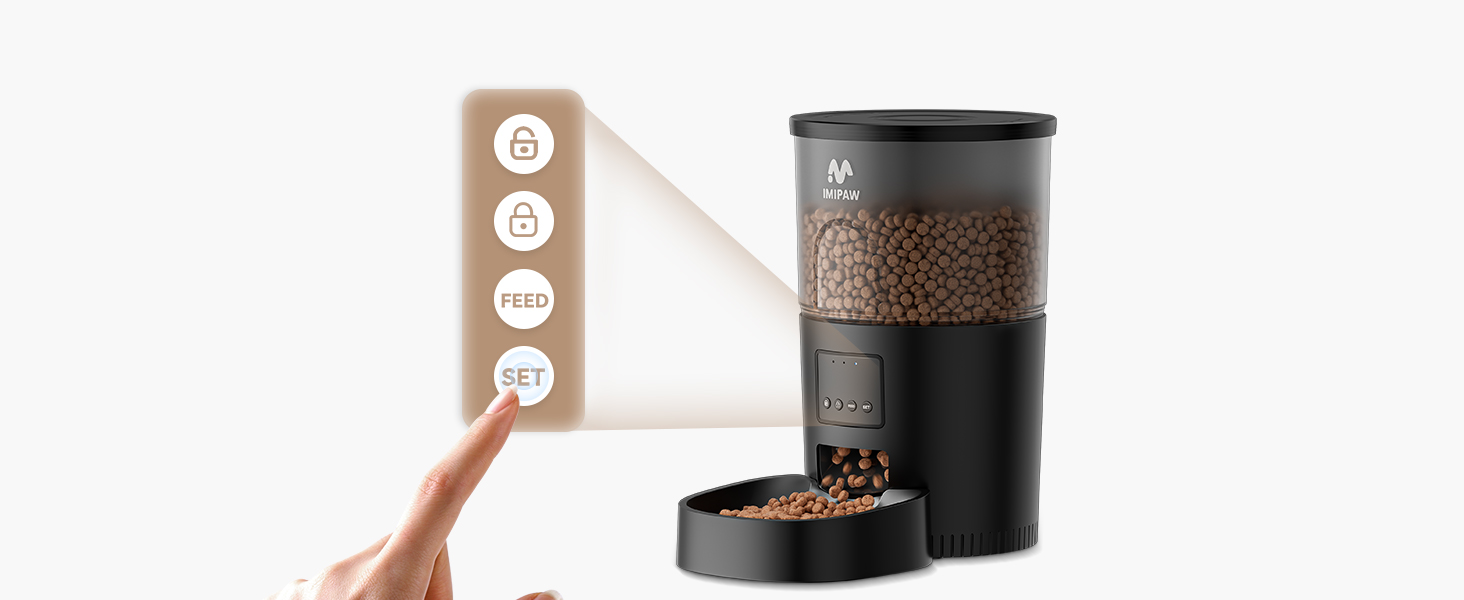
Image: Features of the feeder including the security lock, anti-slip bottom, and durable nylon braided power cable.
3.2 Электр энергиясы
The feeder supports dual power supply options:
- AC кубаттуулугу: Connect the provided USB power cable to the feeder's port at the bottom and plug the adapter into a wall outlet.
- Батареянын камдык көчүрмөсү: Бийлик үчүнtages, install 3 x D-size alkaline batteries (not included) into the battery compartment at the bottom of the feeder. This ensures continuous operation even if AC power is lost.

Image: Illustration of the dual power supply, showing both AC adapter and battery compartment.
3.3 Тамак-аш идишти толтуруу
Ensure the feeder is assembled and powered. Pour dry pet food into the transparent food container. The feeder has a 3L capacity. The recommended kibble size is 2-10mm to prevent clogging.
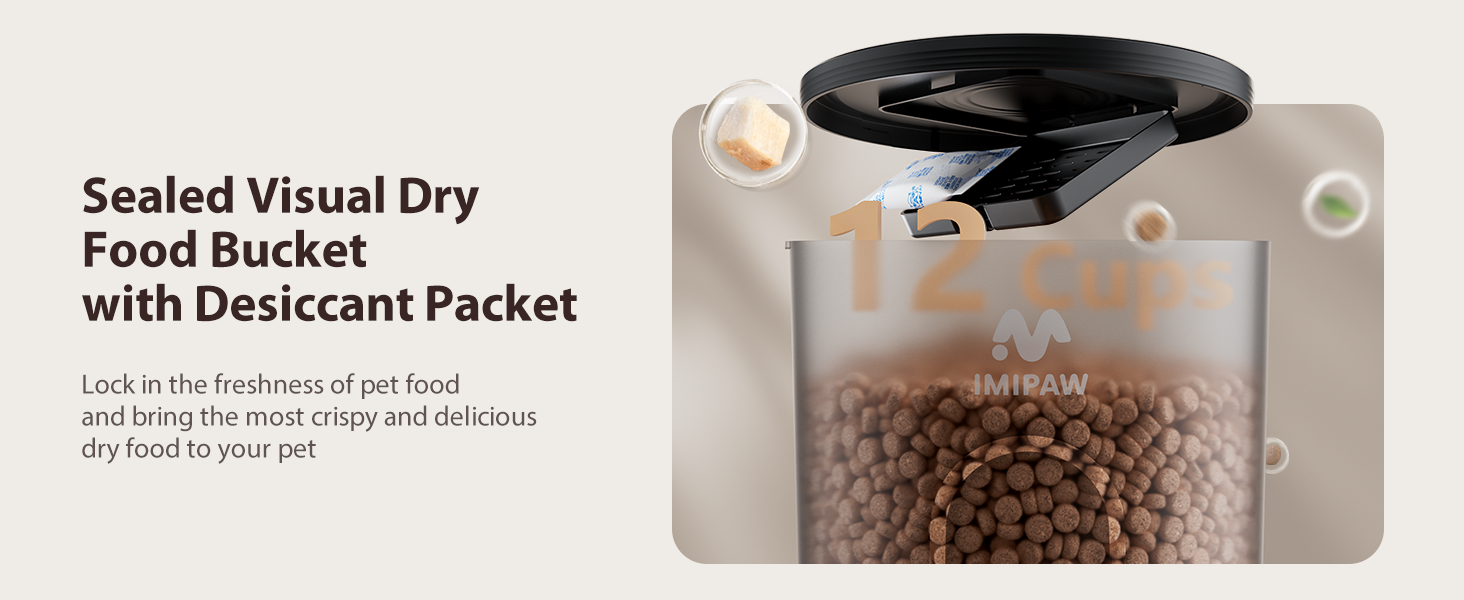
Image: Recommended kibble sizes and types suitable for the feeder's anti-clog design.
Маанилүү: Do not use any kibble over 10mm, as it may get stuck inside the feeder and prevent proper dispensing.
3.4 Колдонмо туташуусу
- Download the "PetTech" app from the App Store or Google Play.
- Ensure your mobile device's WiFi and Bluetooth are enabled.
- On the feeder, press and hold the "SET" button for 6 seconds until you hear a "dididi" sound, the red light is on, and the blue light is flashing fast. This indicates the feeder is in WiFi configuration mode.
- Open the PetTech App, sign up or log in.
- Tap "Add Device" and select "Pet Feeder (Wi-Fi)".
- Enter your 5GHz or 2.4GHz WiFi network password.
- Follow the in-app instructions to complete the connection. The device will be added successfully.
Video: Step-by-step guide on how to connect the IMIPAW Automatic Pet Feeder to the mobile app via WiFi.
4. Иштөө нускамалары
4.1 Колдонмонун алыстан башкаруусу
Once connected, you can control your feeder from anywhere using the PetTech app. The app allows you to:
- Set a feeding plan.
- Schedule feeding times.
- Adjust portions per meal (1-20 portions).
- Set up to 10 meals per day.
- View feeding logs to track your pet's intake.
- Perform remote manual feeding.
- Customize the feeder's name.
- Receive device offline alerts.
- Share device control with multiple family members.

Image: The PetTech app interface showing remote feeding options and meal planning.
Video: Demonstrates various app functions including remote lock/unlock, reset, scheduling meals, viewing feeding records, and customizing the feeder name.
4.2 Кол менен тамактандыруу
You can manually dispense food directly from the feeder or via the app. Press the "FEED" button on the feeder or use the "Feed Now" option in the app to dispense a single portion. This will not interrupt your scheduled feedings.
4.3 Safety Locking Lid
The feeder features a secure, twist-lock lid to prevent pets from accessing the food reservoir and overeating. Rotate the lid clockwise to lock and counter-clockwise to unlock.
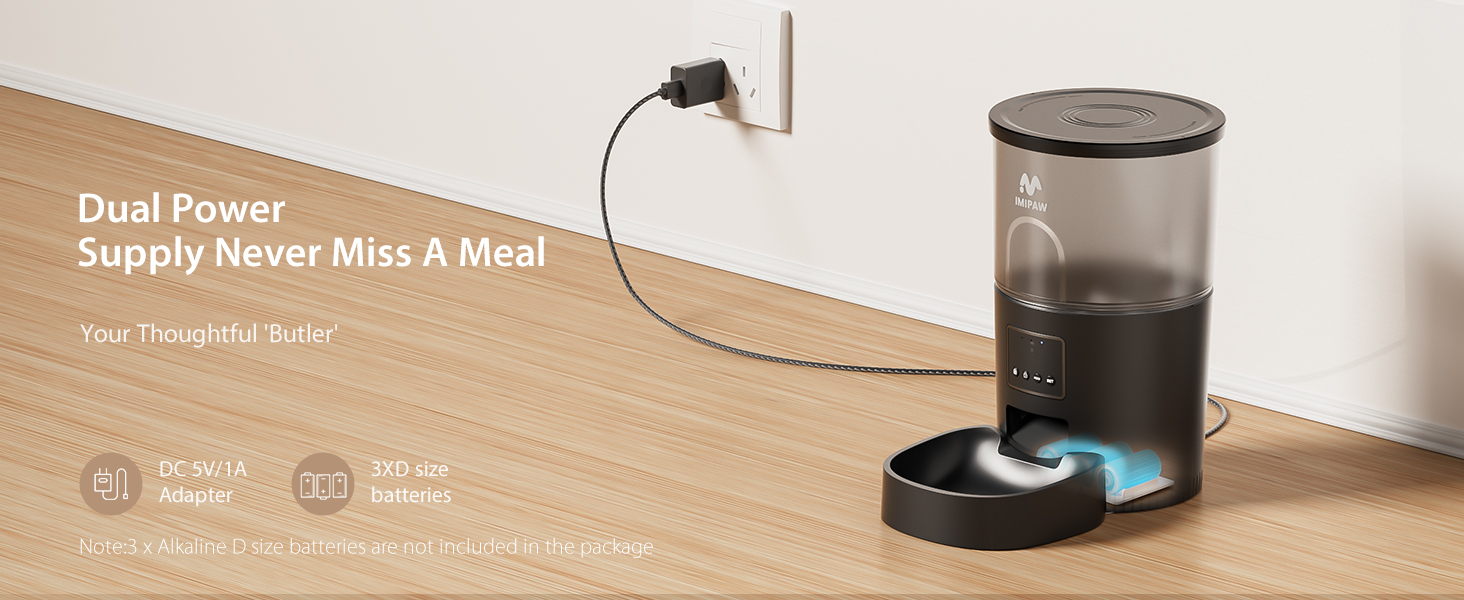
Image: Details of the safety locking lid mechanism and the non-slip design at the bottom of the feeder.
5. Техникалык тейлөө
5.1 Cleaning the Food Bowl
The food bowl is easily detachable for cleaning. Simply pull it away from the main unit. Wash the bowl with mild soap and water, then rinse thoroughly and dry before reattaching.
5.2 Cleaning the Food Container and Dispenser Mechanism
To clean the main food container and the internal dispensing mechanism, ensure the feeder is unplugged and empty of food. Wipe the interior with a damp cloth and mild detergent. Avoid submerging the main unit in water. Allow all parts to dry completely before refilling with food and reassembling.
Video: Demonstrates the easy removal of the food bowl for cleaning and general cleaning of the feeder unit.
6. Кыйынчылыктарды
- Азык берүүчү тамакты бербейт:
- Check if the feeder is powered on (AC or battery).
- Ensure the food container is not empty.
- Verify that the kibble size is within the recommended 2-10mm range to prevent clogs.
- Check the app for any error messages or if the feeding schedule is correctly set.
- Колдонмого туташуу маселелери:
- Ensure your WiFi network is 5GHz or 2.4GHz and stable.
- Confirm the feeder is in WiFi configuration mode (flashing blue light).
- Restart the feeder and your mobile device, then try connecting again.
- Колдонмонун акыркы версиясына жаңыртылганын текшериңиз.
- Device offline alerts:
- WiFi туташууңузду текшериңиз.
- Ensure the feeder has a stable power supply (AC or charged batteries).
- The app can be configured to send notifications if the device stays offline for over 30 minutes (or 18 hours for low power devices).
7. Техникалык шарттар
| Өзгөчөлүк | Деталь |
|---|---|
| Бренд | IMIPAW |
| Модель номери | DU3L-WY |
| Кубаттуулугу | 3 литр |
| Материал | Acrylonitrile бутадиен Styrene |
| Продукциянын өлчөмдөрү | 19 x 19 x 30 см; 1 кг |
| Электр камсыздоо | AC (5V/1A adapter) & 3 x D-size batteries (backup) |
| Байланыш | 5GHz WiFi enabled (compatible with 2.4GHz) |
| Азыктандыруу графиги | Up to 10 meals/day, 1-20 portions/meal |
| Сунушталган Kibble өлчөмү | 2-10 мм |
8. Кепилдик жана колдоо
The IMIPAW Automatic Cat Feeder comes with a 12 айлык кепилдик. For any product inquiries, technical support, or warranty claims, please contact IMIPAW customer service. Refer to the contact information provided in your product packaging or visit the official IMIPAW store on Amazon for support options.
IMIPAW Store: Visit the IMIPAW Store on Amazon