
1. Продукт бүтүп калдыview
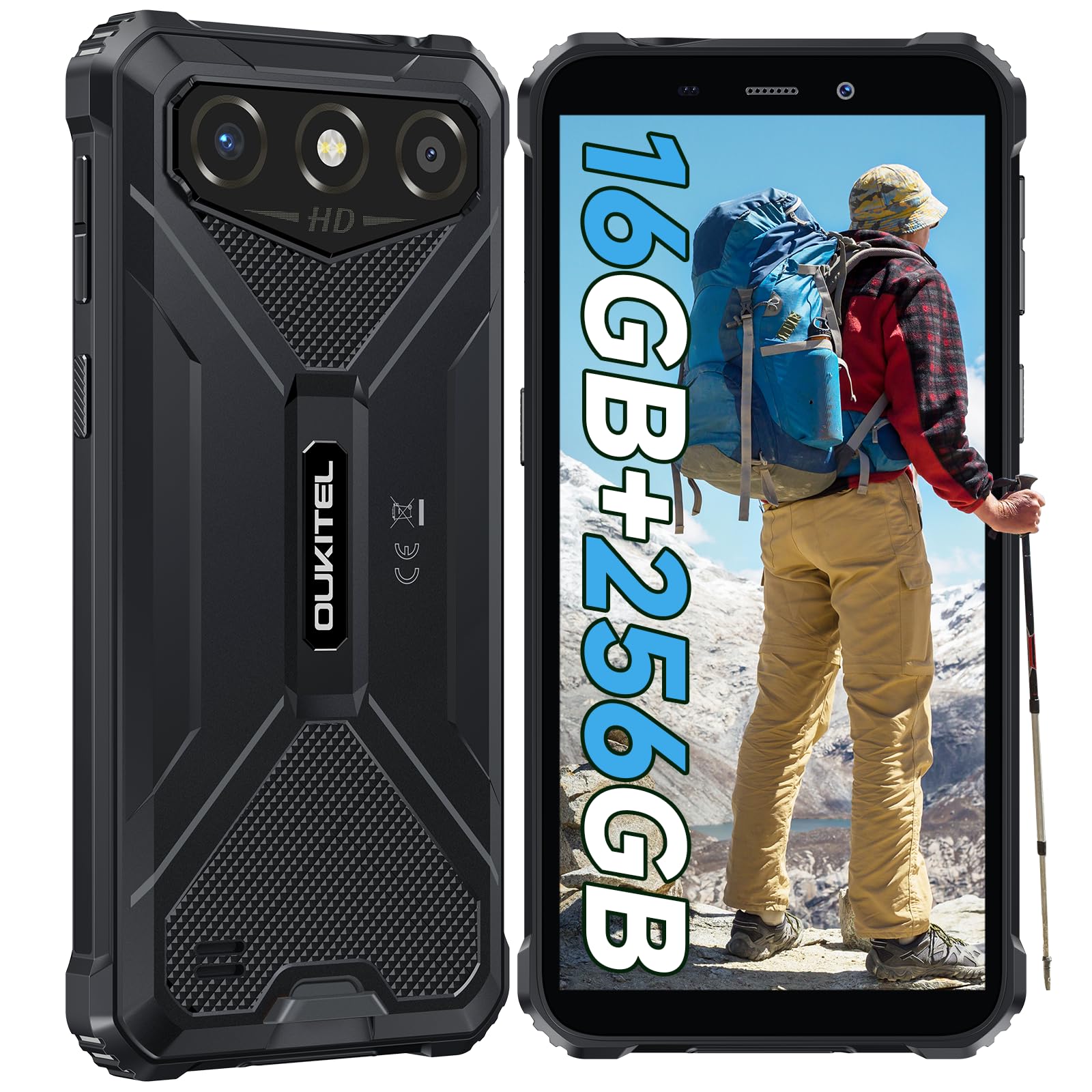
The OUKITEL G3 is a rugged smartphone designed for durability and performance in challenging environments. It features a 6.0-inch HD display, a 6300mAh battery, 16GB RAM (expandable), 256GB ROM (expandable to 1TB), and a 13MP main camera. The device is certified with IP68, IP69K, and MIL-STD-810H ratings, ensuring resistance to water, dust, and drops. It operates on Android 14 and supports 4G Dual SIM, GPS, Face ID, and OTG functionality.
2. Пакеттин мазмуну
Пакетиңизде бардык буюмдар бар экенин текшериңиз:
- 1x OUKITEL G3 Smartphone
- 1x заряддагыч
- 1x Type-C кабели
- 1x SIM Card Ejector Pin
- 1x Колдонуучунун колдонмосу

3. Баштапкы орнотуу
3.1. SIM карталарды жана TF картасын салуу
- Аппараттын капталындагы SIM карта салгычын табыңыз.
- Use the provided SIM ejector pin to open the tray.
- Carefully place your Nano SIM cards (up to two) and/or a TF card (for memory expansion up to 1TB) into the designated slots.
- Ensure the cards are correctly oriented as indicated on the tray.
- Табаны телефондун ичине акырын түртүңүз, ал чыкылдагыча.

3.2. Батареяны заряддоо
Before first use, fully charge the device. Connect the Type-C cable to the phone's charging port and the other end to the provided charger. Plug the charger into a power outlet. The battery indicator on the screen will show charging status. The OUKITEL G3 features a 6300mAh battery for extended use.
3.3. Күйгүзүү / Өчүрүү
- Күйгүзүү үчүн: Кубат баскычын OUKITEL логотиби чыкканча басып туруңуз.
- Өчүрүү үчүн: Кубат баскычын басып, кармап туруңуз, андан кийин экрандагы параметрлерден "Өчүрүү" дегенди тандаңыз.
- Кайра күйгүзүү үчүн: Кубат баскычын басып, кармап туруңуз, андан кийин параметрлерден "Кайра баштоо" тандаңыз.
4. Иштөө нускамалары
4.1. Дисплей жана навигация
The OUKITEL G3 features a 6.0-inch HD display with 450 nits brightness and Corning Glass 5 protection. Navigate the Android 14 interface using touch gestures: tap, swipe, pinch-to-zoom. Access quick settings by swiping down from the top of the screen.

4.2. Камеранын функциялары
The device is equipped with a 13MP rear camera and a 5MP front camera. Open the Camera app to capture photos and videos. Features include:
- Standard Photo Mode: For everyday photography.
- AI сулуулук режими: Enhances facial features in portraits.
- Суу астындагы камера режими: Allows capturing photos and videos while submerged up to 1.5m for 30 minutes. Ensure all ports are securely sealed before underwater use.
- Панорама режими: For wide-angle landscape shots.

4.3. Батареяны башкаруу жана OTG
The 6300mAh battery provides extended usage. To optimize battery life, manage screen brightness, close unused applications, and enable power-saving modes when needed. The device supports OTG (On-The-Go) reverse charging, allowing you to use your OUKITEL G3 to charge other compatible devices via a Type-C OTG cable (sold separately).

4.4. Custom Key and Security Features
- Ыңгайлаштырылган ачкыч: A programmable button on the side of the device for quick access to specific applications or functions. Configure its actions (single click, double click, long press) in the phone settings.
- Face ID: Use facial recognition for secure unlocking of your device. Set up Face ID in the Security settings.
- GPS навигациясы: The OUKITEL G3 supports GPS, GLONASS, Beidou, and Galileo navigation systems for accurate positioning.

5. Техникалык тейлөө жана туруктуулук
The OUKITEL G3 is built to withstand harsh conditions, certified with IP68, IP69K, and MIL-STD-810H standards.
- IP68 сууга туруктуулугу: Protected against continuous immersion in water up to 1.5 meters for 30 minutes. Ensure all port covers are tightly sealed before exposure to water.
- IP69K чаңга туруктуулугу: Чаңдын киришинен жана жогорку басымдагы, жогорку температурадагы суу агымдарынан толук корголгон.
- MIL-STD-810H Тамчыга каршылык: Designed to withstand drops from up to 1.5 meters. The aluminum frame and rubberized corners provide enhanced shock absorption.
Аппаратты тазалоо үчүн жумшак, гamp cloth. Avoid harsh chemicals or abrasive materials. Regularly check port covers for proper sealing to maintain water and dust resistance.

6. Кыйынчылыктарды
Эгерде сиз OUKITEL G3 телефонуңуз менен көйгөйлөргө туш болсоңуз, төмөнкү кеңири таралган чечимдерди караңыз:
| Көйгөй | Мүмкүн чечим |
|---|---|
| Түзмөк күйбөйт | Батарея заряддалганын текшериңиз. Заряддагычты туташтырыңыз жана кайра күйгүзүү аракетинен мурун бир нече мүнөт күтүңүз. |
| Начар тармак сигналы | Check if SIM cards are correctly inserted. Move to an area with better network coverage. Contact your service provider if the issue persists. |
| Колдонмолор бузулуп же катып калууда | Close background applications. Clear the cache of the problematic app. Restart the device. Ensure sufficient storage space is available. |
| Батарея бат эле түгөнөт | Reduce screen brightness. Disable unused features like Wi-Fi, Bluetooth, GPS. Close power-intensive apps. Check battery usage in settings to identify culprits. |
| Сенсордук экран жооп бербейт | Түзмөктү өчүрүп-күйгүзүңүз. Эгер көйгөй чечилбесе, заводдук жөндөөлөргө кайтарыңыз (алдын ала маалыматтардын камдык көчүрмөсүн сактаңыз). |
7. Техникалык шарттар
| Өзгөчөлүк | Деталь |
|---|---|
| Бренд | OUKITEL |
| Модел | G3 |
| Операция системасы | Android 14 |
| RAM | 4 ГБ (16 ГБ виртуалдык оперативдик эс тутумга чейин кеңейтилиши мүмкүн) |
| Ички сактагыч (ROM) | 256 ГБ |
| Кеңейтүүчү сактагыч | 1 ТБ чейин (TF карта) |
| Дисплей өлчөмү | 6.0 дюйм |
| Display Resolution | HD (450 nits brightness, Corning Glass 5) |
| Жаңыртуу ылдамдыгы | 60Hz |
| Арткы камера | 13 мегапиксел |
| Алдыңкы камера | 5 мегапиксел |
| Батарея сыйымдуулугу | 6300 мАч |
| Заряддоо порту | USB Type-C |
| Туруктуулук рейтингдери | IP68, IP69K, MIL-STD-810H |
| SIM картаны колдоо | Dual 4G Nano SIM |
| Навигация | GPS, ГЛОНАСС, Бейду, Галилео |
| Биометрикалык коопсуздук | Face ID |
| Аудио Jack | 3.5мм |
Энергиянын натыйжалуулугу боюнча толук маалымат алуу үчүн, сураныч, ЕС EPREL маалымат базасына кайрылыңыз: https://eprel.ec.europa.eu/qr/2400970

8. Кепилдик жана колдоо
OUKITEL provides the following support for the G3 smartphone:
- Кайтаруу саясаты: 30-day no-reason return.
- Кепилдик: TWO-YEAR warranty.
- Техникалык колдоо: Long-term technical assistance.
- Кардарларды тейлөө: 24 саат онлайн кардарларды тейлөө.
For any inquiries or support, please contact OUKITEL official customer service.