
1. Киришүү
Thank you for choosing the FOHERE Professional Bill Counter H-A16. This device is designed to efficiently count banknotes and detect counterfeits, making cash handling faster and more secure. It is ideal for various environments such as retail stores, banks, businesses, and restaurants. This manual provides detailed instructions for setup, operation, maintenance, and troubleshooting to ensure optimal performance and longevity of your bill counter.
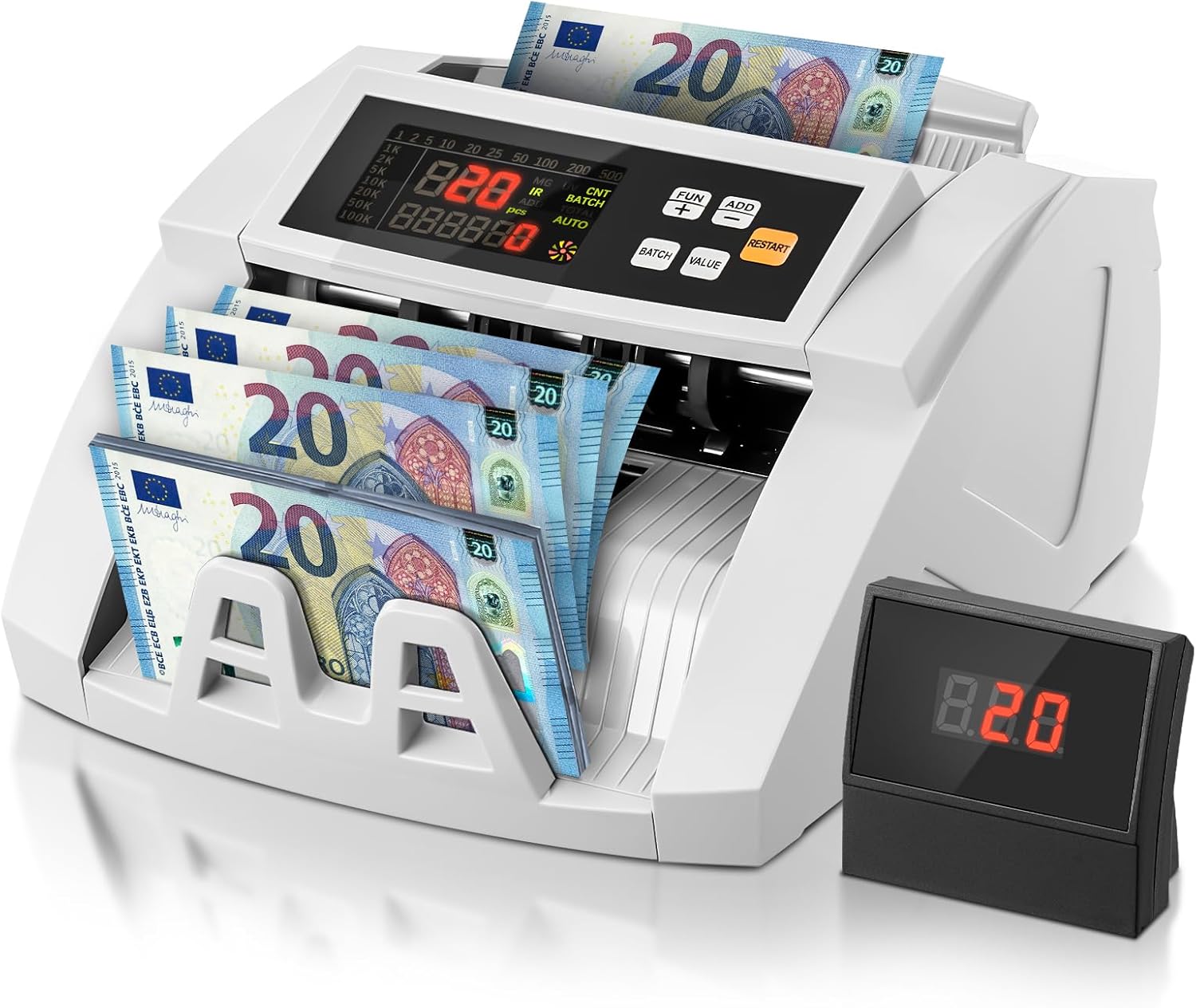
Image 1.1: FOHERE Bill Counter H-A16 processing Euro banknotes. The main LCD display shows counting information, and an external display unit is visible on the right.
2. Коопсуздук нускамалары
- Аппаратты иштетүүдөн мурун бардык нускамаларды окуп чыгыңыз.
- Электр тогуна урунбоо үчүн аппаратты суудан же башка суюктуктардан алыс кармаңыз.
- Аппаратты ачпаңыз casinг. Бардык тейлөөлөрдү квалификациялуу кызматкерлерге тапшырыңыз.
- Берилген кубат адаптерин жана кабелин гана колдонуңуз.
- Электр розеткасынын томго дал келишин текшериңизtagаппараттын талаптары.
- Unplug the device from the power source before cleaning or when not in use for extended periods.
- Иштеп жатканда колдоруңузду жана кенен кийимдериңизди тумшукту азыктандыруу механизминен алыс кармаңыз.
3. Пакеттин мазмуну
Сураныч, пакетте төмөнкү нерселерди текшериңиз:
- 1 x FOHERE Professional Bill Counter H-A16
- 1 x Кубат кабели
- 1 x тазалоочу щетка
- 1 х тышкы LCD дисплей
- 1 х Колдонуучунун колдонмосу (бул документ)

Сүрөт 3.1: Бүттүview of the FOHERE Bill Counter H-A16 dimensions and included accessories.
4. Продукт бүтүп калдыview
The FOHERE H-A16 Bill Counter features a user-friendly design with a clear LCD display and intuitive controls. Key components include:
- Хоппер: Where bills are loaded for counting.
- Stacker: Where counted bills are collected.
- Башкаруу панели: Buttons for mode selection, batch settings, and other functions.
- LCD дисплей: Shows counting results, error messages, and mode indicators.
- External Display Port: For connecting the included external display.
- Сенсорлор: UV, MG, IR, DD for counterfeit detection.

Image 4.1: Design features emphasizing efficiency and durability, including high-strength materials, user-friendly controls, and an improved bill rotor.
5. Орнотуу
- Таңылганын ачуу: Carefully remove the bill counter and all accessories from the packaging.
- Жайгашкан жери: Place the device on a stable, flat, and dry surface, ensuring adequate ventilation.
- Кубат туташуу: Connect the power cable to the device's power input and then plug it into a suitable electrical outlet.
- Тышкы дисплей (кошумча): If desired, connect the external LCD display to the designated port on the back of the bill counter.
- Күйгүзүү: Press the power switch, usually located on the back or side of the machine. The device will perform a self-test, and the display will light up.
6. Иштөө нускамалары
The FOHERE H-A16 offers multiple counting modes and advanced counterfeit detection.
6.1 Негизги эсептөө
- Ensure the machine is powered on and in the default counting mode (usually AUTO).
- Fan out the bills to prevent them from sticking together.
- Place the stack of bills neatly into the hopper. Ensure they are aligned correctly and not folded or crumpled.
- The machine will automatically start counting. The count will be displayed on the LCD screen.
- Эсептөө аяктагандан кийин, эсептерди стакерден алып салыңыз.
6.2 Counting Modes
Use the control panel buttons to select different operational modes:
- AUTO режими: The default mode for continuous counting.
- PACK режими: Allows you to count bills in specific quantities. Press the 'BATCH' button, then use the numeric keys or '+' / '-' buttons to set the desired batch size (e.g., 10, 20, 50, 100). The machine will stop after counting the set number of bills.
- КОШУУ режими: For cumulative counting. Each new count is added to the previous total. Press the 'ADD' button to activate.
- VALUE режими: Calculates the total monetary value of a stack of bills. Маанилүү: This mode only works accurately for bills of the same denomination. Manually separate bills of different denominations and count them individually in this mode. Press the 'VALUE' button and select the denomination.

Image 6.1: Illustration of the four professional counting modes: Count, Add, Batch, and Value calculation.

Image 6.2: Display in Value Counting Mode, showing the quantity of bills and their total value. Note: Only count one denomination at a time for accurate value calculation.
6.3 Контрафактты аныктоо
The FOHERE H-A16 is equipped with multiple detection technologies:
- Ультрафиолет (ультрафиолет): Detects UV features present in genuine banknotes.
- MG (Magnetic): Scans for magnetic ink patterns on bills.
- IR (Инфракызыл): Checks for infrared security features.
- DD (Dimension Detection): Verifies the physical dimensions of the banknotes.
If a suspicious bill is detected, the machine will automatically stop, display an error message on the screen, and emit an audible alarm. Remove the suspicious bill and press 'RESTART' to continue counting.
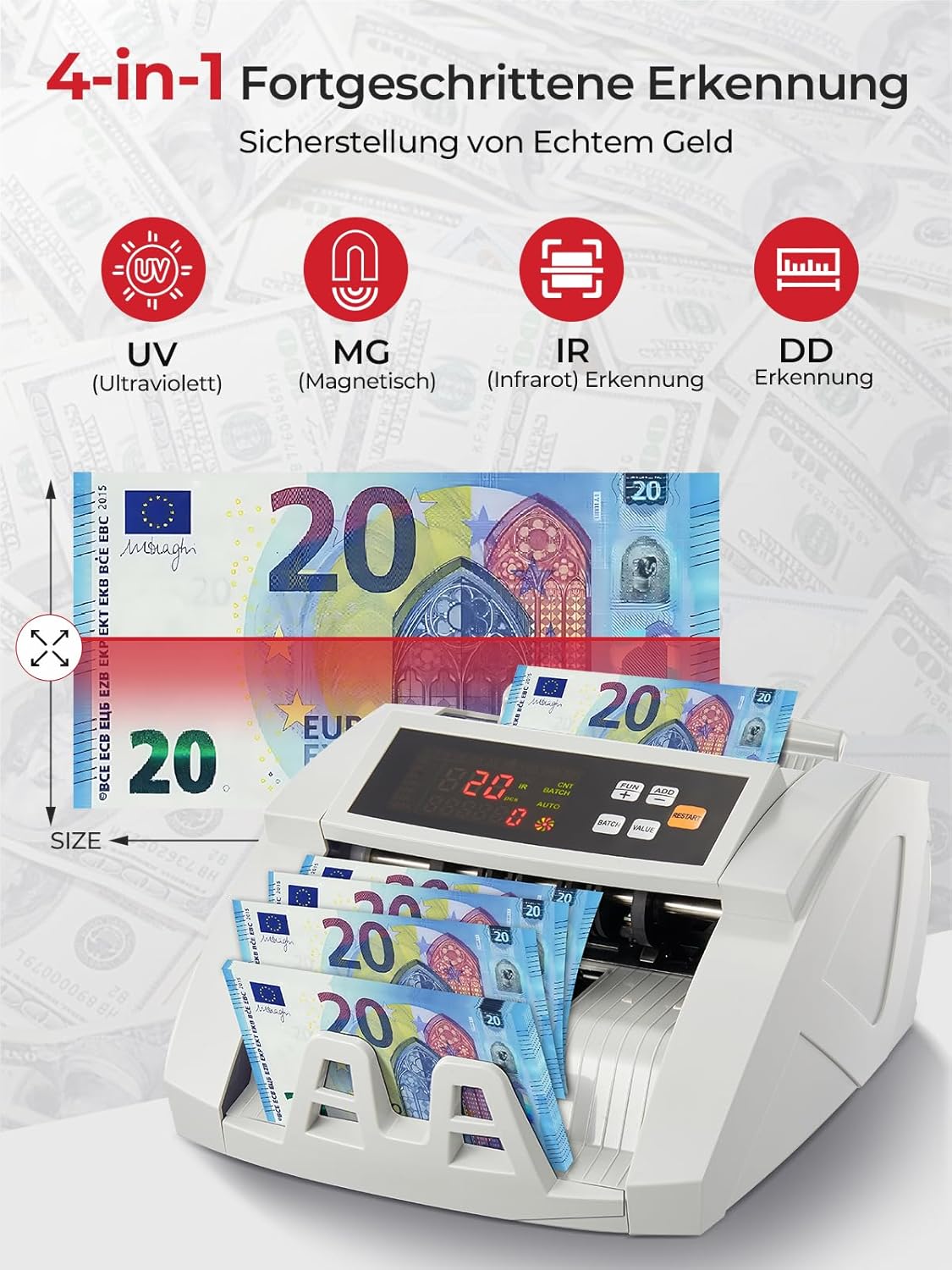
Image 6.3: Visual representation of the 4-in-1 advanced counterfeit detection system (UV, MG, IR, DD).
7. Техникалык тейлөө
Regular maintenance ensures the accuracy and longevity of your bill counter.
7.1 Тазалоо
- Өчүрүү: Тазалоодон мурун ар дайым машинаны өчүрүп, розеткадан ажыратыңыз.
- Чаңды тазалоо: Use the provided cleaning brush or a soft, dry cloth to gently remove dust and debris from the hopper, stacker, and internal sensors.
- Сенсор тазалоо: Pay special attention to the UV, MG, and IR sensors. Accumulated dust can affect detection accuracy. Use a soft, lint-free cloth, possibly lightly dampened with isopropyl alcohol, to clean the sensor surfaces. Ensure they are completely dry before powering on.
- Сырткы: Машинанын сыртын жумшак, кургак чүпүрөк менен сүртүңүз. Абразивдүү тазалагычтарды же эриткичтерди колдонбоңуз.
7.2 Сактоо
When not in use for extended periods, store the bill counter in a clean, dry place, away from direct sunlight and extreme temperatures.
8. Кыйынчылыктарды
Жалпы маселелер жана аларды чечүү үчүн төмөнкү таблицаны караңыз:
| Көйгөй | Мүмкүн себеп | Чечим |
|---|---|---|
| Машина иштебейт | Power cable not connected; Power switch off; Power outlet issue | Check power cable connection; Ensure power switch is ON; Try a different power outlet. |
| Bills jam frequently | Bills not fanned out; Bills are crumpled/folded; Dust on rollers/sensors | Fan out bills before loading; Straighten bills; Clean rollers and sensors as per maintenance section. |
| Inaccurate counting results | Dust on sensors; Bills not inserted correctly; Worn rollers | Clean all sensors; Re-insert bills properly; Contact support if rollers appear worn. |
| Жасалмаларды аныктоо каталары | Dust on UV/MG/IR sensors; Bills are heavily worn or damaged | Clean UV, MG, and IR sensors; Try counting the bill manually or with another known genuine bill for comparison. |
| Тышкы дисплей иштебейт | Cable not connected properly; Faulty display unit | Check the connection cable; Test with another external display if available, or contact support. |
9. Техникалык шарттар
| Өзгөчөлүк | Спецификация |
|---|---|
| Бренд | FOHERE |
| Модель номери | H-A16 |
| Эсептөө ылдамдыгы | 1100 эсеп / мүнөтүнө чейин |
| Жасалма акчаны аныктоо | UV (Ultraviolet), MG (Magnetic), IR (Infrared), DD (Dimension Detection) |
| Бункердин сыйымдуулугу | 200 эсеп |
| Stacker кубаттуулугу | 200 эсеп |
| Дисплей | LCD, External Display |
| Продукциянын өлчөмдөрү (L x W x Y) | 28 x 23.5 x 16 см |
| Элемент Салмагы | 3.05 килограмм |
| Countable Banknote Size | 50 x 100 ммден 90 x 170 ммге чейин |
| Электр камсыздоо | 220V 50Hz |
| Энергияны керектөө | <80 Вт |
| Түс | Ак |

Image 9.1: Performance metrics of the FOHERE Bill Counter, including counting speed and capacities.
10. Кепилдик жана колдоо
FOHERE products are manufactured to high-quality standards. For warranty information, please refer to the documentation provided with your purchase or contact your retailer. If you encounter any issues or have questions regarding the operation or maintenance of your FOHERE Professional Bill Counter H-A16, please contact FOHERE customer support for assistance.