
Introduction
This manual provides detailed instructions for setting up, operating, maintaining, and troubleshooting your DBIT N300 2.4GHz WiFi Router (Model T1 Pro). Please read this guide carefully to ensure proper use and optimal performance of your device.

The DBIT N300 T1 Pro WiFi Router, designed for reliable 2.4GHz wireless connectivity.
Орнотуу нускамалары
Follow these steps for the initial setup of your DBIT N300 WiFi Router:
- Аппаратты туташтыруу: Connect the router to the power adapter and plug it into an electrical outlet. Connect the WAN port of the DBIT N300 router to your existing modem or superior router using the provided Ethernet cable.
- Роутердин Wi-Fi тармагына туташыңыз: On your computer or mobile device, connect to the default Wi-Fi network name (SSID) of the DBIT N300 router. The default SSID and password are usually found on a label on the bottom of the router.
- кирүү Web Интерфейс: ачуу а web browser and enter the default login URL, typically "192.168.10.1", into the address bar. Log in using the default username and password (also found on the router label).
- Wi-Fi жөндөөлөрүн конфигурациялоо: Follow the on-screen guide to configure your Wi-Fi network name (SSID) and password. It is recommended to change the default settings for security.
- Reconnect and Enjoy: After saving your settings, your devices will disconnect from the old Wi-Fi network. Reconnect your devices to the newly configured Wi-Fi network.

Visual guide for the easy and straightforward setup process.

Diagram illustrating the connection flow from internet to modem, router, and terminal devices.
Физикалык байланыштар
The DBIT N300 router features several ports for wired connections:
- WAN порт: Connects to your internet source (modem).
- LAN порттору (LAN1, LAN2, LAN3): Connect to wired devices such as computers, smart TVs, or gaming consoles.
- DC IN: Кубат киргизүү порту.
- WPS/Reset баскычы: Used for WPS connection or factory reset.
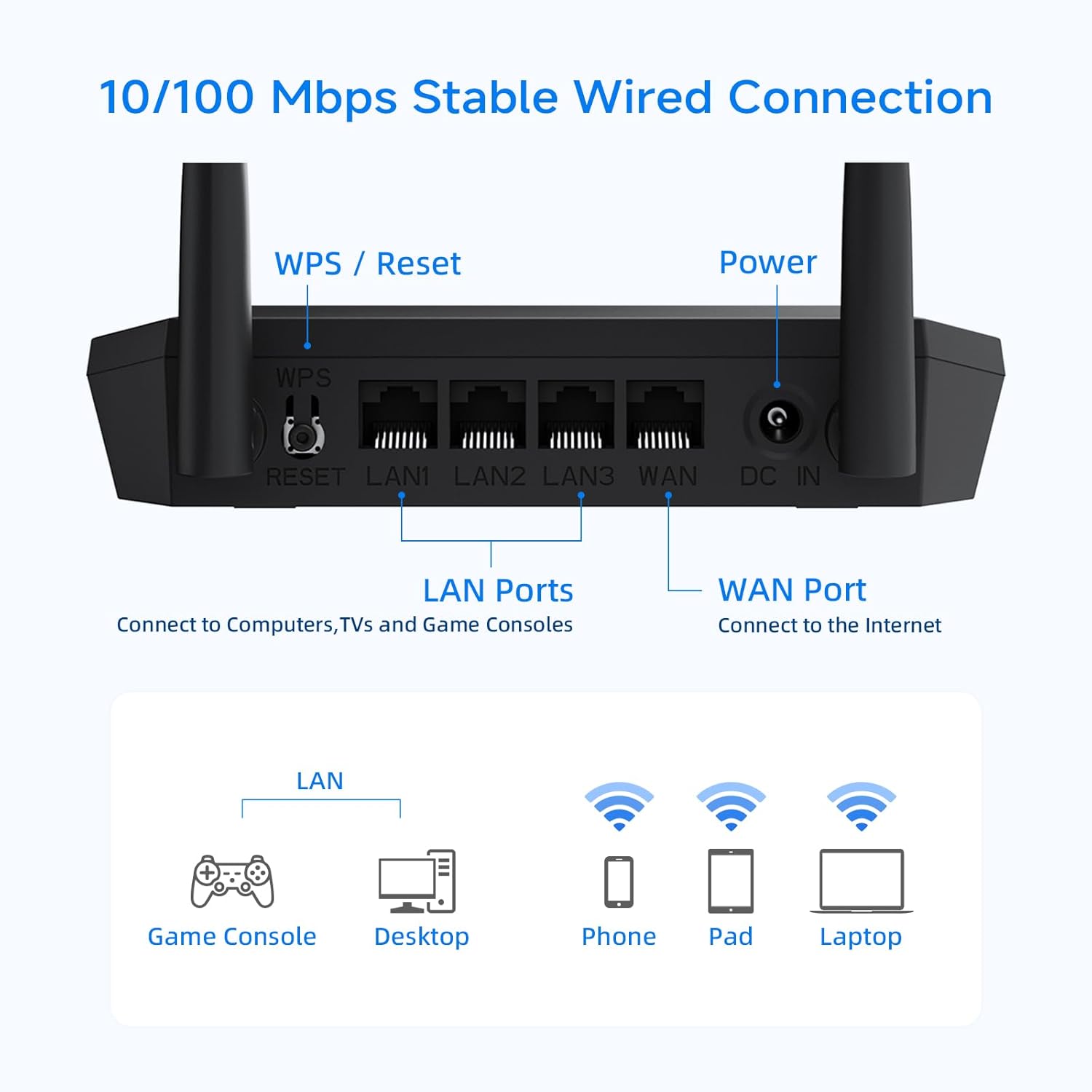
А деталдуу view of the router's rear panel, showing the WPS/Reset button, LAN ports, WAN port, and power input.
Иштөө режимдери жана өзгөчөлүктөрү
Зымсыз роутер режими
In this standard mode, the router connects to your modem and broadcasts a Wi-Fi signal, allowing multiple devices to access the internet wirelessly.
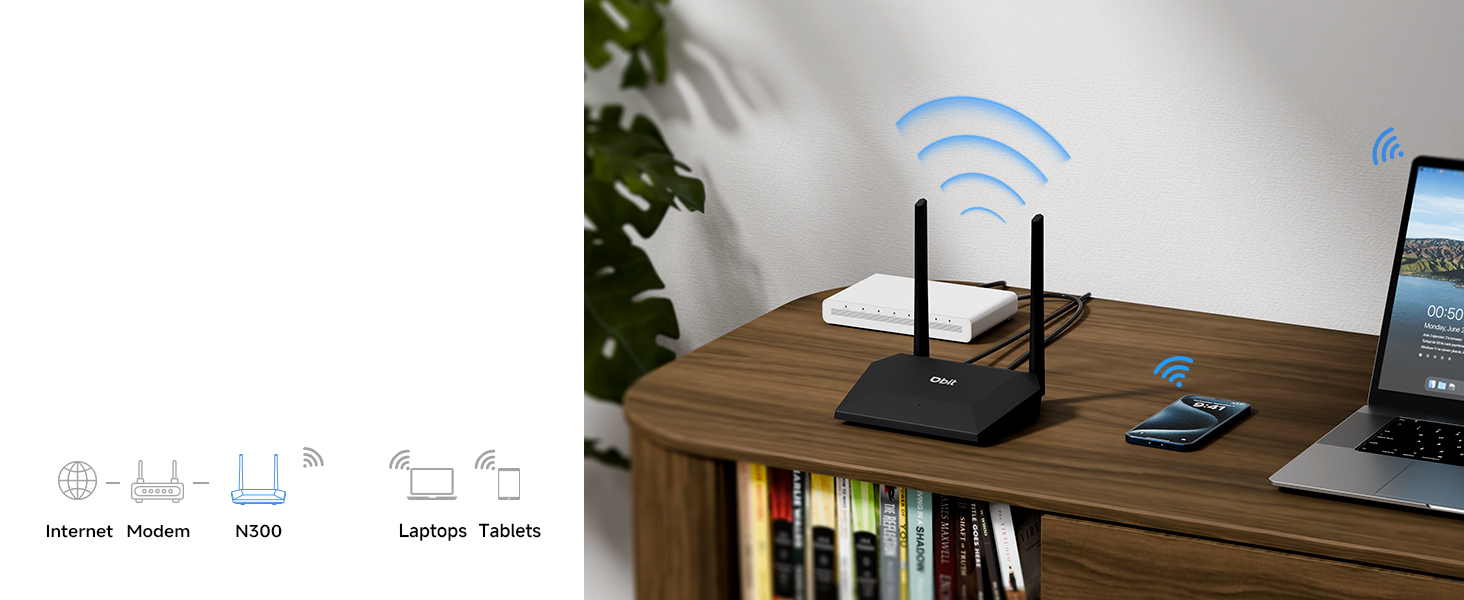
Illustration of the router operating in standard wireless router mode.
WISP/Wireless Repeater Mode
The DBIT N300 can function as a wireless repeater (WISP mode) to extend your existing Wi-Fi coverage. In this mode, the router wirelessly connects to an existing network and rebroadcasts the signal, effectively eliminating dead zones in larger areas.
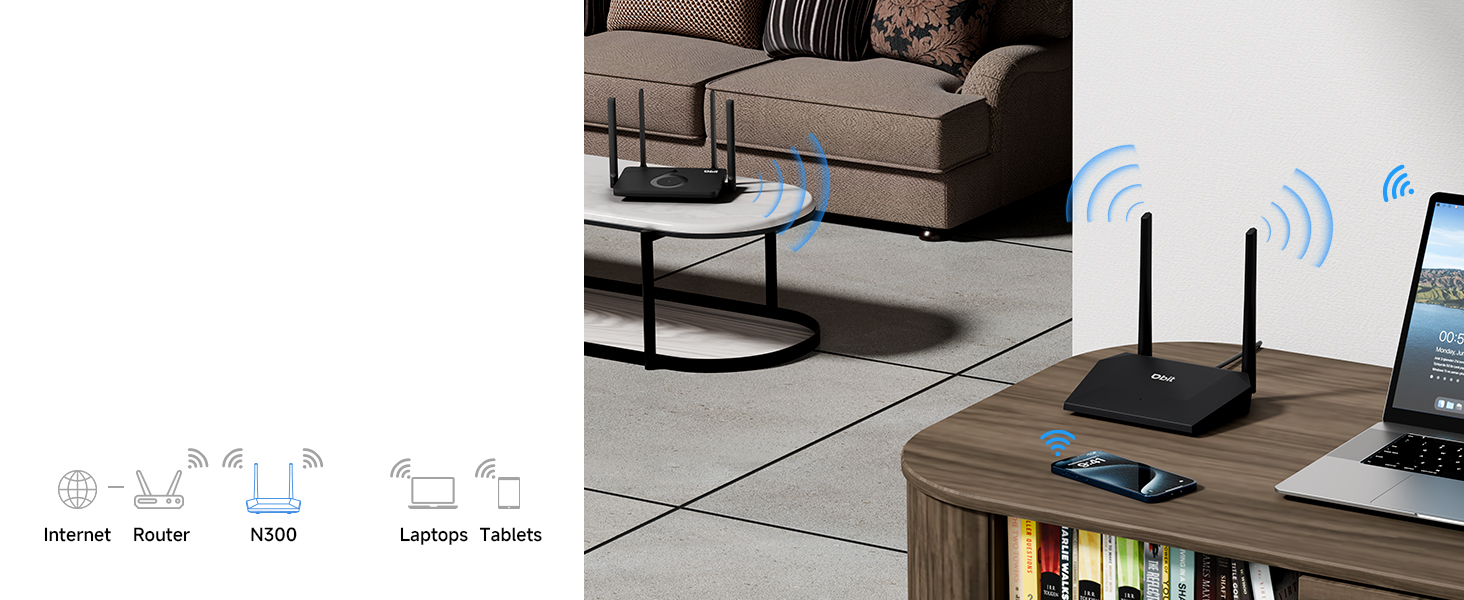
Diagram showing the router extending Wi-Fi coverage as a wireless repeater.
Конок тармагы
Create a separate Wi-Fi network for guests. This feature provides internet access to visitors while isolating them from your main network, enhancing your network's security and privacy.
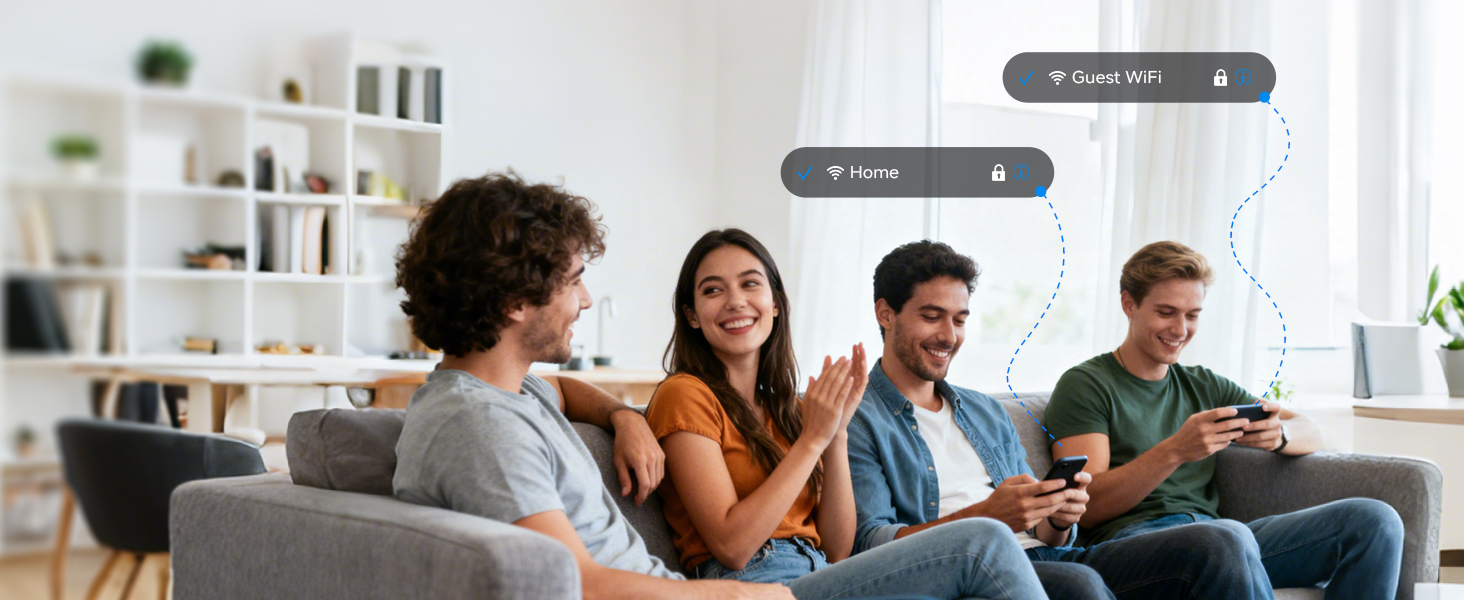
Illustration of the secure and separate Guest WiFi network feature.
Ата-энелик көзөмөл
Manage internet access for specific devices using Parental Controls. Features include:
- WLAN Schedule: Set specific times for Wi-Fi to be active or inactive, useful for managing screen time.
- Internet Access Control: Block specific devices from accessing the internet entirely.

Image representing the parental control features for managing internet usage.
Quality of Service (QoS) Speed Limit
Prioritize bandwidth for critical activities such as video calls or gaming. This prevents one device from consuming all available bandwidth, ensuring a smoother online experience for all connected devices.

Graphic illustrating the QoS speed control feature for bandwidth management.
IPTV/VLAN Support
The router supports IPTV (IGMP Proxy) and VLAN, ensuring optimal performance for IPTV services. This delivers high-quality video streaming without lag or buffering.

Image showing the router connected to a television, indicating IPTV support.
WPA2 коопсуздук
The DBIT N300 router utilizes the advanced WPA2-PSK security protocol to encrypt your wireless connection. This protects your network from unauthorized access and safeguards your personal data.
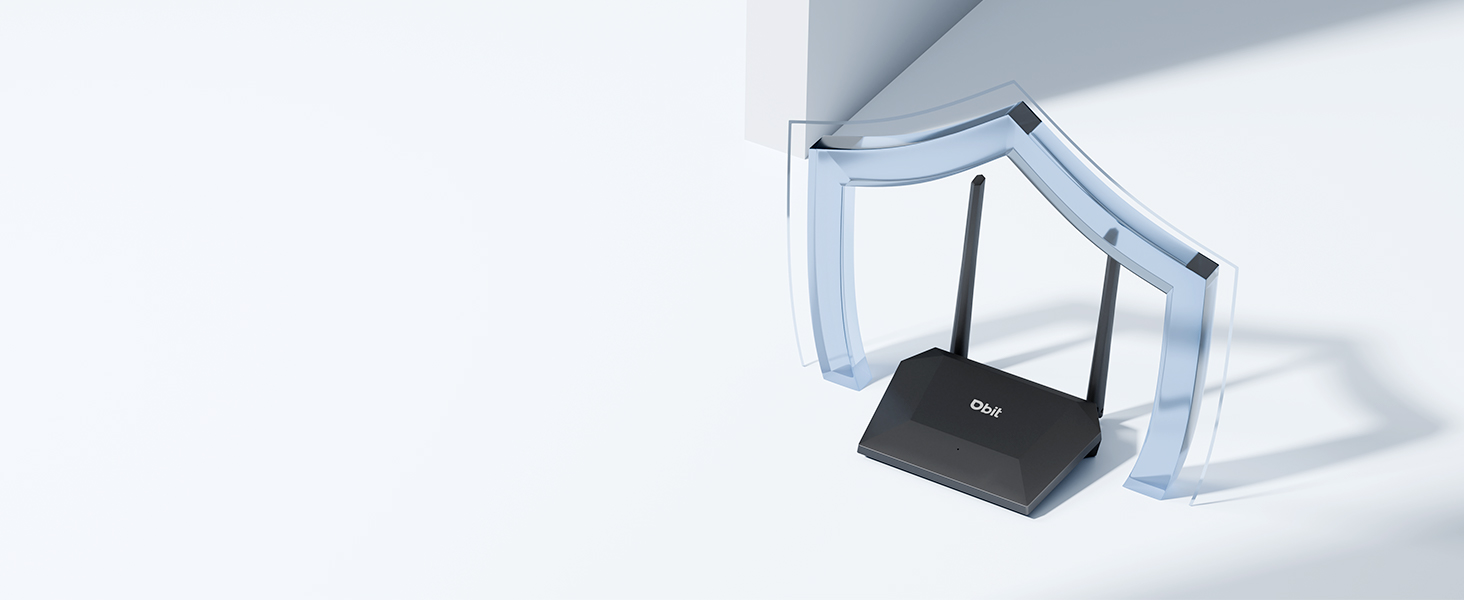
Image of the router with a shield icon, symbolizing robust WPA2 security.
WPS туташуу
WPS (Wi-Fi Protected Setup) allows for easy connection of WPS-enabled devices to your wireless network by simply pressing the WPS button on the router.

A finger pressing the WPS button on the router for easy device connection.
Техникалык тейлөө
To ensure the longevity and optimal performance of your DBIT N300 WiFi Router, consider the following maintenance tips:
- Жайгашкан жери: Роутерди борбордук жерге, тоскоолдуктардан жана тоскоолдук жаратышы мүмкүн болгон башка электрондук түзүлүштөрдөн алыс коюңуз.
- Тазалоо: Periodically clean the router's exterior with a soft, dry cloth. Avoid using liquid cleaners or aerosols.
- Программалык камсыздоонун жаңыртуулары: Өндүрүүчүнү текшериңиз website regularly for firmware updates. Keeping your router's firmware updated can improve performance, add new features, and enhance security.
- Power Cycle: If you experience connectivity issues, try power cycling the router (unplugging it for 10-15 seconds and then plugging it back in).
Проблемаларды чечүү
Бул жерде сиз кабылышы мүмкүн болгон жалпы маселелерди чечүү жолдору бар:
- Интернет байланышы жок:
- Модемиңиз туура иштеп жатканын текшериңиз.
- Бардык кабелдер роутерге жана модемге бекем туташтырылганын текшериңиз.
- Модемиңизди да, роутериңизди да өчүрүп-күйгүзүңүз.
- Wi-Fi сигналы начар же өлүк аймактар:
- Маршрутизаторду бир кыйла борбордук жерге көчүрүңүз.
- Minimize physical obstructions (walls, large furniture) between the router and your devices.
- Consider using the router in WISP/Repeater mode to extend coverage.
- Difficulty Changing SSID or Password:
- Ensure you are accessing the correct web интерфейс URL (e.g., 192.168.10.1) and using the correct login credentials.
- Refer to the detailed instructions in the router's web interface or the manufacturer's online resources for specific steps.
- Router Resets to Factory Settings After Power Loss:
- This behavior is not typical. Ensure the router is connected to a stable power source.
- If the issue persists, contact DBIT customer support for assistance, as this may indicate a hardware fault.
- WPS Connection Issues:
- Ensure your device supports WPS and that the WPS function is enabled on both the router and the device.
- Try connecting manually by entering the Wi-Fi password.
Техникалык шарттар
| Өзгөчөлүк | Деталь |
|---|---|
| Бренд | DBIT |
| Модель аты | T1 Pro N300 WiFi Router |
| Элемент моделинин номери | T1 Pro |
| Продукциянын өлчөмдөрү | 5.91 x 5.04 x 5.91 дюйм |
| Элемент Салмагы | 4.6 унция |
| Түс | Кара |
| Жыштык тилкесинин классы | Бир тилкелүү (2.4 ГГц) |
| Зымсыз байланыш стандарты | 802.11b, 802.11g, 802.11n |
| Байланыш технологиясы | Ethernet, Wi-Fi |
| Өзгөчөлүктөр | Guest Mode, IPTV, WPS, Wireless Repeater Mode, WPA2-PSK Security |
| Шайкеш түзмөктөр | Gaming Console, Personal Computer, Tablet, Smart Television, Smartphone, Printer, Security Camera |
| Камтылган компоненттер | T1 Pro N300 WiFi Router, Power Adapter, Ethernet Cable, Quick Installation Guide |
Кепилдик маалымат
DBIT products typically come with a limited manufacturer's warranty. For specific details regarding the warranty period and terms for your T1 Pro N300 WiFi Router, please refer to the warranty card included in the product packaging or visit the official DBIT webсайт. Сатып алуу квитанциясын кепилдик дооматтары үчүн сатып алуунун далили катары сактаңыз.
Кардарларды колдоо
If you encounter any issues or have questions that are not addressed in this manual, please contact DBIT customer support. You can typically find support contact information on the official DBIT webсайты же продуктуну сатып алган сатуучу аркылуу.
Интернет булактары жана көп берилүүчү суроолор үчүн төмөнкү дарекке кириңиз Amazon'догу DBIT дүкөнү же өндүрүүчүнүн расмий адамы webсайт.