
1. Introduction and Overview
The SKYVENT Q4 Motorcycle Bluetooth Communication System is designed to enhance your riding experience by providing seamless communication and entertainment. This dual-pack system supports up to 6 riders for group communication, features Bluetooth 5.1 for stable connections, and offers music sharing, FM radio, and noise cancellation.
- Bluetooth 5.1 Dual Connect: Equipped with advanced Bluetooth 5.1 and a dual module, the Q4 allows simultaneous music listening or GPS navigation while using the intercom.
- 6 People Group Communication: Enjoy social rides with a maximum communication distance of 1500m, supporting up to 6 riders.
- FM Radio & Music Sharing: Tune into FM radio during solo rides or share your music with friends in a group.
- 750mAh Battery & IP65 Waterproof: Offers up to 24 hours of talk time and 30 hours of music playback. IP65 waterproof and dustproof rating ensures reliable performance in various weather conditions.
- Ыңгайлаштырылган дизайн: Features adjustable mounts and interchangeable microphones to fit different helmet styles, ensuring easy installation and removal.
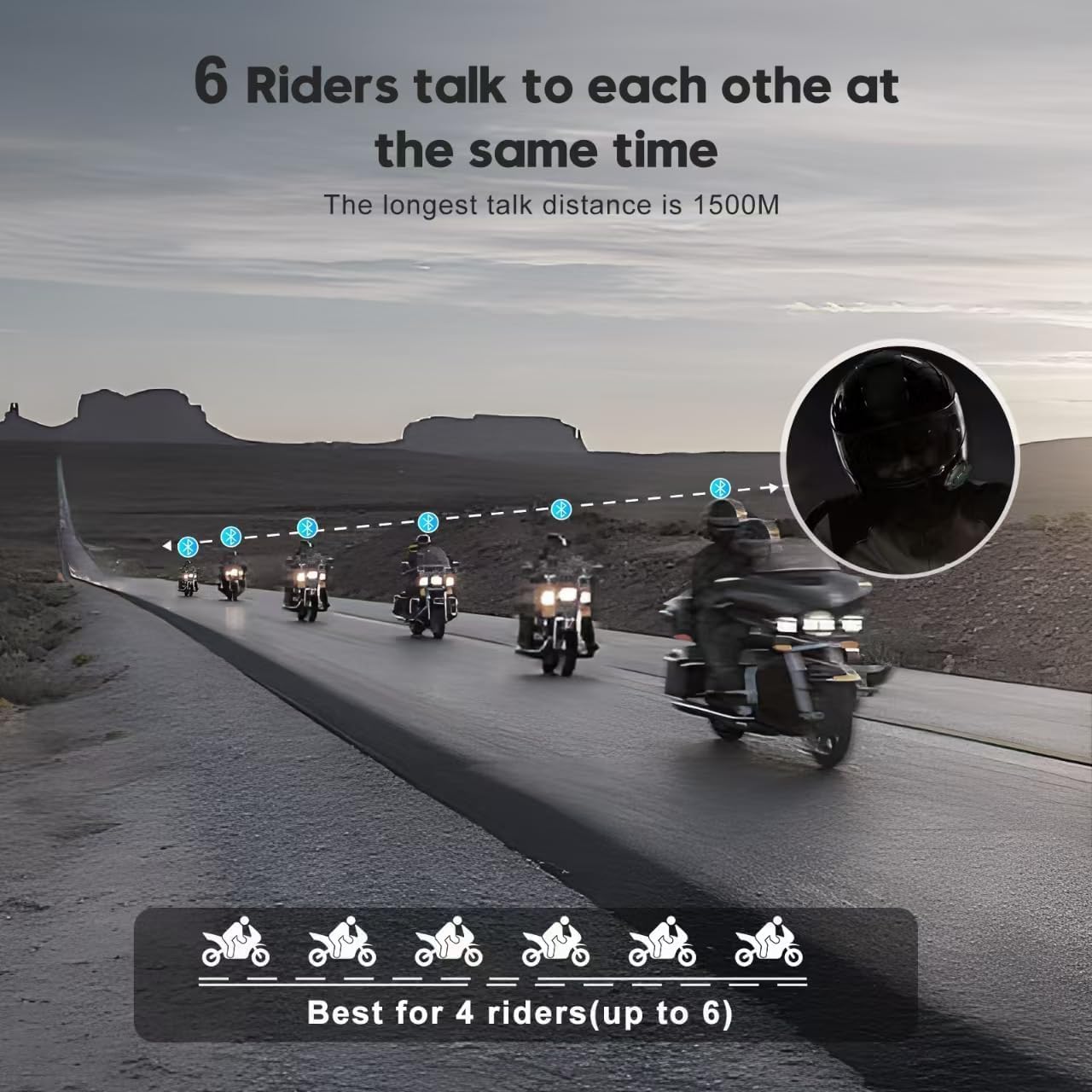
Image: The SKYVENT Q4 Motorcycle Bluetooth Communication System headset.

Image: The SKYVENT Q4 headset used in different scenarios like motorcycle racing, concert scheduling, aerial photography, and kids training.
2. Орнотуу жана орнотуу
2.1 Пакеттин мазмуну
Орнотуудан мурун, бардык компоненттердин бар экендигин текшериңиз:

Сүрөт: бүттүview of the SKYVENT Q4 product package contents including headset main unit, HD speaker, boom microphone, button microphone, Velcro, helmet clamp, 3M sticker bracket, charging cable, user manual, and packaging box. Also shows installation steps.
2.2 Орнотуу кадамдары
- Арткы клипти туулганын четине салыңыз.
- Insert the Q4 module onto the clip slot and ensure it is securely installed.
- Use the Velcro pads to stick inside your helmet, then stick the earphone and boom/soft mic.
- Insert the speakers and microphone plug into the Q4 module.
Video: Detailed instructions for installing the headset components into a helmet.
3. Иштөө нускамалары
3.1 Күйгүзүү/өчүрүү
- Күйгүзүү: Long press both the Power and Intercom buttons for 1 second.
- Өчүрүү: Long press both the Power and Intercom buttons for 1 second.
3.2 Мобилдик түзмөк менен Bluetooth жупташтыруу
- Ensure the unit is completely powered off.
- Press and hold the Power button for 5 seconds until the indicator light flashes blue and red, indicating pairing mode.
- On your mobile device, enable Bluetooth and search for "LX-B4FM" (or similar, referring to the Q4 model).
- Select the device to connect. A voice prompt will confirm successful connection.
3.3 Music Playback and Control
Once your Q4 is powered on and paired with your Bluetooth device:
- Ойнотуу/тындыруу: Single press the Power button.
- Үнүн жогорулатуу/төмөндөтүү: Short press the Up or Down arrow buttons for incremental changes, or long press for continuous adjustment.
- Алдыга трек өткөрүп жиберүү: Double tap the Up arrow button.
- Тректи артка өткөрүп жиберүү: Double tap the Down arrow button.
3.4 Музыка бөлүшүү
To share music between two Q4 units:
- Start music playback on the first paired unit.
- Double tap the Power button on the first unit.
- On the second unit (in standby mode), double tap the Power button.
- Music will automatically play on both units once connected.
- Ажыратуу үчүн: Double tap the Power button on either unit.
3.5 Телефон чалуу функциялары
- Чакырууга жооп берүү: Single press the Power button when an incoming call is received.
- Чакырууну аяктоо: Single press the Power button during a call.
- Чалууну четке кагуу: Double tap the Power button when an incoming call is received.
- Акыркы чалууну кайра терүү: In standby mode, double tap the Up arrow button.
- Activate Voice Dial (Siri/S Voice): Double tap the Down arrow button.
- Auto-Answer Feature: The unit can automatically answer incoming calls within 12 seconds.
3.6 FM радиосу
- Күйгүзүү/өчүрүү: Кубат баскычын 1 секунд басып туруңуз.
- Scan Up: In FM On mode, double tap the Down arrow button.
- Scan Down: In FM On mode, double tap the Up arrow button.
- Дүкөн станциясы: While scanning and on a desired station, double tap the Power button. The unit can store up to 6 FM stations.
- Cycle Stored Stations: Single click the Power button.
Video: Demonstrates various functions of a motorcycle intercom, including power, pairing, music, phone calls, and FM radio.
Video: Instructions on easy pairing for group intercom functionality.
Video: Demonstrates the operation of a similar S-8X unit, providing general guidance on button functions.
Video: Shows the pairing operation for a similar EJEAS V6 Pro Motorcycle Bluetooth Headset.
4. Техникалык тейлөө
To ensure the longevity and optimal performance of your SKYVENT Q4 headset, follow these maintenance guidelines:
- Тазалоо: жумшак колдонуу, damp cloth to clean the unit. Avoid harsh chemicals or abrasive materials.
- Заряддоо: Charge the unit using the provided USB charging cable. Do not use damaged chargers or cables.
- Гидроизоляция: While IP65 waterproof, avoid prolonged submersion in water. Ensure the charging port cover is securely closed when not charging.
- Сактагыч: Колдонулбаган учурда түзмөктү салкын, кургак жерде сактаңыз. Ашыкча температурадан алыс болуңуз.
5. Кыйынчылыктарды
If you encounter issues with your SKYVENT Q4, refer to the following common troubleshooting tips:
- Connection Unstable/Frequent Disconnects: Ensure the units are within the specified communication range (1500m). Check for potential interference from other electronic devices. Re-pair the devices if necessary.
- Sound Quality Issues (Unclear at Higher Speeds): Verify that the speakers are correctly positioned over your ears inside the helmet. Ensure the microphone is close to your mouth and clear of obstructions. The unit features Active Noise Cancellation, ensure it is functioning correctly.
- Battery Life Not Reliable: Ensure the unit is fully charged before use (approx. 3 hours for a full charge). Avoid using the unit in extreme temperatures, which can affect battery performance.
- Difficulty with Installation/Fit: Refer to the installation instructions and ensure the adjustable mounts and interchangeable microphones are correctly utilized for your specific helmet style.
- Unable to Connect to Other Brand Com Systems: The Q4 is designed for optimal compatibility within its own system. Compatibility with other brands may vary and is not guaranteed.
6. Техникалык шарттар
| Өзгөчөлүк | Деталь |
|---|---|
| Бренд | SKYVENT |
| Модель номери | Q4 |
| Байланыш технологиясы | Bluetooth, FM радио |
| Bluetooth версиясы | 5.1 |
| Bluetooth диапазону | 1.5 Kilometers (1500m) |
| Noise Control | Активдүү ызы-чууну жокко чыгаруу |
| Сууга туруктуулук деңгээли | Суу өткөрбөйт (IP65) |
| Батарея сыйымдуулугу | 750 мАч литий полимери |
| Батареянын орточо иштөө мөөнөтү | 30 саат (музыканы ойнотуу) |
| Батареянын сүйлөшүү убактысы | 24 саат |
| Батареяны заряддоо убактысы | 3 саат |
| Элемент Салмагы | 150 грамм |
| Элементтердин саны | 2 (Кош пакет) |
| Материал | Металл, пластик |
| Жыштык диапазону | 20Гц - 20,000Гц |
| Башкаруу ыкмасы | тийүү |
7. Кепилдик жана колдоо
7.1 Кепилдик маалыматы
The SKYVENT Q4 Motorcycle Bluetooth Communication System comes with a 1-year manufacturer's warranty. For specific details regarding warranty claims, please refer to the documentation included in your product package or contact SKYVENT customer support.
7.2 Кайтаруу саясаты
Бул продукт, чекене сатуучунун кайтарып берүү саясатына ылайык, сатып алынган күндөн тартып 30 күндүн ичинде акчасын кайтарып алууга/алмаштырууга укуктуу.
7.3 Кардарларды колдоо
For any questions, technical assistance, or support needs, please contact SKYVENT customer service through the contact information provided in your product packaging or via the retailer's support channels.