
Surge SG60094
Surge Wireless Pro Controller User Manual
Модели: SG60094
Introduction
This manual provides instructions for the Surge Wireless Pro Controller, Model SG60094. It covers setup, operation, maintenance, troubleshooting, and specifications. Please read this manual thoroughly before using the controller.
The Surge Wireless Pro Controller is designed for multi-platform compatibility, featuring Hall Effect thumb sticks and triggers for precision control.
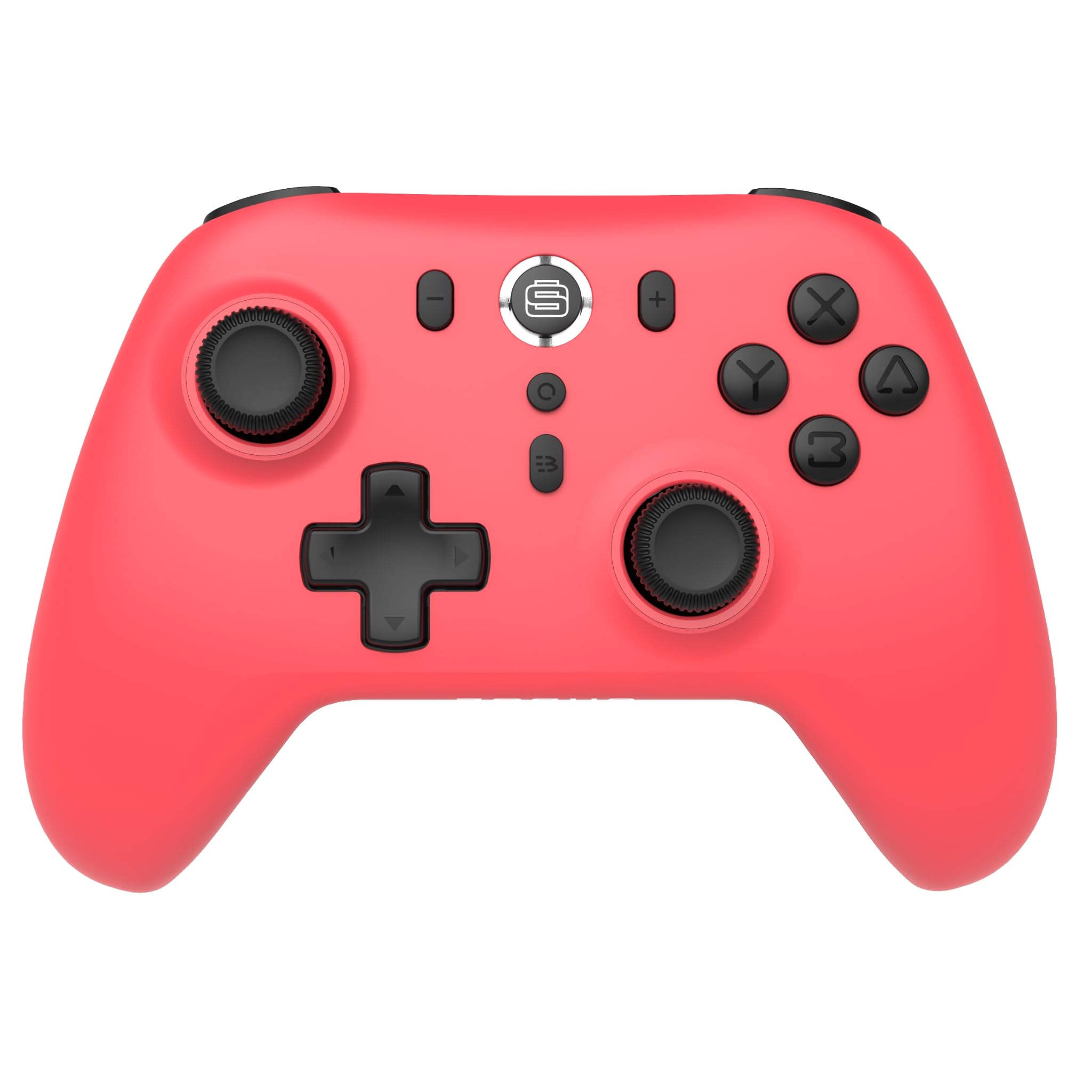
Сүрөт: алдыңкы view of the Surge Wireless Pro Controller in Neon Red.
Негизги өзгөчөлүктөрү
- Көп платформа шайкештиги: Supports Nintendo Switch/Switch 2 (Note: No C Button/Audio Port on Switch 2), Windows PC, Steam Deck, Android, and iOS devices.
- Hall Effect Thumb Sticks & Triggers: Engineered for precise control and to prevent stick drift.
- Турбо функциясы: Offers 3 adjustable turbo levels for rapid-fire actions.
- Дирилдөө боюнча пикир: Features 4 customizable vibration levels for enhanced haptic feedback.
- Кыймылды башкаруу каражаттары: Compatible with games that utilize motion sensing.
- Console Wake Up: Ability to wake the Nintendo Switch console from sleep mode (Nintendo Switch only).
- Кайра заряддалуучу батарея: Built-in 600mAh Li-polymer battery provides up to 10 hours of gameplay per charge.
- USB-C заряддоо: Includes a 1-meter USB-C charging cable.
Орнотуу нускамалары
1. Баштапкы заряддоо
Before first use, fully charge the controller. Connect the included USB-C cable to the controller's charging port and the other end to a USB power source (e.g., console, PC, USB wall adapter). The charging indicator will show status.

Image: The controller connected to a USB-C charging cable.
2. Nintendo Switch менен жупташуу
- On your Nintendo Switch console, go to the HOME Menu.
- Тандоо Контроллер, анда Катуу/Тартипти өзгөртүү.
- басып, кармап туруңуз Жупташтыруу баскычы on the top of the Surge Wireless Pro Controller until the player indicator lights begin to flash.
- Once paired, the player indicator light(s) will remain solid.
- To wake the console from sleep mode, press the Home button on the controller.
3. Pairing with PC, Android, or iOS
The pairing process may vary slightly depending on your device's operating system. Generally, you will need to enable Bluetooth on your device and search for new devices.
- Ensure Bluetooth is enabled on your PC, Android, or iOS device.
- On the Surge Wireless Pro Controller, press and hold the Жупташтыруу баскычы until the indicator lights flash.
- On your device, select "Surge Pro Controller" from the list of available Bluetooth devices.
- Жупташтырууну аяктоо үчүн экрандагы көрсөтмөлөрдү аткарыңыз.
Видео: Бүттүview of the 8Bitdo Ultimate 2 Wireless Controller, demonstrating general wireless controller setup principles.
Иштөө нускамалары
Button Layout

Image: Diagram showing the button layout of the Surge Wireless Pro Controller.
- Сол/оң аналогдук таякчалар: Кыймылды жана камераны башкаруу үчүн. Бышыктыгын жана тактыгын жогорулатуу үчүн Hall Effect технологиясы камтылган.
- D-Pad: Багыттуу киргизүү үчүн.
- A/B/X/Y баскычтары: Стандарттык аракет баскычтары.
- Сол/Оң баскычтар: Ийин баскычтары.
- ZL/ZR Triggers: Analog triggers with Hall Effect sensors.
- Үй баскычы: Returns to the console's home menu.
- Скриншот баскычы: Скриншотторду тартат.
- Плюс (+) / Минус (-) баскычтары: Оюн ичиндеги меню навигациясы үчүн.
- Турбо баскычы: Турбо функциясын иштетет/өчүрөт.
- Жупташтыруу баскычы: Used for Bluetooth pairing.
Турбо функциясы
To activate turbo for a button, press and hold the Турбо баскычы, then press the desired action button (A, B, X, Y, L, R, ZL, ZR). Repeat the process to deactivate. There are 3 adjustable turbo levels; refer to the full product manual for detailed adjustment instructions.
Vibration Adjustment
The controller offers 4 levels of vibration intensity. Specific button combinations or software may be required to adjust these levels. Consult the full product manual or manufacturer's website for precise instructions.
Техникалык тейлөө
- Тазалоо: Контроллерди тазалоо үчүн жумшак, кургак чүпүрөктү колдонуңуз. Катуу химиялык заттарды же абразивдүү материалдарды колдонуудан алыс болуңуз.
- Сактагыч: Контроллерди түз күн нурунан жана экстремалдык температурадан алыс салкын, кургак жерде сактаңыз.
- Батареяга кам көрүү: Батареянын иштөө мөөнөтүн узартуу үчүн, батареяны тез-тез толук зарядсыздандырбаңыз. Көпкө чейин колдонулбаса дагы, контроллерди үзгүлтүксүз кубаттап туруңуз.
- Кабельге кам көрүү: Handle the USB-C charging cable carefully. Avoid bending or twisting it excessively.
Проблемаларды чечүү
| Көйгөй | Чечим |
|---|---|
| Контроллер күйбөйт. | Контроллер толук заряддалганын текшериңиз. Аны USB-C кабели аркылуу кубат булагына туташтырыңыз. |
| Түзмөк менен жупташтыруу мүмкүн эмес. | Make sure Bluetooth is enabled on your device. Press and hold the pairing button on the controller until lights flash. Ensure the controller is not already paired with another device. Try restarting both the controller and the device. |
| Stick drift or inaccurate input. | The controller features Hall Effect sticks to minimize drift. If issues persist, ensure the controller's firmware is up to date. Contact customer support if the problem continues. |
| Вибрация иштебейт. | Check in-game settings to ensure vibration is enabled. Verify the vibration intensity level on the controller. |
| Console Wake Up not functioning. | This feature is only supported on Nintendo Switch. Ensure the controller is properly paired with the Switch. |
Техникалык шарттар
- Модель номери: SG60094
- Батарея: 1 Nonstandard Battery (600mAh Li-polymer, included)
- Батареянын иштөө мөөнөтү: 10 саатка чейин (болжол менен)
- Заряддоо порту: USB-C
- Байланыш: Bluetooth зымсыз
- Өлчөмдөрү: 20.1 x 14 x 6.6 см (болжол менен)
- Салмагы: 310 г (болжол менен)
- Келип чыккан өлкө: Кытай
Кепилдик жана колдоо
For warranty information and customer support, please refer to the official Surge website or contact support directly at support@surgegaming.com.
The product typically comes with a manufacturer's warranty covering defects in materials and workmanship. Please retain your proof of purchase for warranty claims.
Ask a question about this manual
Ask about setup, troubleshooting, compatibility, parts, safety, or missing instructions. Manuals+ will review the question and use this page’s manual context to help answer it.