
1. Киришүү
The Arlo Essential 2K Wired Outdoor Security Camera (Model VMC3081) provides reliable surveillance with crystal-clear 2K video resolution. Designed for continuous power via a plug-in connection, this camera offers advanced features such as person detection, package alerts, color night vision, and two-way audio. Its weather-resistant design ensures performance in various outdoor conditions. This manual will guide you through the installation, operation, and maintenance of your security camera system.
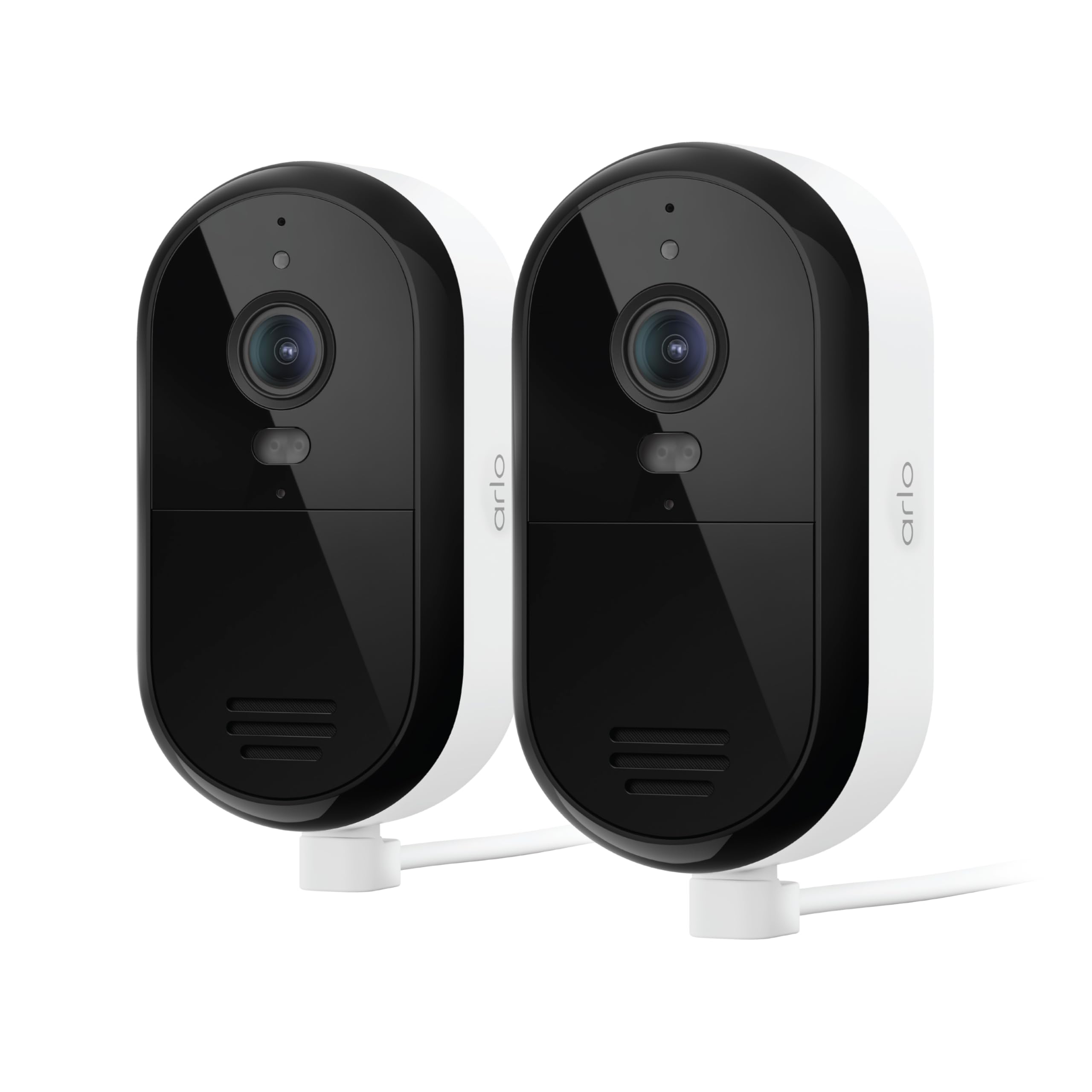
Image 1: Arlo Essential 2K Wired Outdoor Security Camera, showing its compact design.
2. Орнотуу колдонмосу
2.1 Кутуда эмне бар
- Arlo Essential 2K Wired Outdoor Security Camera(s)
- Power Adapter with 16ft Cable
- Дубалга орнотуу жана буроо комплекти
- Quick Start Guide
2.2 Орнотуу кадамдары
- Arlo Secure колдонмосун жүктөп алыңыз: Издөө "Arlo Secure" in your mobile device's app store and install it. Create an account or log in if you already have one.
- Камераны күйгүзүү: Connect the provided power adapter to your camera and plug it into an electrical outlet. The camera will power on automatically.
- Колдонмого түзмөк кошуу: Open the Arlo Secure App, tap the "+" icon to add a new device, and follow the on-screen instructions to connect your camera to your Wi-Fi network. Ensure you are connecting to a 2.4GHz or 5GHz dual-band Wi-Fi network for optimal performance.
- Камераны орнотуу: Камераңыз үчүн ылайыктуу сырткы жерди тандап, анын ачык экенине ынаныңыз view and is within Wi-Fi range. Use the provided wall mount and screws to securely attach the camera. The 16ft power cable allows for flexible placement.
- Камеранын бурчун тууралоо: Position the camera to cover your desired surveillance area. You can fine-tune the viewing angle later through the app.

Image 2: A person installing an Arlo Essential camera, demonstrating the plug-in setup.
2.3 Орнотуу боюнча видео үйрөткүч
Video 1: Official Arlo tutorial on setting up the Essential Wired Plug-In Camera.
3. Иштөө нускамалары
3.1 Arlo Secure App Features
The Arlo Secure App is your central control hub for managing your camera. It allows you to view live video, receive alerts, and customize settings.
- Live View: Access real-time video streams from your camera at any time.
- 2K видеонун сапаты: Enjoy clear and detailed footage, allowing you to identify faces and objects with precision.
- Color Night Vision & Integrated Spotlight: See in full color even at night, or activate the built-in spotlight to illuminate the area and deter intruders.
- 2 тараптуу аудио: Speak and listen to visitors or deter unwanted guests directly through the camera using your smartphone.
- Smart Detections: Receive intelligent alerts for people, vehicles, packages, and animals, reducing false alarms.
- Иш зоналары: Камеранын талаасындагы белгилүү бир аймактарды аныктаңыз view to focus on, ensuring you only get alerts for events that matter most.
- Интеграцияланган сирена: Баскынчыларды коркутуу үчүн алыстан катуу сиренаны иштетиңиз.
- Кош тилкелүү Wi-Fi: Connects to both 2.4GHz and 5GHz Wi-Fi bands for a stable and reliable connection.

Image 3: Screenshot of the Arlo Secure App displaying various smart detection alerts.

Image 4: The Arlo Secure App interface showing customizable activity zones for focused monitoring.
3.2 Smart Home интеграциясы
Your Arlo Essential camera can integrate with popular smart home platforms for enhanced control and automation:
- Amazon Alexa
- Google Жардамчы
- IFTTT (If This Then That)
- Samsung SmartThings
Refer to the respective smart home platform's documentation for specific integration steps and available commands.
3.3 Функция бүттүview Video
Видео 2: Бүттүview of the Arlo Essential Security Camera's features and capabilities.
4. Техникалык тейлөө
Proper maintenance ensures the longevity and optimal performance of your Arlo Essential camera.
4.1 Тазалоо
- Дайыма камеранын линзасын жана корпусун жумшак, гamp чаңды жана кирди тазалоо үчүн кездеме.
- Avoid using harsh chemicals, abrasive cleaners, or solvents, as these can damage the camera's finish or lens.
4.2 Аба ырайына туруктуулук
The Arlo Essential camera is designed with an IP65 weather-resistant rating, meaning it can withstand heat, cold, rain, and sun. Ensure all cables and connections are properly sealed according to installation instructions to maintain its weather resistance.
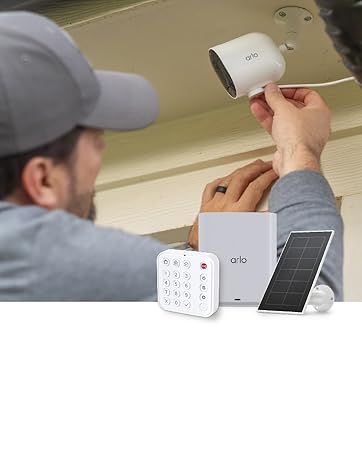
Image 5: Arlo Essential camera demonstrating its weather-resistant design during rain.
5. Кыйынчылыктарды
If you encounter issues with your Arlo Essential camera, refer to the following common troubleshooting steps.
5.1 Байланыш маселелери
- Wi-Fi сигналын текшерүү: Ensure your camera is within range of your Wi-Fi router and has a strong signal.
- Маршрутизаторду кайра жүктөө: Wi-Fi роутериңизди өчүрүп күйгүзүп көрүңүз.
- Колдонмону кайра туташтыруу: In the Arlo Secure App, try removing and re-adding the camera to re-establish the connection.
5.2 Кыймылды аныктоо көйгөйлөрү
- Сезгичтикти тууралоо: In the Arlo Secure App, navigate to camera settings and adjust the motion detection sensitivity.
- Review Иш зоналары: Ensure your activity zones are correctly configured to cover the desired areas and exclude irrelevant ones.
- Таза тоскоолдуктар: Make sure there are no physical obstructions (e.g., branches, spiderwebs) blocking the camera's view or interfering with the motion sensor.
5.3 Night Vision Quality
- Таза линза: Камеранын линзасы таза жана тактар же кир жок экенин текшериңиз.
- External Light Sources: Strong external light sources (e.g., streetlights, porch lights) can sometimes interfere with night vision. Adjust camera placement if necessary.
- Color Night Vision Settings: Confirm that Color Night Vision is enabled in the app settings if you desire color footage at night. Note that this feature may require the integrated spotlight to be active.
5.4 Эки тараптуу аудио иштебей жатат
- Колдонмонун жөндөөлөрүн текшерүү: Verify that microphone and speaker permissions are enabled for the Arlo Secure App on your mobile device.
- Таза тоскоолдуктар: Ensure the camera's microphone and speaker ports are not blocked.
- Үн деңгээли: Check the volume settings on your mobile device and within the Arlo Secure App.
6. Техникалык шарттар
| Өзгөчөлүк | Деталь |
|---|---|
| Бренд | Arlo |
| Модель аты | Essential Plug-in Security Camera |
| Модель номери | VMC3081 |
| Байланыш технологиясы | 2.4GHz and 5GHz Dual-Band Wi-Fi |
| Өзгөчөлүктөр | 2-Way Audio, Barking Detection, Built-In Light, Motion Sensor, Night Vision |
| Ички/тышкы колдонуу | Ички, сырткы |
| Видео тартуунун резолюциясы | 1440p (2K) |
| Viewбурч | 130 градус |
| Чоңойтуу түрү | Санариптик масштаб (12x) |
| Сууга туруктуулук деңгээли | IP65 (Сууга туруктуу) |
| Power Source | Электр зымдары |
| Элементтин өлчөмдөрү | 2.07 x 2.68 x 3.86 дюйм |
| Элемент Салмагы | 0.9 килограмм |
| Түс | Ак |
7. Кепилдик жана колдоо
7.1 Кепилдик маалыматы
Arlo products are designed for reliability and performance. For detailed warranty information specific to your region and product, please refer to the official Arlo website or the warranty card included with your purchase. Optional protection plans are available for extended coverage.
7.2 Кардарларды колдоо
For technical assistance, troubleshooting, or any questions regarding your Arlo Essential camera, Arlo offers comprehensive support:
- Arlo коопсуз колдонмосу: Access help resources directly through the app.
- Arlo Webсайт: Visit arlo.com/support for FAQs, user manuals, and community forums.
- 24/7 баарлашуу колдоосу: Available via the Arlo app or webсайт.
Please note that product use and support are primarily for the United States region.
7.3 Arlo Secure Plan
Your camera includes a 1-month trial of the Arlo Secure Plan. This plan unlocks premium features such as 60-day video history, advanced AI-powered smart detections (person, vehicle, package, animal recognition), interactive notifications, and emergency response options. After the trial period, a paid subscription is required to continue accessing these premium features. Visit arlo.com/arlosecure for current information on plans and pricing.

Image 6: Comparison of Arlo Secure Plan features, highlighting benefits like 60-day video history.