
1. Киришүү
This manual provides essential information for setting up, operating, and maintaining your Tecno Pova Slim 5G smartphone. Please read this guide carefully to ensure proper use and to maximize the device's performance and longevity.
The Tecno Pova Slim 5G is a 5G-enabled smartphone featuring a slim design, a 3D curved display, and a large battery capacity. It incorporates advanced features such as a Dynamic Mood Light and Ella AI with regional language support.

Сүрөт 1.1: Алдыңкы жана арткы view of the Tecno Pova Slim 5G smartphone.
2. Кутуда эмне бар
Upon unboxing your Tecno Pova Slim 5G, verify that all the following items are included:
- Tecno Pova Slim 5G Smartphone
- Кубаттуу адаптер
- USB кабели
- Телефон корпусу
- Экран коргоочу (алдын ала колдонулган же кутуда)
- SIM лоток чыгаруучу
- Ыкчам баштоо колдонмосу (бул колдонмо)
3. Түзмөк бүттүview
Familiarize yourself with the physical components of your Tecno Pova Slim 5G smartphone.
3.1. Физикалык макет
- Алдыңкы: Curved AMOLED display, front camera, earpiece.
- Артка: Dual rear cameras, LED flash, Dynamic Mood Light, Tecno branding.
- Оң жагы: Кубат баскычы, үндү жогорулатуу/төмөндөтүү баскычтары.
- Сол жагы: SIM карта салгыч.
- Төмөнкү: USB Type-C port, microphone, speaker grille.
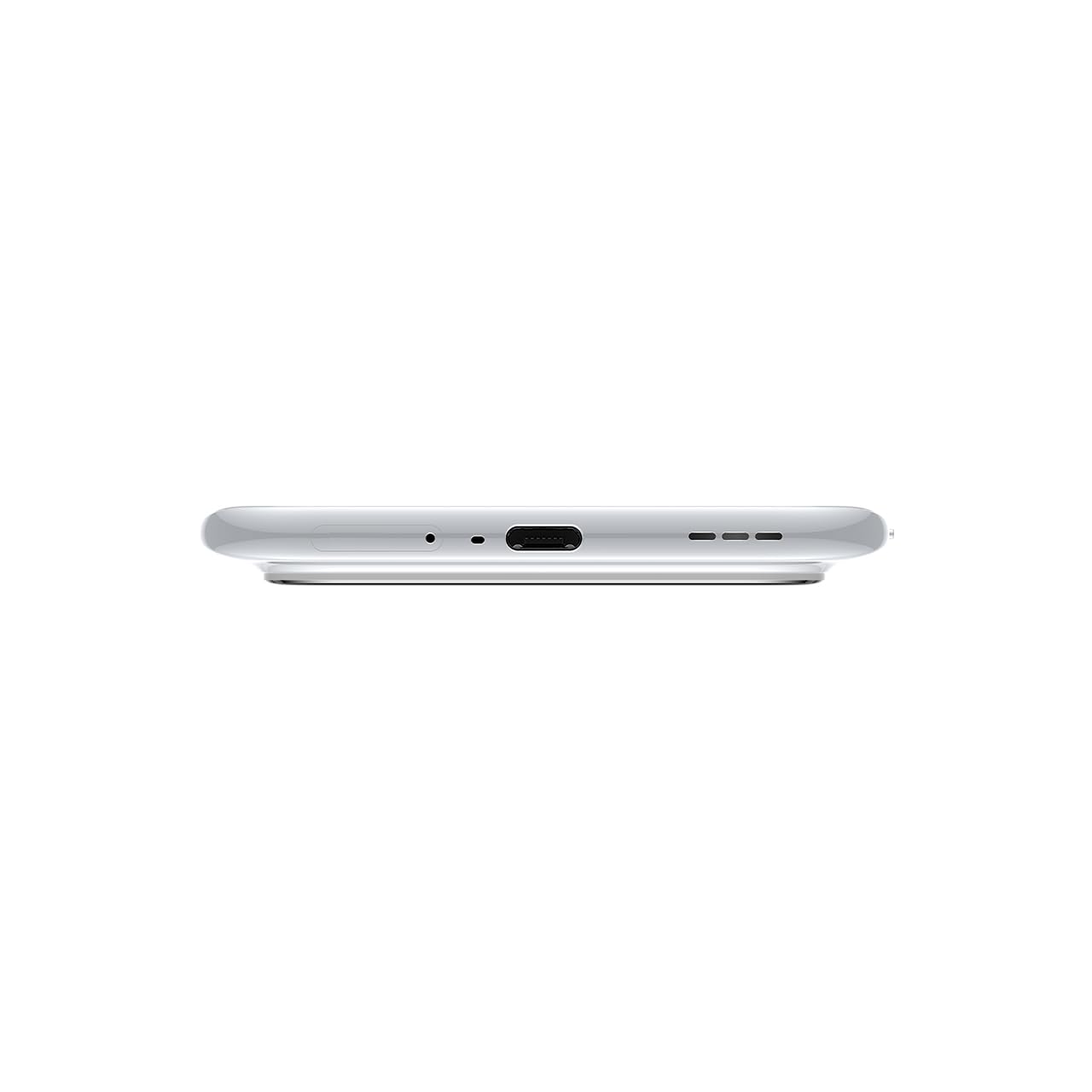
Сүрөт 3.1: Төмөнкү view of the device, highlighting the USB-C port and speaker.
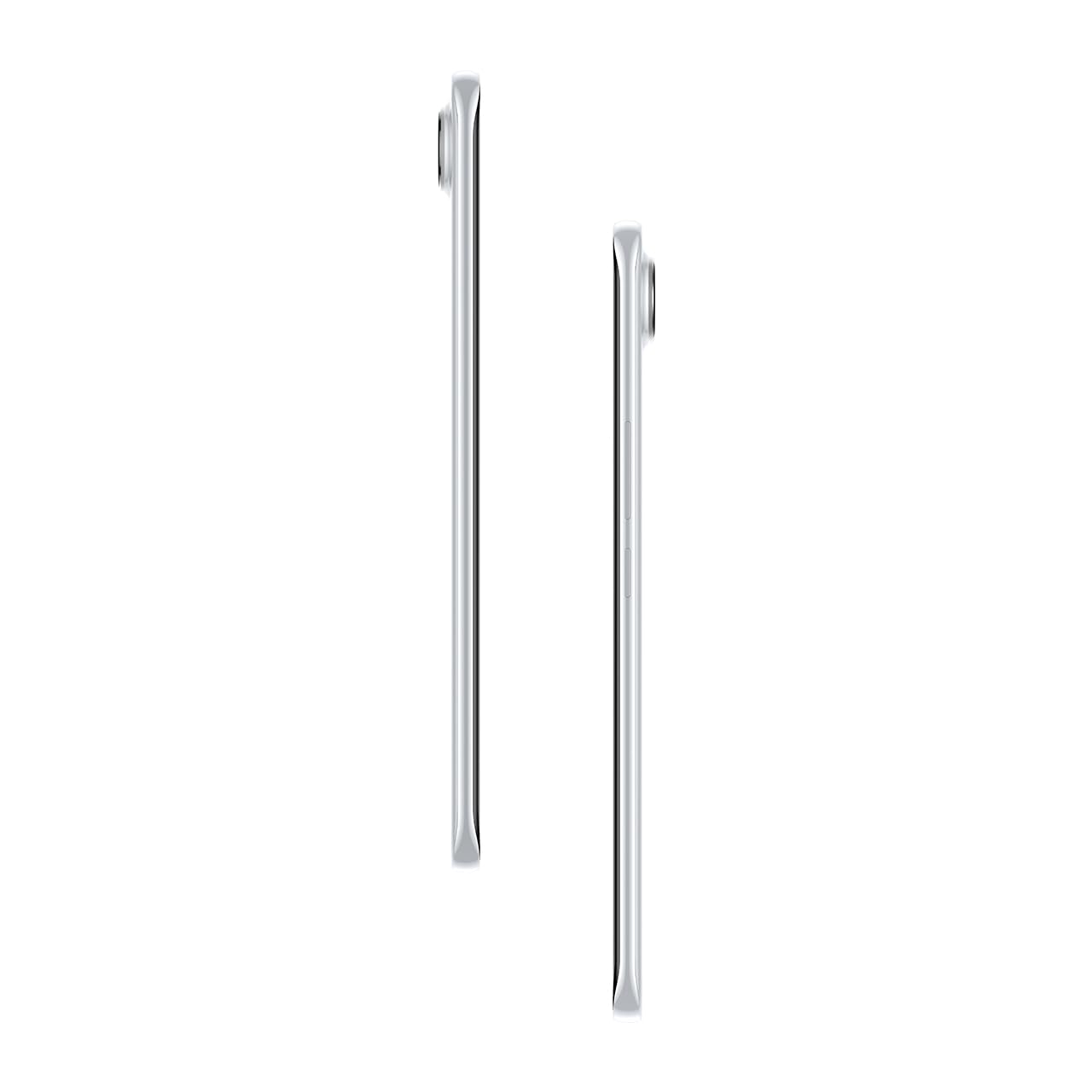
Сүрөт 3.2: Каптал view Slim Pro компаниясын көрсөтүүfile смартфондун.
4. Орнотуу
4.1. SIM картаны салуу
- SIM карта лотокту түзмөктүн сол жагына жайгаштырыңыз.
- SIM лоток чыгаруучу куралды лотоктун жанындагы кичинекей тешикке салып, лоток чыгып кеткенче акырын басыңыз.
- Nano-SIM картаңызды(ларыңызды) лотоктогу белгиленген уячаларга салыңыз. Алтын контакттары ылдый карасын.
- Табаны телефондун ичине кылдаттык менен түртүңүз, ал чыкылдагыча.
4.2. Күйгүзүү / Өчүрүү
- Күйгүзүү үчүн: Press and hold the Power button on the right side of the phone until the Tecno logo appears.
- Өчүрүү үчүн: Кубат баскычын басып, кармап туруңуз, андан кийин экрандагы параметрлерден "Өчүрүү" дегенди тандаңыз.
- Кайра баштоо үчүн: Кубат баскычын басып, кармап туруңуз, андан кийин параметрлерден "Кайра баштоо" тандаңыз.
4.3. Баштапкы конфигурация
Upon first power-on, follow the on-screen instructions to set up your device. This includes selecting your language, connecting to Wi-Fi, setting up your Google account, and configuring security features like fingerprint or face unlock.
5. Аппаратыңызды иштетүү
5.1. Дисплей өзгөчөлүктөрү
The Tecno Pova Slim 5G features a 1.5K Curved AMOLED display with a 144Hz refresh rate, providing smooth visuals. It offers up to 4500 nits peak brightness for clear visibility in various lighting conditions and is protected by Corning Gorilla Glass 7i.
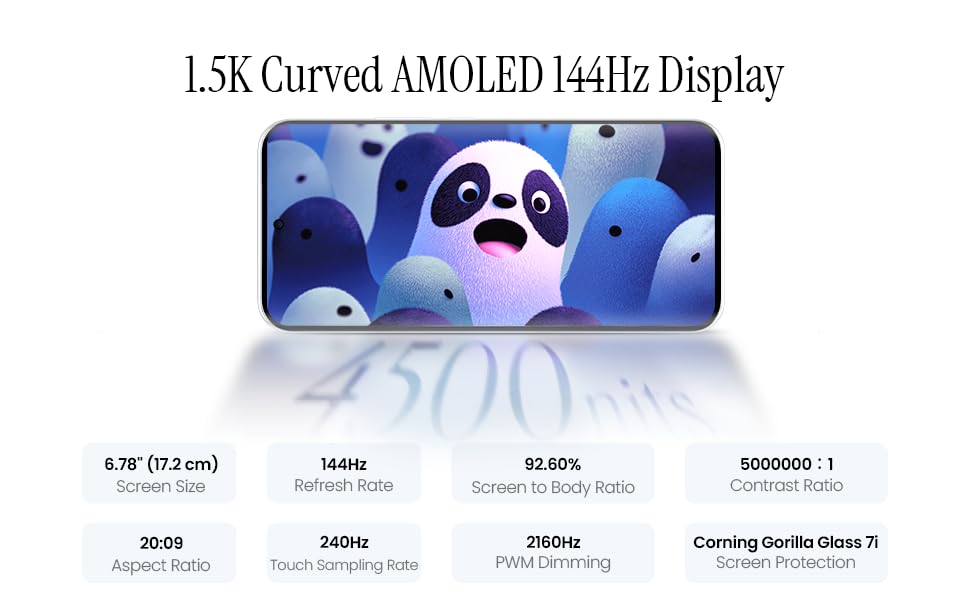
Image 5.1: Display specifications including screen size, refresh rate, and brightness.
5.2. Камераны колдонуу
The device is equipped with a 50MP AI camera system. To take photos or record videos, open the Camera application. You can switch between different modes (Photo, Video, Portrait, Night, etc.) and adjust settings like zoom, flash, and filters.
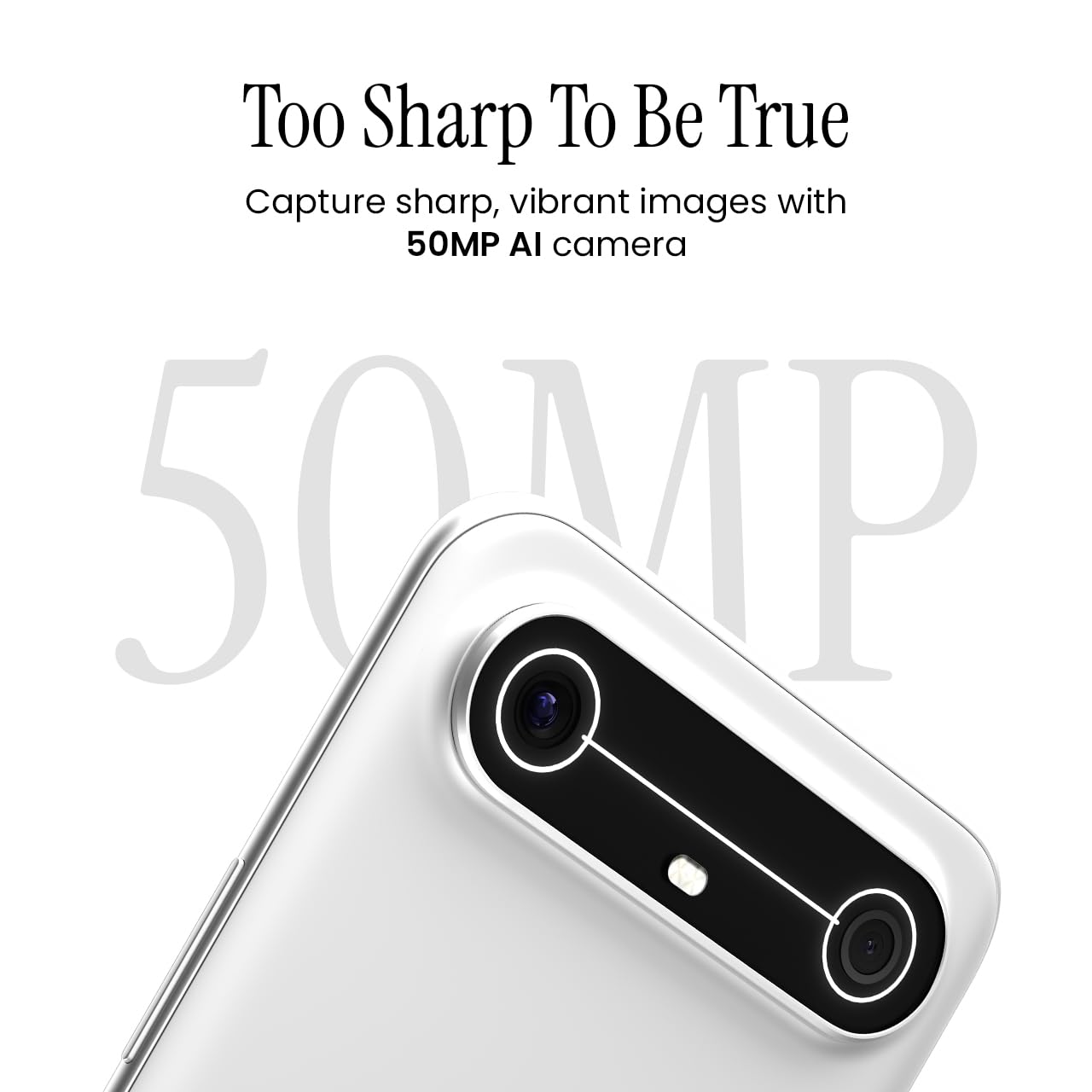
Image 5.2: Detail of the 50MP AI camera module.
5.3. Dynamic Mood Light
The Dynamic Mood Light is an integrated lighting feature on the back of the device that responds to various notifications, calls, and system events, providing visual cues.

Image 5.3: The Dynamic Mood Light design on the device's rear.
5.4. Элла AI функциялары
Ella AI provides intelligent assistance, including support for Indian regional languages. Key features include:
- Жасалма интеллект жазуу боюнча жардамчы: Helps in drafting messages and content.
- Издөө үчүн чөйрө: Allows users to search for information by circling objects on the screen.
- Тил түшүнүү: Processes and responds to voice commands in various Indian languages.
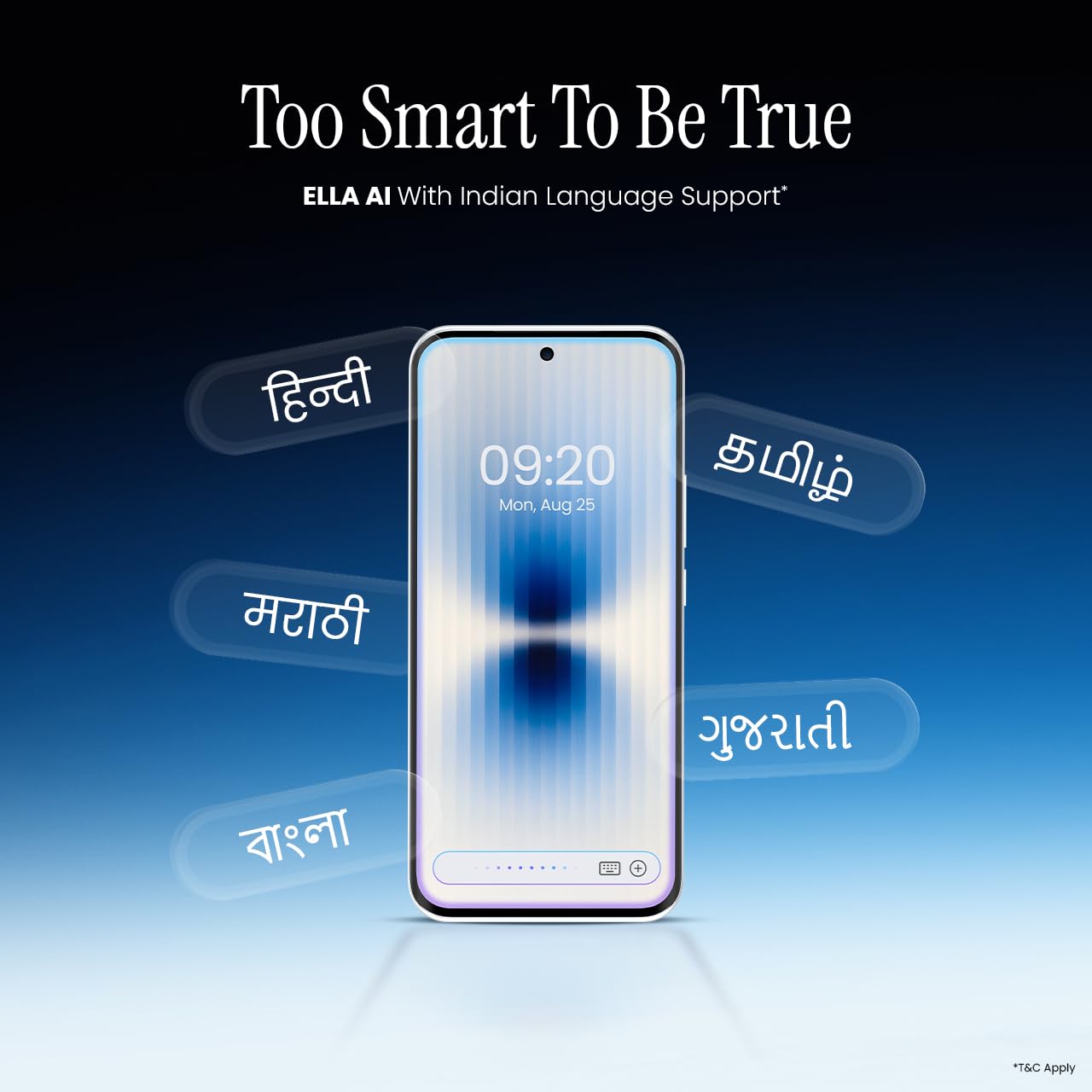
Image 5.4: Ella AI demonstrating Indian language support.
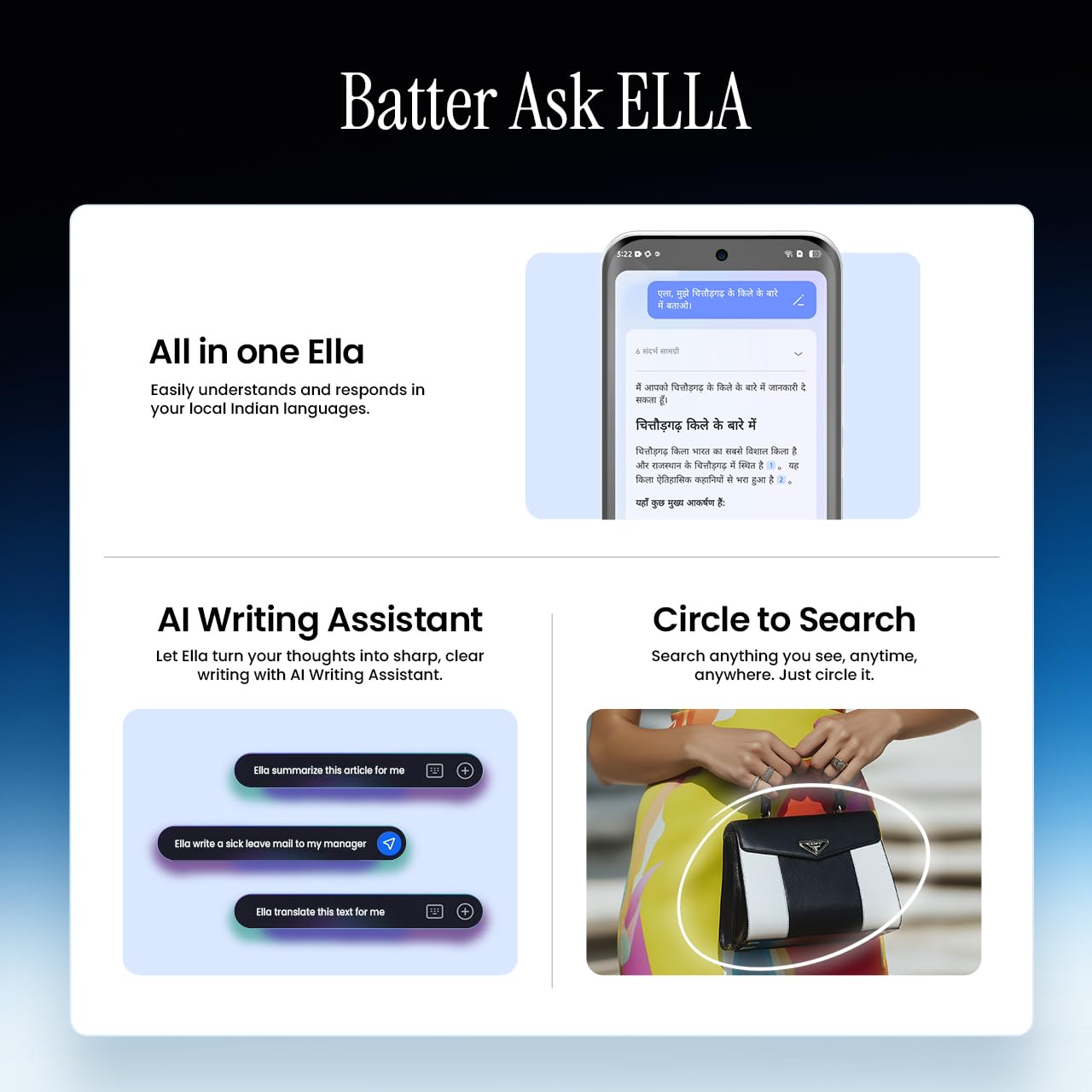
Image 5.5: Visual representation of Ella AI's writing assistant and circle to search functions.
5.5. Байланыш
The Pova Slim 5G supports 5G networks for high-speed data, Wi-Fi for local network access, and Bluetooth for connecting to accessories. It features an Intelligent Signal Hub System with 4x4 MIMO & N28 Band for enhanced network performance.
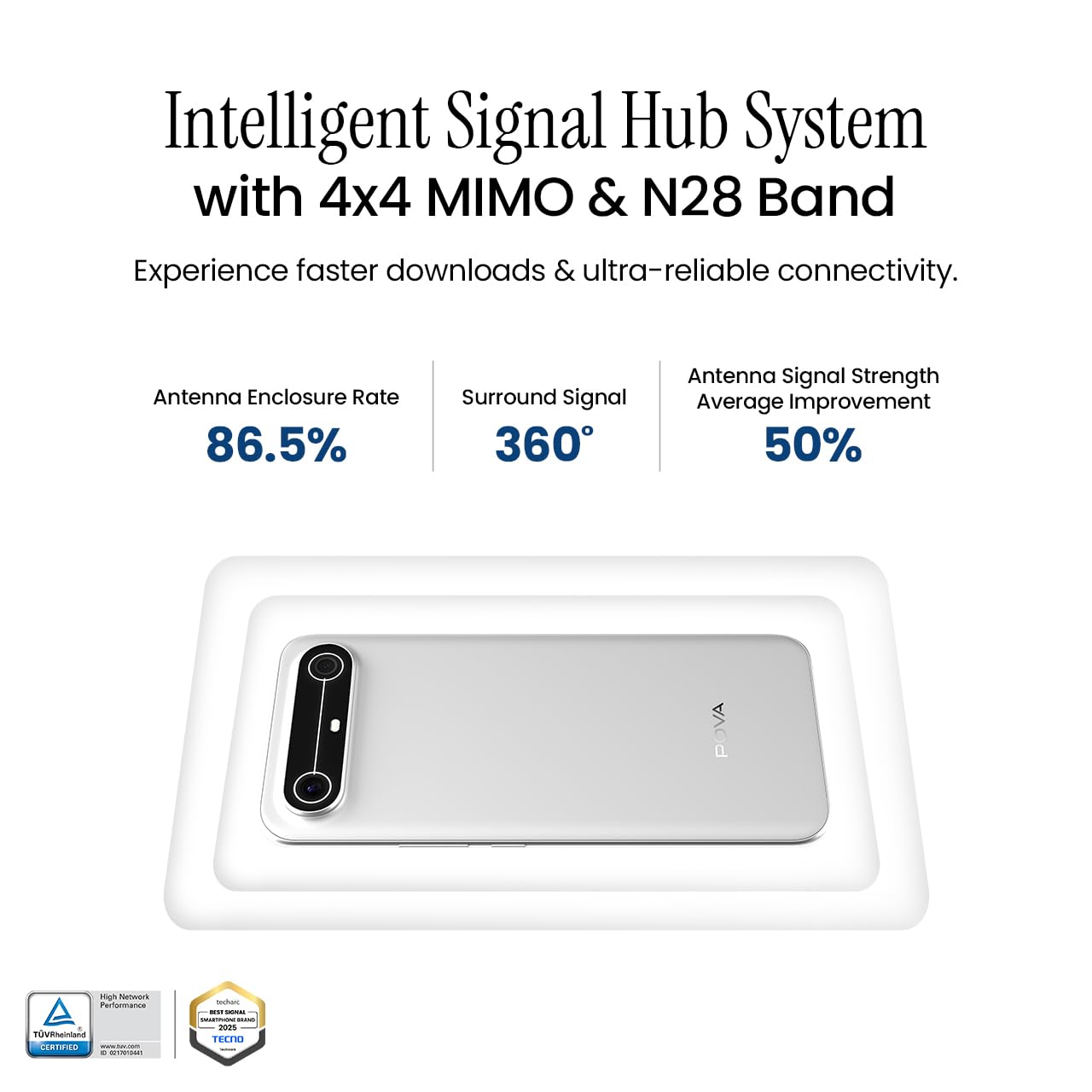
Image 5.6: Diagram illustrating the Intelligent Signal Hub System.
5.6. Батарея жана заряддоо
The device is powered by a 5160mAh battery and supports 45W fast charging. Use the provided power adapter and USB cable for optimal charging performance. Avoid using uncertified chargers or cables.

Image 5.7: Representation of the 5160mAh battery and 45W charging capability.
6. Техникалык тейлөө
6.1. Батареяга кам көрүү
- Ашыкча температурадан качыңыз, алар батареянын иштөө мөөнөтүн начарлатышы мүмкүн.
- Do not fully discharge the battery regularly; charge it before it drops too low.
- Батарея толгондон кийин, ашыкча заряддоонун алдын алуу үчүн кубаттагычты сууруп коюңуз.
6.2. Аппаратыңызды тазалоо
Телефонуңуздун экранын жана корпусун тазалоо үчүн жумшак, түксүз чүпүрөктү колдонуңуз. Катуу химиялык заттарды же абразивдик материалдарды колдонуудан алыс болуңуз. өжөр тактар үчүн, бир аз гampчүпүрөккө суу же электроника үчүн атайын иштелип чыккан экран тазалагыч.
6.3. Программалык камсыздоону жаңыртуу
Regularly check for and install software updates. Updates often include security patches, performance improvements, and new features. To check for updates, go to Орнотуулар > Система > Система жаңыртуу.
6.4. Туруктуулуктун өзгөчөлүктөрү
The Pova Slim 5G is built with durability in mind, featuring MIL-STD-810H military-grade toughness, IP64 dust and splash resistance, and Corning Gorilla Glass 7i for screen protection.

Image 6.1: Indication of MIL-STD-810H military-grade protection.
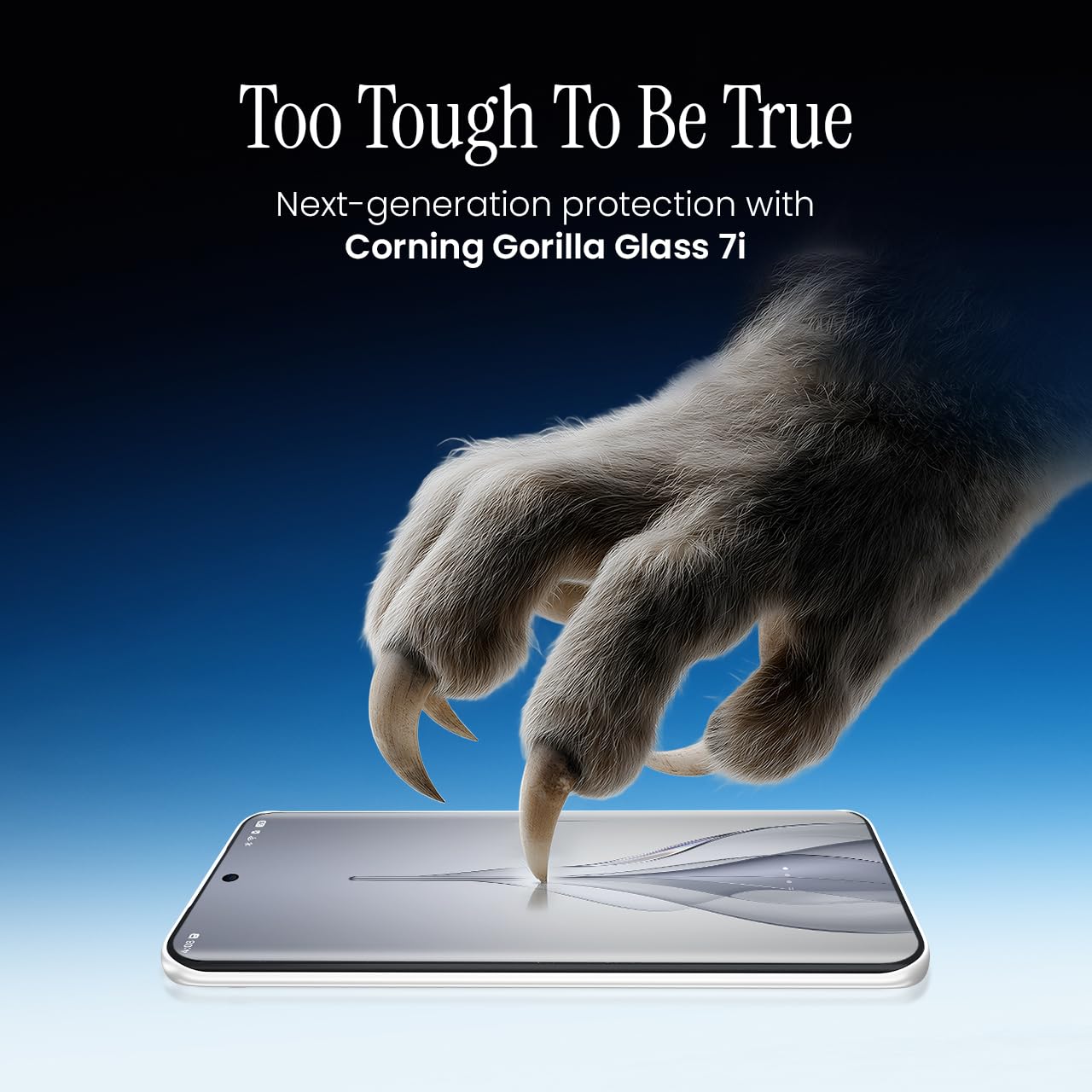
Image 6.2: Visual representation of Corning Gorilla Glass 7i protection.

Image 6.3: Device shown with IP64 dust and splash resistance.
7. Кыйынчылыктарды
Эгерде сиз түзмөгүңүздө көйгөйлөргө туш болсоңуз, төмөнкү чечимдерди колдонуп көрүңүз:
- Түзмөк күйбөй жатат: Батарея заряддалганын текшериңиз. Заряддагычты туташтырыңыз жана кайра күйгүзүү аракетинен мурун бир нече мүнөт күтүңүз.
- Тармакка туташуу маселелери: Check if your SIM card is properly inserted. Try restarting the device. Verify that mobile data or Wi-Fi is enabled in settings.
- Жай аткаруу: Close unnecessary background applications. Clear cache from apps. Consider restarting the device. Ensure sufficient storage space is available.
- Батареянын бат түгөнүп калышы: Reduce screen brightness. Disable unused features like Bluetooth or GPS. Limit background app activity.
- Колдонмолор бузулуп жатат: Clear the app's cache and data (Settings > Apps > [App Name] > Storage > Clear Cache/Clear Data). If the issue persists, reinstall the app.
Эгерде көйгөйлөр чечилбесе, кардарларды колдоо кызматына кайрылыңыз же ыйгарым укуктуу тейлөө борборуна кайрылыңыз.
8. Техникалык шарттар
| Өзгөчөлүк | Спецификация |
|---|---|
| Модель номери | KM9 |
| Операция системасы | Android 15 |
| RAM эстутум орнотулган өлчөмү | 8 ГБ |
| Сактагыч (ROM) | 128 ГБ |
| CPU ылдамдыгы | 2, 2.5 ГГц |
| Продукциянын өлчөмдөрү | 16.4 x 7.6 x 0.6 см |
| Элемент Салмагы | 156 г |
| Батарея кубаттуулугунун рейтинги | 5160 мАч |
| Резолюция | 1224 x 2720 пиксель |
| Connectivity Technologies | Bluetooth, инфракызыл, USB, Wi-Fi |
| Түс | Slim White |
| Келип чыккан өлкө | Индия |
9. Кепилдик жана колдоо
Your Tecno Pova Slim 5G smartphone comes with a limited manufacturer's warranty. Please refer to the warranty card included in your product packaging for specific terms and conditions, including coverage period and limitations.
For technical support, service inquiries, or to find authorized service centers, please visit the official Tecno website or contact their customer service helpline. Keep your purchase receipt and device's serial number handy when seeking support.
Онлайн колдоо: Tecno India Support