
1. Киришүү
Thank you for choosing the KTC H32S5 31.5-inch QHD Curved Gaming Monitor. This manual provides essential information for setting up, operating, and maintaining your monitor to ensure optimal performance and longevity. Please read this manual thoroughly before using the product.
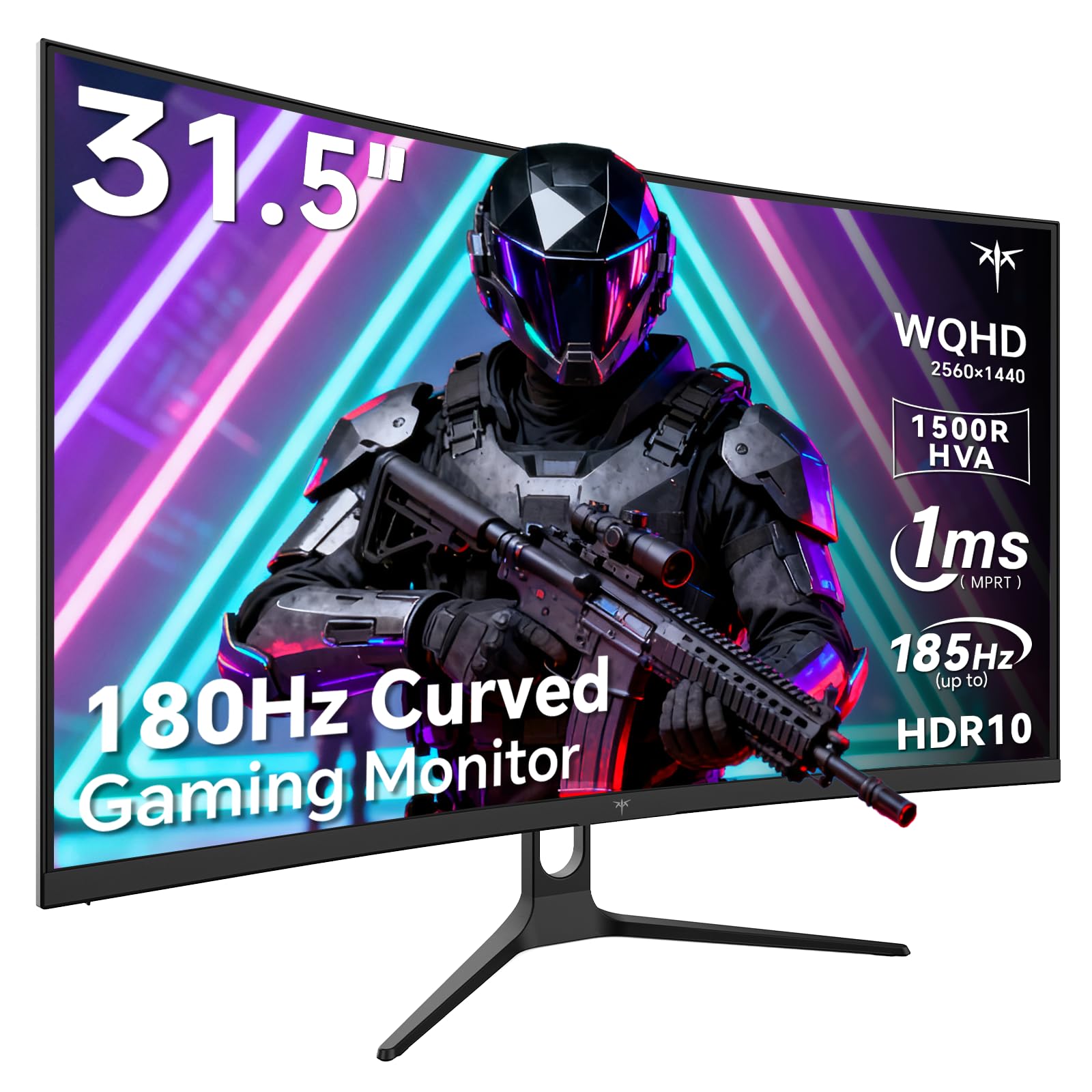
Image 1: KTC H32S5 31.5-inch QHD Curved Gaming Monitor.
2. Пакеттин мазмуну
Пакетте бардык буюмдар бар экенин текшериңиз:
- 31.5" 2K Curved Monitor x1
- Monitor Stand x1
- Quick Start Guide (QSG) x1
- DP Cable x1
- Кубат адаптери x1
3. Monitor Setup
3.1 Стендди бекитүү
Carefully attach the monitor stand to the back of the monitor following the instructions in the Quick Start Guide. Ensure all screws are tightened securely.
3.2 VESA Wall Mount Installation
The monitor supports VESA 100mm x 100mm mounting. If you prefer to wall-mount the monitor, remove the stand and attach a compatible VESA mount (not included) to the designated holes on the back of the monitor. Ensure the wall mount can support the monitor's weight (approximately 16.87 pounds).

Сүрөт 2: Арткы view of the monitor showing connectivity ports and VESA mount area.
3.3 Түзмөктөргө туташуу
Connect your devices using the available ports:
- DisplayPort 1.4 (x2): For connecting to PCs and other devices supporting up to 185Hz refresh rate.
- HDMI 2.0 (x2): For connecting to gaming consoles, laptops, and desktops supporting up to 144Hz refresh rate.
- USB 2.0 (x2): For connecting peripherals (upgrade only).
- Гарнитура уячасы: Аудио чыгаруу үчүн.
- Туруктуу кубат киргизүү: Берилген кубат адаптерин туташтырыңыз.
3.4 Баштапкы күйгүзүү
After connecting all necessary cables, press the power button to turn on the monitor. The monitor will automatically detect the input signal. If no signal is detected, ensure your device is powered on and the correct input source is selected on the monitor.
4. Иштөө нускамалары
4.1 Экрандагы дисплей (OSD) менюсу
The OSD menu allows you to adjust various monitor settings. Refer to the Quick Start Guide for detailed instructions on navigating the OSD menu using the monitor's control buttons.
4.2 Дисплей орнотуулары
- Чечим: The monitor features WQHD (2560 x 1440) resolution for sharp and detailed images.
- Жаңыртуу ылдамдыгы: Enjoy a smooth visual experience with a 180Hz refresh rate, overclockable to 185Hz via DisplayPort.
- Жооп убактысы: A 1ms MPRT response time minimizes motion blur, ideal for fast-paced gaming.
- Адаптивдүү синхрондоштуруу: Adaptive FreeSync technology eliminates screen tearing and stuttering for fluid gameplay.
- Түс гаммасы: Experience vivid and realistic colors with 99% sRGB color gamut coverage, 126% sRGB color volume, and a 5000:1 contrast ratio. HDR10 support provides enhanced contrast and a wider color palette.
- Көзгө кам көрүү: Features like Low Blue Light and Flicker-Free technology help reduce eye strain during extended use.

Image 3: Visual representation of the monitor's high refresh rate for smoother gaming.

Image 4: Demonstration of Adaptive Sync technology eliminating screen tearing.

Image 5: Illustration of the 1500R curved display for an immersive viewтажрыйбасы.
4.3 GamePlus Mode
Activate GamePlus mode for in-game enhancements such as a customizable crosshair, on-screen timer, and display modes optimized for FPS (First-Person Shooter) and RTS (Real-Time Strategy) games.

Сүрөт 6: Бүттүview of GamePlus features including Crosshair, Timer, FPS, and RTS modes.
5. Техникалык тейлөө
To ensure the longevity and optimal performance of your KTC H32S5 monitor, follow these maintenance guidelines:
- Экранды тазалоо: Экранды жумшак, түксүз чүпүрөк менен акырын сүртүңүз. өжөр белгилери үчүн, жеңил гampкездемени суу же жумшак, абразивдүү эмес экран тазалагыч менен сүртүңүз. Спирт, аммиак же абразивдүү тазалоочу каражаттарды колдонуудан алыс болуңуз.
- Тышкы тазалоо: Мониторду тазалоо үчүн жумшак, кургак чүпүрөктү колдонуңуз casing.
- Колдонуу: Avoid touching the screen directly with your fingers or sharp objects. Do not place heavy objects on the monitor.
- Вентиляция: Ensure adequate ventilation around the monitor to prevent overheating. Do not block the ventilation openings.
- Өчүрүү: Тазалоодон мурун же ал узак убакыт бою колдонулбай кала турган болсо, ар дайым аны өчүрүп, розеткадан сууруп алыңыз.
6. Кыйынчылыктарды
Эгерде сиз мониторуңуз менен кандайдыр бир көйгөйлөргө туш болсоңуз, төмөнкү жалпы көйгөйлөрдү чечүү кадамдарын караңыз:
- Дисплей жок/Кара экран:
- Кубат кабели мониторго да, розеткага да бекем туташтырылганын текшериңиз.
- Verify that the video cable (DP or HDMI) is firmly connected to both the monitor and your computer/device.
- Check if the correct input source is selected on the monitor via the OSD menu.
- Компьютериңизди/түзмөгүңүздү өчүрүп күйгүзүңүз.
- Жаркылдаган же бурмаланган сүрөт:
- Check the video cable for any damage or loose connections. Try a different cable if available.
- Компьютериңиздин дисплей жөндөөлөрүнөн жаңыртуу жыштыгын тууралаңыз.
- Ensure Adaptive Sync is enabled in both the monitor's OSD and your graphics card settings.
- Түс маселелери:
- OSD менюсу аркылуу монитордун түс жөндөөлөрүн баштапкы абалга келтириңиз.
- OSD'де түс температурасын же гамма жөндөөлөрүн тууралаңыз.
- Аудио жок:
- Ensure headphones are properly connected to the headphone jack.
- Check audio settings on your connected device and the monitor's OSD.
Бул кадамдарды жасагандан кийин маселе чечилбесе, кардарларды колдоо менен байланышыңыз.
7. Продукттун спецификациялары
| Өзгөчөлүк | Спецификация |
|---|---|
| Бренд | KTC |
| Модель номери | H32S5 |
| Screen Size | 31.5 дюйм |
| Резолюция | 2560 x 1440 Pixels (QHD Wide 1440p) |
| Аспект катышы | 16:9 |
| Ийрилик | 1500R |
| Жаңыртуу ылдамдыгы | 180Гц (DP аркылуу 185Гц чейин) |
| Жооп убактысы | 1 мс MPRT |
| Панел түрү | HVA |
| Түс гаммасы | 99% sRGB coverage, 126% sRGB volume |
| Контраст катышы | 5000:1 |
| Сүрөттүн жарыктыгы | 300 Кандела |
| HDR колдоо | HDR10 |
| Байланыш | DisplayPort 1.4 x2, HDMI 2.0 x2, USB 2.0 x2 |
| Аудио | Наушник уясы |
| Жөнгө салуу мүмкүнчүлүгү | Tilt adjustment (-5° to 20°) |
| VESA тоосу | 100мм x 100мм |
| Продукциянын өлчөмдөрү | 5.8 x 27.9 x 20.4 дюйм |
| Элемент Салмагы | 16.87 фунт |
| Тtage | 19 вольт (ток) |
8. Кепилдик маалыматы
This product is subject to a 30-day return/replacement policy. For detailed warranty terms and conditions, please refer to the documentation provided with your purchase or contact the seller directly.
9. Кардарларды колдоо кызматы
For any questions, technical assistance, or support regarding your KTC H32S5 monitor, please contact the seller, KTC-Official, through the Amazon messaging system. They are available to assist you with product inquiries and troubleshooting.
Сиз да зыярат кылсаңыз болот KTC Store on Amazon көбүрөөк маалымат жана продуктулар үчүн.
10. Расмий продукт Video
Watch this official product video from KTC-Official for a closer look at the KTC 32 Inch 2K 180Hz Curved Gaming Monitor.