
Introduction
Thank you for choosing the ANCHEER AR-65 Electric Under Desk Elliptical. This manual provides essential information for the safe and effective use of your new exercise equipment. Please read it thoroughly before operation and retain it for future reference.
Маанилүү коопсуздук маалыматы: Always consult a physician before starting any new exercise program. This device is designed for seated use only. Ensure the elliptical is placed on a stable, flat surface. Keep children and pets away from the equipment during operation. Do not insert any objects into the device openings.
Пакеттин мазмуну
- ANCHEER AR-65 Electric Under Desk Elliptical Unit
- Алыстан башкаруу
- Кубаттуу адаптер
- User Manual
Продукт бүттүview
The ANCHEER AR-65 is a compact and quiet under-desk elliptical designed for low-impact leg exercise. It features a built-in display, multiple movement functions, and a remote control for convenient operation.

1-сүрөт: The elliptical's control panel and display, showing buttons for mode, speed, direction, and power, along with metrics like time, speed, count, and calories.
Негизги өзгөчөлүктөрү:
- Built-in Display Monitor: Tracks time, speed, count, and calories. Includes a scan function to cycle through metrics.
- Multiple Movement Functions: Offers Auto (P1-P12) and Manual (12-level speed) modes. Pedals can move forward or backward to target different muscle groups.
- Жылмакай жана тынч иштөө: Designed for quiet use, suitable for office or home environments without causing disturbance.
- Портативдик дизайн: Features a built-in handle for easy movement and storage.
- Large Anti-slip Pedals: Textured pedals ensure foot stability during exercise.

2-сүрөт: Деталдаштырылган view of the elliptical highlighting features such as the portable handle, rubber non-slip feet, power input, and large anti-slip pedals.
Жайгашуу
- Пакеттен чыгаруу: Carefully remove the elliptical from its packaging. The unit comes fully assembled.
- Жайгашкан жери: Place the elliptical on a flat, stable surface under your desk or in front of your sofa. Ensure there is enough space for your legs to move freely.
- Кубат туташуу: Connect the power adapter to the elliptical's power input port and then plug it into a standard electrical outlet. Turn on the power switch located on the unit.
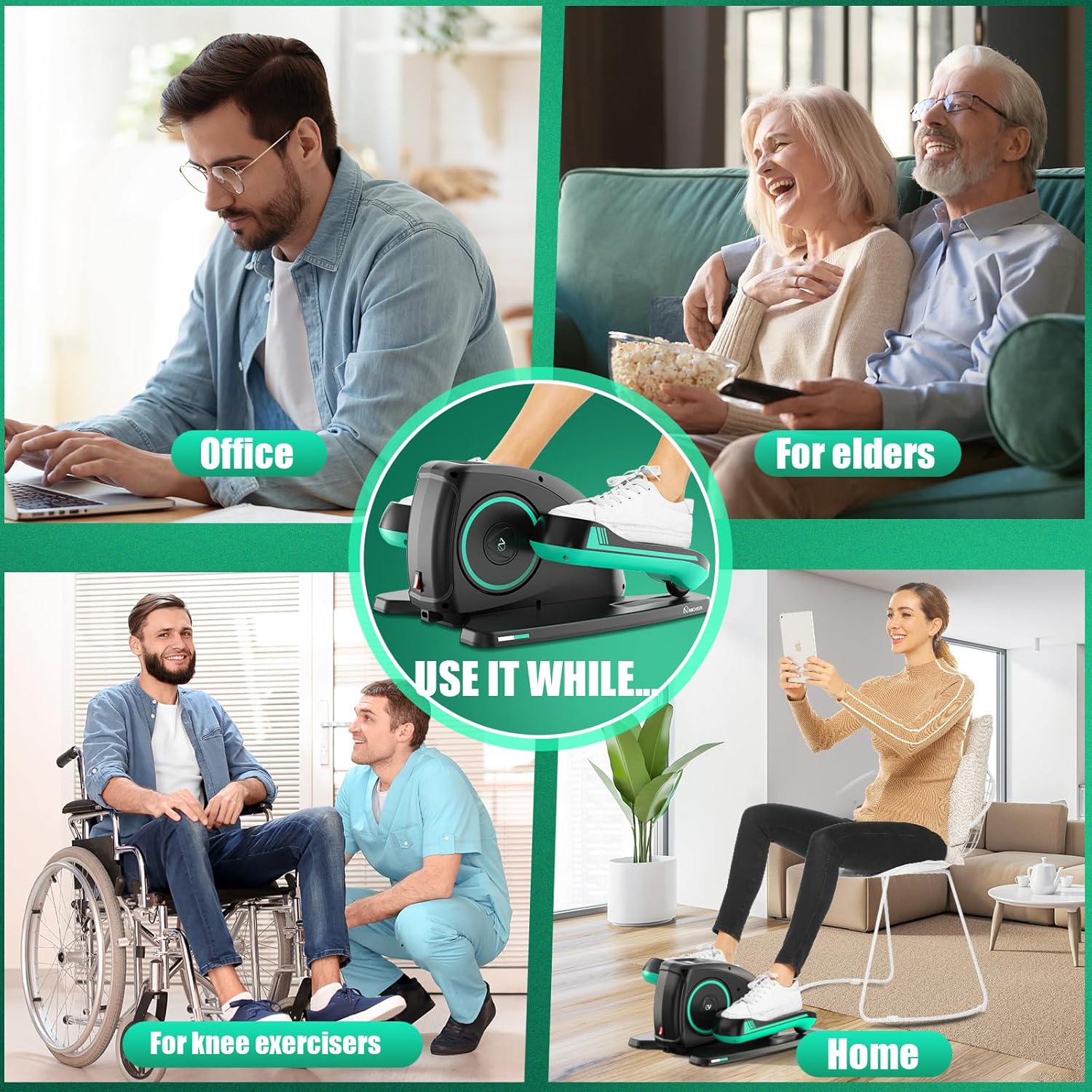
3-сүрөт: Proper placement of the ANCHEER AR-65 elliptical under a desk for comfortable use while working.
Setup and Usage Video:
Видео 1: Official product video demonstrating the ANCHEER Under Desk Elliptical's setup, features, and various usage scenarios in an office and home setting.
Иштөө нускамалары
Using the Control Panel and Remote Control:
The elliptical can be operated directly via the control panel on the unit or conveniently using the included remote control.

4-сүрөт: A user operating the elliptical with the remote control, demonstrating ease of use without needing to bend down.
- Күйгүзүү/өчүрүү: басыңыз КҮЧ түзмөктү күйгүзүү же өчүрүү үчүн башкаруу панелиндеги же пульттагы баскычты басыңыз.
- Режим тандоо: басыңыз РЕЖИМ button to switch between different display metrics (Time, Speed, Count, Calories) or to activate the SCAN function, which cycles through all metrics automatically.
- Ылдамдыкты жөндөө: In Manual mode, use the SPEED+ жана ЫЛДАМДЫК- buttons to adjust the speed across 12 levels.
- Багыт көзөмөлдөө: басыңыз БАГЫТ button to change the pedaling direction (forward or backward). This helps engage different leg muscles.
- Program Selection (Auto Mode): басыңыз ФУНКЦИЯ button to select one of the 12 pre-programmed automatic modes (P1-P12). These programs automatically adjust speed and direction.
- Баштоо/Токтоо: колдонуу START/STOP button to begin or pause your exercise session.

5-сүрөт: Comparison of manual workout mode, where speed and direction are manually adjustable, and automatic workout mode (P1-P12) with automatic speed and direction adjustments.
The remote control can be stored in the designated slot on the elliptical unit when not in use.
Техникалык тейлөө
- Тазалоо: Аппаратты жумшак менен сүртүңүз, гamp кездеме. Абразивдүү тазалагычтарды же эриткичтерди колдонбоңуз. Тазалоодон мурун бирдиктин розеткадан ажыратылганын текшериңиз.
- Сактагыч: Store the elliptical in a cool, dry place away from direct sunlight and extreme temperatures. Use the built-in handle for easy transport.
- Текшерүү: Periodically check all components for wear and tear. If any damage is observed, discontinue use and contact customer support.
Проблемаларды чечүү
| Көйгөй | Мүмкүн себеп | Чечим |
|---|---|---|
| Түзмөк күйбөйт. | Power adapter not connected, power switch off, or power outlet issue. | Ensure power adapter is securely plugged into the unit and a working outlet. Check if the power switch on the unit is in the 'ON' position. |
| Педальдар кыймылдабай жатат. | Unit is paused, incorrect mode selected, or motor issue. | Press the START/STOP button to ensure operation. Verify that an Auto program (P1-P12) or Manual mode with a set speed is selected. If the issue persists, contact support. |
| Пульт иштебей жатат. | Remote battery is low or depleted. | Replace the battery in the remote control. Ensure there are no obstructions between the remote and the elliptical. |
| Display is not showing metrics. | Unit is off or display mode needs adjustment. | Ensure the unit is powered on. Press the MODE button to cycle through display metrics or activate the SCAN function. |
Техникалык шарттар
| Өзгөчөлүк | Деталь |
|---|---|
| Модель аты | AR-65 |
| Бренд | ANCHEER |
| Продукциянын өлчөмдөрү (D x W x Y) | 18" x 16" x 10" |
| Материал | Алюминий |
| Каршылык көрсөтүү механизми | Электр |
| Максималдуу салмак боюнча сунуш | 390 фунт |
| Максималдуу кадам узундугу | 12 дюйм |
| Элемент Салмагы | 8.17 килограмм |
| Каршылык деңгээлдердин саны | 12 |
Кепилдик жана колдоо
Кепилдик маалыматы:
The ANCHEER AR-65 Electric Under Desk Elliptical comes with a Өмүр бою кепилдик. Белгилүү шарттарды жана шарттарды билүү үчүн пакетиңизге камтылган кепилдик картасын караңыз.
Кардарларды колдоо:
For any questions, technical assistance, or warranty claims, please contact ANCHEER customer service. Contact details can typically be found on the product packaging, warranty card, or the official ANCHEER webсайт.