
1. Киришүү
This manual provides essential information for the safe and efficient use of your XIAOMI Redmi 15 5G Smartphone. Please read it carefully before using the device and keep it for future reference.
2. Пакеттин мазмуну
Пакетиңизде төмөнкү заттар бар экенин текшериңиз:
- XIAOMI Redmi 15 5G Smartphone
- Коргоочу кап
- USB-C Cable
- SIM чыгаруучу курал
Эскертүү: A power adapter is not included in the package. Please use a compatible 33W fast charger for optimal charging performance.
3. Түзмөктүн жайгашуусу
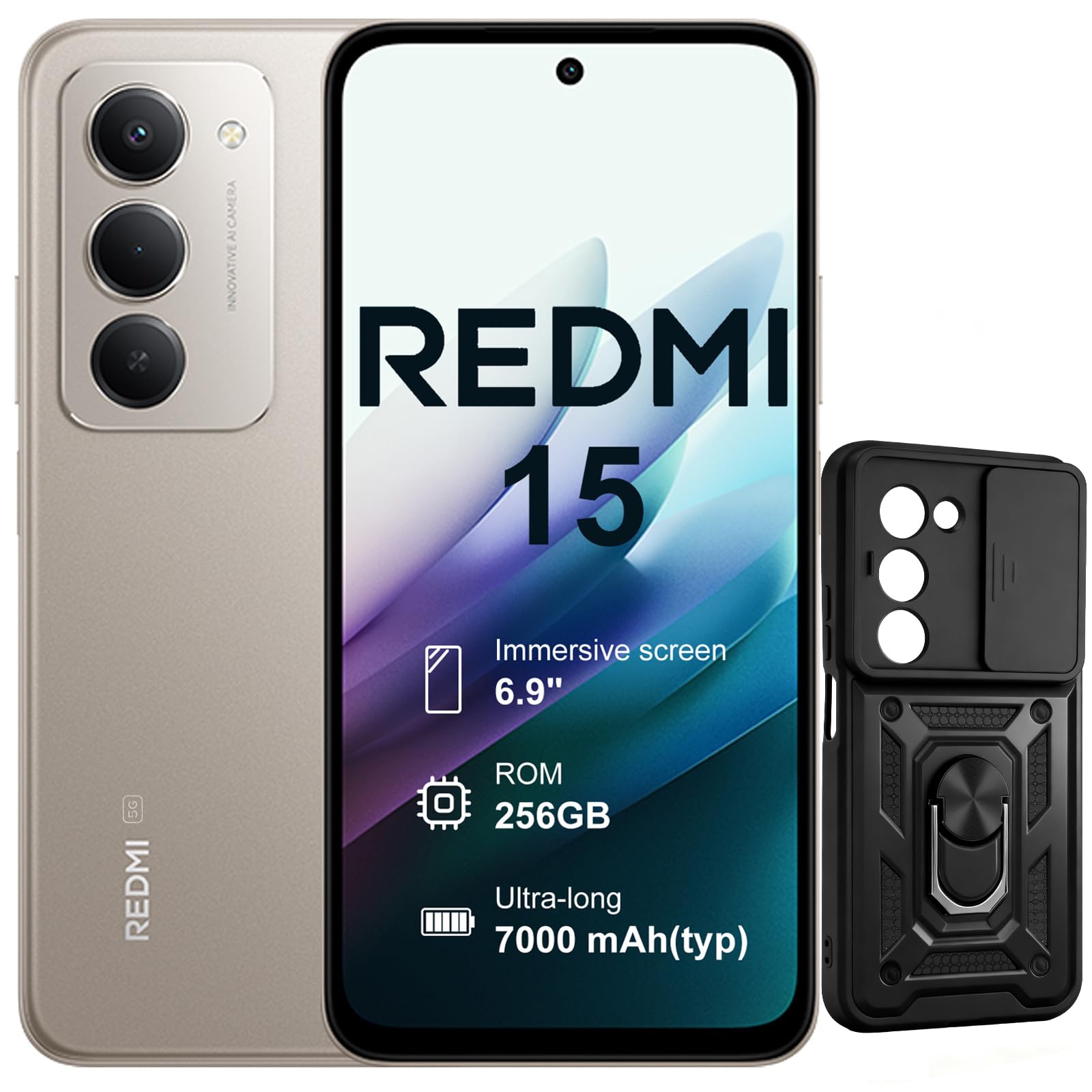
Сүрөт: алдыңкы жана арткы view of the XIAOMI Redmi 15 5G Smartphone. The device features a large display on the front and a triple camera setup on the rear.
Смартфонуңуздун физикалык компоненттери менен таанышып алыңыз:
- Кубат баскычы: Located on the side, used to power on/off or wake/sleep the device. Also integrates the fingerprint sensor.
- Үн баскычтары: Located on the side, used to adjust media and call volume.
- USB-C порту: Төмөндө жайгашкан, заряддоо жана маалыматтарды өткөрүү үчүн.
- 3.5 мм гарнитура уячасы: Located on the top/bottom, for connecting wired headphones.
- SIM карта салгычы: Located on the side, for inserting Nano SIM cards.
- Алдыңкы камера: Located on the display, for selfies and video calls.
- Арткы камералар: Multiple lenses on the back for high-quality photography and video recording.
4. Орнотуу
4.1. SIM карталарды салуу
- Түзмөгүңүздүн капталындагы SIM карта салгычын табыңыз.
- SIM чыгаруучу куралды лотоктун жанындагы кичинекей тешикке киргизип, лоток чыгып кеткенче бекем басыңыз.
- Place your Nano SIM card(s) into the designated slots on the tray. This device supports Dual SIM.
- Телефонго лотокту кылдаттык менен кайра салыңыз.
4.2. Баштапкы күйгүзүү жана орнотуу
- XIAOMI логотиби пайда болгонго чейин Кубат баскычын басып, кармап туруңуз.
- Тилиңизди тандоо, Wi-Fi тармагына туташуу жана Google аккаунтуңузду орнотуу үчүн экрандагы нускамаларды аткарыңыз.
- Configure security features such as fingerprint recognition (integrated into the power button) and screen lock.
5. Смартфонуңузду иштетүү
5.1. Дисплей жана өз ара аракеттенүү
The Redmi 15 features an immersive 6.9-inch FHD+ display with a 144Hz refresh rate for smooth visuals. It also includes an all-day eye-care display for comfortable viewing.

Сүрөт: адам viewing the smartphone screen in a dimly lit room, demonstrating the all-day eye-care display feature for reduced eye strain.
The device incorporates Wet Touch Technology 2.0, ensuring accurate touch response even when your fingers are wet or covered with oil or foam.

Image: A person interacting with the smartphone while at the beach, illustrating the Wet Touch Technology 2.0 which allows for accurate touch input even with wet fingers.
5.2. Камеранын өзгөчөлүктөрү
The Redmi 15 5G is equipped with a 50MP AI dual camera system, offering features like Super Resolution mode and dynamic shots. Video recording is stabilized in 4K.
5.3. Байланыш жана иштөө
Powered by the Snapdragon 6 Gen 3 processor with integrated 5G modem, the device provides ultra-fast downloads and smooth gaming. It ensures powerful and fluid multitasking even with demanding applications.

Image: A graphic representation of the Snapdragon 6s Gen 3 processor, highlighting its 5G capabilities and support for up to 16GB RAM with memory extension.
5.4. Өзгөчөлүктөр
Google менен издөө үчүн айлана: This feature allows you to instantly search for anything you see on your phone by circling, scribbling, or tapping to pinpoint items without needing screenshots.

Image: A smartphone screen demonstrating the "Circle to Search with Google" feature, where a user circles an item in an image to perform a search and view related results.
6. Техникалык тейлөө жана батареяны башкаруу
6.1. Battery Charging and Longevity
The device is equipped with a 7000mAh battery, providing up to 2 days of typical use. It supports 33W turbo charging for quick power-ups.

Image: A smartphone screen displaying a charging animation with "86.11%" and "MI TURBO CHARGE", alongside text highlighting the benefits of 33W turbo charging.
The battery is designed for durability, maintaining at least 80% of its original capacity after 1600 full charging cycles. Even at 1% battery level, the phone can remain in standby mode for up to 7.5 hours or allow up to 59 minutes of calls.

Image: A graphic illustrating "1% power endurance" with call and standby times, and "1600 charge cycles, capacity still ≥80%", emphasizing battery longevity.
The device also supports 18W reverse charging, allowing it to function as a portable power bank for other devices.

Image: Two smartphones connected via a cable, demonstrating the 18W reverse charging feature where one phone charges another, effectively acting as a power bank.
6.2. Environmental Resilience
The Redmi 15 5G is designed for reliable performance even in low temperatures, with enhanced battery performance at -20°C. It is also water-resistant.

Image: A smartphone with frost on its edges, illustrating its reliable performance and battery endurance at -20°C, with specific video playback and call times.
7. Кыйынчылыктарды
Эгерде сиз түзмөгүңүздө көйгөйлөргө туш болсоңуз, төмөнкү негизги көйгөйлөрдү чечүү кадамдарын колдонуп көрүңүз:
- Түзмөк жооп бербейт: Кайра күйгүзүүгө мажбурлоо үчүн кубат баскычын 10-15 секунд басып туруңуз.
- Тармак маселелери: Check if your SIM card is properly inserted. Try toggling Airplane Mode on and off. Verify your mobile data settings.
- Заряддоо көйгөйлөрү: Ensure the USB-C cable is securely connected to both the phone and the power adapter (not included). Try a different cable or power source.
- Колдонмонун бузулушу: Колдонмону жаап, кайра ачыңыз. Эгер көйгөй чечилбесе, колдонмонун кэшин тазалаңыз же кайра орнотуңуз.
- Манжа изинин сенсору иштебей жатат: Ensure your finger is clean and dry. Re-register your fingerprints if necessary.
For more advanced troubleshooting, please refer to the official XIAOMI support resources.
8. Техникалык шарттар
| Өзгөчөлүк | Спецификация |
|---|---|
| Бренд | XIAOMI |
| Модель аты | Redmi 15 |
| Операция системасы | Android 15 |
| RAM | 8 ГБ |
| Сактоо сыйымдуулугу | 256 ГБ |
| Screen Size | 6.9 дюйм |
| Резолюция | 2460 x 1080 |
| Жаңыртуу ылдамдыгы | 144 Гц |
| Уюлдук технология | 5G |
| SIM карта уячалары | Кош SIM |
| биометрикалык аныктоо | Манжа изин таануу |
| Сууга туруктуулук деңгээли | Сууга чыдамдуу |
| Наушник уясы | 3.5 мм |
| Алдыңкы камеранын чечилиши | 8 депутат |
| Арткы камеранын чечилиши | 50 депутат |
| Батарея сыйымдуулугу | 7000 мАч |
| Батареянын орточо иштөө мөөнөтү | 2 күн |
| Өлчөмдөр | 16.9 x 8 x 0.8 см |
| Заряддоо порту | USB-C |
9. Кепилдик маалыматы
Your XIAOMI Redmi 15 5G Smartphone comes with a 2 жылдык өндүрүүчүнүн кепилдиги. Бул кепилдик нормалдуу колдонуудагы материалдардагы жана жасалгадагы кемчиликтерди камтыйт. Кепилдик дооматтары үчүн сатып алганыңыздын далилин сактап коюңуз.
For detailed warranty terms and conditions, please visit the official XIAOMI webсайтка же кардарларды колдоо менен байланышыңыз.
10. Колдоо
For further assistance, technical support, or service inquiries, please contact XIAOMI customer support through their official channels. You can also visit the official XIAOMI store for more information and resources: