
Introduction
The SmailWolf RS8 is an ultra-light gaming mouse designed for high performance and versatility. It features a 1000Hz polling rate, multiple connectivity options (Bluetooth, 2.4GHz wireless, and wired USB), and customizable RGB lighting. This manual provides instructions for setup, operation, maintenance, and troubleshooting.
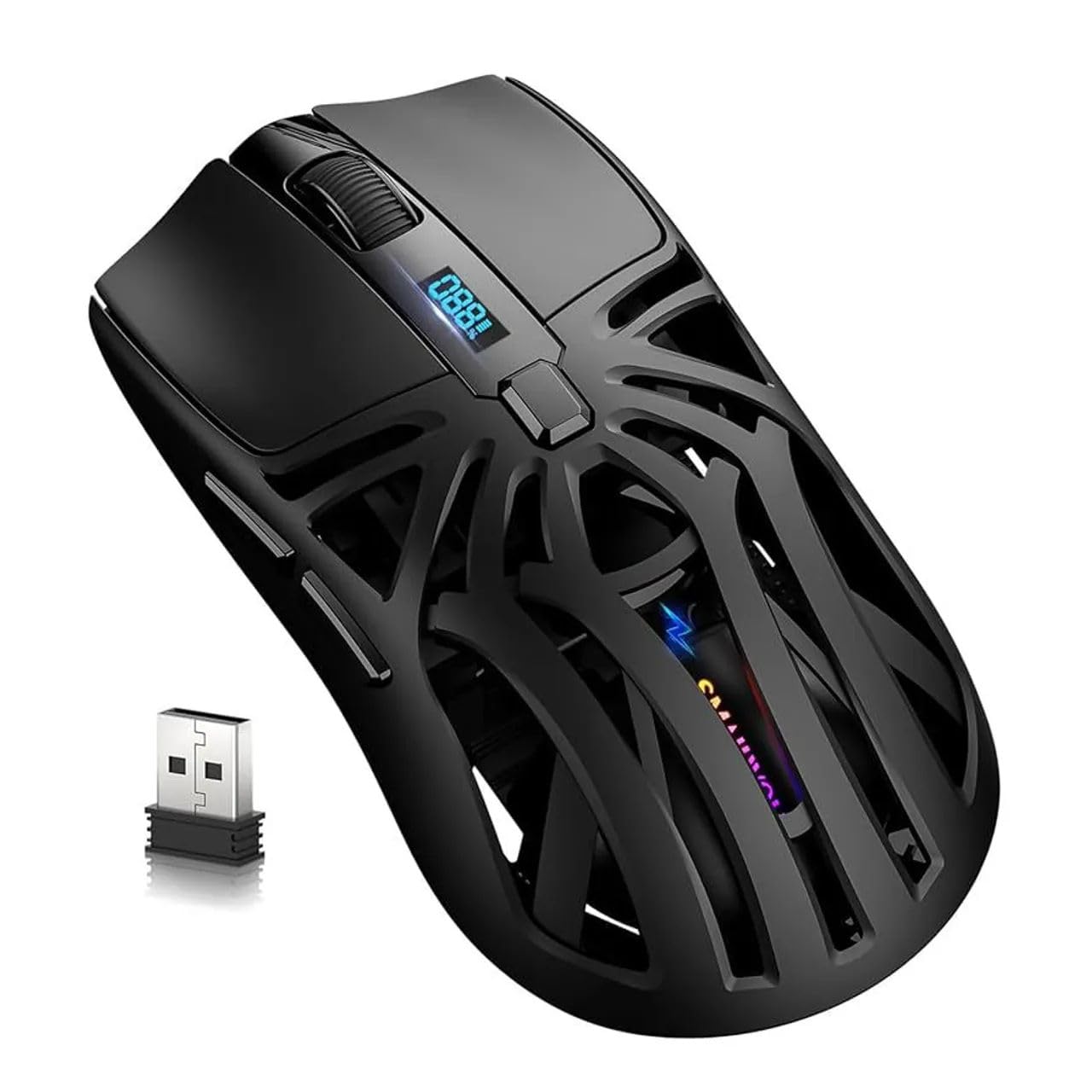
Сүрөт: Жогорку view of the SmailWolf RS8 gaming mouse, highlighting its ergonomic design and central digital display.
Жайгашуу
Пакеттин мазмуну
Ensure the following items are included in your package: SmailWolf RS8 Gaming Mouse, USB Receiver, USB Charging Cable.
Чычканды заряддоо
Connect the USB charging cable to the mouse's charging port and to a USB power source. The digital display will indicate the battery level.
Туташуу параметрлери
The SmailWolf RS8 supports three connection modes: 2.4GHz wireless, Bluetooth, and wired USB.

Image: Underside of the SmailWolf RS8 mouse, showing the mode switches and the compartment for the USB receiver.
2.4GHz зымсыз туташуу
- Чычкандын астындагы бөлүмдө сакталган USB ресиверди табыңыз.
- USB ресиверди компьютериңиздеги жеткиликтүү USB портуна сайыңыз.
- Switch the mode selector on the bottom of the mouse to the 2.4G position.
- Чычкан компьютериңизге автоматтык түрдө туташуу керек.
Bluetooth туташуу
- Switch the mode selector on the bottom of the mouse to the Bluetooth position.
- Компьютериңизден Bluetooth жөндөөлөрүнө өтүп, жаңы түзмөктөрдү издеңиз.
- Select "SmailWolf RS8" from the list of available devices to pair.
- The mouse should connect and be ready for use.
Зымдуу USB туташуу
- Connect the USB charging cable to the mouse and to a USB port on your computer.
- Чычкан зымдуу чычкан катары иштейт жана бир эле учурда заряддалат.
Иштөө нускамалары
DPI тууралоо
The SmailWolf RS8 features six-speed DPI adjustment, with a maximum sensitivity of 12000 DPI. Use the dedicated DPI button (usually located behind the scroll wheel) to cycle through the preset DPI levels (e.g., 1200, 1600, 3200, 6400, 10000, 12000). The digital display may show the current DPI setting.
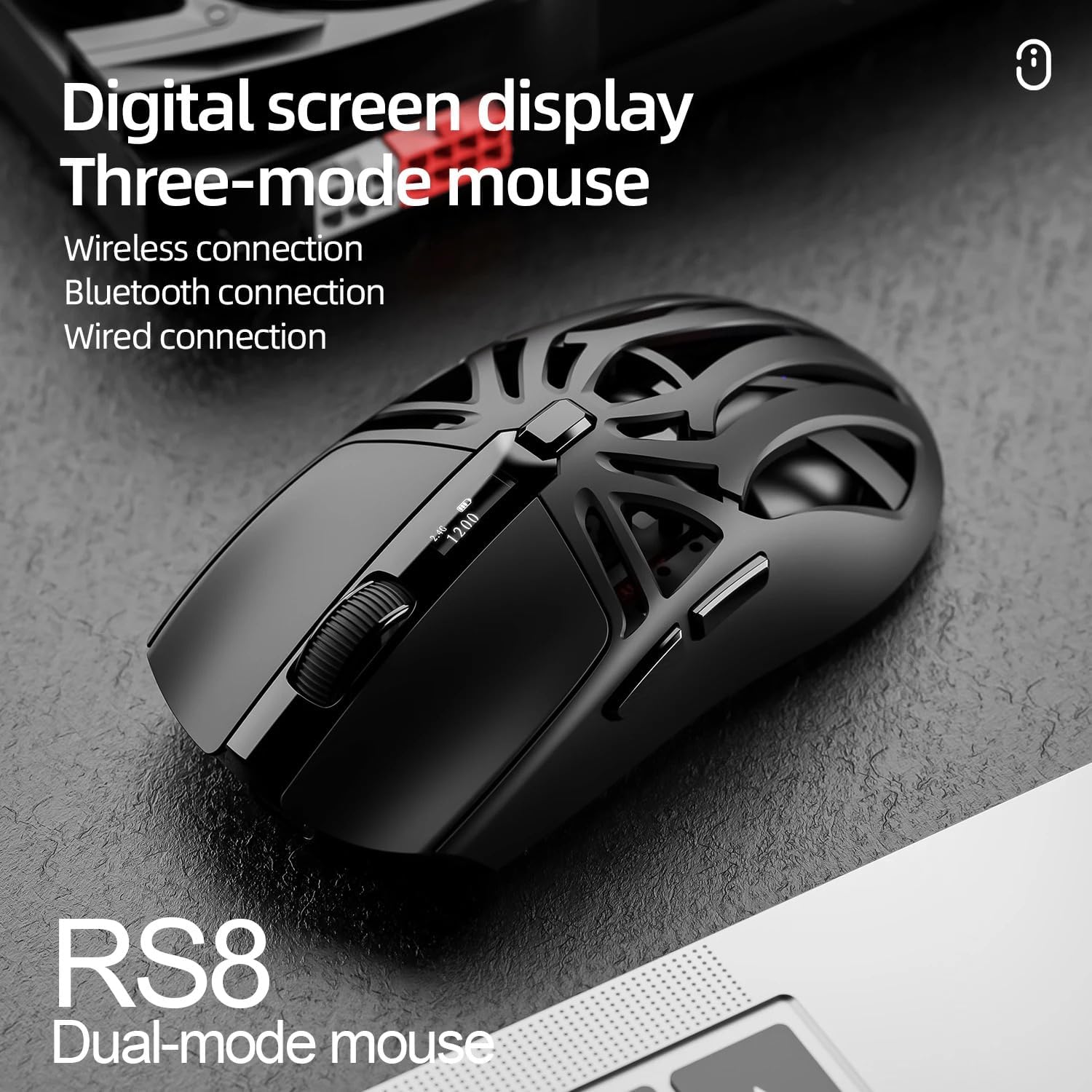
Image: SmailWolf RS8 mouse displaying DPI settings on its digital screen.
RGB Lighting Configuration
The mouse features customizable RGB lighting with 16.8 million colors. Specific buttons or software (if available) can be used to change lighting modes and colors. Refer to the manufacturer's webкаалаган жеткиликтүү программалык камсыздоо үчүн сайт.

Image: Detail of the SmailWolf RS8 mouse showcasing its RGB lighting effect.
Баскыч функциялары
The mouse has 6 programmable buttons. Default functions include:
- Сол чыкылдатуу
- Оң чыкылдатуу
- Scroll Wheel (Click and Scroll)
- DPI цикл баскычы
- Алга баскычы (каптал)
- Артка баскычы (каптал)
For advanced customization, check if dedicated software is available from the manufacturer.
Техникалык тейлөө
Тазалоо
Чычканды тазалоо үчүн жумшак, кургак чүпүрөктү колдонуңуз. Өжөр кир үчүн бир аз сүртүңүз.ampчүпүрөктү суу же жумшак тазалоо эритмеси менен жууп салыңыз. Катуу химиялык заттарды же абразивдүү материалдарды колдонуудан алыс болуңуз.
Батареяга кам көрүү
To prolong battery life, avoid fully discharging the mouse frequently. Charge the mouse when the battery indicator is low. If storing the mouse for an extended period, charge it to approximately 50% and store in a cool, dry place.
Проблемаларды чечүү
Чычкан жооп бербейт
- Чычкандын заряддалганын текшериңиз.
- Check the connection mode (2.4GHz, Bluetooth, or wired).
- For 2.4GHz, ensure the USB receiver is securely plugged in. Try a different USB port.
- For Bluetooth, ensure Bluetooth is enabled on your computer and the mouse is paired correctly. Try re-pairing.
- For wired, ensure the USB cable is securely connected.
- Компьютериңизди өчүрүп күйгүзүңүз.
Үзгүлтүксүз туташуу
- Move the mouse closer to the USB receiver or Bluetooth device.
- Башка зымсыз аппараттардын кийлигишүүсүн болтурбаңыз.
- Ensure the mouse battery is not low.
DPI өзгөрбөйт
- DPI баскычын бекем басыңыз.
- Чычкандын күйгүзүлгөнүн жана туташтырылганын текшериңиз.
Техникалык шарттар
- Модел: SmailWolf RS8
- Байланыш: Bluetooth, 2.4GHz Wireless, USB Wired (Tri-mode)
- DPI сезгичтиги: 12000 DPI чейин (6 жөнгө салынуучу деңгээл)
- Добуш берүү көрсөткүчү: 1000 Гц
- Баскычтар: 6
- Салмагы: 49 Grams (Ultra-light)
- Өлчөмдөрү (L x W): 12 см х 6.5 см
- Жарыктандыруу: RGB (16.8 миллион түс)
- Операциялык системанын шайкештиги: Windows (Windows 10 minimum)
- Сунушталган колдонуу: Оюндар
- Материал: Пластик
- Түсү: Кара
- Кубат булагы: Built-in rechargeable battery (charged via USB)
- Оптикалык сенсор: Ооба
- Багыты: Оң колу
- Келип чыккан өлкө: Бразилия
Кепилдик жана колдоо
This product is manufactured by HYPEDFLOW. For warranty information or technical support, please refer to the retailer or manufacturer's official website. The product description indicates that specific warranty details may be provided by the seller or local regulations.
Өндүрүүчү: HYPEDFLOW