1. Кутуда эмне бар
Your Google TV Streamer 4K package includes the following items:
- Google TV Streamer (4K)
- Үн пульт (2 AAA батарейкасы менен)
- Кубаттуу адаптер
- Кубат кабели (1.8м)
- Ыкчам баштоо колдонмосу (көрсөтүлгөн эмес)
- Safety & Warranty Document (not shown)
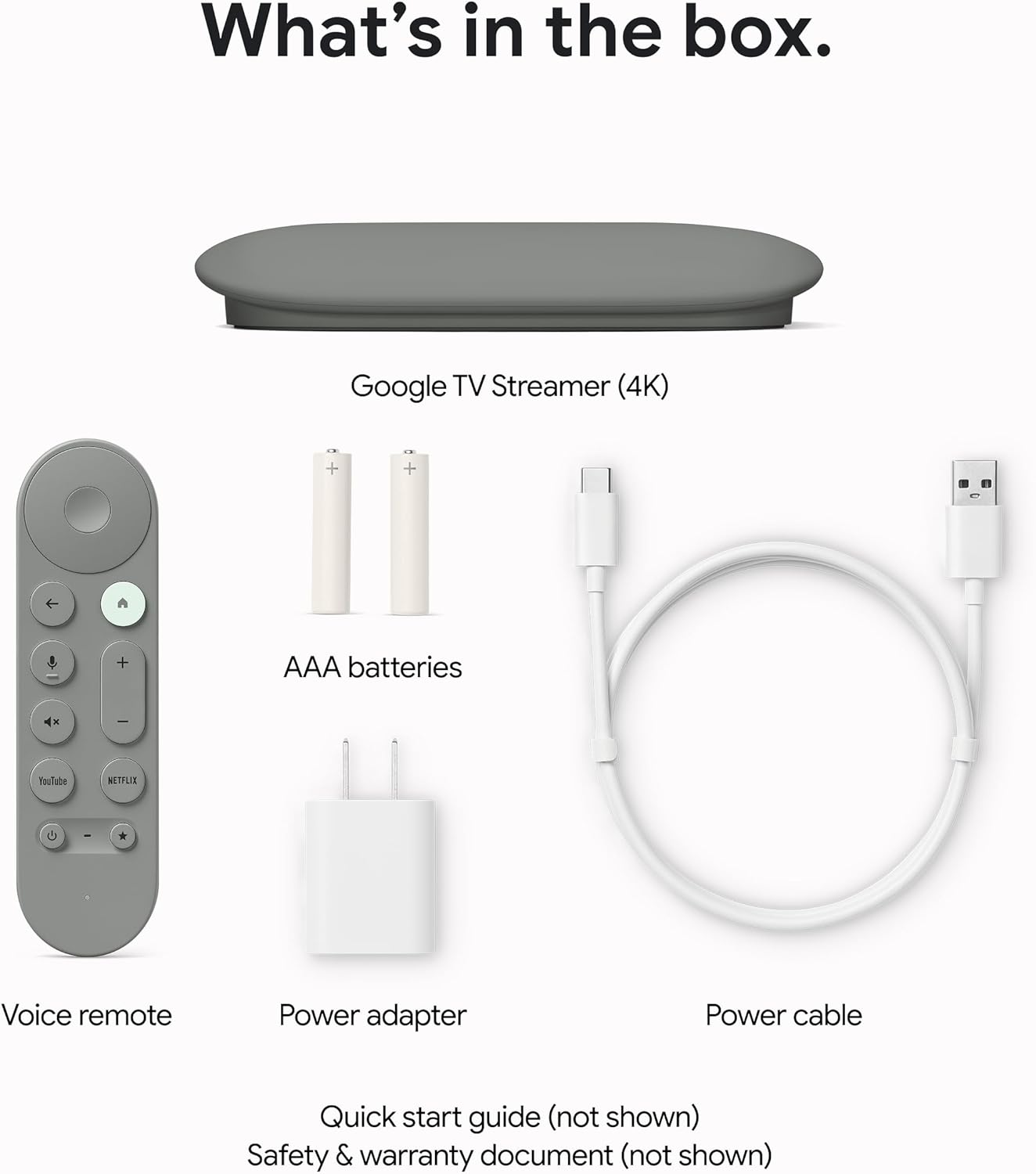
Сүрөт 1.1: Бардык компоненттер Google TV Streamer 4K топтомуна камтылган.
2. Орнотуу
2.1 Аппаратты туташтыруу
- Connect the Google TV Streamer to an available HDMI port on your television. An HDMI 2.1 cable is recommended for optimal performance (sold separately).
- Кубат кабелин Google TV Streamerге туташтырыңыз, андан кийин кубат адаптерин розеткага сайыңыз.

Сүрөт 2.1: The Google TV Streamer 4K connected and ready for use.
2.2 Алыстан башкарууну жөндөө
Insert the two included AAA batteries into the Voice Remote. The remote is designed for easy setup and can control your TV's power and volume.

Сүрөт 2.2: The Google TV Streamer 4K Voice Remote.
2.3 Initial On-Screen Configuration
Баштапкы орнотууну аяктоо үчүн экрандагы көрсөтмөлөрдү аткарыңыз. Бул адатта төмөнкүлөрдү камтыйт:
- Тилди жана аймакты тандоо.
- Wi-Fi тармагыңызга туташууда.
- Signing in with your Google Account for personalized recommendations and app access.
- Pairing the Voice Remote.
3. Operating the Google TV Streamer 4K
3.1 Google TV багыттоо
The Google TV interface organizes all your content in one place, providing fast performance and responsive navigation. You'll find tailored recommendations based on your interests and viewадаттар.

Сүрөт 3.1: The Google TV home screen with app icons and content suggestions.
3.2 Voice Remote Features
Use the redesigned Voice Remote to find shows, get answers, and control smart home devices. The customizable button allows you to quickly open your favorite app or the home panel. If you misplace your remote, you can easily find it by making it ring through your Google Home device.
3.3 Акылдуу үйдү башкаруу
Control your smart home devices directly from your TV using the new home panel. Dim lights or view live camera feeds without interrupting your shows.
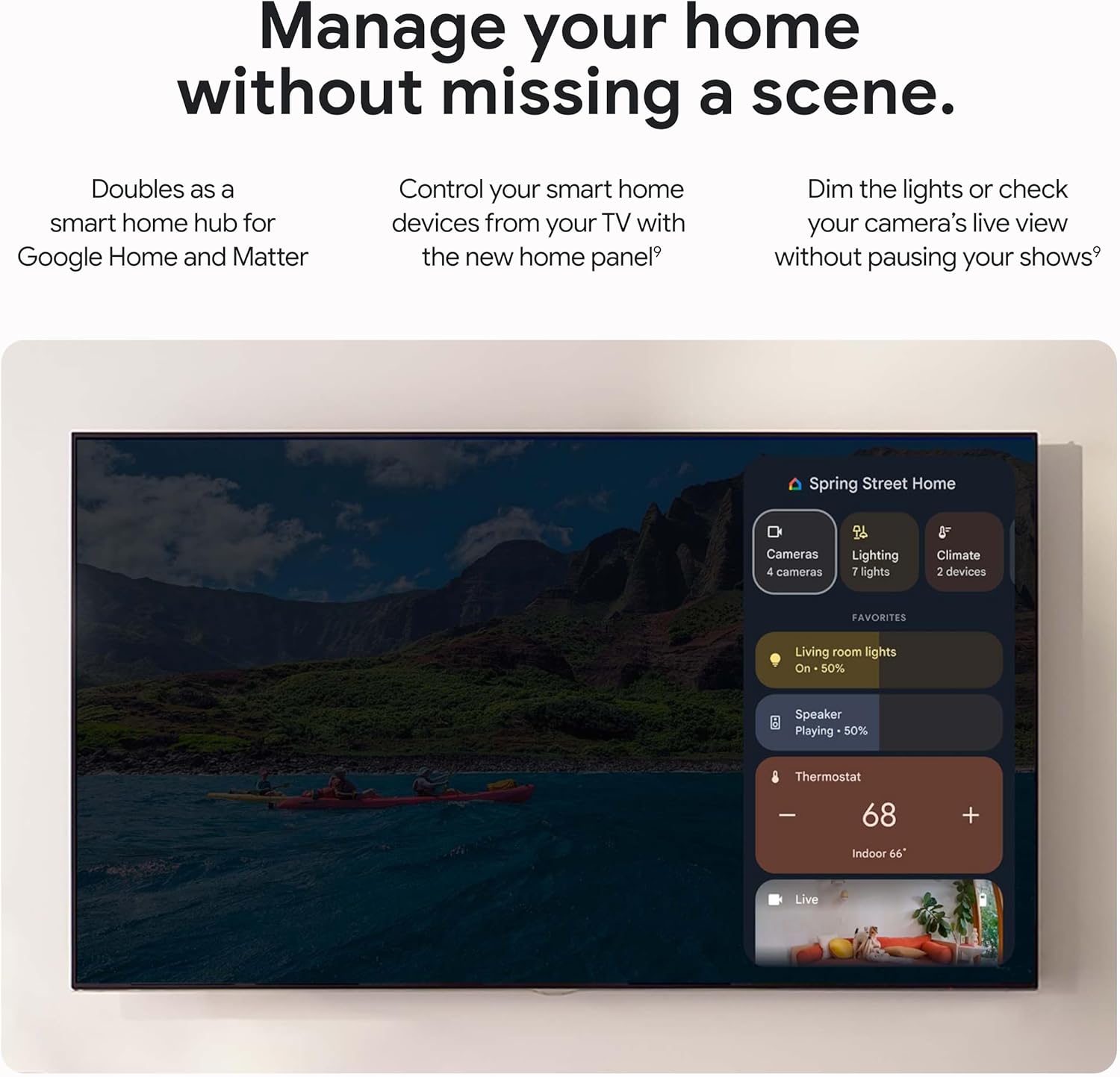
Сүрөт 3.2: Smart Home Control panel on Google TV.
3.4 Кастингдин мазмуну
Effortlessly cast content from compatible Android and iOS apps on your phone, tablet, or laptop directly to your Google TV Streamer 4K.
4. Техникалык тейлөө
4.1 Жалпы кам көрүү
To ensure the longevity of your Google TV Streamer 4K, keep the device clean and free from dust. Avoid exposing it to extreme temperatures or moisture. Use a soft, dry cloth for cleaning.
4.2 Программалык камсыздоо жаңыртуулары
The device will periodically receive software updates to improve performance, add new features, and enhance security. Ensure your device is connected to the internet to receive these updates automatically. Updates may require a restart of the device.
5. Кыйынчылыктарды
5.1 Performance Issues (Lagging/Slow)
The Google TV Streamer 4K features a 22% faster processor and twice the memory compared to the previous generation, designed for smooth navigation and quick app switching. If you experience lagging, try the following:
- Restart the device by unplugging it from the power source for 30 seconds and then plugging it back in.
- Ensure your internet connection is stable and strong.
- Фондо иштеп жаткан колдонулбаган тиркемелерди жабыңыз.
5.2 Lost Remote
If you cannot find your Voice Remote, you can make it ring by pressing a button on your streamer device or by asking your Google Assistant-enabled device (e.g., Google Home speaker) to find your remote.
5.3 Volume Control Not Working
If the volume control on your remote occasionally stops working, power your TV off and then back on. This often resolves the issue.
5.4 Байланыш көйгөйлөрү
Ensure your Wi-Fi connection is active. For a more stable connection, consider using the built-in Ethernet port (Ethernet cable sold separately).
6. Техникалык шарттар
| Өзгөчөлүк | Деталь |
|---|---|
| Резолюция | Dolby Vision менен 4K HDR чейин |
| Аудио | Dolby Atmos колдоо |
| RAM | 4 ГБ |
| Сактагыч | 32 ГБ |
| Байланыш технологиясы | Ethernet, Wi-Fi |
| Туташтыргыч түрү | HDMI |
| Өзгөчөлүктөр | Miracast, Voice Search |
| Controller Type | Алыстан башкаруу, Үн башкаруу |
| Продукциянын өлчөмдөрү | 6.4 x 3 x 1 дюйм |
| Элемент Салмагы | 5.7 унция |
| Батареялар | 2 AAA батарейка талап кылынат (кошулган) |

Сүрөт 6.1: Detailed specifications and comparison with other models.
7. Кепилдик жана колдоо
7.1 Коргоо пландары
Кошумча коргоо пландары стандарттык кепилдиктен тышкары камтууну кеңейтүү үчүн сатып алууга жеткиликтүү:
- 2 жылдык коргоо планы: $9.99 (one-time)
- 3 жылдык коргоо планы: $13.49 (one-time)
- Толук коргоо: $16.99 (monthly) - Covers all eligible past and future purchases.
7.2 Кардарларды колдоо
For further assistance, troubleshooting, or warranty claims, please refer to the official Google support website or the contact information provided in your product's Safety & Warranty Document.