
1. Киришүү
Thank you for choosing the EWEADN V80 Wired TKL RGB Gaming Keyboard. This manual provides essential information for setting up, operating, maintaining, and troubleshooting your new keyboard. The V80 keyboard features an 80% Tenkeyless (TKL) layout, PBT keycaps, quiet membrane switches, 26-key anti-ghosting, and dynamic RGB backlighting, designed for an ergonomic and efficient user experience.
2. Пакеттин мазмуну
- EWEADN V80 клавиатура
- USB кабели
- User Manual
- 2 Year Manufacturer Warranty Information
3. Орнотуу нускамалары
The EWEADN V80 keyboard is designed for plug-and-play convenience, requiring no driver installation for basic functionality.
- USB кабелин туташтыруу: Locate the USB-C port on the keyboard (typically on the top edge). Connect one end of the provided USB cable to this port.
- Түзмөгүңүзгө туташуу: Plug the other end of the USB cable into an available USB-A port on your computer (Laptop, PC, etc.).
- Системаны таануу: Your operating system (Windows, macOS) should automatically detect and configure the keyboard. A setup assistant may appear on macOS to identify the keyboard type; follow the on-screen prompts.
- Баскычтоп буттарын тууралоо: For optimal typing comfort, extend the two-stage adjustable kickstands located on the underside of the keyboard to achieve your preferred typing angle.
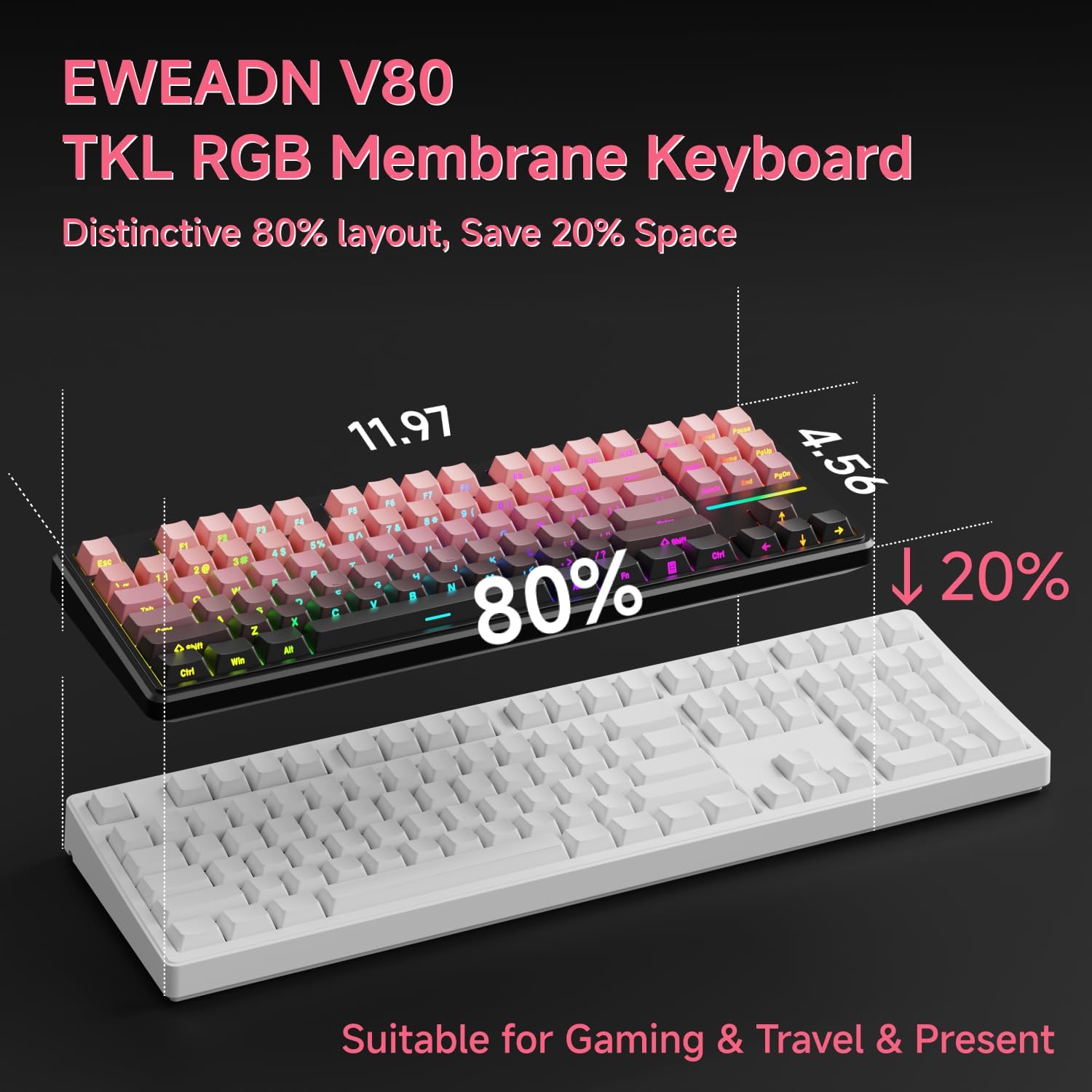
Image: Connecting the USB-C cable to the EWEADN V80 keyboard.

Image: The underside of the EWEADN V80 keyboard with its two-stage adjustable kickstands extended for ergonomic typing.
4. Иштөө нускамалары
4.1 RGB жарыгын башкаруу
The EWEADN V80 features dynamic RGB backlighting with multiple modes and adjustable settings.
- Toggle Backlight On/Off: Басыңыз Fn + Backspace.
- Жарыктандыруу режимин өзгөртүү: Басыңыз Fn + Insert to cycle through 12 dynamic lighting effects.
- Жарыктыкты жөндөө: Басыңыз Fn + PU (Page Up) to increase brightness, and Fn + PD (Page Down) to decrease brightness.
- Жарыктын ылдамдыгын тууралоо: Басыңыз Fn + -= to decrease speed, and =+ ылдамдыгын жогорулатуу.
- Light Strip Control: Басыңыз Fn + P to control the side light strip.

Image: The EWEADN V80 keyboard showcasing various RGB backlight modes, including static colors, rainbow wave, and cycling ripple effects.
Video: Demonstrates the dynamic RGB lighting effects of the EWEADN V80 keyboard, cycling through different colors and patterns.
4.2 Функционалдык баскычтардын айкалышы
The V80 keyboard utilizes the Fn key for various multimedia and system functions.
| Комбинация баскычы | Функция |
|---|---|
| Fn + F1 | Экран жарыктыгы - |
| Fn + F2 | Экран жарыктыгы+ |
| Fn + F3 | Convert Window |
| Fn + F4 | Микрофон |
| Fn + F5 | Мульти-медиа |
| Fn + F6 | Мурунку ыр |
| Fn + F7 | Кийинки ыр |
| Fn + F8 | көлөмгө |
| Fn + F9 | Көлөм+ |
| Fn + F10 | Үнсүз |
| Fn + F11 | Менин компьютерим |
| Fn + F12 | Калькулятор |
| Комбинация баскычы | Функция |
|---|---|
| Fn + F1 | Экран жарыктыгы - |
| Fn + F2 | Экран жарыктыгы+ |
| Fn + F3 | Multitasking Control |
| Fn + F4 | Launchpad |
| Fn + F5 | Мурунку ыр |
| Fn + F6 | Кийинки ыр |
| Fn + F7 | Ойнотуу/Тыныгуу |
| Fn + F8 | көлөмгө |
| Fn + F9 | Көлөм+ |
| Fn + F10 | Үнсүз |
| Fn + F11 | Менин компьютерим |
| Fn + F12 | Калькулятор |
4.3 Арбактарга каршы
The V80 keyboard features 26-key rollover anti-ghosting, ensuring that every keypress is registered accurately, even when multiple keys are pressed simultaneously during intense gaming or fast typing. This prevents missed inputs and enhances performance.

Image: The EWEADN V80 keyboard illustrating its 26-key anti-ghosting capability, showing multiple simultaneous key presses being registered.
5. Өзгөчөлүктөрү
- Wired Connectivity & Multi-System Support: The USB-C wired design provides a stable, interference-free connection with zero input lag. It is compatible with Windows and Mac operating systems, offering versatile integration for various devices.
- 80% TKL жайгашуусу: The Tenkeyless design saves significant desk space, promoting a cleaner and more efficient setup without sacrificing essential keys for gaming or productivity.
- Quiet Membrane Operation: Equipped with quiet membrane switches, the keyboard delivers tactile, mechanical-like feedback while minimizing noise, ideal for environments where quiet operation is preferred.
- Эргономикалык жөнгө салуу: An integrated two-stage kickstand allows users to adjust the typing angle, providing optimal wrist support and reducing strain during prolonged use.
- PBT баскычтоптору: Durable double-shot injection-molded PBT keycaps feature subtle side-printed legends, crisp backlight transmission, and a matte texture that resists shine and improves grip for extended use.
- 26 Негизги Анти-Гостинг: Ensures accurate registration of every keypress, even during rapid and simultaneous inputs, crucial for competitive gaming.

Image: The EWEADN V80 keyboard demonstrating its plug-and-play compatibility with various operating systems including Windows, Mac, iOS, and Android.

Сүрөт: деталдуу view of the EWEADN V80's upgraded side-printed PBT keycaps, emphasizing their durability, matte texture, and aesthetic appeal.

Image: A close-up of the EWEADN V80's membrane gaming switches, illustrating their smooth, silent, and strain-free operation.
Video: A short demonstration of the EWEADN V80 Wired RGB Gaming Keyboard, highlighting its compact design and RGB lighting.
Video: Showcases the EWEADN V80 Cute Pink Silent Keyboard, emphasizing its quiet typing experience and aesthetic appeal.
6. Техникалык шарттар
| Өзгөчөлүк | Деталь |
|---|---|
| Бренд | EWEADN |
| Модель номери | V80 |
| Байланыш технологиясы | USB-C (Зымдуу) |
| Keyboard Description | Мембрана |
| Которуу түрү | Mechanical-like |
| Ачкычтардын саны | 87 |
| Баскычтоптун жайгашуусу | QWERTY |
| Баскычтоптун арткы жарыгы | RGB (12 динамикалык режим) |
| Anti-Ghosting | 26-Кайрылуу |
| Баскыч капкактары | Double-shot PBT, Side-Printed Legends |
| Эргономикалык өзгөчөлүктөрү | Эки-сtage adjustable kickstand |
| Шайкеш түзмөктөр | Laptop, PC, Smartphone, Tablet (via compatible adapters) |
| Продукциянын өлчөмдөрү (L x W x Y) | 14.37" x 5.47" x 1.53" |
| Материал | Пластик |
| Түс | BlackBerry Pink |
7. Техникалык тейлөө
To ensure the longevity and optimal performance of your EWEADN V80 keyboard, follow these maintenance guidelines:
- үзгүлтүксүз тазалоо: Use a soft, lint-free cloth to wipe down the keycaps and keyboard surface. For deeper cleaning, a can of compressed air can remove dust and debris from between the keys.
- Суюктуктардан алыс болуңуз: Do not spill liquids on the keyboard. If a spill occurs, immediately disconnect the keyboard from your device and allow it to dry completely before reconnecting.
- Этияттык менен мамиле кылуу: Avoid dropping the keyboard or subjecting it to excessive force, which can damage internal components or keycaps.
- Кабелдик башкаруу: Ensure the USB cable is not kinked or strained, as this can lead to damage over time.
8. Кыйынчылыктарды
If you encounter any issues with your EWEADN V80 keyboard, please refer to the following common solutions:
- Баскычтоп жооп бербейт:
- USB кабели клавиатурага жана компьютериңизге бекем туташып турганын текшериңиз.
- Баскычтопту компьютериңиздин башка USB портуна сайып көрүңүз.
- Көйгөй клавиатурада же түзмөгүңүздө экенин аныктоо үчүн башка компьютердеги клавиатураны сынап көрүңүз.
- RGB Backlighting Not Working:
- Колдонуу менен арткы жарык күйгүзүлгөнүн текшериңиз Fn + Backspace.
- Жарыктык деңгээлин колдонуу менен тууралаңыз Fn + PU/PD.
- Keys Not Registering Correctly (Ghosting):
- The V80 has 26-key anti-ghosting. If you experience issues, ensure your operating system and any gaming software are up to date.
- Clean the affected keys to remove any debris that might be interfering with the switch mechanism.
Эгер бул кадамдар көйгөйүңүздү чечпесе, кардарларды колдоо кызматына кайрылыңыз.
9. Кепилдик жана колдоо
The EWEADN V80 Wired TKL RGB Gaming Keyboard comes with a 2 жылдык өндүрүүчү кепилдик. For any inquiries, technical assistance, or warranty claims, please contact our dedicated customer support team.
Электрондук почта колдоо: eweadnkeyboard@outlook.com

Image: EWEADN's commitment to quality and customer support, featuring various products.