
eufy E25 Omni Robot Vacuum and Mop Combo Instruction Manual
Модели: E25
1. Маанилүү коопсуздук нускамалары
Before using this product, read all instructions and cautionary markings in this manual and on the product. Failure to follow these instructions may result in electric shock, fire, or serious injury.
- Бул шайманды 8 жаштан жогорку балдар жана физикалык, сезүү же акыл-эс жөндөмү начар же тажрыйбасы жана билими жок адамдар колдонсо болот, эгерде алар көзөмөлгө алынган же шайманды коопсуз колдонуу боюнча нускама алган болсо жана келтирилген коркунучтарды түшүнсө. .
- Балдар шайман менен ойнобошу үчүн аларды көзөмөлгө алуу керек.
- Тазалоо жана колдонуучу тейлөөнү балдар көзөмөлсүз жасабашы керек.
- Өндүрүүчү тарабынан берилген кубат адаптерин гана колдонуңуз.
- Do not use the product in environments with open flames or explosive materials.
- Do not use the product to pick up large or sharp objects, or liquids.
- Ensure the charging station is placed on a level surface against a wall, with adequate clear space around it.
- Always disconnect the product from the power supply before cleaning or maintenance.
2. Пакеттин мазмуну
Пакетте бардык компоненттер бар экенин текшериңиз:
- eufy E25 Omni Robot Vacuum and Mop
- All-in-One Self-Cleaning Station
- Кубаттуу адаптер
- Dust Bags (3 included)
- Тазалоочу аянтча
- User Manual
3. Продукт бүтүп калдыview
3.1 All-in-One Station for Smart Maintenance
The All-in-One Station provides comprehensive maintenance for your robot vacuum, including self-emptying, self-refilling, wastewater collection, self-washing of mop pads, hot air drying, and automatic detergent dispensing.

Figure 3.1: All-in-One Station for Smart Maintenance. This image illustrates the various functions of the station, including automatic dust collection, water tank refilling, dirty water disposal, mop cleaning, drying, and detergent addition.
3.2 HydroJet Deep Cleaning System
The HydroJet system ensures thorough mopping by self-cleaning the mop pads multiple times per second during operation, preventing the spread of dirt.
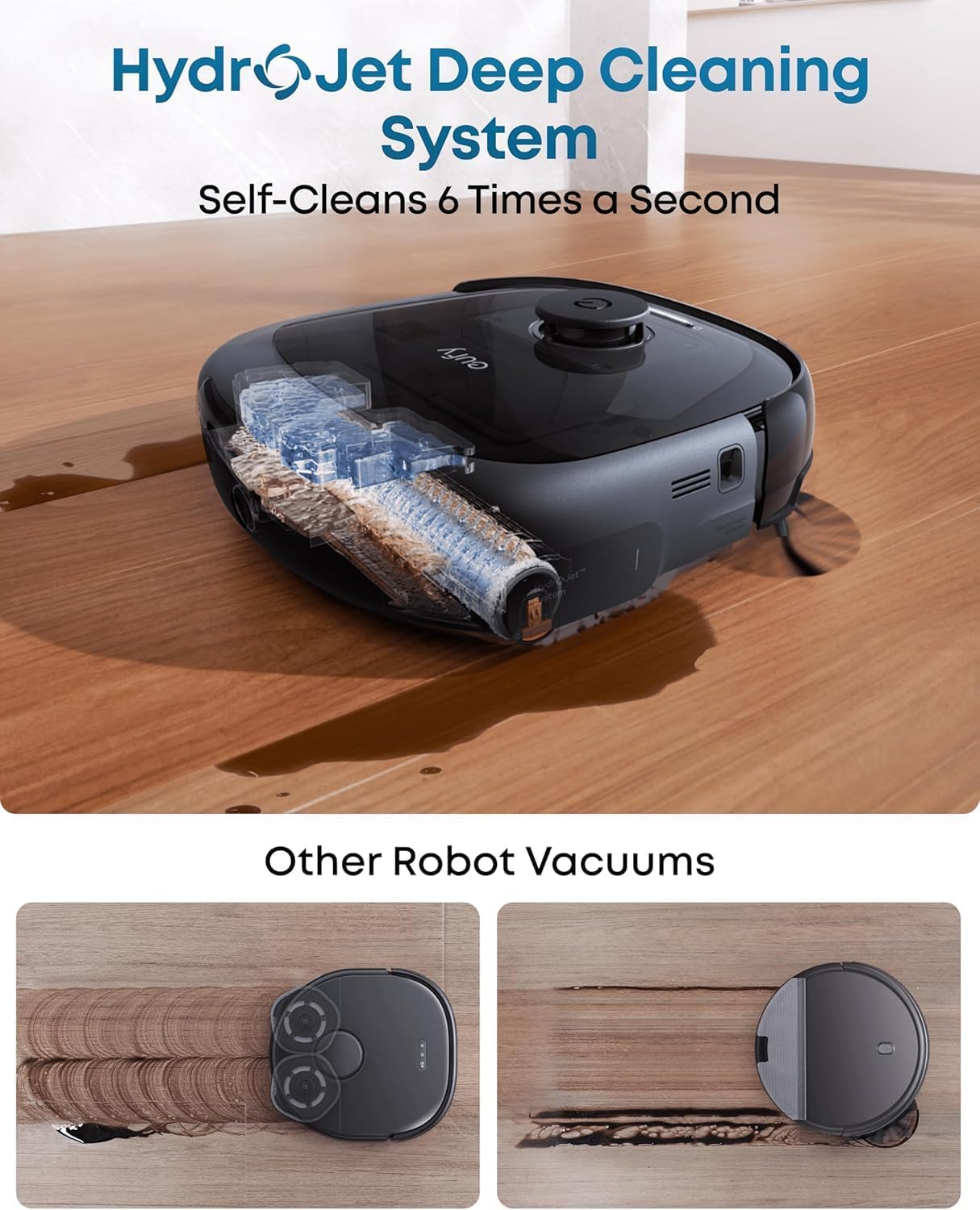
Figure 3.2: HydroJet Deep Cleaning System. The robot's internal mechanism for continuous mop pad cleaning is shown, highlighting its ability to self-clean frequently.
3.3 20,000Pa Turbo Suction
Equipped with 20,000Pa of turbo suction power, the robot effectively removes pet food, crumbs, fur, and other debris from various floor types.
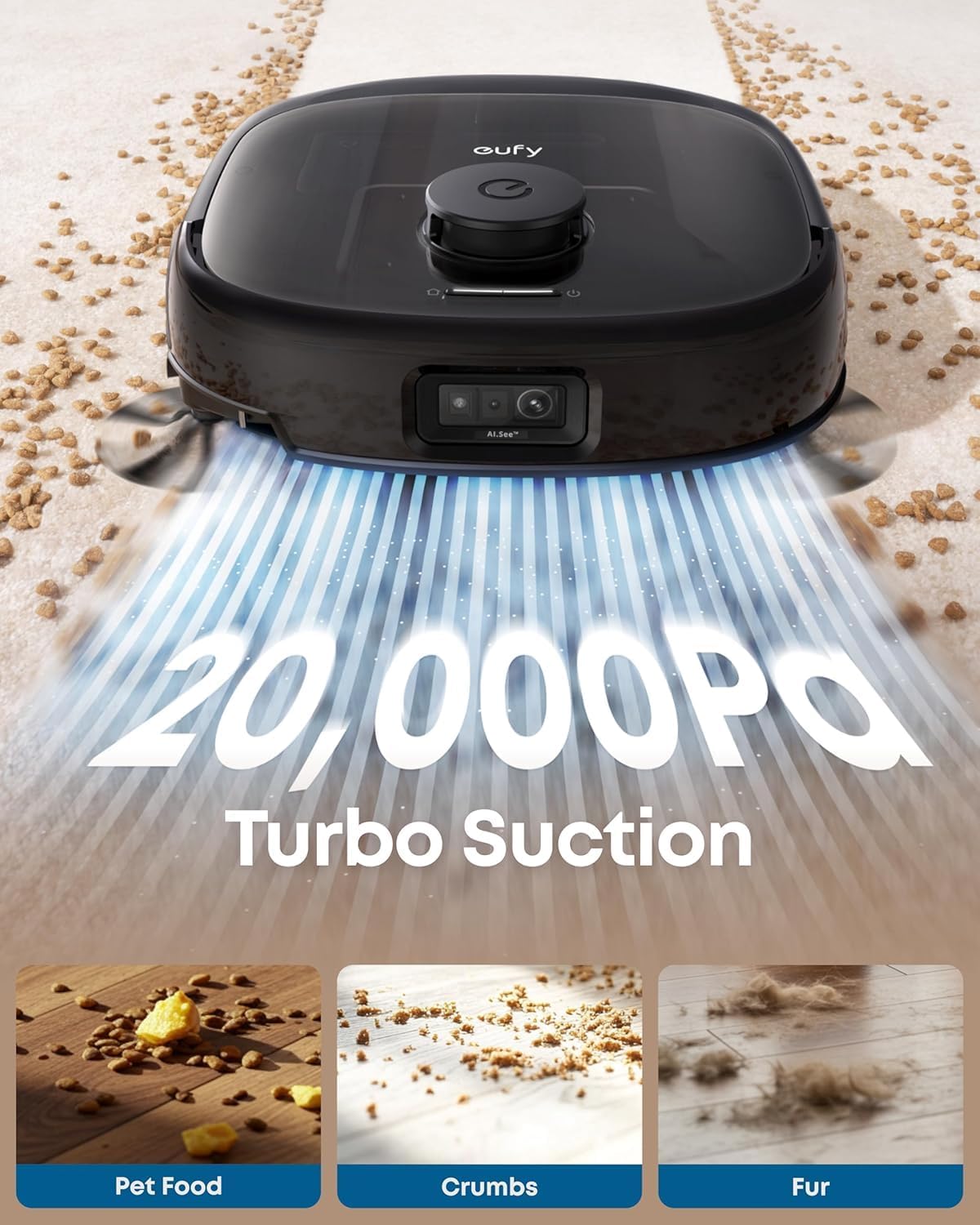
Figure 3.3: 20,000Pa Turbo Suction. This image demonstrates the robot's powerful suction capability, effectively cleaning various types of debris from carpets.
3.4 DuoSpiral Detangle Brushes
The DuoSpiral Detangle Brushes are designed to prevent hair tangling, ensuring consistent cleaning performance and reducing maintenance effort.

Figure 3.4: DuoSpiral Detangle Brushes. This illustration details the two-step process of the brushes: first gathering hair and fur, then retracting to pull them into the vacuum, minimizing tangles.
3.5 Advanced AI Recognition and Obstacle Avoidance
The robot utilizes advanced AI to recognize and avoid over 200 types of objects, ensuring smooth navigation and preventing collisions with household items.

Figure 3.5: Advanced AI Recognition and Obstacle Avoidance. The robot is depicted intelligently avoiding numerous objects on the floor, showcasing its navigation capabilities.
4. Орнотуу
4.1 Станцияны жайгаштыруу
- Place the All-in-One Station on a hard, level surface against a wall.
- Ensure there is at least 1.5 meters (5 feet) of clear space in front of the station and 0.5 meters (1.6 feet) on either side.
- Connect the power adapter to the station and plug it into a wall outlet.
4.2 Dust Bag Installation
The station uses a 3L dust bag for automatic emptying, supporting up to 75 days of maintenance-free cleaning.

Figure 4.1: Versatile Auto Emptying. This image highlights the 3L dust bag capacity, which allows for extended periods of use without manual emptying.
- Open the top cover of the All-in-One Station.
- Insert a new dust bag into the designated slot, ensuring it is fully seated.
- Үстүнкү капкакты бекем жабыңыз.

Figure 4.2: Dust Bag Installation Steps. This visual guide demonstrates the process of inserting a new dust bag into the station, emphasizing the leak-proof design and ease of installation.
4.3 Алгачкы заряддоо
Place the robot vacuum onto the charging station. The robot will automatically align and begin charging. Ensure the robot is fully charged before its first use.
4.4 Колдонмо туташуусу
- Download the eufy Clean app from the App Store (iOS) or Google Play (Android).
- Каттоо эсебин түзүү же кириңиз.
- Follow the in-app instructions to add your eufy E25 Omni robot vacuum.
- Оптималдуу байланыш үчүн Wi-Fi тармагыңыз 2.4 ГГц экенин текшериңиз.
5. Операция
5.1 Тазалоону баштоо жана тындыруу
- Тазалоону баштоо: Press the power button on the robot or use the eufy Clean app to start a cleaning cycle.
- Тазалоону тындыруу: Press the power button again or use the app to pause cleaning.
- Станцияга кайтуу: Press and hold the power button for 3 seconds, or use the app to send the robot back to its charging station.
5.2 Тазалоо режимдери
The eufy E25 Omni offers various cleaning modes accessible via the eufy Clean app:
- Автоматтык тазалоо: Робот бүт үйүңүздү акылдуу түрдө тазалайт.
- Таза так: Cleans a specific area with concentrated power.
- Таза аймак: Allows you to define specific zones for cleaning.
- Швабра гана: Performs mopping without vacuuming.
- Вакуум гана: Performs vacuuming without mopping.
5.3 Using the eufy Clean App
The app provides advanced control and customization options:
- Тазалоо убактысын пландаштырыңыз.
- Соруу күчүн жана суунун агымынын деңгээлин тууралаңыз.
- Set no-go zones and no-mop zones.
- View cleaning history and maps.
- Receive maintenance reminders.
6. Техникалык тейлөө
Үзгүлтүксүз техникалык тейлөө оптималдуу иштешин камсыздайт жана робот чаң соргучуңуздун иштөө мөөнөтүн узартат.
6.1 Баары бир станцияны тейлөө
- Чаң баштыгын алмаштыруу: Replace the dust bag when the app indicates it is full, or approximately every 75 days depending on usage.
- Таза суу резервуары: Refill the clean water tank with fresh water and detergent as needed.
- Агын суулар үчүн резервуар: Empty the wastewater tank regularly to prevent odors and ensure proper mop cleaning.
- Кир жуугуч каражаттар: Ensure the detergent dispenser is filled for automatic detergent dispensing during mopping.
- Заряддоо пиндери: Periodically wipe the charging pins on the station and robot with a dry cloth.
6.2 Роботтун вакуумдук тейлөөсү
- DuoSpiral чырмалышууну чечүүчү щеткалар: Regularly check and clean the main brushes for tangled hair or debris. Use the cleaning tool provided.
- Каптал щеткалар: Inspect side brushes for wear or damage. Replace if necessary.
- Моп төшөктөрү: The station automatically washes and dries the mop pads. However, periodically remove and hand-wash them for deeper cleaning.
- Сенсорлор: Wipe all sensors (cliff sensors, wall sensors, charging sensors) with a dry cloth to ensure proper navigation.
- Дөңгөлөктөр: Clean any hair or debris from the robot's wheels.
7. Кыйынчылыктарды
If you encounter issues with your eufy E25 Omni, refer to the following common problems and solutions:
| Көйгөй | Мүмкүн себеп | Чечим |
|---|---|---|
| Робот күйбөйт. | Low battery; power button not pressed. | Charge the robot; press and hold the power button. |
| Робот кубаттоо станциясына кайтып келе албайт. | Charging station blocked; robot too far. | Clear obstacles around the station; manually place robot near station. |
| Начар тазалоо көрсөткүчү. | таштанды челек толгон; щеткалар чаташкан; фильтр бүтүп калган. | Empty dustbin; clean brushes; clean/replace filter. |
| Колдонмого туташуу маселелери. | Incorrect Wi-Fi password; 5GHz Wi-Fi network. | Ensure 2.4GHz Wi-Fi; re-enter password; restart router. |
| Швабралар эффективдүү тазаланбайт. | Wastewater tank full; clean water tank empty; mop pads dirty. | Empty wastewater; refill clean water; clean mop pads. |
8. Техникалык шарттар
| Өзгөчөлүк | Деталь |
|---|---|
| Бренд | eufy |
| Модель аты | E25 |
| Модель номери | T2353 |
| Продукциянын өлчөмдөрү | 46.2L x 37W x 43.6H Сантиметр |
| Соруу күчү | 20,000 Pa (Turbo Suction) |
| Чаң баштык сыйымдуулугу | 3 литр (75 күнгө чейин) |
| Батарея түрү | Литий ион |
| Батареянын иштөө мөөнөтү | 24 ай (болжолдуу) |
| Башкаруу ыкмасы | App Control, Button Control, Voice Control |
| Өзгөчөлүктөр | Auto Mop Washing, Obstacle Avoidance, Self-Emptying, Self-Refilling, Hot Air Drying, Automatic Detergent Dispensing |
| Surface Recommendation | Hard Floor, Carpet, Wood, Tile |
| Форма фактору | Тегерек |
| Түс | Кара |
9. Кепилдик жана колдоо
eufy provides a limited warranty for this product. For detailed warranty information, please refer to the warranty card included in your package or visit the official eufy webсайт.
For technical support, troubleshooting assistance, or to purchase replacement parts, please contact eufy customer service:
- Webсайт: www.eufylife.com
- Электрондук почта: support@eufylife.com
- Телефон: Refer to your region's specific contact number on the eufy webсайт.
Please have your model number (E25) and purchase information ready when contacting support.