
Kinglucky A20
Kinglucky ClipFree A20 Open-Ear Earbuds Instruction Manual
Модел: A20
Introduction
Welcome to the Kinglucky ClipFree A20 Open-Ear Earbuds. These earbuds are designed for comfort and style, featuring an open-ear design and detachable crystal earrings. This manual provides essential information for setting up, operating, maintaining, and troubleshooting your new earbuds.
Кутуда эмне бар
Upon opening your Kinglucky ClipFree A20 package, you should find the following items:
- Kinglucky ClipFree A20 Open-Ear Earbuds
- Заряддоо кутусу
- Detachable Crystal Butterfly Earrings (if included with your model)
- USB-C заряддоо кабели
- Колдонуучунун Колдонмосу (бул документ)

Image: The Kinglucky A20 earbuds, charging case, detachable butterfly earrings, and USB-C charging cable as packaged.
Жайгашуу
1. Кулакчындарды жана кутуну кубаттоо
Before first use, fully charge your Kinglucky A20 earbuds and charging case. Connect the provided USB-C cable to the charging port on the case and a power source. The digital display on the case will show the battery level. A full charge provides up to 8 hours of playtime for the earbuds, with the case extending total playtime to approximately 50 hours.
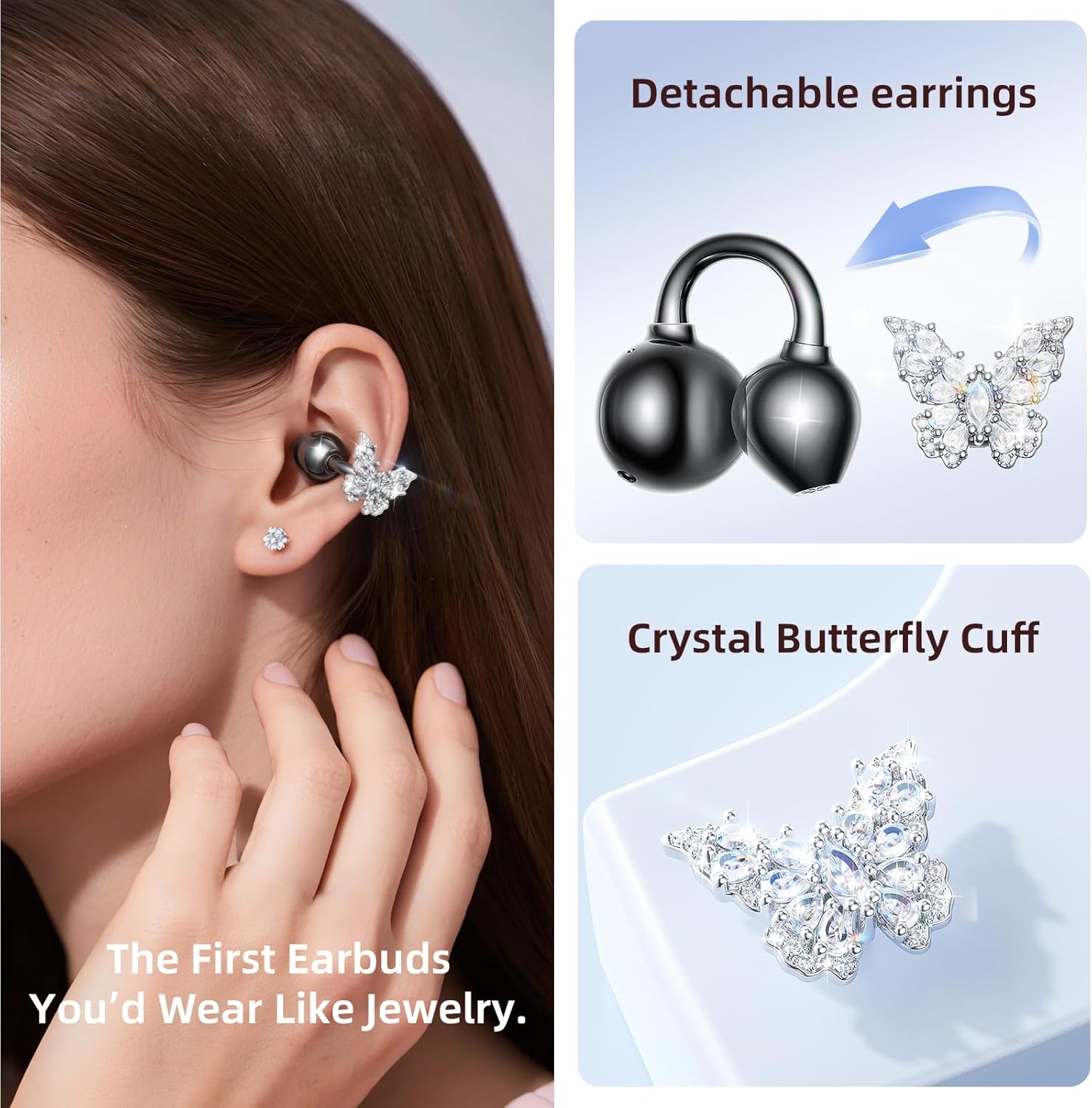
Image: The Kinglucky A20 earbuds resting in their charging case, displaying the battery percentage on the front.
2. Bluetooth Жупташтыруу
- Заряддоо кутучасын ачыңыз. Кулакчындар жупташтыруу режимине автоматтык түрдө кирет.
- Түзмөгүңүздө (смартфон, планшет ж.б.) Bluetooth жөндөөлөрүнө өтүңүз.
- Select "Kinglucky A20" from the list of available devices.
- Туташкандан кийин, сиз аудио сунушту угасыз жана кулакчындардагы индикатор өзгөрөт.
The Kinglucky A20 supports Bluetooth 5.4 for a stable connection and multipoint pairing, allowing connection to two devices simultaneously.
3. Кулакчын тагынуу
The A20 earbuds feature an open-ear clip design for comfort and stability. They do not enter the ear canal, resting gently on the ear.
- Gently open the ear cuff of the earbud.
- Position the earbud over your ear, ensuring the speaker is aligned with your ear canal for optimal sound.
- Коопсуз жана ыңгайлуу отуруу үчүн тууралаңыз.
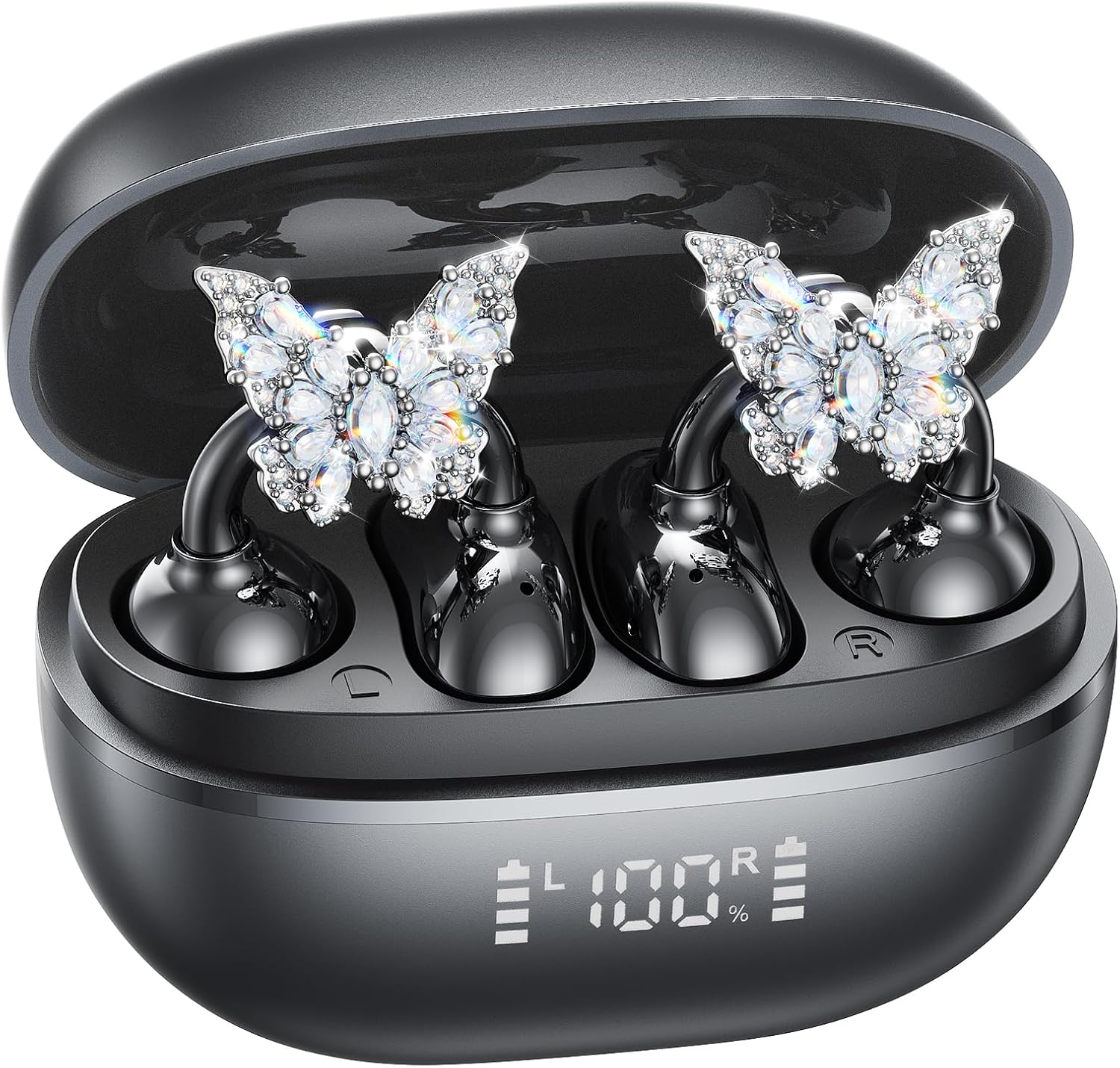
Image: A woman wearing the Kinglucky A20 earbuds with the detachable butterfly earrings, demonstrating the clip-on fit.
4. Attaching/Detaching Crystal Earrings
The crystal butterfly earrings are detachable. To attach, gently clip them onto the earphone stem. To detach, carefully unclip them. Remove the decorative earrings before storing the earbuds in the charging case to prevent damage.

Image: A visual guide illustrating the process of attaching the crystal butterfly accessory to the earbud stem.
Иштөө нускамалары
Touch Controls
The Kinglucky A20 earbuds feature intuitive touch controls on the outer surface of each earbud.
- Музыканы ойнотуу/тындыруу: Кулакчындардын бирин эки жолу таптаңыз.
- Чалууга жооп берүү/аяктоо: Кирүүчү же активдүү чалуу учурунда кулакчындын бирин эки жолу басыңыз.
- Чакырууну четке кагуу: Кирүүчү чалуу учурунда кулакчындын бирин 2 секунд басып туруңуз.
- Үн Жардамчысын жандыруу: Кулакчындардын бирин 3 секунд басып туруңуз.

Image: A visual representation of the touch control functions for music playback and call management on the earbuds.
Sound Quality and Call Clarity
The A20 earbuds are engineered to deliver clear and balanced sound for various audio content, from podcasts to music. They feature AI-powered call clarity with 2 beamforming microphones and advanced noise-canceling technology for crisp conversations.

Image: An exploded diagram showing the internal components of the Kinglucky A20 earbud, highlighting its sound engineering.
Техникалык тейлөө
- Тазалоо: Use a soft, dry cloth to wipe the earbuds and charging case. Avoid using harsh chemicals or abrasive materials.
- Сактагыч: Колдонулбаганда, кулакчындарды коргоо жана кубатталган бойдон калуу үчүн аларды кубаттоо кутучасына сактап коюңуз.
- Суу каршылык: The earbuds are IP56 water-resistant, meaning they can withstand sweat and light rain. Do not submerge them in water.
Проблемаларды чечүү
| Көйгөй | Чечим |
|---|---|
| Кулакчындар жупташкан жок | Ensure earbuds are charged. Turn off and on Bluetooth on your device. Forget "Kinglucky A20" in your device's Bluetooth settings and re-pair. |
| Бир кулактын үнү чыкпайт | Place both earbuds back in the charging case, close the lid, wait a few seconds, then open and try again. Check device audio balance settings. |
| Заряддоо куту заряддалбай жатат | USB-C кабели корпуска жана кубат булагына бекем туташтырылганын текшериңиз. Башка кабелди же кубат адаптерин колдонуп көрүңүз. |
| Чалуу сапаты начар | Ensure earbuds are properly seated on your ears. Move closer to your connected device to avoid interference. |
Техникалык шарттар
- Модель аты: A20
- Байланыш: Зымсыз, Bluetooth 5.4
- Кулак жайгаштыруу: Ачык кулак
- Батареянын иштөө мөөнөтү: Кулакчындар менен 8 саатка чейин, кубаттоочу куту менен жалпысынан 50 саатка чейин
- Суу каршылык: IP56
- Салмагы: Ар бир кулакчынга болжол менен 4.0 г
- Камтылган компоненттер: Earbuds, Charging Case, USB-C Cable, User Manual, Detachable Crystal Earrings
Кепилдик жана колдоо
Kinglucky products are manufactured to high standards and undergo rigorous quality checks. For warranty information, technical support, or customer service inquiries, please refer to the contact details provided on the Kinglucky official webсайт же сатып алуу документтери. Кепилдик дооматтар үчүн сатып алганыңыздын далилин сактаңыз.
Кошумча жардам алуу үчүн, сиз иш сапары менен болот Kinglucky Store on Amazon.
Ask a question about this manual
Ask about setup, troubleshooting, compatibility, parts, safety, or missing instructions. Manuals+ will review the question and use this page’s manual context to help answer it.