
VOOPEAK TC29A2
VOOPEAK TC29A2 WiFi Bluetooth Trail Camera User Manual
Model: TC29A2
Introduction
Thank you for choosing the VOOPEAK TC29A2 WiFi Bluetooth Trail Camera. This manual provides essential information for the proper setup, operation, and maintenance of your camera. Please read it thoroughly before use to ensure optimal performance and longevity of the device.
Пакеттин мазмуну
Пакетке төмөнкүлөр кирет:
- VOOPEAK TC29A2 Trail Camera (2 units)
- Монтаждоо боосу
- User Manual
Note: Memory card and batteries are not included and must be purchased separately.
Жайгашуу
1. Батареяны орнотуу
Камеранын иштеши үчүн 4 AA батарейкасы керек. Батареялар батарея бөлүмүнүн ичинде көрсөтүлгөндөй туура полярдуулукта салынганын текшериңиз.
- Камеранын c баскычын ачыңызasing.
- Батарея бөлүкчөсүн табыңыз.
- Insert 4 AA batteries, observing the positive (+) and negative (-) terminals.
- Батарея отсегин бекем жабыңыз.
2. SD картаны орнотуу
A memory card is required to store photos and videos. The camera supports standard SD cards (not included).
- With the camera powered off, open the casing.
- SD карта уячасын табыңыз.
- Insert the SD card until it clicks into place.
- Алып салуу үчүн, картаны ал чыгып кеткенче акырын басыңыз.
3. Камераны орнотуу
The camera is designed for tree mounting and can be installed using the included strap or screws.
- Боону орнотуу: Камеранын артындагы көзөнөктөр аркылуу берилген монтаж боону сайып, аны дарактын же мамылардын тегерегине бекитиңиз.
- Бурама орнотуу: Use screws (not included) to attach the camera to a surface. The camera features a screw-in installation type.
Ensure the camera is positioned to capture the desired area, considering the 130-degree wide-angle view.
Иштөө нускамалары
1. Күйгүзүү / Өчүрүү
Locate the power switch inside the camera's casing. Toggle it to the "ON" position to power on the camera. Toggle to "OFF" to power it down.
2. WiFi and Bluetooth Connection (Waskame App)
The camera creates its own local WiFi hotspot for direct connection to your smartphone via the Waskame app. This allows for real-time monitoring, wireless preview, and setting adjustments without removing the SD card.
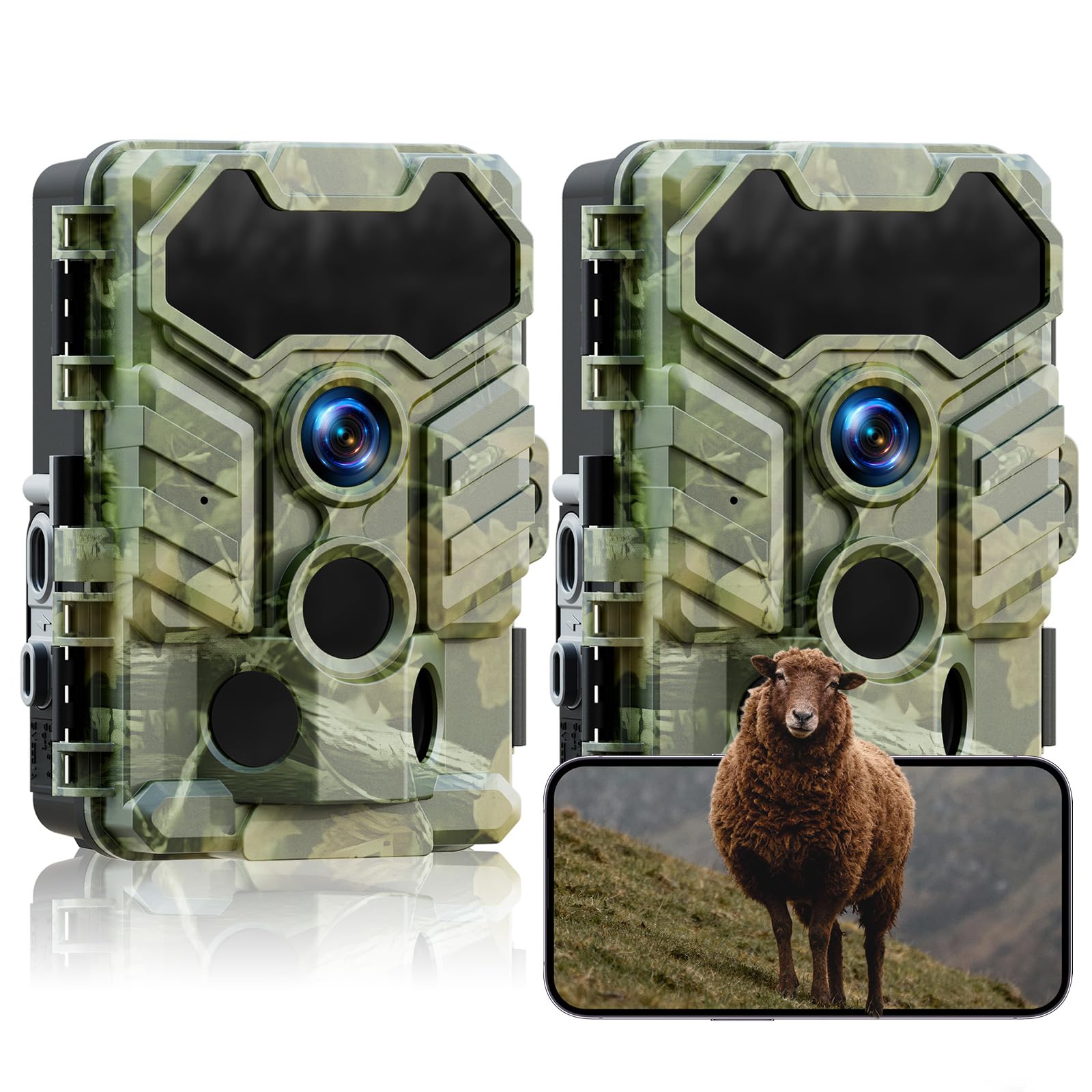
Image: VOOPEAK TC29A2 Trail Camera showing WiFi connection and app control. The camera connects directly to a smartphone via its own WiFi hotspot, allowing users to preview жана жүктөп алыңыз files. The WiFi connection has a range limit of 33 feet.
- Download the "Waskame" app from your smartphone's app store.
- Камера күйгүзүлгөнүн текшериңиз.
- Смартфонуңузда Bluetooth'ду иштетиңиз.
- Open the Waskame app and follow the instructions to connect to the camera via Bluetooth, which will then establish a WiFi connection.
- The WiFi connection range is approximately 33 feet (10 meters).
3. Сүрөттөрдү жана видеолорду тартуу
The camera is equipped with a 32MP sensor for high-resolution images and HD video recording. It features a 0.1-second trigger speed and a 130-degree wide-angle lens to capture motion effectively.

Image: VOOPEAK TC29A2 Trail Camera illustrating its 130-degree detection angle. The image highlights the wide field of view provided by the lens and the three PIR sensors for motion detection.

Image: VOOPEAK TC29A2 Trail Camera demonstrating its 0.1-second trigger speed, capturing fast-moving wildlife.
- The camera automatically captures photos or videos when motion is detected by its 3 high-sensitivity PIR sensors.
- Adjust settings such as photo resolution, video resolution, and trigger interval via the Waskame app.
4. Түнкү көрүнүш
Equipped with 4 low-glow infrared LEDs, the camera provides clear night vision without disturbing wildlife. The night vision range is up to 65 feet (20 meters).

Image: VOOPEAK TC29A2 Trail Camera showcasing its low-glow night vision capability, capturing clear images in total darkness without startling animals. The effective range is shown as 49 feet.
5. Loop Recording and H.264 Compression
The camera utilizes advanced H.264 video compression to optimize storage space, reducing usage by up to 80% compared to older formats. With loop recording enabled, the camera automatically overwrites the oldest fileэстутум картасы толгондо, үзгүлтүксүз жаздырууну камсыз кылат.

Image: VOOPEAK TC29A2 Trail Camera illustrating the loop recording feature, where the oldest videos are automatically replaced by the newest ones to ensure continuous capture.
Техникалык тейлөө
1. Тазалоо
- Gently wipe the camera lens and PIR sensors with a soft, dry cloth to remove dust and dirt.
- Абразивдүү тазалагычтарды же эриткичтерди колдонбоңуз.
2. Сууга туруктуулук
The camera is IP66 waterproof, designed to withstand rain and harsh outdoor conditions. Ensure all latches and covers are securely closed to maintain its water resistance.

Image: VOOPEAK TC29A2 Trail Camera demonstrating its IP66 waterproof rating, shown in a snowy environment with a deer. The camera is designed to operate in temperatures from -20°C to 60°C.
3. Батареяны алмаштыруу
Replace batteries when the power indicator shows low battery or when performance degrades. Always use fresh, high-quality AA batteries.
Проблемаларды чечүү
- Камера күйбөй жатат:
- Батареялар туура полярдуулук менен туура салынганын текшериңиз.
- Батареялардын жетиштүү заряддалганын текшериңиз.
- Кубат которгучу "ON" абалында экенин текшериңиз.
- Cannot connect via WiFi/Bluetooth:
- Камера күйгүзүлгөнүн текшериңиз.
- Смартфонуңузда Bluetooth иштетилгенин ырастаңыз.
- Make sure your smartphone is within 33 feet (10 meters) of the camera.
- Restart the Waskame app and try again.
- Эч кандай сүрөт/видео тартылган жок:
- Check if the SD card is properly inserted and not full.
- Ensure the camera is in an active recording mode.
- Verify that the PIR sensors are not obstructed.
- Adjust sensor sensitivity if necessary.
- Сүрөт/видео сапаты начар:
- Камера линзасын тазалаңыз.
- Ensure sufficient lighting during daytime or proper night vision activation at night.
- Check resolution settings in the Waskame app.
Техникалык шарттар
| Модель номери | TC29A2 |
| Сүрөттүн чечилиши | 32 депутат |
| Видео тартуунун резолюциясы | 1080p (HD) |
| Триггер ылдамдыгы | 0.1 секунд |
| Detection Angle | 130 градус |
| Түнкү көрүү диапазону | 65 фут (20 метр) чейин |
| Зымсыз байланыш | WiFi, Bluetooth |
| Сууга туруктуулук деңгээли | IP66 (Суу өткөрбөйт) |
| Power Source | 4 АА батарейкалар (киргизилген эмес) |
| Монтаж түрү | Tree Mount, Screw-in |
| Өлчөмдөрү (L x W x Y) | 14.22 x 10.11 x 16.51 см (5.6 x 3.98 x 6.5 дюйм) |
| Салмагы | 871 г |
| Иштөө температурасы | -20°Cден 60°Cге чейин |
Кепилдик жана колдоо
VOOPEAK provides reliable support for your product:
- 12-Month Repair Warranty: Сатып алынган күндөн тартып бир жыл өндүрүштүк кемчиликтерди камтыйт.
- 30 күндүк кайтаруу саясаты: Allows returns without reason within 30 days of purchase.
- Өмүр бою кардарларды колдоо: Dedicated support is available for the lifetime of the product.
For assistance, please contact VOOPEAK customer service through the official channels.